 Screenless BandsFitbit Air vs Ultrahuman Air: Which Screenless Wearable Is Right for You?
How to Turn on Oura Ring: Start and Setup the Ring!
Turn on and set up your Oura Ring easily. Start tracking sleep, activity, and wellness with simple steps for accurate data.
Independently tested. We never accept payment for reviews.How we test
What’s inside5 sections · 5 min read
Congratulations on your new Oura Ring! Having fun? No! Is it because you still don’t know how to set it up? Don’t worry; follow my lead as I provide clear and crisp instructions on How to Turn on your Oura Ring.
I remember how I faced the same issue when I bought my Oura Ring. I had no idea how to set it up, how to sync it with the Oura App, and most importantly, how to turn On the Ring. There were no lights and definitely no buttons, but somehow, I figured out the way.
But guess what? After the initial sync, things got even worse. Every time I wore it, I was confused.
Is it turned on? Is it currently tracking my vitals? But don’t worry- you won’t have to go through the same maze- I will tell you exactly if you can manually turn on the Oura ring and check whether the ring is working or not.
At a glance
The shortlist5 picks, tap one to jump to it.
How To Check If Your Oura Ring Is Turned On?#
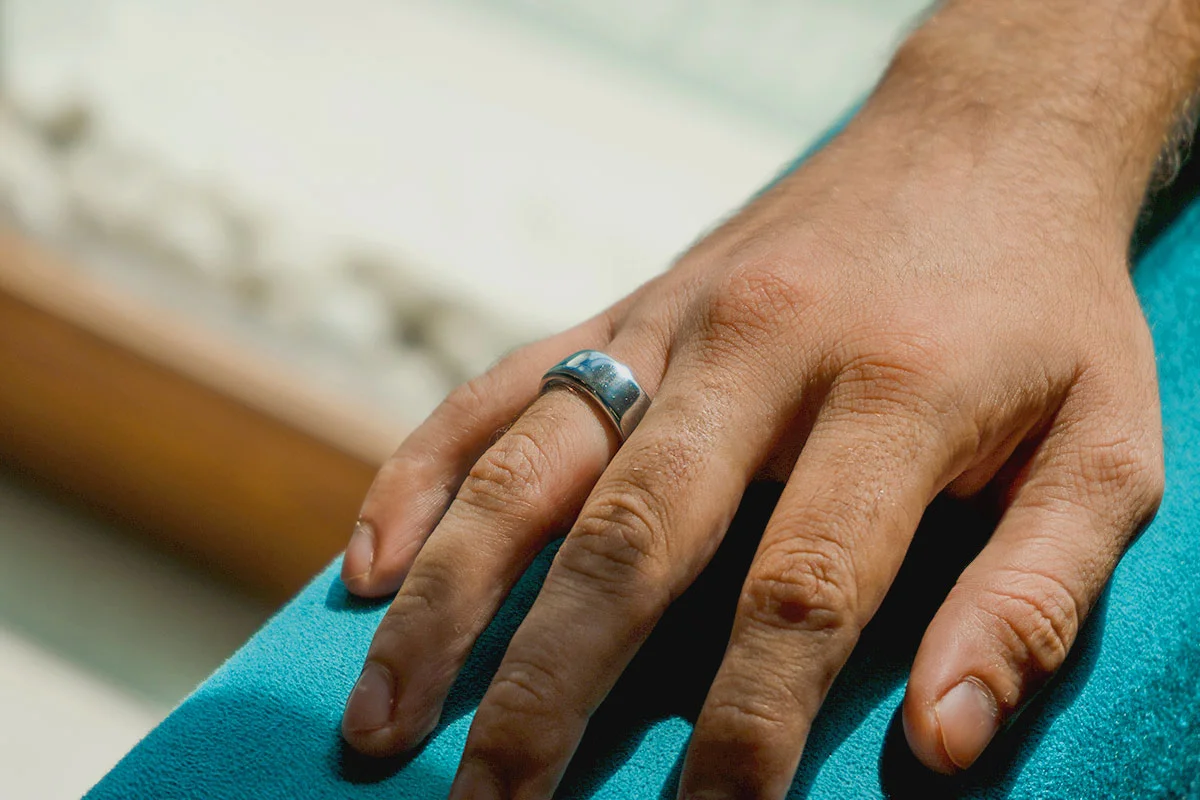
Oura Ring, known for its sleek titanium body, provides a minimalist, evergreen, classic design that can blend into everyday life. That’s why there is no physical button or touch display to start your Oura Ring.
When you wear it, it automatically turns on, and the sensor lights start blinking. This means your Oura Ring is turned On and is ready to transmit stats and information to its connected device.
Further, to confirm if Oura Ring is turned on or not, open the Oura app and check:
- Change in Oura Ring battery level
- Change in heart rate
You can check the Oura Ring battery level and other tracked vitals, especially the heart rate, to confirm whether your Oura Ring is working properly or not.
But if you have somehow taken a break from wearing your Oura Ring and have enabled power-saving mode, your Ring won’t turn on automatically.
In such a case, you can start using it again by simply placing the Oura Ring on its charger and following the in-app instructions to reconnect it with the Oura App.
However, this is only possible if you have set up and paired your Ring earlier. If you want to start or turn ON your newly bought Oura Ring for the first time, you have to install the Oura Ring app on your phone and place the ring on the charger for the initial Oura Ring setup. Seems difficult? Don’t worry; join me as I tell you How I set up my Oura Ring in detail steps.
How To Set Up Your Oura Ring?#
Once you have purchased an Oura Ring, you must set up the official Oura app and pair the Ring with your primary device. As soon as your Oura Ring syncs with the app, it will transfer the stats and metrics to the connected digital device.
Once connected, as mentioned above, the Oura Ring will automatically Turn On whenever you wear it on your finger, and its sensors will start syncing their data to the Oura App.
To help you set up your Oura Rings for the very first time, I’ve mentioned all the steps below in detail-
01Charge The Oura Ring#
1. Unbox the ring and charger
2. Plug the Oura Ring charger into a USB power source.
3. Place your ring on the charger.
I observed that my Oura Ring’s charging time for the first time was around 80 minutes.
02Pair With Bluetooth Of The Device#
1. Turn on the Bluetooth on your mobile phone.
2. When the ring on the Charger gets sufficient charge, you will see a blinking blue light.
3. The Ring is ready to be paired.
03Set Up Oura App and Account#
1. Download the Oura App from the App Store (for iOS) or Google Play (for Android).
2. Open the Oura app and click on Start.

3. Enter email > Continue.

4. Follow in-app instructions.
5. Tap Send setup email.

6. Verify your Email and set your password and tap Get Started after checking the Terms and Conditions checkbox.

7. Fill out your Billing information, Plan Type and Payment Method for Membership (optional).


8. Your Oura Account will be set up.

04Connect Your Oura Ring With App#
1. Tap Return to the Oura App.
2. Tap Continue> Enter the password and tap Sign In.

3. Tap on Begin.

4. Click on Set up Ring Button and allow the nearby devices.

5. Tap the Connect button when your ring’s name and size appear.

6. A pop-up will appear, tap the Pair option.

7. Your Oura Ring will be successfully paired.
8. Follow all the in-app instructions.
9. Enter your Date of Birth, Height, Weight, and other essential Information.
10. Tap on Done.

11. Personalize your experience by answering some questions.


12. Click on Continue to finish the process.

05Start Using The Ring#
Finally, your Oura smart ring is on and ready to be your silent health companion. As soon as your Account is logged In, your device will automatically start syncing. Wear your ring and see if the parameters such as sleep score, Readiness and Activity scores, heart rate, and temperature are changing or not.
PS—To keep your ring always on and working, it is recommended that you charge Oura Ring often and not let the battery go beyond 30% for seamless use.
Meaning of Different Lights on Oura Ring Charger#
While using or setting up an Oura Ring, the charger blinks with different-colored light sensors. Oura Ring charger could blink red, green, blue, or white light, depending on which you can tell the current status of your ring. Let’s learn which color represents what.
| Solid White Light, which turns off after a few seconds | Meaning |
|---|---|
| No Visible Light | The charger is off or idle |
| Slowly Pulsing White Light | The ring is charging |
| The ring is ready to pair over Bluetooth | The charger was connected to power without a ring on |
| Solid Green Light | The ring is fully charged |
| Blinking Blue | The ring is ready to pair over bluetooth |
| Solid Blue | The ring is paired |
| Blinking Red | There may be a problem with your ring or charger |
Frequently Asked Questions#
01How Do I Know My Oura Ring Is Working?
To check if the Oura Ring is working or not, open the Oura App and check the vital information or changes in the Oura Ring battery. If the data changes and alters accordingly, your Oura ring is working. If not, connect with the Oura Agents.
02Is Oura Ring Always On?
Oura Ring is always turned on and starts tracking once the ring is on your finger.
03Is Oura Ring Supposed to Light Up?
Oura Ring blinks with different lights for different conditions. Do check the reason and meaning behind it.
Wrap Up#
I hope now you know exactly how to set up your Oura Ring. You just need to charge your ring, set up your Oura account, and pair the ring with the device.
After this initial sync, you don’t need to press any button or connect any device; your Oura Ring will automatically turn on whenever you wear it. So, get your Oura Ring in working mode and unlock your AI Health Manual!
If you still have any doubts or questions, do let me know in the comment section below. We will get back to you as soon as possible.
 SP
Written by
Review Specialist
With an eye for detail and a particular interest in FemTech, Shradha at WearableXP oversees editorial direction and publishing standards. Her focus on Smart Rings and compact wearables centers on how they integrate health insights, sleep tracking, and recovery metrics into day-to-day lives, making data feel more practical and relatable.
More from Shradha 297 storiesKeep readingmore from Smart Rings
All storiesScreenless BandsFitbit Air vs Ultrahuman Air: Which Screenless Wearable Is Right for You? Smart RingsCircular Ring 2 vs Circular Ring 3: What Changed and Should You Upgrade?
 NewsOura Sues Ultrahuman Again, Threatening Ring Pro’s US Comeback