

 Add Us On Google
I’ve spent the last few weeks testing the Pixel Watch 4 and the Galaxy Watch 7 side-by-side. While they both run on Google’s Wear OS, they feel like two completely different devices once I actually put them on.

The Pixel Watch 4 is essentially a high-end Fitbit but with a brain, as it uses a new AI-powered health coach to tell you when to push yourself and when to actually take a nap. The Galaxy Watch 7, on the other hand, works with advanced health system features. If you aren’t using a Samsung phone, you’re locked out of the best features, like ECG and sleep apnea detection.
After living with both, I’ve realized the choice isn’t about which one is “better” on paper. It’s about whether you want a watch that simplifies your life or one that gives you every bit of data possible. In this Pixel Watch 4 vs Galaxy Watch 7 comparison, I’ll tell you how they actually handle a typical day, how often they’ll leave you hunting for a charger and which one is actually comfortable enough to sleep in.
Pixel Watch 4 vs Galaxy Watch 7: Key Differences
- The Pixel Watch 4 features a familiar edgeless appearance but is the roundest model yet with a domed Actua 360 with 16% thinner bezels, while the Galaxy Watch 7 sticks with a flat, round face with extremely thin, aluminium bezels, giving a more traditional watch feeling.
- The Pixel Watch 4 gives easy-to-understand Fitbit insights, including recent sleep patterns, heart rate variability and resting heart rate. Also, it is introducing AI-based coaching built with Gemini, which will provide proactive fitness, sleep coaching and on-demand guidance. Galaxy Watch 7, in comparison, is powered by a bioactive sensor that can analyze body composition.
- On one side, advanced features on the Pixel Watch 4 can be unlocked through the Fitbit Premium, like you can get enough free options in the watch itself to get the most out of your workouts and daily activities, while the Galaxy Watch 7 currently offers health features subscription-free through the Samsung Health app.
- Pixel Watch 4 offers a long lasting battery that lasts up to 30 hours. However, it can be stretched up to 40 hours on the 45mm version. Galaxy Watch 7, on the other hand, lasts around 22-24 hours between charges.
- Both watches come with dual-frequency GPS for accurate route tracking. The Pixel Watch 4 has automatic activity detection and provides personalized summaries, while the Galaxy Watch 7 offers structured workout analysis and energy scores.
- The Pixel Watch 4 works best with Pixel phones and most Android phones running Android version 8.0 or newer. Many features on the Galaxy Watch 7 will remain restricted (like you won’t be able to use the Samsung Health Monitor app that lets you do ECG and blood pressure monitoring) unless you pair it with a compatible Samsung phone.
Pixel Watch 4 vs Galaxy Watch 7: Key Specification Differences
| Specifications | Pixel Watch 4 | Galaxy Watch 7 |
|---|---|---|
| Operating System | Wear OS 6.1 | Wear OS 5 |
| Processor | Qualcomm Snapdragon W5 Gen 2 chipset with a Cortex M55 co-processor | Samsung Exynos W1000 |
| RAM and Storage | 2GB of RAM and 32GB of storage | Same as Pixel Watch 4 |
| Display | Domed Actua 360 AMOLED LTPO (brighter, curved) | Super AMOLED displays |
| Display Size | 1.27 inches/1.46 inches | 1.3 inches/ 1.5 inches |
| Battery Life | 30-40 hours | 22-24 hours |
| Charging Speed | 41mm: 45 minutes full charge (50-100%) 45mm: 60 minutes full charge (50-100%) | Samsung 15W wireless charging 45% charge in 30 minutes. |
| Sensors | Heart rate ECG SpO2 Skin temperature Skin conductance (cEDA) Accelerometer Gyroscope Barometer Magnetometer Compass | BioActive sensor (heart rate + ECG + BIA) SpO2 Skin temperature Accelerometer Gyroscope Barometer Geomagnetic Light sensor |
| GPS | Dual-frequency GPS | Dual-frequency GPS |
| Water and Dust resistance | IP68 + 5 ATM | IP68 + 5 ATM + MIL-STD-810H |
| Case Material | 100% Recycled Aluminum | Armor aluminum + sapphire crystal |
| Compatibility | Android 11.0 or newer | Android 11.0 or newer |
| Connectivity | Bluetooth® 6.0 Wi-Fi 802.11a/b/g/n/ac/ax 2.4GHz, 5GHz NFC Ultra wideband4 Bluetooth® 6.0 Wi-Fi 802.11a/b/g/n/ac/ax 2.4GHz, 5GHz NFC Ultra wideband | Bluetooth 5.3 Wi-Fi 2.4/5 GHz NFC LTE optional |
| Dimensions and weight | 44.4 x 44.4 x 9.7 mm/ 33.8gm | 12.3mm thick, 31g (without strap) |
| Price | $349.99 for the 41mm variant $399.99 for the 45mm variant | $299.99 for the 40mm variant $279.99 for the 44mm variant |
Design and Comfort: Curved Style vs Classic Look

© Samsung
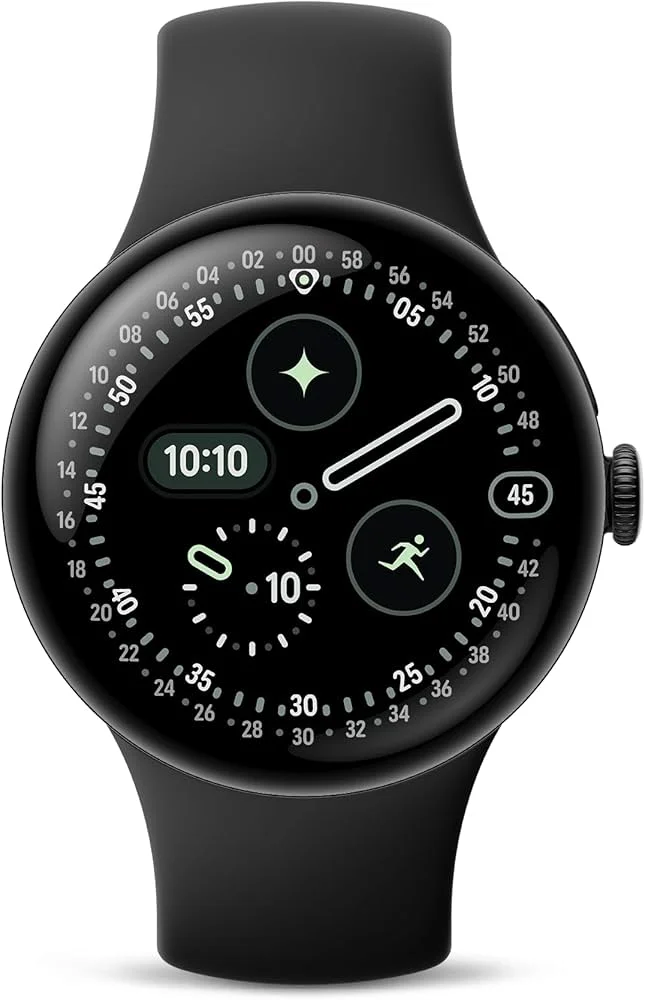
The design difference between these two smartwatches will be clearly visible even when you place them side by side.
Decode the Decor
The Smart Jewelry Revolution — a practical guide to wearable tech.
Where Pixel Watch 4 has a curved display under domed glass, Galaxy Watch 7 features a round design with a flat display. The curved design on the Pixel Watch 4 gives a sense of depth that is visible even from small angles.
It also helps the interface elements to adjust naturally near the edges, making both scrolling and transitions feel smooth. In comparison, the flat display on Galaxy Watch 7 does not curve at the edges and on screen elements stay in the same size and position on the entire display.
This difference also reflects in the display protection and material. Pixel Watch 4 features an aerospace-grade aluminium case with Corning Gorilla Glass. The Galaxy Watch 7, on the other hand, has a standard aluminum body protected by sapphire glass and has passed the MIL-STD-810H test for durability under environmental stress, such as vibrations and variations in temperature.
Both watches have an IP68 dust resistance and 5ATM water resistance rating, which makes them suitable for daily wear, workouts, showers and swimming.
The Pixel Watch 4is available in 41mm and 45mm case sizes. Also, the 41mm model weighs 31 g, the 45mm version weighs 36.7 gm without the band. The Galaxy Watch 7 comes in 40mm and 44mm sizes. The 40mm model weighs 28.9 gms while the 44mm model weighs 33.8 gms.
Health Tracking and Subscriptions: Fitbit Insights vs Samsung Health


© Samsung
The Pixel Watch 4 uses the Fitbit ecosystem for health tracking and includes features such as sleep stage analysis, skin temperature monitoring, ECG assessments, stress tracking, cardio load and daily health summaries.
The Galaxy Watch 7, on the other hand, relies on Samsung Health and offers features like sleep apnea detection, Advanced Glycation End (AGEs) tracking, blood oxygen monitoring, body composition analysis and detailed sleep metrics.
Sleep apnea detection works through the Samsung Health Monitor app and may be region-dependent, meaning it isn’t available in all regions, even if the hardware supports it.
In addition to these features, both watches support automatic workout tracking and dual-frequency GPS, which is ideal for outdoor activities. Furthermore, the Pixel Watch 4 offers over 50 exercise modes and supports automatic activity detection, while the Galaxy Watch 7 includes customizable heart rate zones and workout summaries.
The main difference between these two smartwatches lies in the subscription model. While subscription is not mandatory in the Pixel Watch 4, you take a Fitbit Premium subscription to access advanced insights, guided workouts and personalized training plans. The Galaxy Watch 7, however, offers many health features without a subscription.
Sleep Tracking

© MM Guide

I’ve worn both of these while sleeping and while they both track your sleep stages, they handle your rest very differently. The Pixel Watch 4 uses its new advanced machine learning to categorize sleep stages with greater accuracy and it also senses skin temperature to indicate changes from your baseline to detect if you’re coming down with a fever.
What I love is how it summarizes everything into a “Sleep Profile.” It basically tells you your sleep stages and their effect on recovery, which makes the data feel a lot more accurate. Fitbit even assigns you a monthly sleep animal, like a Giraffe or a Bear to help you visualize your long-term trends.
Fitbit assigns you one of six animals once a month, but it requires 14 nights of sleep data because it tries to identify your sleep phenotype, which is a biological way you naturally sleep over a long period.
The Galaxy Watch 7, on the other hand, gets you to your ‘Sleep Animal’ faster. After just a week of testing the Galaxy Watch 7, it labeled me a penguin. It’s a fun way to see your sleep stages and their effect on recovery without staring at a mountain of charts. Samsung assigns you one of eight animals much faster, usually after tracking your sleep for 7 nights.
Samsung Watch tracks your heart rate, blood oxygen and even your breathing patterns. The big addition here is Sleep Apnea detection via the Samsung Health Monitor App, which can actually warn you about serious health risks.
However, it can be a bit high-maintenance. For example, if you want to track your snoring, you have to leave your phone on the nightstand so it can listen along.
The main difference I noticed is that the Pixel tries to help you improve your habits with AI coaching, while the Galaxy just gives you a mountain of medical-grade data to look at. If you want a coach, go with the Pixel Watch 4. If you want the Samsung Integrated Ecosystem, go with the Galaxy Watch 7.
Fitness Tracking and GPS: Daily Workouts to Serious Training

© PC Mag
For daily tracking, the Pixel Watch 4 automatically detects workoutsand provides a detailed summary afterward. The Galaxy Watch 7 also offers automatic and manual workout tracking and it lets you set custom heart rate zones for specific workouts.
Both watches use dual-frequency GPS, which not only helps you during outdoor workouts but also gives you better route tracking in areas with poor signals. Besides, these watches offer a wide range of exercise modes.


The Pixel Watch 4 offers more than 50 workout options, which include activities such as pickleball and basketball. Whereas Galaxy Watch 7 offers a large selection of workouts and also includes body composition tracking, such as fat percentage and Body Mass Index (BMI), along with ECG measurements.
Battery Life and Charging: Which One Lasts Longer?
The Pixel Watch 4’s 41mm variant comes with a 325mAh battery, which gives up to 30 hours of battery life with Always On Display and with battery saver mode, it gives up to 48 hours of battery life.
And the 45mm variant comes with a 455 mAh battery, which gives up to 40 hours of battery life with Always On Display and with battery saver mode, it gives up to 72 hours of battery life.
The Samsung Galaxy Watch 7 also comes in 40mm and 44mm variant comes with a 300mAh battery that gives up to 30 hours of battery life with Always On Display and, with Always On Display off, it gives up to 40 hours of battery life.
Charging speed adds another dimension to this comparison. Even with 5% battery remaining, the Pixel Watch 4 can get fully charged in 40-43 minutes. The Galaxy Watch 7, on the other hand, takes 1 hour and 20 minutes to fully charge.
Overall, battery life and charging time together decide how often watches need to be charged. Google’s watch can quickly recover with short charging sessions, whereas Samsung’s watch requires a much longer time to fully charge.
Ecosystem Perks: Pixel Phone Users vs Samsung Phone Users

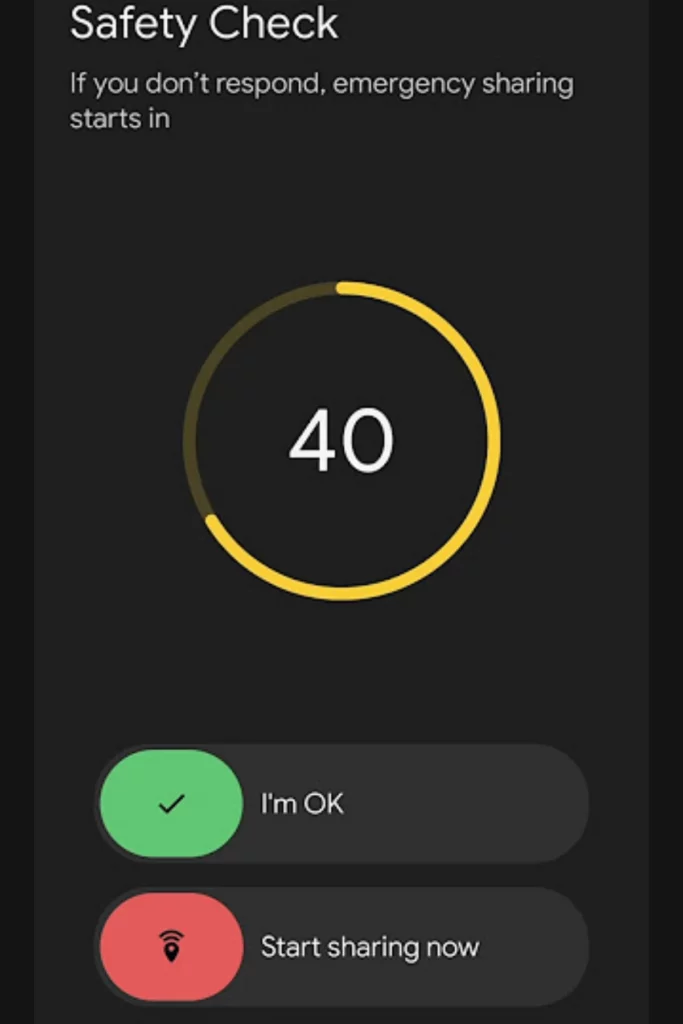
The ecosystem plays a significant role in how both these smartwatches work in daily use. However, a lot also depends on the phone you have paired the watches with.
Pixel Watch 4 integrates well with the Fitbit ecosystem, where health and fitness information is presented in an easy-to-understand format. Crucial stats such as activity progress, sleep data and daily health summary are visible clearly on the watch and the Fitbit app. The experience remains decent even if you connect your Pixel Watch to non-Pixel Android phones.
Galaxy Watch 7, on the other hand, also offers deep ecosystem integration, but many of its advanced features will work only when you pair it with a Samsung phone. Features like ECG, blood pressure monitoring, irregular heart rhythm alerts and sleep apnea detection rely on the Samsung Health Monitor app, which only works with those Samsung phones. If you pair it with a phone that is not from Samsung, you will not be able to access these features.
This dependency on having a Samsung phone extends deep into how the watch functions every day. For example, system-level features like Do Not Disturb and Sleep Mode won’t sync automatically, you’ll have to turn them on separately on both your watch and your phone, which is a real hassle.
You also lose AI-powered reply suggestions for texts, device diagnostics and the ability to join One UI beta programs to try new features early.
However, some of its features, such as camera control and calendar birthday syncing, can work with third-party app alternatives. Because these features are built specifically for the Samsung ecosystem, they simply won’t be fully functional on any other phone.
Final verdict
When looking at the Pixel Watch 4 vs Galaxy Watch 7 side by side, the difference should be less about basic smartwatch capabilities and more about how well each integrates into your daily life.
If I have to choose one watch between these two, I’d choose the Pixel Watch 4 because it offers a longer battery life with fast charging and a health-focused interface that makes everyday tracking feel simple instead of overwhelming.
But Galaxy Watch 7 also makes a strong case for itself. If you already use a Samsung phone and want deeper ecosystem integration, advanced health tools and more system-level features, it can feel more powerful in the right setup.
Ultimately, both watches deliver a solid Wear OS experience, but the better choice comes down to whether you prefer Pixel’s clean, wellness-first approach or Samsung’s feature-rich ecosystem.
FAQs
Decode the Decor
The Smart Jewelry Revolution
A practical guide to wearable tech's future — delivered straight to your inbox.
Author
