 NewsAina Ring Explained: The AI Smart Ring That Lets You Control Apps Without Your Phone
How Do I Add Workouts to Oura to Make Every Activity Count?
Add workouts to your Oura Ring and track every activity. Maximize your fitness insights and optimize recovery, sleep, and readiness scores.
Independently tested. We never accept payment for reviews.How we test

What’s inside4 sections · 3 min read
Sometimes, I dash off to the gym and realize I’ve left my Oura Ring behind, or I’m halfway through a workout when I notice my ring’s battery is dead. It’s frustrating, right? I mean, if it’s not tracked, did it even happen? I used to get a little anxious about my Readiness Score taking a hit because of this.
But those days are behind me! I’ve figured out how to manually add my workouts to Oura. Honestly, it’s not just about the steps. It’s about acknowledging the sweat, the effort, the heart-pumping action, and the energy I’ve put in. And there is real happiness in seeing my efforts translated into my Oura app’s crisp, clear graphs and stats.
Now that I’ve got it figured out, let me guide you through the steps. It will ensure everything is captured for you as well.
Add Workout to Oura on iOS & Android#
Here’s how I add a workout on both platforms:
- Launch the Oura app on your smartphone.
- Click on the + Plus icon in the bottom right corner of the Home tab.

- Click Add a Workout.

- This window shows your three most recent workouts (likely Running, Walking, and Cycling at first). Select the best match (if listed) for your activity.

For iOS:
- If your desired workout isn’t among your recent activities or you want to add something more specific, tap More Workouts to reveal a searchable list with over 50 different activities to choose from.

- If you can’t find your specific workout even in the expanded list, tap Other at the bottom and enter a descriptive name for your workout.

For Android:
Upon searching for these options within the Android app, I contacted the official support team, and they confirmed that these options are not available on Android yet.
- Fill in the details: Start Time, Duration, and Intensity.

- Tap Done in the top right corner to save your workout.

What Workouts Need to Be Manually Added on Oura?#
While Oura’s Automatic Activity Detection (AAD) is impressive, there are times when I need to take matters into my own hands and manually add workouts to my activity log. Here’s why and what I add manually:
Less Common Activities: Activities like rock climbing, kayaking, or martial arts might not be automatically recognized by AAD, even though Oura can detect over 40 unique activity types.
Short Bursts of Movement: Workouts under 10 minutes might not be captured by AAD. If I squeeze in a quick HIIT routine or a short jog, I usually need to add it manually.
Ring-Free Activities: If I forget to wear my Oura Ring during a workout, obviously, there won’t be any automatic detection. Manually adding it ensures my activity data remains complete.
New or Niche Activities: AAD is constantly evolving, but there might be some new, unsupported, or niche activities it hasn’t learned to recognize yet.
When in doubt, I always manually add a workout to make sure my activity data is complete and reflects my full range of movement.
Frequently Asked Questions#
01Can Oura Track Workouts?
Yes, Oura can track workouts in two ways: automatically through its built-in activity detection and manually by adding workouts through the app.
02Should I Wear Oura Ring in The Gym?
Absolutely! Wearing your Oura Ring during workouts allows it to track your activity more accurately and provide insights into your workout performance.
03How Accurate Is Oura Calorie Burn?
Oura’s calorie burn estimates are based on your heart rate, activity level, and other personal data. While not perfect, they provide a decent general idea of how many calories you burn throughout the day, including during workouts.
04Why Is My Oura Ring Not Adding Workouts?
If you’re finding your Oura Ring not detecting workouts, it could be due to a few factors. Firstly, workouts under 10 minutes might not be captured by the ring. Also, if you’re not wearing the ring during your workout, it won’t track automatically, although you can add them manually later. Additionally, the ring may not automatically detect certain activities.
05Can You Edit a Workout on Oura?
Yes, you can edit workouts detected by your Oura Ring! This allows you to ensure the time, duration, type, and intensity are accurate. You can also confirm or delete the Oura workout entirely if it wasn’t exercised.
06When to Add a Workout Manually on Oura?
If your activity is uncommon (like rock climbing), under 10 minutes, done without your ring, or a new activity that Oura hasn’t learned yet, you need to add it on Oura manually.
Wrap Up#
That’s it! Tracking my workouts with the Oura Ring was easy and user-friendly. Apart from the Android app not having the same 50-item workout list as the iPhone, another thing I noticed is that Oura allows only adding workouts for the current day and does not allow editing past entries. It would be great if Oura allowed users to edit workouts for at least a week back. But overall, adding workouts is a smooth experience! I hope this article helps you make the most out of your Oura app!
 SP
Written by
Review Specialist
With an eye for detail and a particular interest in FemTech, Shradha at WearableXP oversees editorial direction and publishing standards. Her focus on Smart Rings and compact wearables centers on how they integrate health insights, sleep tracking, and recovery metrics into day-to-day lives, making data feel more practical and relatable.
More from Shradha 298 storiesKeep readingmore from Smart Rings
All storiesNewsAina Ring Explained: The AI Smart Ring That Lets You Control Apps Without Your Phone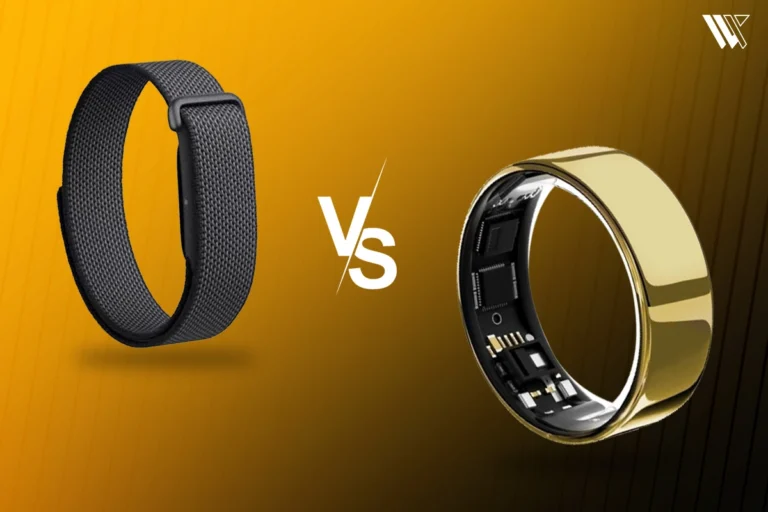 Screenless BandsFitbit Air vs Ultrahuman Air: Which Screenless Wearable Is Right for You?
 Smart RingsCircular Ring 2 vs Circular Ring 3: What Changed and Should You Upgrade?