

I remember I was sitting on my couch last Tuesday, just scrolling through my phone, when my wrist started buzzing. I looked down, expecting a text, but instead my Apple Watch told me my heart rate was 112 BPM. I wasn’t running, I wasn’t even standing, I was just overthinking what to have for dinner.
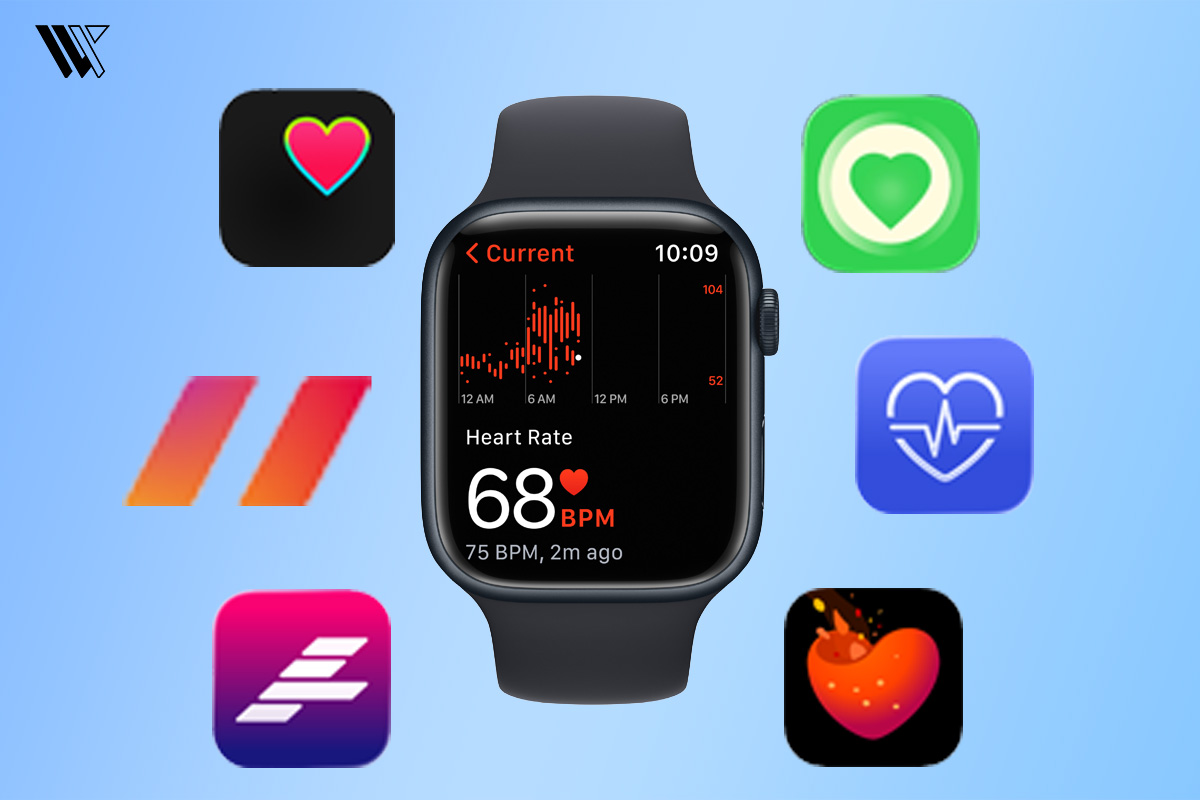
That was the moment I realised my watch probably knows my anxiety better than I do. I’ve been wearing an Apple Watch for years now and while the default heart app is great for a quick check, I quickly found it a bit too basic for what I wanted. I wanted to see trends and understand stress.
Over the last few months, I’ve experimented with dozens of Apple Watch heart rate apps. Some were life-changing, while others were so full of confusing medical charts that I felt like I needed a PhD just to read my pulse. This guide isn’t just a list of App Store descriptions, it’s a look at the heart rate apps I actually kept on my watch after months of trial and error.
How Apple Watch Measures Heart Rate
If you’ve ever looked at the back of your watch, you’ve seen those glowing green lights. It looks cool, but it’s actually doing something called Photoplethysmography. Fancy word, right? Basically, our blood is red, so it reflects red light and absorbs green light. By flashing those green lights hundreds of times per second, your watch can see how much blood is flowing through your wrist.
Decode the Decor
The Smart Jewelry Revolution — a practical guide to wearable tech.
The latest models, like Apple Watch Series 10 and 11 and the previous models, too, have an electrical heart sensor, which is much more precise.
What Can Heart Rate Apps Do
Beyond just showing you a number, these apps act like a translator for your body. While the built-in Apple Watch app is great at telling you what your heart is doing right now, third-party apps break down the data and the why.
They take your Resting Heart Rate (RHR) and Heart Rate Variability(HRV) to establish a baseline of what’s normal for you. When those numbers shift, the app can often tell you’re getting sick.
They also help you connect your habits to your heart health. By tagging a specific event like a stressful meeting, a late-night snack or that extra cup of coffee, you start to see a roadmap of your triggers. It turns those random spikes into actionable data, helping you realise that maybe it wasn’t just random anxiety but actually a physiological reaction to something specific in your routine.
Finally, some of these apps essentially give you a Recovery Score, which is something not inherently present in the Apple Watch. Instead of guessing if you have the energy for a gym session, they analyse how well your nervous system recovered overnight.
Best Apple Watch Heart Rate Monitor Apps
Heart Analyzer

Price: $14.99 USD (one-time purchase)
This is the ultimate tool for anyone who wants to see exactly what happened to their heart over the last 24 hours. It specialises in taking the data Apple already collects and turning it into a beautiful, deep-dive dashboard. I personally use it every Saturday morning to review my week. I once used its trending data to prove my heart rate significantly drops during vacation, it’s my proof of relaxation.
Pros:
- No monthly subscriptions, it uses a fair one-time purchase model for premium features.
- Provides incredible granular detail, showing VO2 max and resting heart rate to two decimal places.
- Offers customizable watch face complications that display your heart rate history for the last few hours.
Cons:
- The iPhone interface is extremely data-heavy and can feel crowded or overwhelming for beginners.
- Some users find the sync between the watch and phone can occasionally lag during manual refreshes.
HeartWatch

Price: $8.99 USD (one-time purchase)
HeartWatch is famous for its clever colour-coded system: if your heart rate is in your normal range, it’s blue or green, but if it’s higher than usual for your current activity level, it turns red. I use it daily for sedentary heart rate alerts and it actually warned me my resting heart rate was climbing two days before I felt sick with the flu. It’s essentially an early warning system for your body.
Pros:
- It features a very intuitive visual language that makes health status obvious at a glance.
- It includes a Morning Briefing that summarises your key health metrics to start your day.
- It is excellent for tracking recovery and seeing how long it takes your heart to calm down after exercise.
Cons:
- The iPhone app’s visual style feels a bit outdated or old school compared to modern Apple designs.
- It can be notification-heavy if you don’t take the time to fine-tune your alert thresholds.
Cardiogram

Price:
$14.99 USD / month
$69 USD / six months
$99 USD / year
Cardiogram is designed to help you link your behaviour to your heart health by allowing you to tag your activities. This is how I discovered exactly how much a late-night glass of wine or a stressful meeting spikes my pulse. It’s my go-to when I’m trying to cut back on caffeine or see how specific habits are affecting my sleep quality.
Pros:
- It offers a very clean, modern UI that is easy to navigate and understand.
- It comes with a high-quality Habits Feature that provides actionable challenges to improve heart health.
- It is capable of spotting signs of chronic conditions like hypertension through long-term trend analysis.
Cons:
- A significant number of the most useful insights are locked behind the subscription.
- Some users report that it can be a bit demanding on battery life if background monitoring is set to high frequency.
Athlytic
Price:
$4 USD / month
$30-39 USD / year
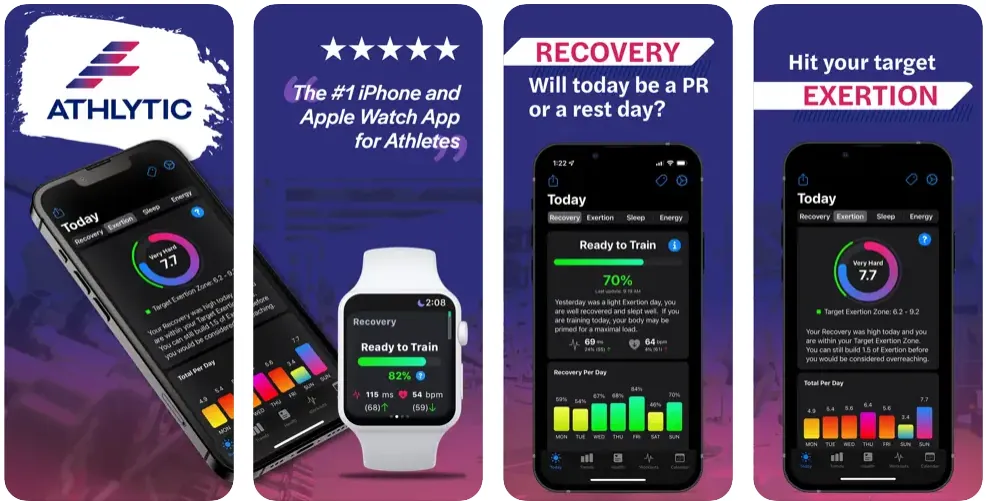
If you’ve ever wondered whether you’re actually ready for a tough gym session, Athlytic is the answer. It uses your HRV and resting heart rate to calculate a recovery score every morning. I check it first to decide if I should push for a personal record or just take a nap while ignoring its low recovery warning, which once left me feeling like a zombie for an entire day.
Pros:
- It acts like a professional AI coach on your wrist, which tells you exactly how hard to push.
- It provides a clear exertion target, so you know when you’ve done enough work for the day.
Cons:
- Most of the magic that makes the app useful requires an ongoing subscription.
Zones for Training

Price: $7.99 USD (one-time purchase)
Zones for Training on real-time feedback during your workouts. It breaks your heart rate into five intensity zones, like fat burn or cardio and shows them in big, bold colours that are easy to see while running. It helped me realise my jogging was actually just a brisk walk for my heart, pushing me to finally get into the true cardio zone.
Pros:
- It shows your key workout metrics, such as heart rate or time, in large, high-contrast text that is easy to read with just a quick look.
- It supports over 70 types of workouts like running, walking, cycling, and treadmill
Cons:
- The free version is quite limited, especially regarding your historical data and trends.
- Some users have noted syncing issues when trying to push data to third-party apps like Strava.
Welltory

Price:
$12.99 USD / month
$99.99 USD / year
$299.99 USD (one-time fee for lifetime premium)
Welltory is a specialised tool that measures your nervous system by analysing the timing between your heartbeats. It analyses heart rate variability (HRV), which is a proven health marker. During high-pressure work weeks, it’s my favourite way to validate my stress after a day of back-to-back meetings.
Pros:
- It includes AI-powered insights that reveal how your daily habits and mood correlate with your physiological stress and energy levels.
- It features a unique battery gauge that visualises your current energy levels.
- It provides personalised research reports to show you exactly which lifestyle changes make a difference in your life.
Cons:
- One of the more expensive subscription options among popular HR apps.
- The interface is dense and technical, which can be a turn-off if you just want simple stats.
To get the most accurate readings from these apps, especially the recovery and stress features, having the latest sensor technology is the key. The Apple Watch Series 11 features the third-generation optical heart sensor and electrical heart sensor, which makes it a perfect platform for these high-precision apps.
How to Choose the Best Heart Rate Apps
Choosing the right heart rate app depends entirely on what you’re trying to achieve, whether that’s training for a marathon or just trying to manage your stress. Here are a few key things I look for before hitting download:
- Ask yourself if you need real-time data or long-term analysis. If you are a runner, you need an app like Zones for training that prioritises big, readable numbers and zone alerts. If you’re more interested in wellness, go for Heart Analyser or Welltory, which focus on HRV and recovery trends.
- Many heart apps have moved to monthly subscriptions, which can add up fast. If you are like me and hate recurring bills, check the pricing model first. Some apps offer a lifetime unlock that is a much better value if you plan to use it for more than a few months.
- Some apps consume more battery because they constantly ping your sensors for high-frequency data. If you are already struggling to keep your watch charged for a full day, look for apps that primarily analyse the data Apple Health already collects in the background rather than triggering their own constant scans.
- Don’t get blinded by fancy charts. The best app isn’t the one with the most graphs, it’s the one that tells you what to do. Look for features like recovery scores that translate complex BPM numbers into a simple: you are ready to push today, or you need to take a rest.
Wrap Up
At the end of the day, your Apple Watch is only as smart as the apps you use to interpret its data. Whether you choose Heart Analyser for its deep dives or Athlytic to coach you through a workout, the goal is the same: moving from just seeing numbers to actually understanding what your body is trying to tell you.
My dinner-time anxiety spike was a wake-up call that my physical and mental health are more connected than I realised and having these tools on my wrist helps me manage that connection every day.
Don’t feel pressured to download everything at once. I recommend starting with one app that matches your biggest goal, like stress management or marathon training and using it for a week or two. You’ll quickly find that once you learn your heart’s language, it becomes much easier to listen when it tells you something is wrong.
After all, the best heart rate app isn’t the one with the most features, it’s the one that gives you peace of mind so you can stop overthinking and start feeling better.
FAQs
Decode the Decor
The Smart Jewelry Revolution
A practical guide to wearable tech's future — delivered straight to your inbox.
Author

Nice roundup.
One category I think is still underserved on Apple Watch is heart-rate zone guidance during a workout, not just heart-rate analysis afterward.
A lot of apps do a great job with trends, recovery, charts, and long-term health insights. The challenge I kept running into was staying in a specific training zone while running. I found myself constantly checking my wrist to see whether I had drifted too high or too low.
Hi Thomas,
Thanks for reading the article and for sharing your perspective. You make a great point about the importance of real-time heart-rate zone guidance during workouts, especially for runners and endurance athletes trying to stay within specific training zones.