 Screenless BandsFitbit Air vs Apple Watch: Which Wearable Is Better for Health Tracking?
Low Power Mode On Apple Watch | Everything You Need To Know
Master Apple Watch Low Power Mode. Extend battery life, know which features are limited, and keep your watch running longer.
Independently tested. We never accept payment for reviews.How we test
What’s inside6 sections · 4 min read
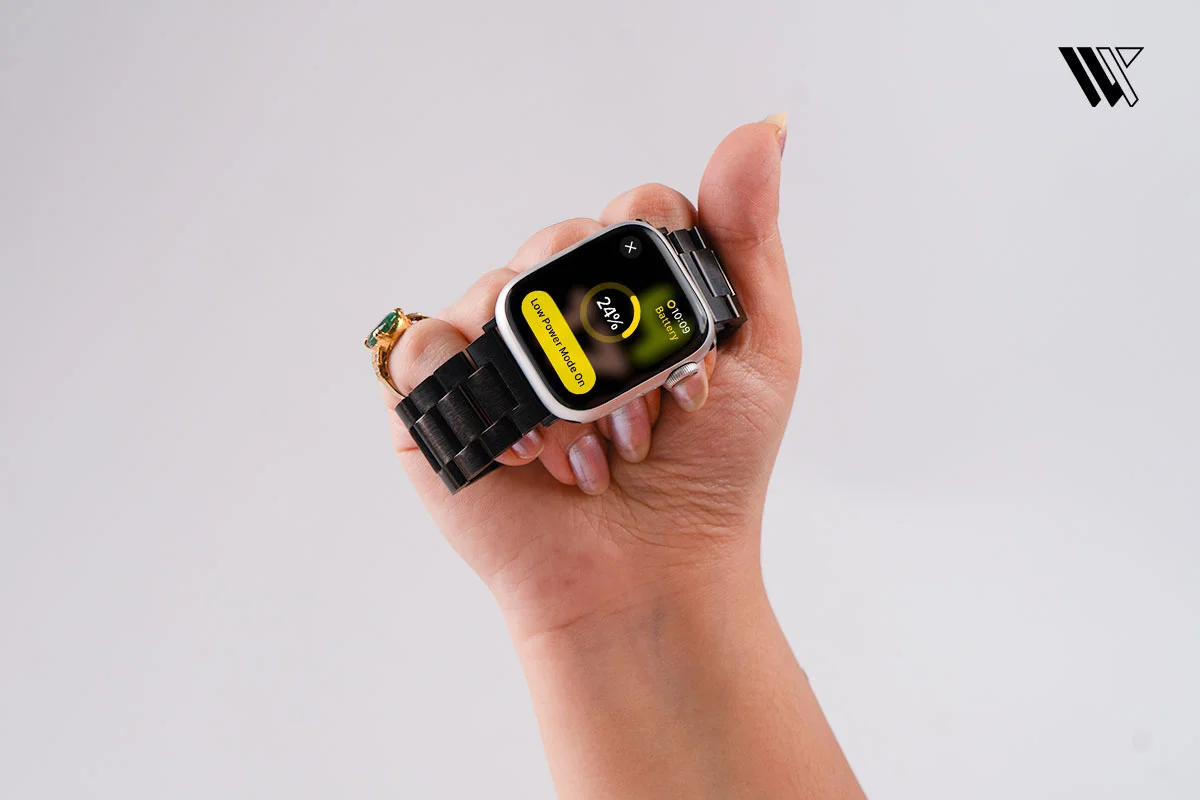
The easiest way to extend my Apple Watch’s battery life is to put it in Low Power Mode. With the already short battery life that the Apple Watch offers, the Low Power Mode is a great way to make the most of my charge, especially if I want to stretch my battery just a little bit in order to finish a workout.
Here’s everything you need to know about how Low Power Mode works, what it disables, and when to use it.
How to turn on and off the Low Power Mode on your Apple Watch#
Using the Control Center#


Step 1: Press the side button on your Apple Watch to access the Control Center.
Step 2: Tap on the battery percentage button.
Step 3: Tap on Low Power Mode > Turn On.
Using the Settings app#

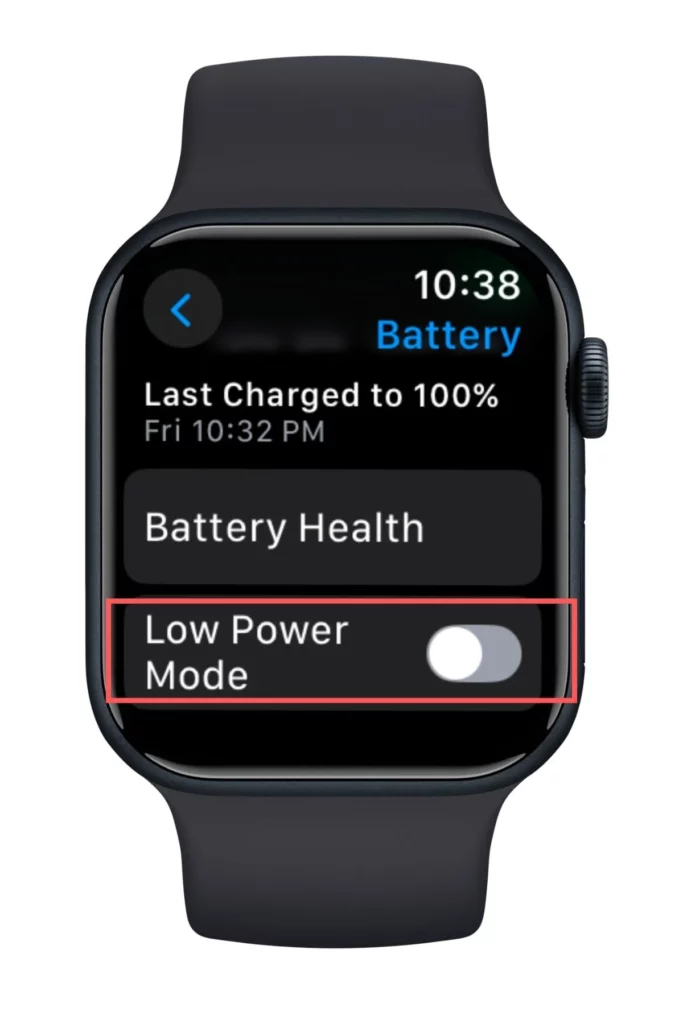
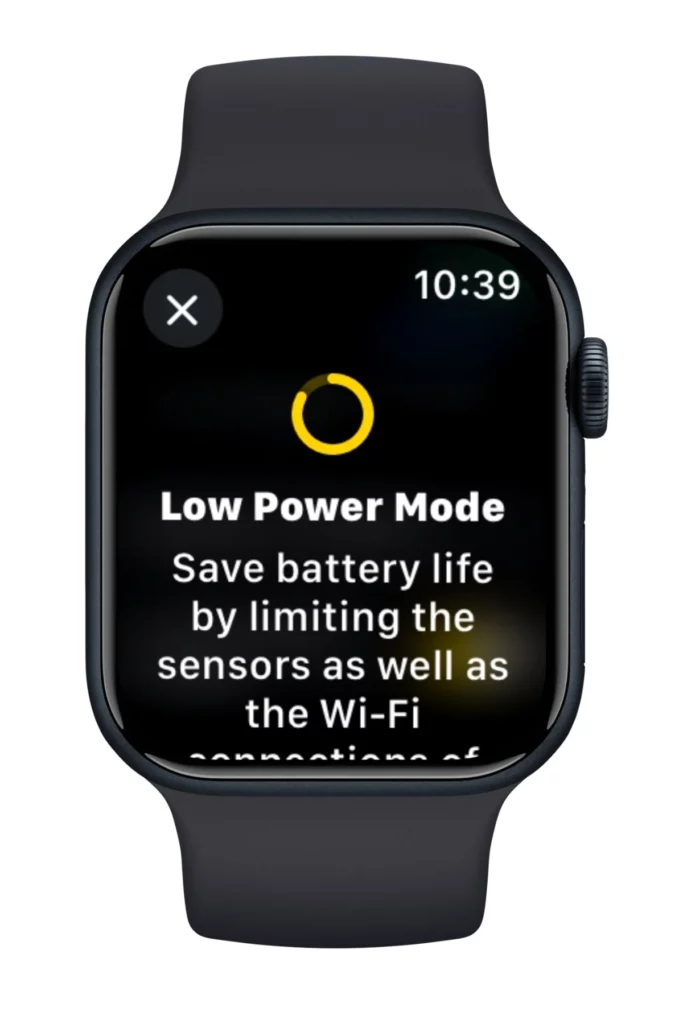
Step 1: On your Apple Watch, open the Settings app.
Step 2: Scroll and tap on Battery.
Step 3: Toggle on Low Power Mode > Turn On.
To turn on Low Power Mode for longer, at the information screen when it is turned on, scroll down and tap Turn On For. Here, you can select On for 1 Day, On for 2 Days, or On for 3 Days.
Low Power Mode notification turns on automatically when the Apple Watch’s battery falls to 10% and asks to be turned on.
When the battery is charged to 80%, the Low Power Mode automatically turns off. This is not the case if you turn on the Low Power Mode for a number of days.
To turn off the Low Power Mode, #


Step 1: Press the side button on your Apple Watch to access the Control Center.
Step 2: Tap on the battery percentage button.
Step 3: Tap on Low Power Mode to turn off.
How to turn on the Low Power Mode on your Apple Watch during workouts#
I love using my Apple Watch in Low Power Mode during my workouts because it makes my battery last much longer, while important metrics such as my heart rate and pace are still being measured.

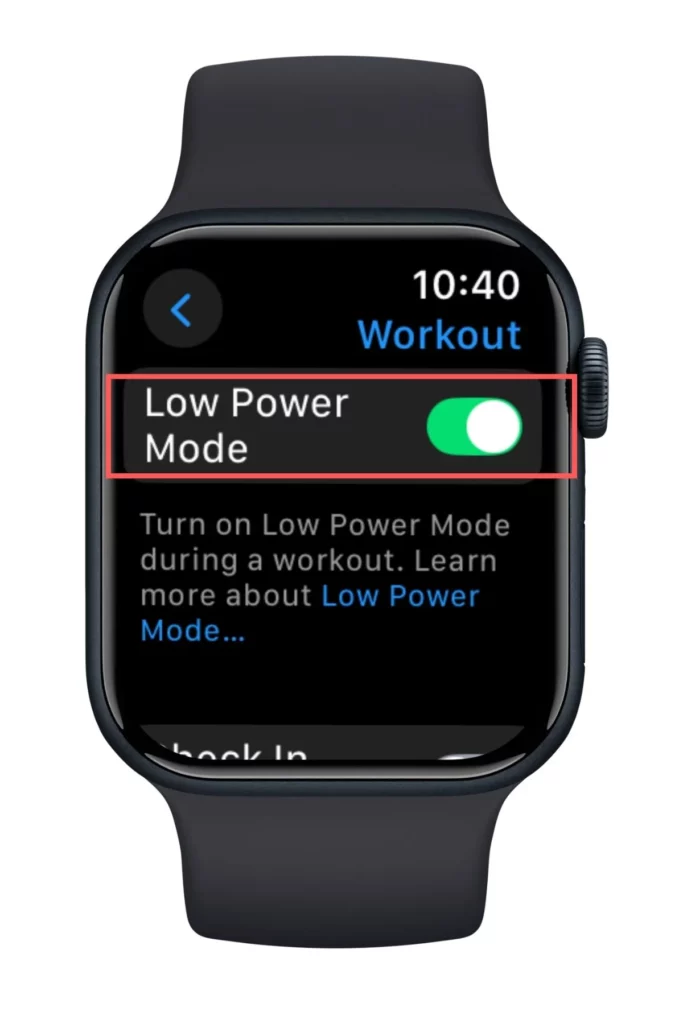
I turn this on automatically using these steps:
- Open Settings on your Apple Watch.
- Tap on Workout and then toggle on Low Power Mode.
That’s all it needs for the Low Power Mode to turn on automatically when I use the Workout app. Another battery-saving feature available on the Apple Watch SE (2nd generation), Series 8 and later, and Apple Watch Ultra and later, running watchOS 9.1 and later, is to take fewer GPS and heart rate readings during my workout in the Low Power Mode in order to preserve battery.

- Open Settings on your Apple Watch.
- Tap on Workout.
- Toggle on Fewer GPS and Heart Rate Readings.
How Low Power Mode works on the Apple Watch#
The Low Power Mode limits some functionalities of the Apple Watch, such as:
| Feature | Normal Mode | Low Power Mode |
|---|---|---|
| Always-On Display | On | Off |
| Blood Oxygen Measurements | On | Off |
| Double tap gesture | On | Off |
| Time in Daylight | On | Off |
| Heart rate notifications for irregular rhythm, high heart rate, and low heart rate | On | Off |
| Automatic Workout Detection | On | Off |
| Blood Heart Rate Measurement | On | Off |
| Start Workout reminder | On | Off |
| Wi-Fi and cellular connections | On | Off (when iPhone isn’t nearby) |
| Incoming phone calls and notifications | On | Off (when iPhone isn’t nearby) |
| Making a phone call | Normal | Can take longer |
| Background app refresh | Normal | Less frequency |
| Complications update | Normal | Less frequency |
| Live activities | Normal | Less frequency |
| Siri | Normal | Takes longer to process |
| Animations and scrolling | Normal | Less smoother |
When to Use Low Power Mode on the Apple Watch#
- On a long hike or walk.
- For marathon or long races and triathlons, which require extended tracking.
- Road trips and long travel days with no access to a charger.
- Long work shifts or overnight duties, such as in healthcare or emergency services.
- International flights or long layovers where charging isn’t convenient.
- Power outages or emergency situations when preserving battery is essential.
Wrap Up#
The Low Power Mode on my Apple Watch is used mostly during my workouts, especially if I’m hitting the gym later in the evening. It is also a good hack to stretch my watch’s battery a little more to record my 10K steps at the end of the day.
This simple feature, when used intently, keeps the essentials running without stressing about battery drain and can make a big difference in how much you get out of your Apple Watch.
FAQs#
01How long does an Apple Watch last on low power?
The Apple Watch lasts up to 36 hours in Low Power Mode.
02What is disabled in low power mode on an Apple Watch?
The Low Power Mode on an Apple Watch limits certain functionalities of the watch, such as the Always On Display, background heart rate, heart rate notifications, and blood oxygen measurements.
03How to fix an Apple Watch stuck in Low Power Mode?
If your Apple Watch is stuck in Low Power Mode, force restart your Apple Watch and let it charge for a few minutes. Alternatively, try a different charger and adapter.
 RK
Written by
With a focus on real-world usability, Rahul at WearableXP covers smartwatches and wearable fitness tech. He evaluates how devices combine activity tracking, health metrics, battery life and connectivity. His work helps readers understand how smartwatches fit into everyday routines through practical performance and software-driven features.
More from Rahul 339 storiesKeep readingmore from Smart Watches
All storiesScreenless BandsFitbit Air vs Apple Watch: Which Wearable Is Better for Health Tracking? Smart WatchesAmazfit T-Rex Ultra 2 Review: Is This Rugged Smartwatch Worth $549.99?
 Smart WatchesApple Watch Ultra 4 Review: Is Apple’s Adventure Watch Actually Worth Buying?