 Screenless BandsFitbit Air vs Apple Watch: Which Wearable Is Better for Health Tracking?
I Tried the Best Stress Tracking Apps for the Apple Watch
I tested the best stress tracking app for Apple Watch to see if it really helps manage anxiety and boost mindfulness- here’s what I found.
Independently tested. We never accept payment for reviews.How we test

What’s inside6 sections · 7 min read
So your Apple Watch has it all. It tracks your steps, heart rate, ECG, workouts, calories, and more. But there’s something missing- it doesn’t track your stress. So I set out to try some of the internet’s best-proclaimed stress tracking apps for Apple Watch and found one to be the crown jewel- and it’s free!
Some of the physiological data that can be collected by the Apple Watch include heart rate and heart rate variability (HRV), which are used to calculate the stress score. It is essential to understand that the stress score represents only an estimated value of your physiological reaction, not an accurate measurement of your subjective stress level.
So, if you’re on the lookout for the best Apple Watch apps to track your stress, here are the ones I tried.
At a glance
The shortlist3 picks, tap one to jump to it.
Best Stress Tracking Apps for Apple Watch#
| App | Best For | HRV Tracking | Stress Score | Apple Watch Complication / Widget |
|---|---|---|---|---|
| StressWatch | Best overall | Yes | Yes | Yes |
| Stress Tracker HRV | Best for HRV and recovery | Yes | Yes | Yes |
| StressLess | Best for wellness and habits | Yes | Yes | Yes |
Can Your Apple Watch Detect Stress?#
Not directly. Your Apple Watch does not currently have a dedicated stress sensor or a native stress score.
What it does have are sensors that can collect physiological signals such as:
- Heart rate
- Heart rate variability (HRV)
- Sleep data
- Activity patterns
Then third-party applications can leverage these indicators to calculate the trends of stress. Thus, according to StressWatch, the application utilizes data about resting heart rate and HRV gathered in Apple Health for the measurement of stress levels.
Here comes the tricky part. HRV is not identical to stress levels. HRV stands for variability in time between heartbeats. The analysis of HRV along with heart rate and other data helps determine whether there is additional physiological pressure on the body.
In other words, if you have a low HRV index, it does not automatically imply that you are stressed. Exercise, sleep, illness, alcohol consumption, recovery and other factors can influence HRV index too.
A study published in Dec 2022, titled ‘Using Apple Watch ECG data for heart rate variability monitoring and stress prediction: A pilot study.’, from the University of Waterloo, suggests that Apple Watch Series that have the ECG functionality i.e., Series 6 and above, can predict stress levels using data collected throughout the day.
The study involved 33 participants using both an Apple Watch and an iPhone 7. The stress was assessed using frequent ECG readings and questionnaires. The results were promising despite certain limitations, such as a small sample size and shorter ECG durations.
This could mean that Apple has the tech to introduce an in-built stress app, and I’m sure that when they do, we won’t need any of the third-party apps.
How Do Apple Watch Stress Tracking Apps Work?#
HRV-Based Stress Tracking
Most stress apps for Apple Watch are built with HRV among the most important signals.
HRV shows the variation between heartbeats. The application analyzes trends of HRV and, depending on the application, combines them with heart rate, sleep and physical activity data to give an estimation of stress and recovery.
For instance, Stress Tracker HRV claims that it uses HRV to calculate real-time stress tracking, daily/weekly trends, Recovery Index and sleep patterns.
Stress Scores
A stress score may simply be an easy way to represent all the above mentioned physiological data. In other words, instead of requiring you to analyze an HRV graph, applications will transform the data into a numerical value or level.
But do not treat this value as the ultimate truth.
Stress is not something you can measure using your Apple Watch. It is an estimation that is based on physiological signals, which means that these scores should be used only for tracking certain patterns rather than measuring your stress from the current reading.
That is why I would not make a comparison between the scores of two different apps. They might use different algorithms and different health data.
List of Best Stress Tracking Apps for Apple Watch#
01StressWatchBest Overall Stress App for Apple Watch#
© StressWatch
© StressWatch
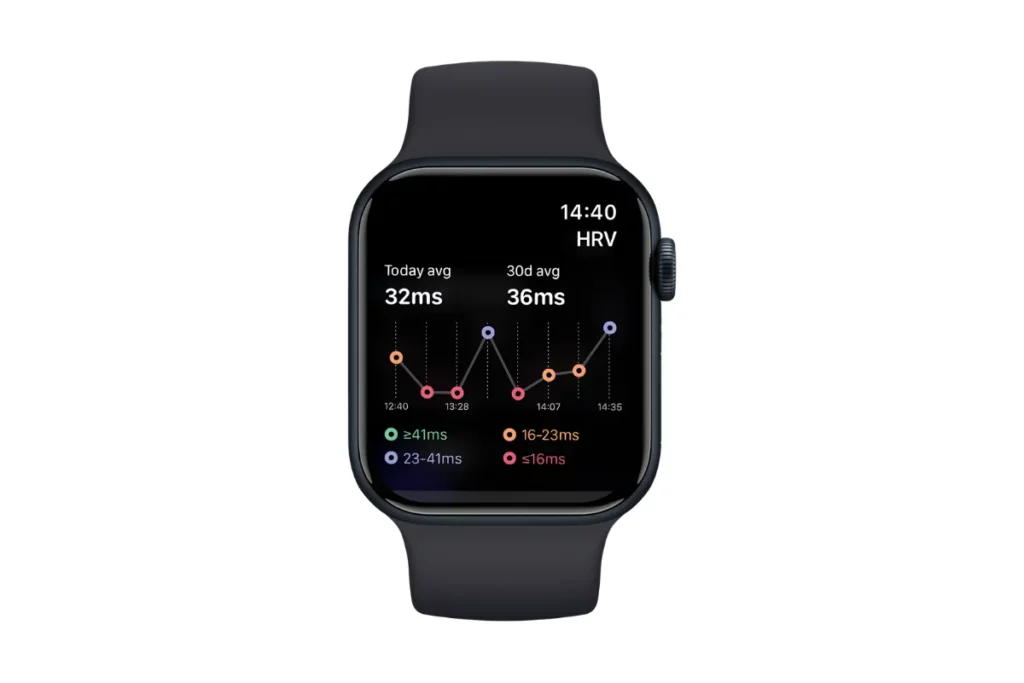
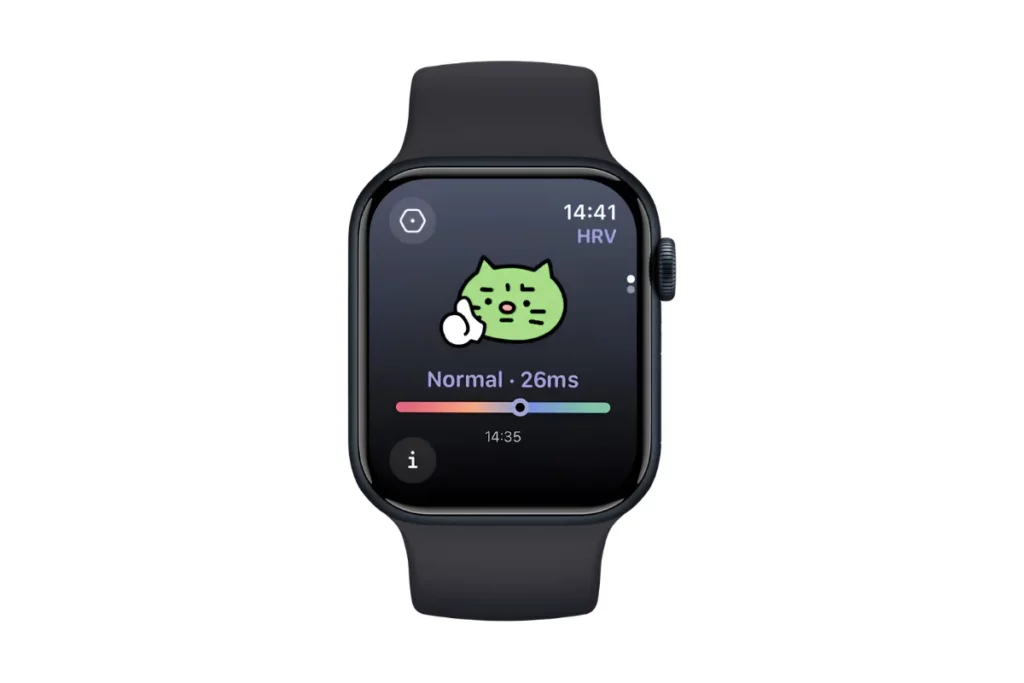
First on my list goes StressWatch– an app that turns your Apple Watch into a stress monitor using heart rate and HRV data provided by Apple Health.
The app displays stress statistics in real time and allows you to observe your stress trends per hour, day, month and year. Also, it allows you to display its data via custom complications/widgets on your Apple Watch, thus eliminating the need to launch an actual application every single time.
In addition to stress, it provides HRV insights, sleep analysis and breathing exercises among other wellness features. Basic stress monitoring is included in the free version while the paid Pro version comes with additional features.
And this is one of the things I like about it– you can actually obtain a stress score without being prompted to immediately subscribe to the service.
While the iPhone app offers some additional features, I would like it to provide additional information on how the score was calculated, like heart rate variability and resting heart rate in particular.
However, now StressWatch has added some information about its underlying sources of data. Now the app says that it uses resting heart rate and HRV statistics from Apple Health.
Key Features
- HRV tracking
- Stress score
- Real-time stress monitoring
- Daily, monthly and yearly stress trends
- Apple Watch complications/widgets
- Sleep analysis
- Breathing exercises
- Basic stress monitoring available for free
Best ForMost Apple Watch users who want a simple stress score with HRV trends and complications for their Apple Watch
02Stress Tracker HRVBest for HRV and Recovery#
© Stress Tracker HRV
© Stress Tracker HRV
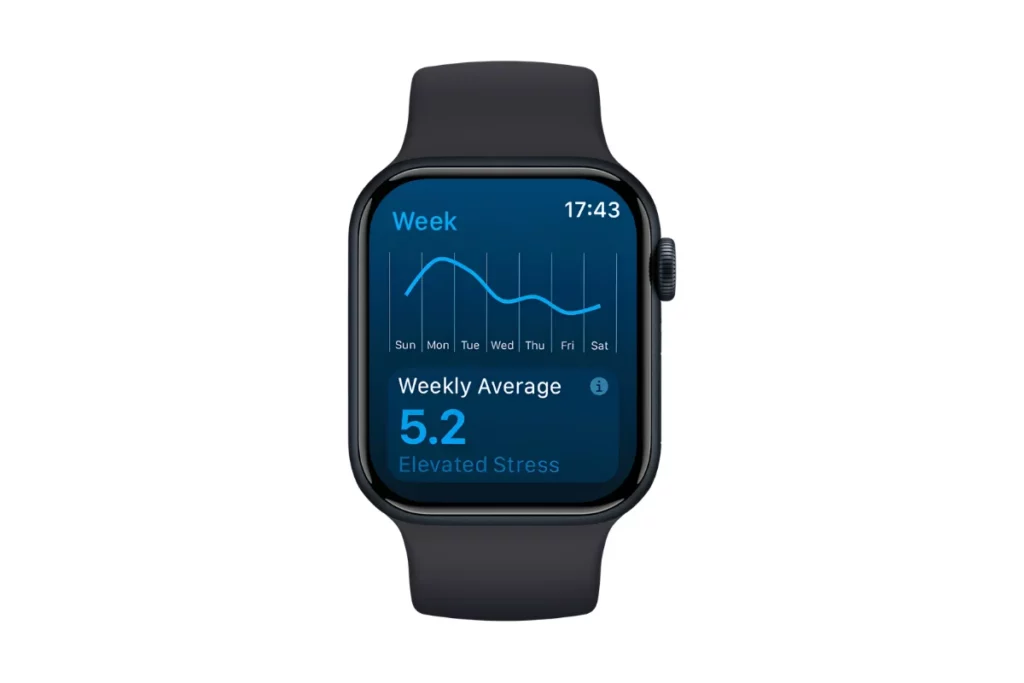
While StressWatch aims at providing you with an easily readable stress score, Stress Tracker HRV focuses more on the statistics that drive it.
This app uses Heart Rate Variability (HRV) for delivering stress monitoring, sleep insights and recovery stats straight from your Apple Watch.
Key Features
- Real-time HRV stress monitoring
- Daily and weekly stress trends
- Recovery Index
- Sleep Score and sleep insights
- Apple Watch complications
- Data processing right on your device
Stress Tracker HRV is available as a paid Apple Watch app in the US App Store.
Best For: People who are interested in looking beyond the basic stress score and are interested in learning more about HRV, sleep and recovery.
03StressLessBest for Wellness Tracking#
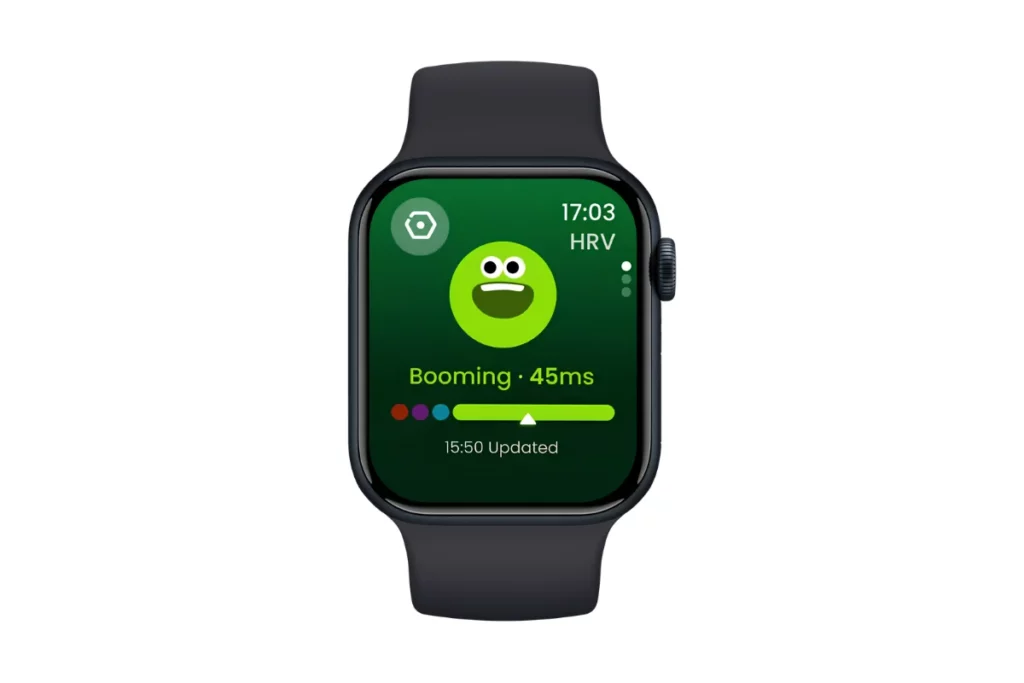
© StressLess
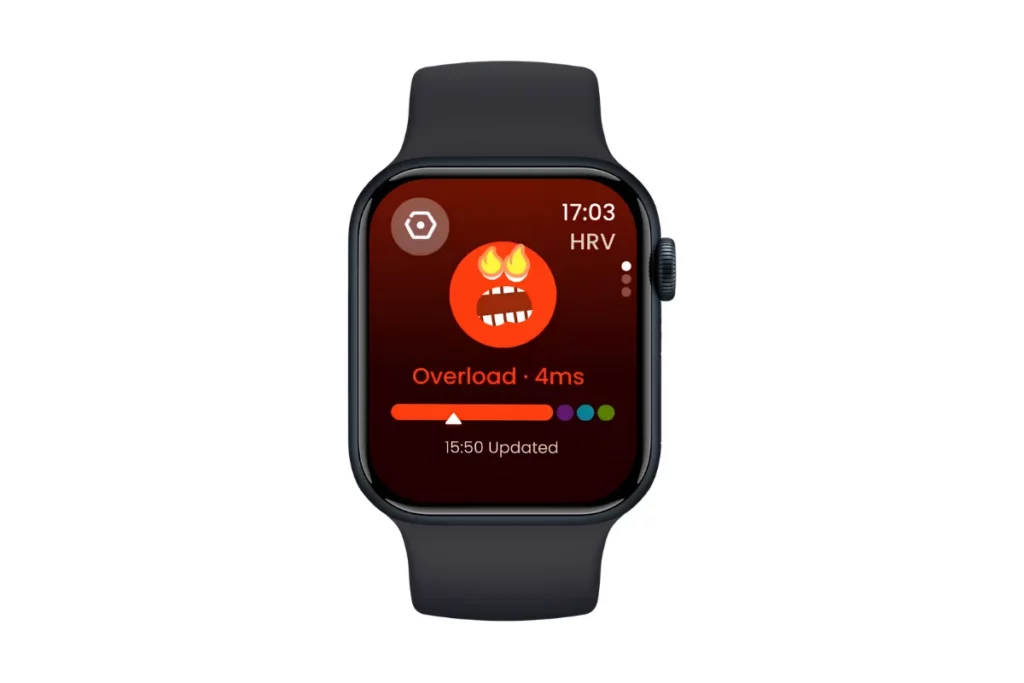
© StressLess
StressLess: Stress Monitor is an application which uses a somewhat wider perspective than that. In addition to stress and HRV, it also features sleep and habits monitoring.
The app utilizes real-time HRV analysis and heart rate tracking in order to monitor physiological stress and detect any possible change in stress and anxiety levels. In addition to this, it includes sleep monitoring and habits reminder functionality.
Key Features
- HRV monitoring
- Stress tracking
- Heart rate monitoring
- Sleep tracking
- Habit tracking
- Apple Watch complications
- Hydration reminders
- Stress and anxiety insights
- Alerts for potential rises in stress
One feature that caught my attention was that StressLess could display your real-time stress level, HRV, or hydration results on the home screen of your Apple Watch using complications. Thus, there is no need for you to launch the app each time you want to view your results.
The app is available for free, however, its full functionality will require subscribing to the StressLess Premium service that costs $39.99/year. It includes advanced anxiety forecasting, HRV analytics, graphs, extra watch-face packs and custom habits tracking.
Best For: Those who seek stress monitoring along with HRV, sleep and wellness habits.
How Accurate Are Apple Watch Stress Apps?#
And this is certainly the most important thing to understand before you get obsessed about your stress score.
Stress is a complicated thing that cannot be measured by a smartwatch directly.
The Apple Watch is capable of measuring physiological metrics, and the apps can leverage the metrics in order to find certain patterns that could indicate stress. However, there is nothing in the HRV fluctuations that will show you the exact reason behind it. And, at the same time, there is nothing in the stress score that will indicate whether you are anxious, tired, or just recovering from an exhausting exercise session.
That’s why I would say that you should focus more on the trends than on particular measurements. For example, your stress score changing drastically during one particular day means nothing. But the same score fluctuating together with such things as low-quality sleep, high resting heart rate or low HRV is definitely worth your attention.
There is the same restriction for the wearables designed to measure your stress levels. There is no particular metric to define how stressed you are.
Wrap Up#
Personally, constantly looking at my stress score makes me even more stressed, but this is a revelation I got after I tried these apps on my Apple Watch. But if you want a stress score on your wrist, StressFace is an easy-to-use, straightforward app.
It gives you exactly what you need- a stress score. And it doesn’t hide it behind a paywall. But if you are stressed, we have a compiled list of the best vagus nerve stimulators to help you de-stress!
 RK
RKWritten by
With a focus on real-world usability, Rahul at WearableXP covers smartwatches and wearable fitness tech. He evaluates how devices combine activity tracking, health metrics, battery life and connectivity. His work helps readers understand how smartwatches fit into everyday routines through practical performance and software-driven features.
More from Rahul 339 storiesKeep readingmore from Smart Watches
All storiesScreenless BandsFitbit Air vs Apple Watch: Which Wearable Is Better for Health Tracking? Smart WatchesAmazfit T-Rex Ultra 2 Review: Is This Rugged Smartwatch Worth $549.99?
 Smart WatchesApple Watch Ultra 4 Review: Is Apple’s Adventure Watch Actually Worth Buying?
What’s inside