 Smart AudioOpen-Ear vs Bone Conduction vs Earbuds vs Over-Ear: Which Fitness Headphones Should You Choose?
How To Find Lost AirPods In A Jiffy?
Find lost AirPods easily with these simple steps. Track, locate, and recover your missing AirPods quickly using your iPhone or Find My app.
Independently tested. We never accept payment for reviews.How we test
What’s inside3 sections · 3 min read
If you continuously follow the “Lost & Found” saga with your AirPods, you are at the right place. Being scatterbrained, I have a long history of losing and finding my AirPods. However, I say no to these situations because now I know all the hacks to find my lost AirPods.
Lucky for you, I do not believe in gatekeeping. Here are all the ways you can find lost AirPods. Hopefully, after this article, your anxiety and your AirPods will be in check.
Four Fail-Proof Methods To Find Your AirPods#
Case 1: If AirPods are Connected & Nearby#


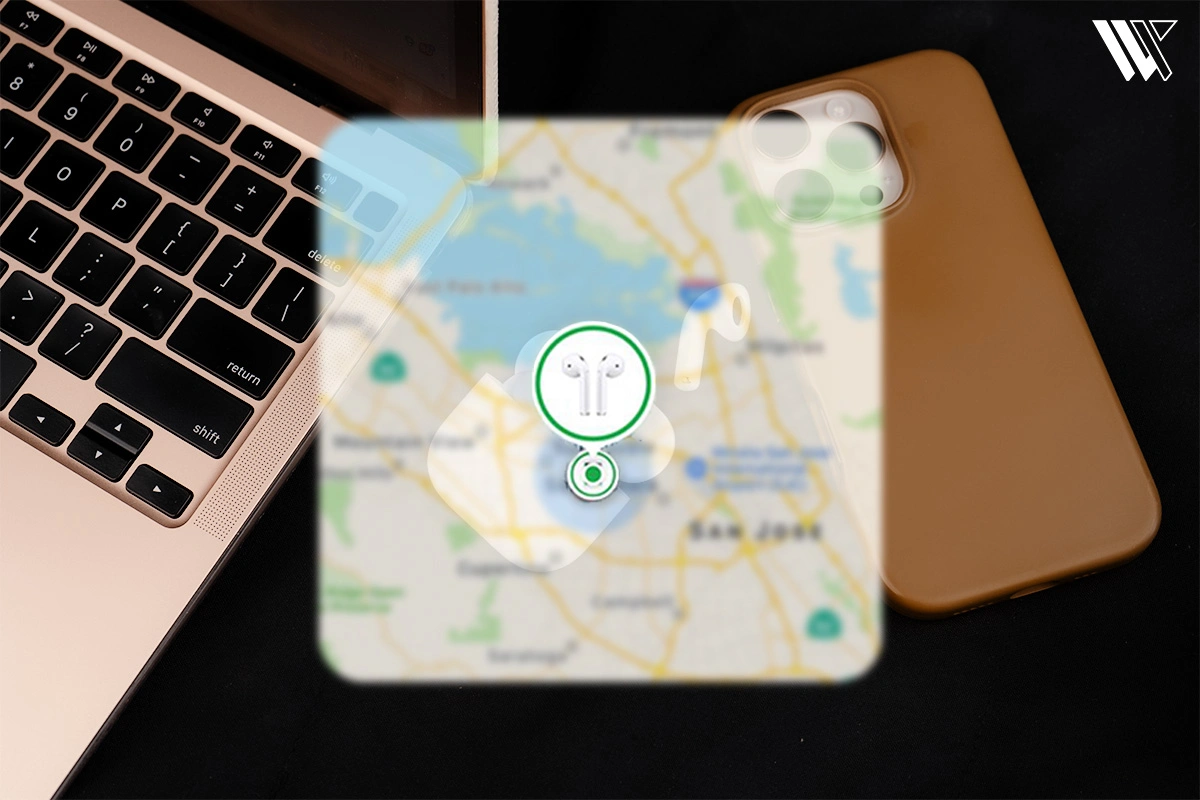
- If your AirPods are connected, then you can easily find them by going to the Find My app on your iPhone. You can also avail this option on an iPad or MacBook.
- Next tap Devices. From the list, select AirPods.
- After selecting AirPods, you will see the last locations where you have used your AirPods.
- If the last location is near you, then you can use the chime feature to play a sound. Finally, trace the sound to locate your lost AirPods. Keep in mind that this method only works if the AirPods are not in the case.
- I have used this one a ton of times, and it always works like magic.
Case 2: If AirPods are Not Connected & Not Nearby#


- If your AirPods are not nearby or not connected, then the map will show the last location where it was connected to your device.
- To find them, you can go back to the location and enable Notify me when found to get a notification whenever your AirPods connect with your device or any other device that is linked to your iCloud. However, this method only works if the AirPods are not in the case.
- There’s a lot of waiting you have to do because you never know when the AirPods might come back into range. And so I have to keep looking at places I wasn’t even sure I visited. Good luck with that!
Case 3: If You Lose Both AirPods In Different Locations#

This scenario may sound weird, but it is still highly possible to lose one of your AirPods at one spot and your other AirPod at a completely different spot. I can vouch for this because it happened to me.
- In this case, I went to Find My app and the Devices tab. There, it showed the location of one of the AirPods. An important reminder here is that there is only one AirPod, so you won’t be able to play a sound to locate it.
- Once I found it, I put it in the case and refreshed the map. The map now shows a new location, which denotes the second lost AirPod. I followed the location, got my other AirPod, and gave myself a pat on the back.
This will be like a Scavenger Hunt for you, adult edition.
Wrapping Up#
There you have it, all the ways to find your lost AirPods. Losing items is quite natural, but when it comes to AirPods, it becomes a situation of life and death.
Now that you know how to find your AirPods, you can breathe a sigh of relief without ever facing a nerve-wracking scramble. If you are looking for AirPods alternatives, read here!
Frequently Asked Questions (FAQs)#
01How can you find lost AirPods if they are out of battery?
If your AirPods are out of battery, you can still find them by going to the Find My App option. Although the AirPods won’t make a sound since they are out of battery, you can still trace their location and find out.
02Is there any notification to get notified if you leave your AirPods behind?
Yes, you can get notified whenever you leave your AirPods behind by turning on separation Alerts on your iPhone. To do this, go to Find My App, tap Devices, tap the name of your AirPods, and turn on Notify When Left Behind.
03Can anyone else use your AirPods if they find them?
If you have AirPods Pro 2nd gen or newer, then it can be difficult to be used by new people since they run on activation lock. However, older models can be reset and used easily
 LJ
Written by
With a practical, real-world approach to testing, Lokesh focused on smart audio wearables at WearableXP. He covers wireless earbuds, open-ear headphones and audio-enabled devices, evaluating how sound quality, comfort, battery life and connectivity come together to fit naturally into everyday routines like commuting, workouts and remote work.
More from Lokesh 93 storiesKeep readingmore from Smart Audio
All storiesSmart AudioOpen-Ear vs Bone Conduction vs Earbuds vs Over-Ear: Which Fitness Headphones Should You Choose? Smart AudioSoundcore Sleep Earbuds 4 Pro Explained: The Growing Battle for Better Sleep Wearables
 Smart AudioAirPods 5 vs AirPods 4: What’s New and Should You Upgrade?