 NewsAina Ring Explained: The AI Smart Ring That Lets You Control Apps Without Your Phone
How To Check Ultrahuman Ring Compatibility?
Check if your devices work with Ultrahuman Ring. Learn steps to sync, connect, and maximize your wearable experience.
Independently tested. We never accept payment for reviews.How we test
What’s inside4 sections · 3 min read
I personally find the Ultrahuman ring sleek and stylish, but every time my finger hovered over the “add to cart” button while buying, a nagging question popped into my head: Will it even work with my phone?
So, I had to check Ultrahuman Ring’s compatibility with different devices before plunging it into my wallet, and trust me, you need a compatible smartphone to act as its digital wingman. Here is what you can do:
At a glance
The shortlist3 picks, tap one to jump to it.
Check Ultrahuman Ring Compatibility in 3 Ways#
This slick ring won’t work its magic unless it plays nicely with your phone. Here are some ways to check its compatibility you should consider:
01Check on the Ultrahuman Official Website#
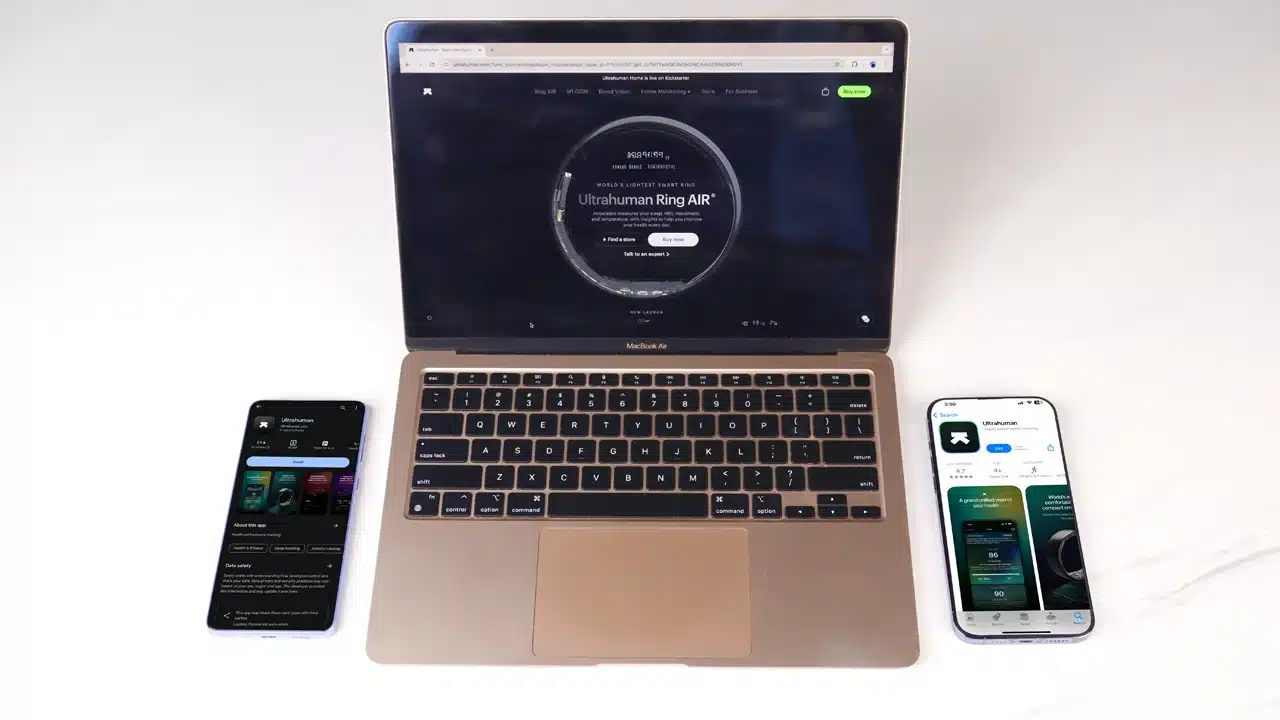
I checked on Ultrahuman’s official website to determine which devices the ring is compatible with. According to the official website, the Ultrahuman Ring AIR is compatible with iPhones operating on iOS 15 or newer, as well as Android devices running Android 6 or subsequent versions. Since I have an iPhone 13, the ring was very well compatible with my device.
02Contact Ultrahuman Support#
To double-check the ring’s compatibility, I also contacted Ultrahuman Support. There are two ways you can contact their support: One is by Instant WhatsApp support, and the other is by getting an instant callback. Here is what you need to do:
- After tapping the Chatbot icon, select the instant contact method you prefer.
- Write your full name and choose the Ultrahuman ring when asked about the product you want to know about.
- Then, write your contact number and choose a timeframe for when you would prefer to have them call you back.
- After that, Submit.
I have tried both ways, but my preferred choice was WhatsApp chat support, as I got a response there within a few minutes. So, before placing the order for my ring, I cleared my doubts about the Ultrahuman smart ring’s compatibility, and here’s a screenshot of our chat:

Note: You can contact Ultrahuman’s support by directly contacting them on WhatsApp or via email. I personally haven’t contacted them via email. But you can do that if you want to make sure.
- WhatsApp Support Number: +91 90673 83794
- Email: cyborg@ultrahuman.com
03Different Social Media platforms#
One thing I liked about the Ultrahuman team is that they are very active on social media and vocal about their products. You can learn about the ring’s compatibility on their official X handle and the Reddit Community.
Which Devices Are Compatible With The Ultrahuman Ring?#
The good thing about the Ultrahuman smart ring is that it is compatible with a wide range of smartphones. I checked its compatibility with different devices, and here is what I found:
- Compatibility with iPhone devices
If you are an iPhone user, you are in luck. The Ultrahuman ring is compatible with iPhones running on iOS 14 or later. This means it works with all iPhones above the iPhone 6.
- Compatibility with Android devices
For those who are Android users, the Ultrahuman ring works perfectly fine with Android devices running Android 6 or subsequent versions. This includes the majority of Android phones that were released in 2015 or after, including numerous well-known models from Samsung, OPPO, OnePlus, POCO, Xiaomi, Google Pixel, and other brands.
Frequently Asked Questions#
01Does Ultrahuman Ring Work with Android?
Yes, Ultrahuman ring works with Android devices functioning on Android 6 or subsequent versions. You can review your data by connecting it via Bluetooth. However, it will take a few moments to sync whenever you open it.
02Does Ultrahuman Ring Work with Apple Health?
Yes, Ultrahuman Ring does integrate with Apple Health. You can go to profile > connect with other apps > Apple Health.
Wrap Up#
So this is all about the Ultrahuman AIR ring’s compatibility with different devices and how to check it. I personally liked the WhatsApp chat Support method as it is the quickest way to get the answers.
However, you can try other methods as well and check which is the most useful for you. With a compatible smartphone by your side, the Ultrahuman Ring is ready to partner with you in achieving your fitness goals.
 SP
Written by
Review Specialist
With an eye for detail and a particular interest in FemTech, Shradha at WearableXP oversees editorial direction and publishing standards. Her focus on Smart Rings and compact wearables centers on how they integrate health insights, sleep tracking, and recovery metrics into day-to-day lives, making data feel more practical and relatable.
More from Shradha 298 storiesKeep readingmore from Smart Rings
All storiesNewsAina Ring Explained: The AI Smart Ring That Lets You Control Apps Without Your Phone Screenless BandsFitbit Air vs Ultrahuman Air: Which Screenless Wearable Is Right for You?
 Smart RingsCircular Ring 2 vs Circular Ring 3: What Changed and Should You Upgrade?