 Smart AudioOpen-Ear vs Bone Conduction vs Earbuds vs Over-Ear: Which Fitness Headphones Should You Choose?
Best Translation Earbuds in 2026: 6 Picks That Make Sense
When I mention something about translation earbuds, people always picture a Star Trek gadget. The truth is quite boring, but much more helpful. First of all, there are those dedicated interpreter earbuds specifically designed for this function. Secondly, there are those super comfortable headphones that simply happen to translate due to the efforts of Apple, Samsung or Google. Both types do the job, but in their own ways.
Independently tested. We never accept payment for reviews.How we test

What’s inside16 sections · 11 min read
- 01Quick Picks: Best Interpreter Earbuds1 min
- 02Dedicated Translators vs Regular Earbuds With Translation1 min
- 03How I Picked These Translation Earbuds1 min
- 04Best Overall: Timekettle W4 Pro1 min
- 05Best for Face-to-Face Translation: Timekettle W41 min
- 06Best for iPhone: AirPods Pro 31 min
- 07Best for Samsung Galaxy: Galaxy Buds 4 Pro1 min
- 08Best Budget: EarFun Air Pro 4+1 min
- 09Android Users Might Not Need New Earbuds At All1 min
- 10Also Considered1 min
- 11What These Can and Can’t Do1 min
- 12How to Actually Choose1 min
- 13A Quick Word on Privacy1 min
- 14Who Should Skip Translation Earbuds Entirely1 min
- 15Final Verdict1 min
- 16FAQs1 min
When I mention something about translation earbuds, people always picture a Star Trek gadget. The truth is quite boring, but much more helpful. First of all, there are those dedicated interpreter earbuds specifically designed for this function. Secondly, there are those super comfortable headphones that simply happen to translate due to the efforts of Apple, Samsung or Google. Both types do the job, but in their own ways.
It is important to keep in mind that translation quality depends greatly on the language pair and the noise level of the room. So keep that in mind while you read.
Quick Picks: Best Interpreter Earbuds#
| Product | Price | Languages | Offline | Battery | Phone Required |
|---|---|---|---|---|---|
| Timekettle W4 Pro | $449 | 52 (106 accents) | 13 pairs, 2 free | 6 to 12 hrs | Any, via Timekettle app |
| Timekettle W4 | $349 | 52 (106 accents) | 13 pairs | 4 to 6 hrs | Any, via Timekettle app |
| AirPods Pro 3 | $249 | 5 at launch, more coming | Yes, download required language | 8 hrs with ANC | iPhone with Apple Intelligence |
| Galaxy Buds4 Pro | $249.99 | 22 | Yes, download required language | 6-7 hrs | Samsung Galaxy running One UI 6.1 or higher |
| EarFun Air Pro 4+ | $99.99 | 100+ | No | 8-12 hrs | Any, via EarFun Audio app |
| Google Live Translate | Free | 70 | Yes, download required language | Depends on your earbuds | Any phone with Google Translate |
Dedicated Translators vs Regular Earbuds With Translation#
This is where the real action happens before you even buy something. The specialized translation earbuds, such as those in the Timekettle lineup, are designed to translate first. They tend to have various translation options, work for two people at once and are more expensive due to the dedicated nature of their task.
Earbuds that are designed to translate while they play music or conduct a phone call, like AirPods and Galaxy Buds, are intended first for those tasks, while the translation feature is secondary.
There is also another situation worth considering. Google’s Live Translate can now work with pretty much any pair of Bluetooth earbuds, as long as your smartphone supports Google Translate, which supports over 70 languages on both Android and iOS devices.
How I Picked These Translation Earbuds#
In order to choose the best translation earbuds for 2026, I checked the availability of the product in the US, its ability to test the translation functionality apart from an Amazon listing and whether the software behind it is still supported.
I considered factors such as conversation workflow, language support, offline/online translation, phone dependence, battery consumption and cost.
I excluded all products that claimed support for “144 languages” without providing any company information, except for some unknown sellers on Amazon.
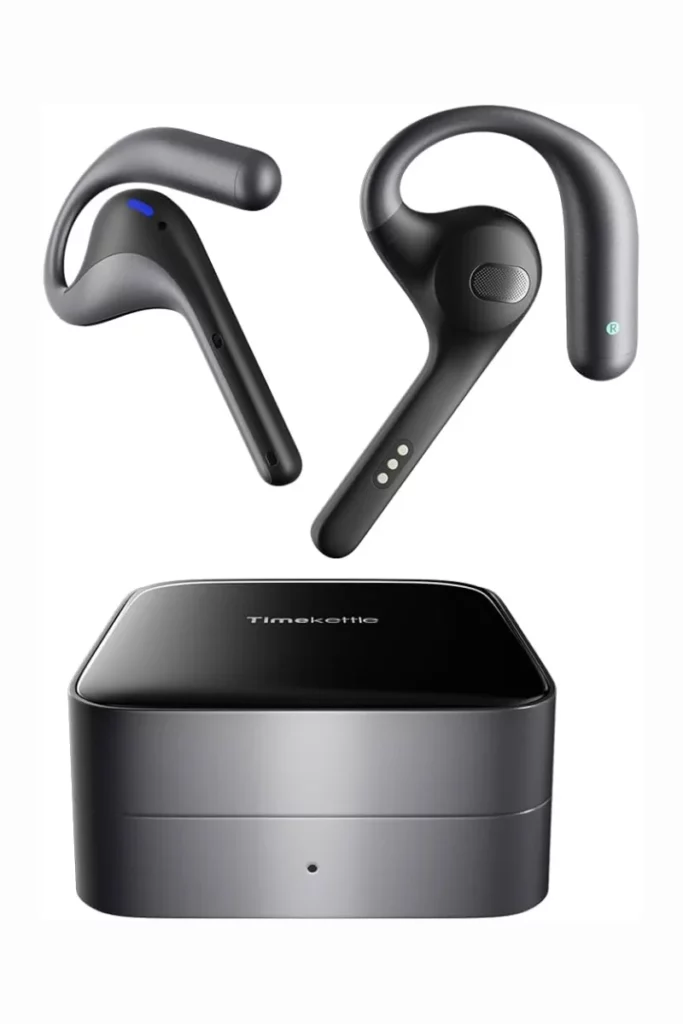
Best Overall: Timekettle W4 Pro#
© Timekettle
Timekettle specializes in translation earbuds. That means that the W4 Pro has been designed to help users who really need translation in a conversation and not just the occasional “where is the loo?”
Among key highlights is One-on-One mode. It means that each user wears an earbud, speaks normally and the device translates back and forth without the necessity to press a button or wait until it’s your turn. It really affects the way the communication takes place. No more passing the phone. There are Listen & Play and Call & Video features as well, and this is something that most of the devices lack.
Priced at $449, the W4 Pro language pack covers 40+ languages and 90+ accents, while the 2026-listed version covers 50+ languages and 106 accents. Offline is available for 13 language pairs if you download the packs, however, you get only two of them for free, so you’ll have to pay extra if you need the others via an in-app credit system.
Battery life is 6 hours of continuous translation and 18 hours with a charger. The device has a fast charge that adds 1 hour of battery life from 10 minutes of charging. Open-ear design allows wearing it comfortably throughout the day, which becomes a big deal if you are sharing the device with someone.
Pros
- One-on-One mode for two-way conversations
- Call and video translation, not just face-to-face
- Offline language packs are quite good for most popular languages
- Comfortable design for all-day usage
- No monthly subscription required for main features
Cons
- Quite expensive for only translation earbuds
- Only 2 offline language packs included, rest are paid
- Limited media translation per month (a few hundred minutes)
- Accuracy is lower for rare languages
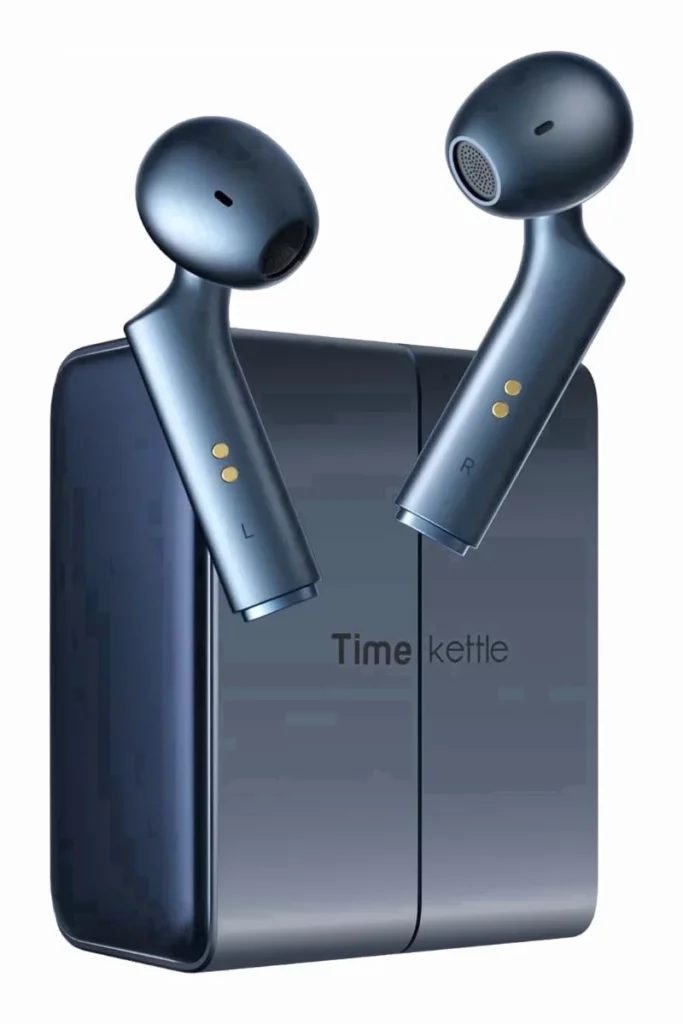
Best for Face-to-Face Translation: Timekettle W4#
© Timekettle
The regular W4 will cost you $100 less at $349 and provides you with the same core translation experience without having the call or video translation. It means that it lacks the media translation workflow of the Pro model and thus won’t have the Zoom and YouTube translation features, but if it’s your vacation or one-time business travel where you will be primarily communicating face to face, you won’t miss it much.
The battery life figures will fall into the same range, roughly 3-6 hours depending on the mode that you will use since Simul mode is considerably more power consuming compared to Touch or One-on-One modes.
If translated phone calls are important to you, go for the Pro model. Otherwise, save the money.
Pros
- More affordable than the Pro version with the same core translation capabilities
- Good for face-to-face communication
- Semi-in-ear design is comfortable
Cons
- Lacks call and video translation
- Big difference in battery life depending on the mode
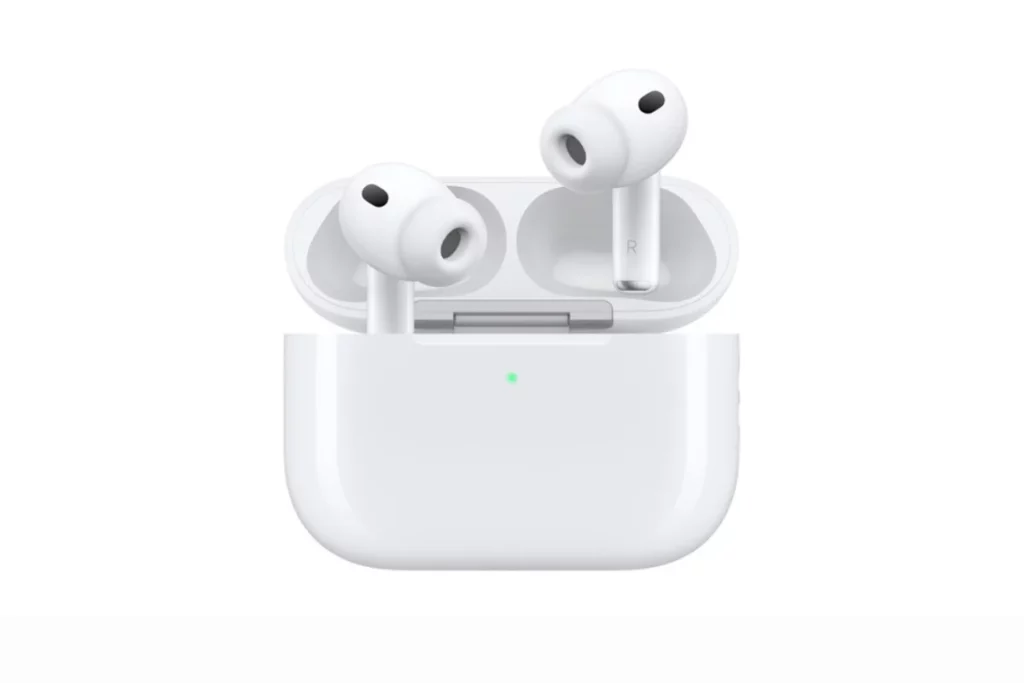
Best for iPhone: AirPods Pro 3#
© Apple
If you are already an Apple user, here is your answer. Live Translation function has been added to the AirPods Pro 3 as of last September and the feature works on the AirPods Pro 2 and AirPods 4 with ANC too, so you may not have to buy anything new.
As long as your iPhone can run Apple Intelligence, setup takes just a few seconds, you just tap the stems of the buds and it switches on. When only you have AirPods, you hold up your iPhone and show them the transcript in another language, while their response is instantly translated into the sound you hear. It is really smooth and according to Apple, the entire process is done on-device and not sent to a server, so it is more privacy-oriented if you are having private work conversations.
It currently varies for EU residents with an Apple account by local EU health regulatory approvals, which is important if you frequently travel there.
If you are looking for AirPods alternatives, check our list here!
Besides the translation function, these are great earphones. Top-of-the-line ANC, heart rate measuring sensor included, hearing aids and 8 hours of battery life on ANC or up to 10 hours on Transparency mode. They come with a price tag of $249.
Pros
- Quick and instant setup if you are already on iPhone
- On-device processing, translation is more private
- Top of the line ANC and sound quality
- Serves as a hearing aid and heart rate sensor
- Cheaper for the quality they offer
Cons
- Currently blocked in the EU
- Not optimized for multilingual conversations like Timekettle
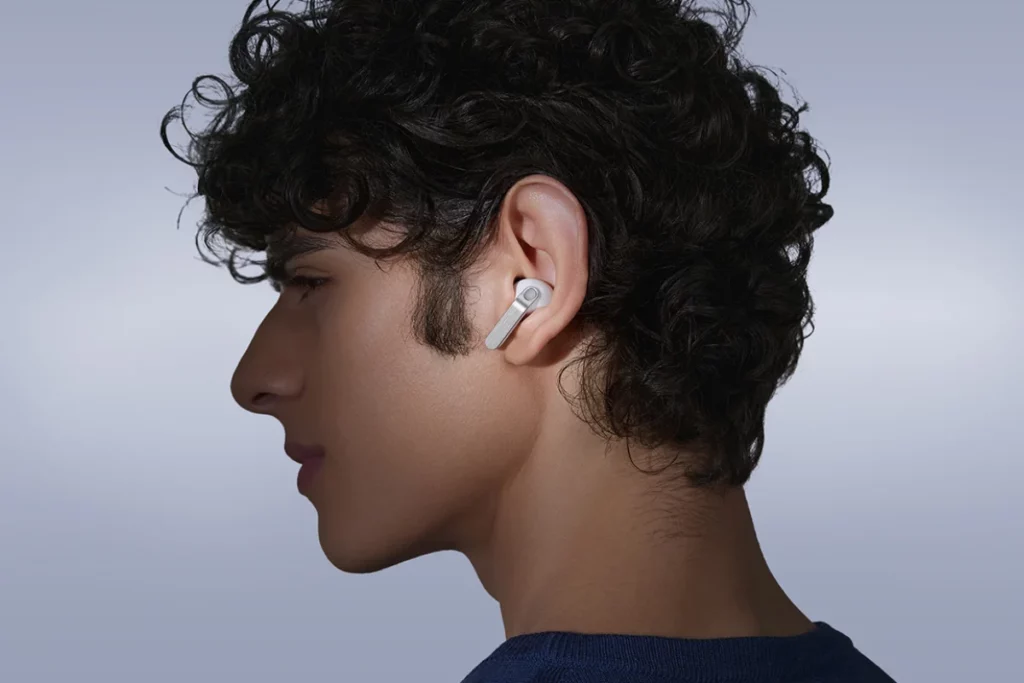
Best for Samsung Galaxy: Galaxy Buds 4 Pro#
© Samsung
The latest version of Samsung’s flagship earbuds, the Galaxy Buds 4 Pro, was released earlier this year and one of its key selling points was their ability to use a feature called Interpreter mode, which is now called Galaxy AI Live Translate. The earbuds support about 22 different languages, work with Galaxy S26 and provide users with a split-screen transcript, which means that the translation is visible to both parties.
However, the user needs to own a compatible Galaxy phone in order to be able to use all the available features. Batteries can last for about 6-7 hours, have an IP57 rating for water and sweat resistance and cost about $249.99, but I’ve seen them on discount.
Pros
- Split-screen transcript adds confidence to translations
- Great daily audio quality and ANC 2.0
- IP57 rating, survives exercises and rain
- Good battery life of about 12.5 hours
Cons
- All features are available only with the latest Galaxy phone
- Supports only about 22 languages
- Not helpful outside of the Samsung ecosystem
Best Budget: EarFun Air Pro 4+#
© EarFun
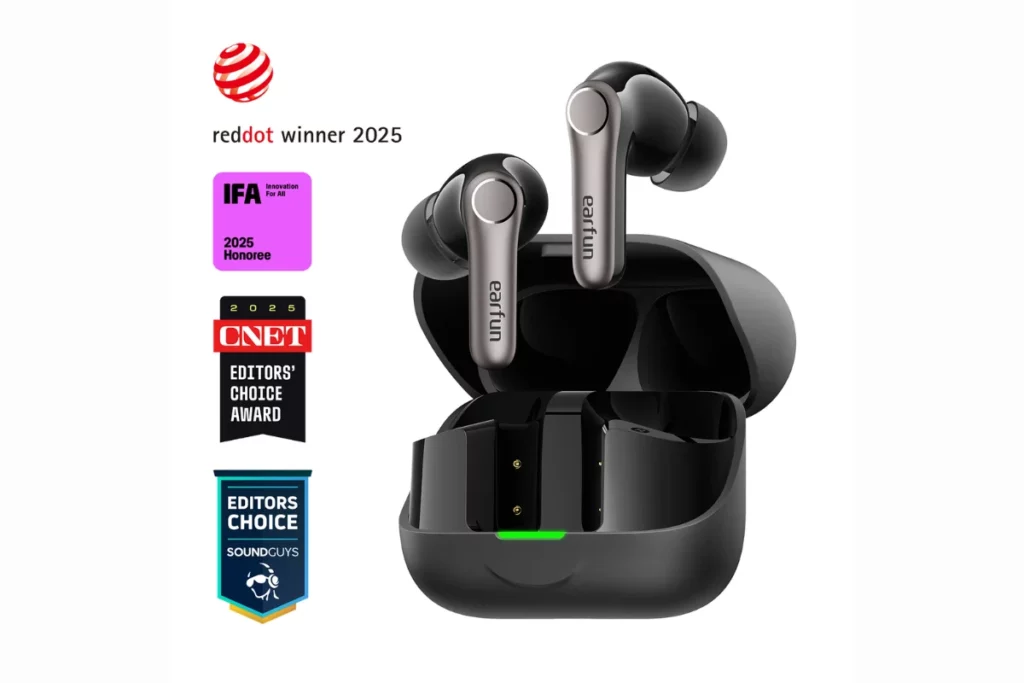
While I did not expect to find something to like about a sub-$100 choice, EarFun surprised me by adding real-time AI translation with the help of a firmware update and according to certain reviews, it works just fine.
There are two options here, Face-to-Face for short exchanges and Real-Time mode for larger messages, covering most travel needs.
But what I liked even more is that EarFun did not try to save on anything else to make it possible. They have added Bluetooth 6.0, aptX Lossless audio, ANC and even Auracast support, the features that many $200+ earbuds do without. Moreover, their companion app is good and easy to use. At $99.99, this is the option I would recommend to a broke college student or an occasional traveler.
Pros
- Real-time translation for less than $100
- Bluetooth 6.0, aptX Lossless and Auracast
- Water-resistant and comfortable
- Good companion app for the price
Cons
- Translation happens via app, no dedicated translation mode
- Not as polished as Timekettle for serious usage
Android Users Might Not Need New Earbuds At All#
It may even be the most practical part of this entire guide. The Google Live Translate works with virtually any Bluetooth headsets you currently own, provided that you have Google Translate downloaded and a good enough connection. It supports more than 70 languages. So, if you already have Sony, Bose, Nothing, JBL, Soundcore and even Pixel Buds headphones at hand, use that option first instead of buying something new.
If you do not own decent earbuds yet but are looking for an everyday choice for Android earbuds with translation being an additional feature, Pixel Buds Pro 2 would be a good choice in this case.
Also Considered#
Timekettle M3#
If you want Timekettle’s ecosystem and offline capability without paying W4 money, the M3 is their cheaper dedicated option, sitting around $119.99 with the original price at $149.99. It covers 40+ languages and 93 to 96 accents, has touch, listen and speaker modes, and includes 13 offline language packs.
Reviews are mixed, with complaints centered on complex languages and occasionally fiddly mode switching. The newer W4 is still the cleaner pick if you can afford it, but the M3 is a fair entry point into dedicated translation earbuds.
Vasco Translator E1#
This is a genuinely interesting device, built for group settings since up to 10 people can join a session through Vasco’s free app, each hearing the response in their own language. No subscriptions, one-time purchase at $389. The reason I’m not putting it in the main recommendations is that there are better options in a lower price range.
What These Can and Can’t Do#
Here’s what you can actually do with them:
- Order food or ask for directions when you travel somewhere with a language difference
- Get through a casual business meeting or a negotiation
- Follow the guide or lecturer in another language
- Have a natural conversation with somebody who doesn’t speak your language
- Use the phone/video call translation on compatible models
- Use offline mode for common language pairs on some models with downloadable packs
What they can’t do:
- Be used in place of a professional human interpreter for serious purposes
- Guarantee accuracy with legal or medical terminology
- Recognize names, addresses or numbers completely correctly
- Translate in real time without delays, especially in rapid overlapping speech
- Translate accurately in case of heavy background noise or strong accent
- Provide offline translation for all languages, only some language pairs
How to Actually Choose#
- Match it to your usage: Conversation will naturally point you towards Timekettle, travel might make your old headphones and Google Translate sufficient. iPhone users would have AirPods as their first choice and for Galaxy users, the Galaxy Buds. Translating your business calls on a regular basis will give you all the right reasons to invest in W4 Pro.
- Be careful with language pairs: Instead of asking about the support of a certain country, ask whether your language pair will be supported in the way you need it to and whether it is an offline feature as well.
- Understand its compatibility with your smartphone: At the very least, you will need an app and Bluetooth connectivity. Some of the models require Internet as well and that can become important in case you do not have stable connectivity.
- Think about sharing: The assumption of these products is that you wear the earbuds yourself and share them with a partner who is a stranger you met just now. It is not quite the same experience as the one you have with any ordinary pair of earbuds.
- Think about what you will need it for 90% of the time: If translation is a rare task and your primary need is music or regular calls, you should opt for an ordinary headset such as AirPods or Galaxy Buds.
A Quick Word on Privacy#
Translating requires your microphone, an app and the cloud server to interpret your voice. Some apps translate via cloud services, others do not; it is always wise to check the latest privacy policy of whatever platform you use at that moment. If you are discussing any confidential information concerning legal, medical, financial, or company matters, do not assume anything to be confidential automatically.
Who Should Skip Translation Earbuds Entirely#
- You need to translate only a few times throughout the year and you own good headphones, just use Google Translate.
- You cannot rely on your internet connection and your language lacks offline translating capabilities.
- You do not feel comfortable sharing an earbud with a person whom you just met.
- You prefer the quality of music and just need a translation tool additionally.
- You require absolute accuracy from professional interpreters.
- You do not like adding one more app to your phone.
Final Verdict#
The honest truth here is that the thing I would ask myself before purchasing any of these translation earbuds isn’t which one does the job better. It is which one will I be reaching out for more often. The person who has actual business on their hands and who is going to translate weekly will quickly realize the value of the price tag when they have the $449 W4 Pro. The tourist who has one trip to Italy this year will think they’re silly for buying a translator device they’ll use only four times and leave in the drawer.
This is not something I would approach by thinking about what one product will win and everybody needs to buy it. An iPhone user, who tries to force himself into the Timekettle ecosystem simply because “they tested better” is going to have a worse experience than just working with the familiar AirPods. This applies to the case of Timekettle users as well, nobody who needs real two-way interpretation will get away with AirPods just because it’s more convenient.
And if you are on Android and haven’t tried Google Translate conversation mode yet on your current earbuds, try it before reading another review here. There is always a possibility that you’ve got everything you need.
FAQs#
01Do translation earbuds actually work?
Yes, but not perfectly. Modern translation earbuds models cope fairly well with everyday conversations, ordering, asking about directions, basic small talk, achieving 85-95% accuracy rates, mostly for popular language combinations such as Spanish, French to English and vice versa. The problems appear when it comes to idiomatic expressions, humor, rapid overlapped speech and technical stuff. Consider them as helpful rather than perfect.
02Can AirPods translate a conversation?
Yes, both AirPods Pro 3, AirPods Pro 2 and AirPods 4 with the ANC and regular AirPods 4 with ANC, can provide translation via Apple’s Live Translation function using the Translate application. This function is unavailable for users of EU accounts on Apple devices.
03Do I need special earbuds to use Google Translate?
No, Live Translate from Google Translate can operate using any Bluetooth earbuds you have, together with your phone with support of the application.
04Which translation earbuds work without internet?
Timekettle’s W4 and W4 Pro support offline translations for 13 available language pairs, but only two of them are provided for free, while others should be paid separately. Offline packs are also available for Timekettle M3. Both Apple’s Live Translation and Samsung’s Galaxy AI Interpreter require an internet connection, so in case you need offline translation, you’d better take a dedicated device.
 LJ
LJWritten by
With a practical, real-world approach to testing, Lokesh focused on smart audio wearables at WearableXP. He covers wireless earbuds, open-ear headphones and audio-enabled devices, evaluating how sound quality, comfort, battery life and connectivity come together to fit naturally into everyday routines like commuting, workouts and remote work.
More from Lokesh 93 storiesKeep readingmore from Smart Audio
All storiesSmart AudioOpen-Ear vs Bone Conduction vs Earbuds vs Over-Ear: Which Fitness Headphones Should You Choose? Smart AudioSoundcore Sleep Earbuds 4 Pro Explained: The Growing Battle for Better Sleep Wearables
 Smart AudioAirPods 5 vs AirPods 4: What’s New and Should You Upgrade?
What’s inside
- 01Quick Picks: Best Interpreter Earbuds1 min
- 02Dedicated Translators vs Regular Earbuds With Translation1 min
- 03How I Picked These Translation Earbuds1 min
- 04Best Overall: Timekettle W4 Pro1 min
- 05Best for Face-to-Face Translation: Timekettle W41 min
- 06Best for iPhone: AirPods Pro 31 min
- 07Best for Samsung Galaxy: Galaxy Buds 4 Pro1 min
- 08Best Budget: EarFun Air Pro 4+1 min
- 09Android Users Might Not Need New Earbuds At All1 min
- 10Also Considered1 min
- 11What These Can and Can’t Do1 min
- 12How to Actually Choose1 min
- 13A Quick Word on Privacy1 min
- 14Who Should Skip Translation Earbuds Entirely1 min
- 15Final Verdict1 min
- 16FAQs1 min