

There comes a point where we all find ourselves going through our pockets and searching everywhere for our AirPods, only to find out that they have gone missing. Even with the small size of these earbuds, they certainly know how to disappear. Thankfully, Apple’s Find My app usually comes to my rescue and tracks them down. But sometimes it happens that you won’t find any of your AirPods in the Find My app, they show “Offline”, get stuck on “Setup Incomplete,” or show “No Location Found.”
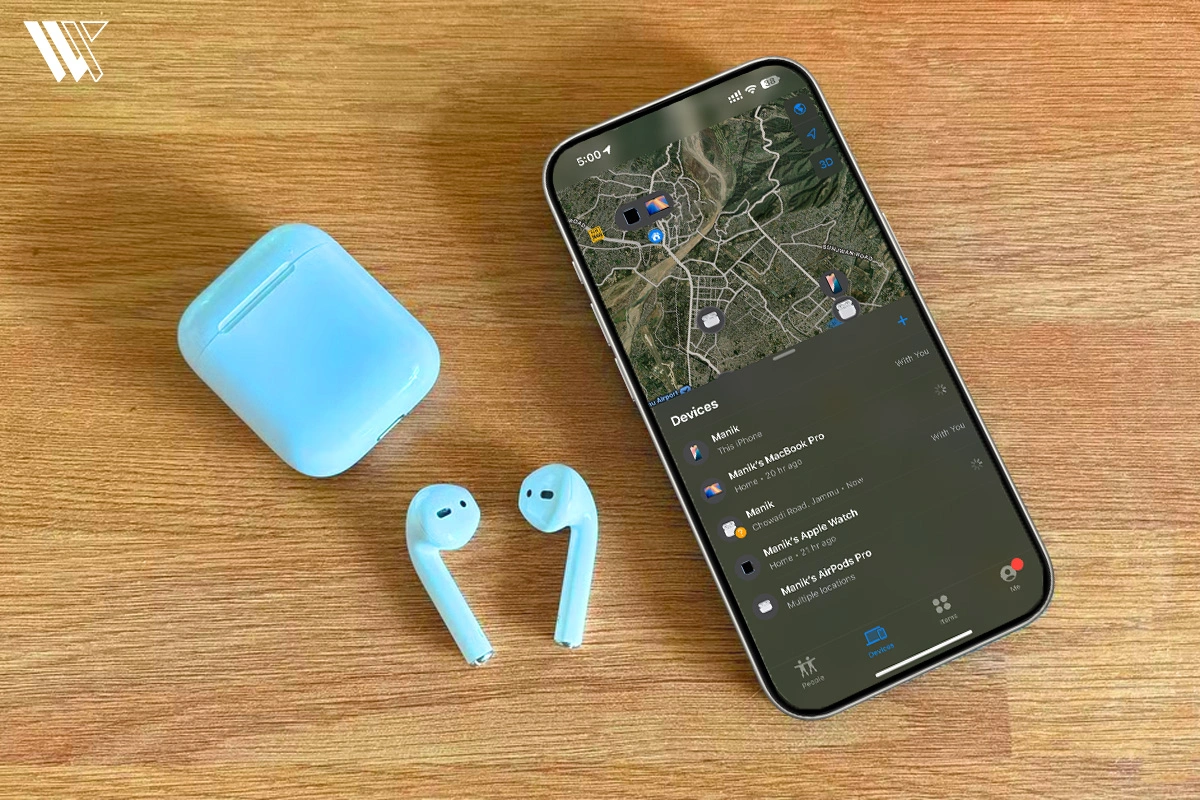
If your AirPods not showing up in Find My, you are not alone. There are a few technical reasons why this might happen, and understanding them can save you time (and stress) the next time your AirPods disappear.
Here are the possible reasons your AirPods aren’t appearing on Find My, and what you can do about it.
First Check: Not Showing, Offline, No Location Found, or Setup Incomplete?
| What you see | What it usually means | Best fix |
|---|---|---|
| AirPods missing from Devices tab | Not added to Find My, wrong Apple Account, or pairing issue | Re-pair AirPods and check Find My network |
| Offline | AirPods are out of range or need charging | Use last known location and wait for reconnection |
| No Location Found | No current location available | Charge AirPods or reconnect them |
| Setup Incomplete | Pairing or Apple Account setup failed | Follow Apple’s setup checklist |
| Old location | Only the last known location is available | Visit that location or wait for update |
| Case missing | Model may not support case tracking | Check model support |
Decode the Decor
The Smart Jewelry Revolution — a practical guide to wearable tech.
Note: Find My network should be enabled before your AirPods go missing. Otherwise, you might experience limited or no location tracking at all.
Reasons Why Your AirPods Not Showing Up in Find My
AirPods Not Charged
AirPods with a low battery not only prevent you from listening to your favorite songs and audiobooks, but they also prevent the Find My app from locating your AirPods. If your AirPods and the charging case are dead, then there is no way the Find My app can identify them. It can, however, get you to their last known location.
So if you haven’t charged them recently, this could be the reason they are missing or can’t be found.
AirPods Firmware Not Updated
Let’s address the most common issue that can prevent Find My App from locating your AirPods: they are not updated. Yes, AirPods get updates too, just like your phone.
If they are running on outdated firmware, certain features like tracking in Find My may not work correctly. Make sure your AirPods are regularly connected to your iPhone to receive updates automatically when charging.
Not Signed Into iCloud
I find iCloud to be an excellent feature that lets me use the Find My app on iPhone, Mac, and Windows, too. So, yes, if you are not signed into your iCloud account, then you will have difficulty locating your AirPods.
The Find My app only works if you are signed into iCloud on your Apple devices. If you are using a new phone or have recently logged out, Find My won’t be able to sync with your AirPods. It’s a small thing that can cause a big headache.
Been Offline for Too Long
AirPods that haven’t been connected to any Apple device or the internet for an extended period eventually stop showing on Find My. Apple only stores the last known location for a limited time, so if it’s been days (or weeks), they may no longer appear at all.
Apple’s System Might Be Temporarily Down
Sometimes the problem isn’t on your end at all. If the Apple System Status is down, you need to wait for it to come back up. When this happens, you cannot do anything and have to rely on your luck.
Fix 1: Turn On Find My iPhone and Find My Network
Before your AirPods can be tracked, Find My needs to be enabled on the device they are paired with (like your iPhone or iPad). If the app isn’t turned on when you first set it up, unfortunately, Find My won’t be able to locate it.
Check Find My on your iPhone
Turn on Find My network.
Open Settings.
Tap your Apple Account/name.
Tap Find My.
Tap Find My iPhone.
Turn on Find My iPhone.
Fix 2: Turn On Find My Network for Your AirPods
Check the AirPods Find My network setting


- Connect your AirPods to your iPhone or iPad.
- Open Settings.
- Tap your AirPods name near the top.
- Scroll down.
- Turn on Find My Network.
Find My Network should be turned on before you lose your AirPods.


Now that you know how important this feature is, if it is disabled, you will have to rely on your memory to find your AirPods.
Fix 3: Make Sure Your AirPods Model Supports the Find My Network
| AirPods model | Find My support | Notes |
| AirPods 1 | Limited | No Find My network support |
| AirPods 1 Pro | Supported | Supports Find My network |
| AirPods 2 | Limited | Mostly last known location |
| AirPods 2 Pro | Advanced support | Can locate charging case |
| AirPods 3 | Supported | Works with Find My network |
| AirPods 3 Pro | Advanced support | Precision case finding |
| AirPods 4 | Supported | Includes Find My network |
| AirPods 4 ANC | Supported | Includes Find My network |
| AirPods Max | Supported | Works with Find My network |
Fix 4: Check If Your AirPods Are Linked to Another Apple Account
- Previously owned AirPods
- Shared AirPods
- AirPods that were paired with another Apple account before
The only Apple account that is allowed to locate the AirPods is the one that initially activated Find My.
Fix 5: Solve “AirPods Setup Incomplete” in Find My
What “Setup Incomplete” means
The message “Setup Incomplete” pops up when the AirPods do not connect properly or are not able to establish a full connection during configuration.
How to fix Setup Incomplete
Method 1: Forget and Reset Your AirPods
1. Go to Settings > Bluetooth > (i) icon next to your AirPods.
2. Click the Forget This Device option.
3. Place your AirPods in the case and close the lid for 30 seconds.
4. Remove the lid and press and hold the Setup button until the LED starts blinking orange and then white. On newer models, tap on the LED.
5. Connect your AirPods to your iPhone again.
Method 2: Check iCloud and Find My Settings
Ensure that you have enabled the following settings:
- Find My iPhone and Find My network
- Two-Factor Authentication
- iCloud Keychain
Also make sure that there isn’t an Update Apple Account Settings prompt shown in the Settings menu on your iPhone.
Method 3: Toggle Find My Network
1. Open the AirPods case or put the earbuds into your ears.
2. Go to the Settings > Bluetooth menu, then tap the (i) icon next to your AirPods.
3. Disable and re-enable Find My network.
Fix 6: If Your AirPods Are Offline or Dead
A low battery in AirPods not only stops you from listening to music but can also cause Find My to stop tracking them. If your AirPods or charging case are dead:
- You can see only the last known location
- Play Sound function may not work for you
- Find Nearby will stop working for you
- AirPods will appear as Offline/No Location Found
If the AirPods reconnect later, Apple can notify you again through Find My.
Fix 7: Update Your AirPods Firmware
AirPods get automatic firmware updates, the same as any other device from Apple. If the AirPods firmware is outdated, some features, such as Find My, might not function correctly. To update AirPods:
- Put them in the charging case
- Make sure they are powered on
- Keep them close to an iPhone, iPad or Mac connected to Wi-Fi
- Let them charge for some time
In contrast to iPhones, there is no update button on the AirPods.
Fix 8: Check Bluetooth, Pairing, and Connection
Sometimes your AirPods work inconsistently because the Bluetooth connection failed. Try these quick fixes:
- Switch Bluetooth off and back on.
- Place your AirPods inside their charging case.
- Ensure both your AirPods are charging properly.
- Pair them again via Bluetooth settings.
In case they do not connect, reset and pair them again.
Fix 9: Make Sure You Are Signed Into the Correct Apple Account
For Find My to function properly, your AirPods and Apple gadgets must be connected to the same Apple account. If, for example, you’ve recently:
- Switched iPhones
- Logged out of iCloud
- Reset your device
- Changed your Apple account settings
Your AirPods will likely disappear from Find My until everything syncs again.
Why Your AirPods May Show “Offline” or “No Location Found”
AirPods that stay disconnected for too long will eventually no longer receive updates on their locations.
Offline
Typically means:
- Out of Bluetooth range
- Battery is dead
- Disconnected from Apple devices around
No Location Found
Typically means:
- Cannot locate a recent location
- AirPods are disconnected
- Find My network is turned off
- Your model has limited support
In either case, you might only get the last known location.
Fix 10: Check Apple System Status
The problem is sometimes not even related to your AirPods in the first place.
The services provided by Apple such as Find My, iCloud and Apple Account syncing, can sometimes have outages.
When this happens, just wait for a while and try again. But generally, most AirPods Find My problems are usually caused by settings, pairing, battery, or Apple Account issues instead.
How to Reset and Re-Pair Your AirPods
Restart AirPods or AirPods Pro
- Place both AirPods into their charging case.
- Close the lid for a minimum of 10 seconds.
- Open the lid and reconnect them.
Reset AirPods or AirPods Pro
- Place the AirPods inside the case.
- Close the lid for 20 seconds.
- Open the lid again.
- Press the setup button and keep pressing for around 15 seconds.
- You’ll see the light flashing amber first, followed by white.
- Connect the AirPods with your iPhone again.
Reset AirPods Max
Press and hold the Noise Control button and Digital Crown together for about 15 seconds until you notice the LED flashing amber and white.
What If Your AirPods Are Already Lost?
What you can still do
- Open the Find My app
- Check the last known location
- Use Play Sound through the Find My app if it’s available
- Use Find Nearby if your device supports it
- Enable Lost Mode if available
What you cannot fix after they are lost
- You cannot activate Find My network once you lose them
- AirPods whose battery is dead cannot provide their live location
- Older AirPods may not work for tracking
- AirPods linked with a different Apple account might not be found on the Find My app
You can also read our guide on how to find lost AirPods quickly.
Final Thoughts
The Find My app is available for users to detect any of their lost Apple devices. Earlier, I used to think that Find My was only used to locate your iPhone, but you can also use this feature to find your AirPods and any other device from Apple. That’s the beauty of the Apple ecosystem.
To check if this works, you can experiment and see if it shows the precise location where your AirPods are placed. If they don’t, you can reset your AirPods and restart your devices. Since you already have an iPhone and AirPods, you might as well explore all the features they offer.
You can also check out our guide on how to find your AirPods from an iPhone or how to activate Find My AirPods from a computer, for more troubleshooting tips. If your AirPods keep disconnecting or acting strangely, resetting them usually fixes the issue.
Frequently Asked Questions
Decode the Decor
The Smart Jewelry Revolution
A practical guide to wearable tech's future — delivered straight to your inbox.
Author
