

I do forget things in the middle of a sentence. You tell me a deadline in a meeting and I say okay, but as soon as I am back at my desk, I have forgotten all about it. So when I saw an AI note-taking wearable being thrown into my feed, I was interested from a personal perspective, not merely because I need it to do round up.

I have spent the past few weeks wearing, clipping and pinning everything I could lay my hands on in terms of AI note-taking wearables. There were some that really altered the way I participated in meetings. There were others that I took off within a day. These were the best AI note-taking wearables that stood out.
This one is strictly AI note-taking wearables: things that clip to you, sit on your wrist, hang from your neck or sit on your face.
Decode the Decor
The Smart Jewelry Revolution — a practical guide to wearable tech.
Top AI Note-Taking Wearables for 2026
- Plaud NotePin S- Best all round for meetings. Has a physical button, so you stop worrying about whether it’s working or not.
- Memoket Gem- Best if you want context across weeks, not just during one meeting
- Fieldy 3- Use it like a watch or a necklace, it transcribes in real time without storing any audio
- Omi- Best budget out of all
- Lucyd Smart Glasses- Best choice if you need voice recording but don’t want to put another thing on your wrist
- Bee Pioneer Edition- Best budget that has no monthly subscription
- Plaud One- Best for daily wear, phone-free recording
Comparison
| Device | AI Features | Battery | Price | Best For |
|---|---|---|---|---|
| Plaud NotePin S | Transcription, summaries, Press to Highlight, speaker labels, 112 languages | 20 hrs continuous | $179 + subscription | Meetings and interviews |
| Memoket Gem | Cross-conversation memory, task extraction, follow-up drafting, syncs to ChatGPT/Notion/Slack | 20 hrs continuous | $179 (during Early Access period) | Founders juggling repeat conversations |
| Fieldy 3 | Real-time transcription, instant summaries, automatic tasks, AI chat with your notes | 7 days | $179 + subscription | Daily wear, no audio stored |
| Omi | Open-source app ecosystem, speaker recognition, 1,200 free cloud min/mo | 10-14 hrs | $89 | Tinkerers and budget buyers |
| Lucyd Smart Glasses | Voice-to-text shortcut via ChatGPT/Siri/Google Assistant, no camera context | 12 hrs | Starts at $149.99 | Hands-free quick capture, Rx wearers |
| Bee Pioneer Edition | All-day lifelogging, daily summaries, to-do suggestions | 7 days | $49.99, no subscription | Budget buyers who don’t mind cleanup work |
| Plaud One | Earbuds + case, eSIM/4G LTE, AI agent (Gmail, Calendar, Notion, Slack), noise cancellation | 6 hrs (25 hrs with case) | $249 (preorder) | Daily wear, phone-free recording |
How AI Note-Taking Wearables Work
Voice-to-Text & Transcription
The vast majority of these devices operate using the same underlying principle. The sound is picked up by microphones and it is then transmitted to an app via Bluetooth and then transcribed in the cloud. It is the reason for most of these devices to have a slight delay before displaying your transcript, which is that your recording is being processed by the server.
There are a few devices such as Omi, that give you an option to save the recording on the device itself for privacy reasons, but full offline processing of audio is not common yet. It is worth keeping in mind that in case you happen to be in an area where there is no connection or your phone dies, you will lose your recordings.
Support for various languages may also differ significantly. For example, Plaud transcribes 112 languages while Omi covers 25+ languages.
AR & Smart Glasses Integration
Smart glasses represent something entirely different. There isn’t a camera inside Lucyd smart glasses, so they cannot “see” what you are seeing and make context aware notes like we see in sci-fi movies. Instead, they allow users to make voice commands to ChatGPT, Siri and Google Assistant, which can be used to create quick notes or reminders without needing a smartphone.
This might come in handy in taking some quick notes and saying “remind me to call that vendor back”, but it cannot replace the ability to record a full 45 minute long client meeting, transcribe and take down notes out of it. For those interested in using AR note overlay, where text appears to float in front of the user while walking, the technology already exists, but it is still clunky and expensive and not something I would recommend for daily note taking yet.
Pendants and Other Form Factors
This is where most of the practical products live right now. Pendant type devices such as NotePin S, Memoket Gem, and Omi do all the work because they have been designed for one sole purpose: to record audio and send it through an AI processor, which gets you something usable back.
Smart rings haven’t really cracked the AI note-taking code the way they have cracked sleep tracking. Most ring brands are still focused on health metrics, not voice capture, so if you’re hoping your Oura or other smart rings also take meeting notes, this is not where the category is yet.
Best AI Note-Taking Wearables for Productivity
1. Plaud NotePin S
© Plaud
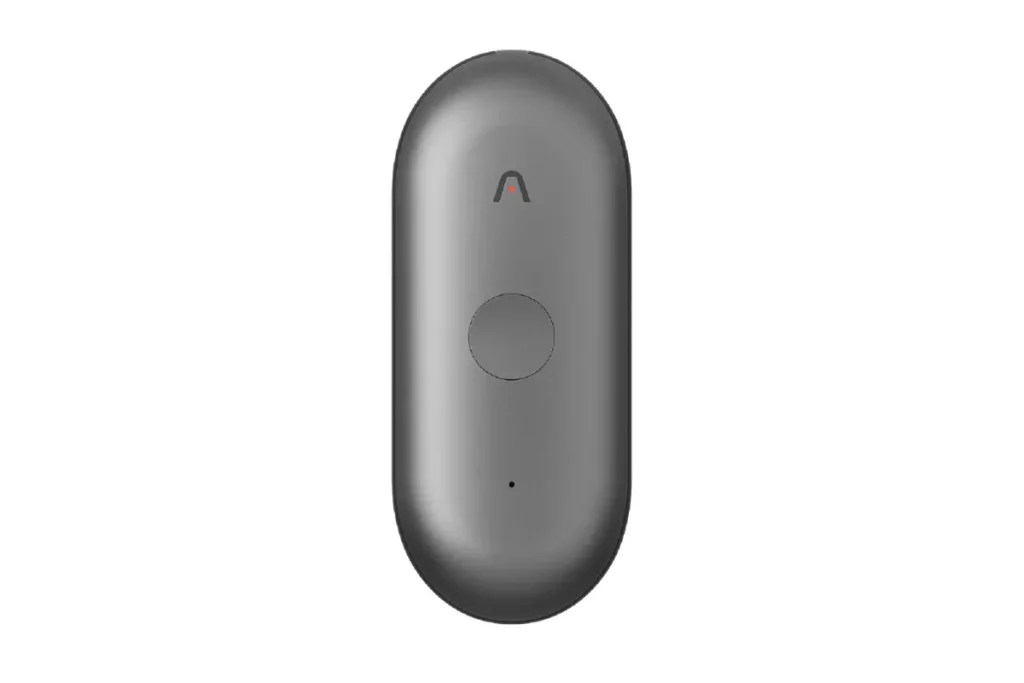
This is the one I reached for daily. It clips to my shirt collar and I literally forget it’s there until I need it. A big upgrade from the NotePin is the physical button. The pressure-sensitive button left me guessing whether the recording had been started and then looking down at my phone in the middle of the meeting just to make sure, which totally contradicts the idea of having a hands-free tool.
The Press to Highlight is a feature that I did not realize how important it is going to be. If there’s something important during a meeting I want to especially take note of, the same gets highlighted in the transcript. It has a 20 hour battery life per charge and provides 64GB of storage space along with supporting 112 languages with automatic speaker labels. It also comes with ISO 27001, GDPR, SOC 2 and HIPAA certification, which is essential for recording client calls and other confidential information.
It is priced at $179 and you get 300 free minutes of recording a month with Pro at $99.99/year or Unlimited at $239.99/year if you’re recording daily.
Pros:
- Physical button to take out the guesswork
- Press to Highlight saves time during review
- Comfortable and light to wear
- Strong privacy certifications
Cons:
- Voice gets patchy in crowded rooms
- Occasional delays in syncing between the device and the app
- In-person capture is not for virtual calls
2. Memoket Gem
© Memoket
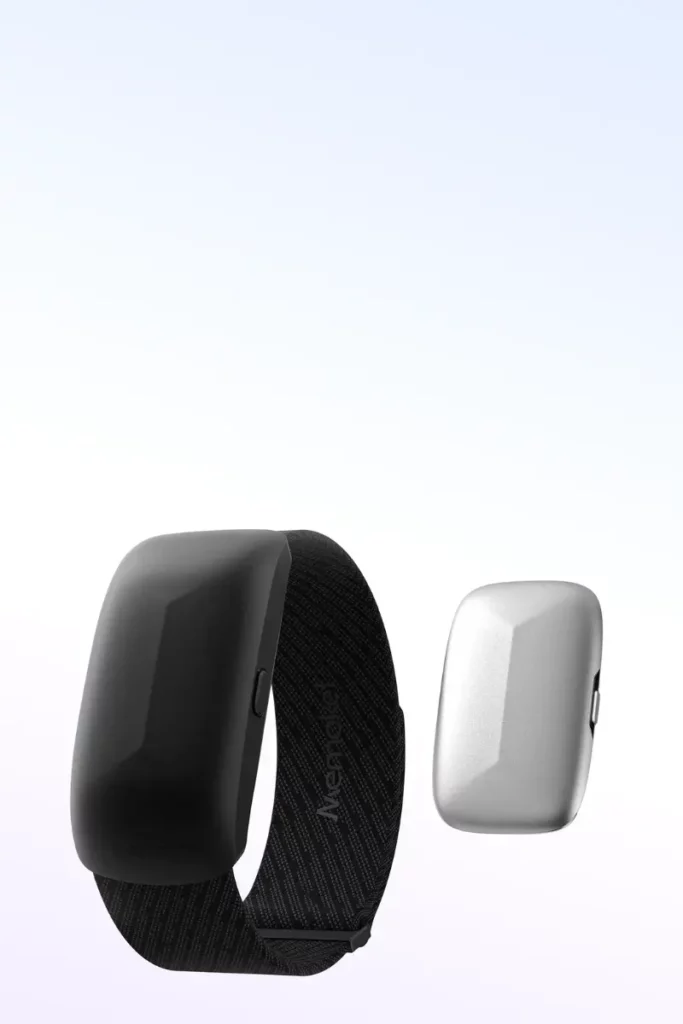
Unlike other competitors, Memoket Gem is trying to bring continuity to your conversation history from day to day and week to week rather than considering each session in isolation. It can be worn as a bracelet or a pendant and even added alongside your Apple Watch using its co-wear band, which is compatible with cases across sizes 38mm and 49mm.
It is very lightweight at just 11g and has 2 microphones, which initiate a recording session with just one tap. The difference is in a memory layer. For example, if you have conducted five separate customer meetings regarding a single recurring issue, Memoket will consolidate them into one summary without requiring you to sort out all five transcripts separately. It integrates with ChatGPT, Claude, Notion, Slack, Calendar and Gmail and writes email replies based on your actual conversation.
The battery works for 20 hours nonstop, it can store 300 hours of conversation recordings locally, its voice recognition range reaches 16.4 feet and it supports 100+ languages. Pricing has been sitting at $179 during the Early Access period.
Pros:
- The cross-conversation memory feature is actually unique from all the other gadgets listed here.
- Multiple styles of wearing it, such as co-wearing with Apple Watch
- Long battery life and a large amount of onboard storage space
- Good integration with commonly used tools
Cons:
- Fairly a new product. The hardware and software haven’t gone through years of testing, unlike Plaud
- Primarily designed for business conversations rather than studying or casual use
3. Fieldy 3
© Fieldy
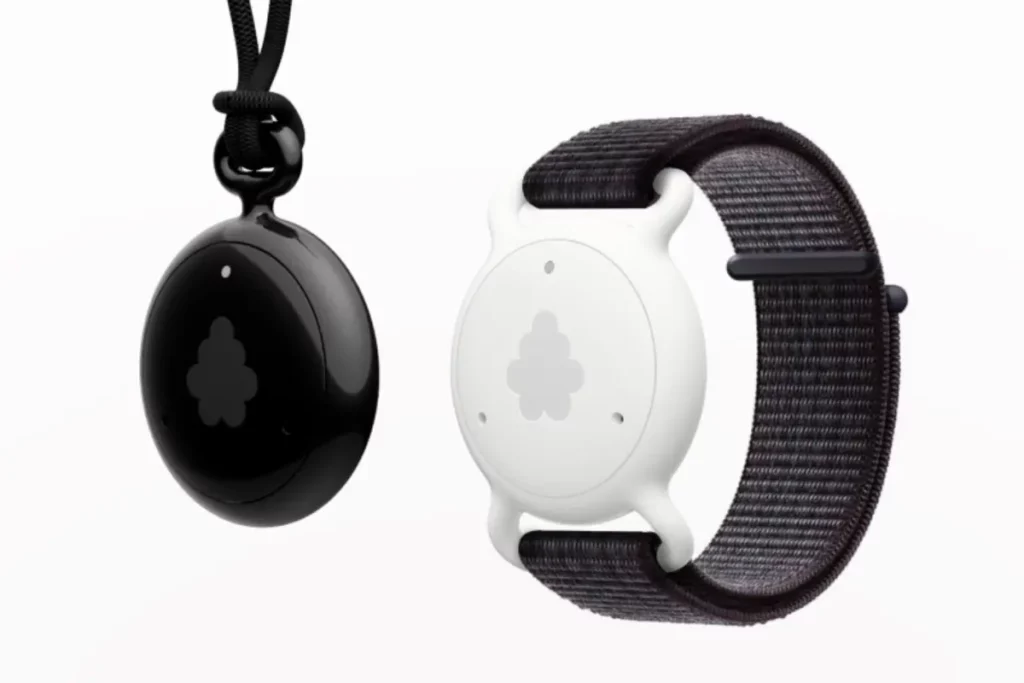
Fieldy 3 is the one that manages to bridge the gap between a watch and a pendant. You can wear it either on your wrist or your neck and switch back and forth between the two at will. What Fieldy 3 offers is real time transcription, meaning that the conversation is translated into text right as it is going on.
Additionally, it provides instant summaries, converts spoken agreements into action items automatically, supports over 100 languages and allows for messaging through your own conversation history, which is particularly useful when you need to remember whether or not you have made an agreement three weeks ago.
The thing that got my attention here is the battery. 7 days is the highest amount among the wrist or pendant devices on the list. Also, it is water-resistant, so I did not hesitate to take it out in a light drizzle. In addition, there is a privacy light included so anyone nearby can see if it is syncing, active or charging, which I appreciated more than I expected to.
Fieldy states that the device does not record anything but rather turns speech into text instantly and saves text. This is a much more secured approach compared to most other devices on the list, although the thing to know about AI processing is that it is done through the cloud, which means that your smartphone needs to be connected to the internet.
The product costs $179 and comes with 150 free transcription minutes a month. Any additional services beyond this are billed at a subscription starting $9.99 per month. There is also a desktop app if you want to pick up online meetings, not just in-person meetings.
Pros:
- Wear it as a watch or necklace, you can do either without requiring any additional equipment
- 7-day battery life is the longest of any on this list
- Does not record raw audio, only provides the transcription
- Water resistant and quite comfortable throughout the day
- Also records internet calls via the desktop application
Cons:
- Uses the internet from your phone for AI features, thus the “private” function isn’t 100% private
- The transcription becomes worse when there is more background noise in the room
- Doesn’t have as many integrations as Memoket (Notion, etc.)
- Some people reported app disconnects, so don’t expect flawless syncing every single day
4. Omi
© Omi
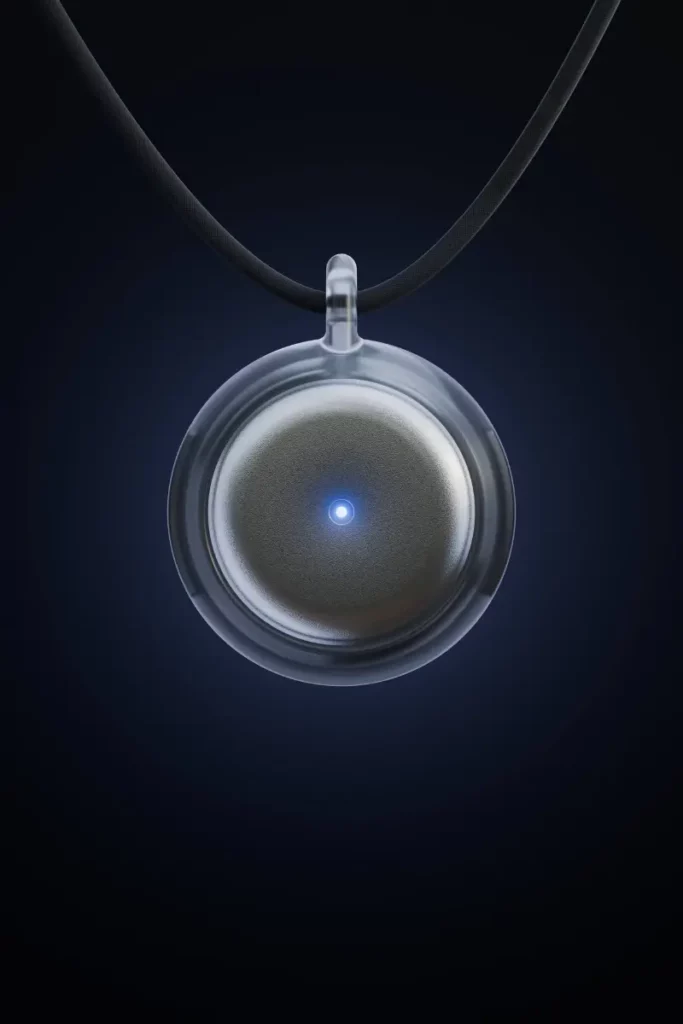
Omi AI is the budget pick for anyone who actually enjoys tinkering. At $89, one of the cheaper wearables in this best AI note-taking wearables list and it is 100% open source, both hardware and software. It also has speech recognition profiles, understands 25+ languages and is SOC 2 and HIPAA compliant.
While the open source thing may sound like an insignificant detail, it was quite important during the recent event when Meta bought Limitless, another AI pendant and took it off production. Thousands of users were looking for alternatives which wouldn’t just go away. Omi’s Discord picked up thousands of new members almost overnight because of it. If a company vanishes, the community can keep the firmware alive. You can’t say that about most hardware.
The device is roughly the size of a coin, it has 2 microphones including speaker recognition, lasts for 10 to 14 hours depending on usage and allows you to stream audio via Bluetooth and offline recording even if your phone is not available. You get unlimited on-phone transcription plus 1200 free cloud minutes a month, which is quite generous.
Pros:
- Budget friendly wearable
- Fully open source, no vendor lock-in
- A vibrant community and actual app ecosystem (1,000+ apps)
- Generous free tier
- Tap & Talk feature is useful
- Offline recording supported
Cons:
- Shorter battery life compared to Plaud and Memoket
- Limited number of languages supported (25+ compared to 100+)
- No inbuilt memory, hence when your device is dead or the Bluetooth connection is lost, you miss your recorded file
- There are many sync issues
5. Lucyd Smart Glasses

© Lucyd
Lucyd takes a different approach and entirely and it’s worth understanding before you expect it to behave like the others. This is a pair of audio-only smart glasses with no camera. It comes with speakers and microphones installed in the temples and with the help of the Lucyd app, which runs on a platform known as Vyrb, you can communicate with ChatGPT, Siri, Google Assistant, or Alexa using your voice only.
The Lyte collection is designed to be worn daily and starts at $149.99 for non-prescription models. The other range, called the Armor, is designed specifically for work environments and has ANSI-rated eye protection, making it convenient for construction and lab environments where you still need hands-free access to AI.
Now here’s the honest part, the note-taking capabilities are limited. It is essentially a voice-to-text shortcut. There is a noticeable delay of about 2 to 3 seconds when processing your request through the cloud. Don’t buy these expecting them to replace a dedicated recorder for client meetings.
Where they truly shine is in hands-free capture. “Remind me to email the vendor” or “What time is my next meeting?” The kind of things you would usefully grab your phone for. The battery lasts up to 12 hours, they are Rx-ready in case you need prescription lenses and the lack of a camera means that you can wear them anywhere that camera glasses are not allowed like offices, hospitals, gyms and courtrooms.
Pros:
- Compatible with any AI assistant that you already have
- Rx-ready, so you’re not compromising on clarity of vision for smart features
- No camera means fewer privacy worries and fewer places you can’t wear them
- 12-hour battery lasts longer than most camera smart glasses
Cons:
- Limited note-taking capabilities, only works as a shortcut, not as transcription software
- Processing lag
- Some reliability problems with the ChatGPT integration not activating properly
6. Bee Pioneer Edition
© Bee
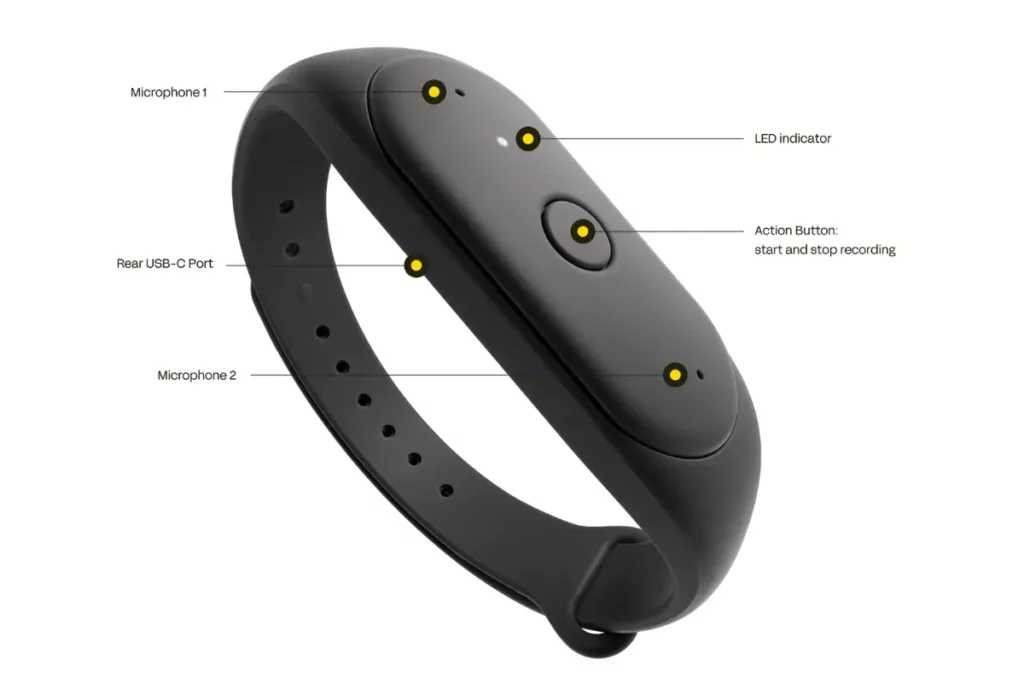
Bee was the one that amazed me the most because of its $49.99 price tag without a subscription fee. Honestly, I was not expecting much from it. A pill-shaped note-taking wearable that can be clipped anywhere on you or worn as a wristband, it’s easy to turn on with a button and lights up green when recording, so you take the guesswork out.
The battery lasts a full week, which is quite impressive. The app is great for writing a summary of the day, including a headline, a brief about the mood of your day, key takeaways and a transcript broken into topics. It is only compatible with iOS right now, with Android reportedly in the pipeline.
The catch is accuracy. Bee hallucinates a lot more than I’d like. It pulled facts about me from podcasts and TV shows I had playing in the background, things like assuming I was a lawyer because I binged Lincoln Lawyer on Netflix one day. It also pulls out a flood of suggested to-dos you have to approve manually, which, if I fall behind on, becomes an unmanageable pile.
Pros:
- Best budget-friendly pick
- One week of battery life
- Genuinely enjoyable and well-written daily summary
- Easy to turn on
- Understands up to 40 languages
Cons:
- Tendency to hallucinate
- The to-do approval system gets overwhelming if not dealt with daily
- Can’t identify who is speaking in a conversation
7. Plaud One
© Plaud
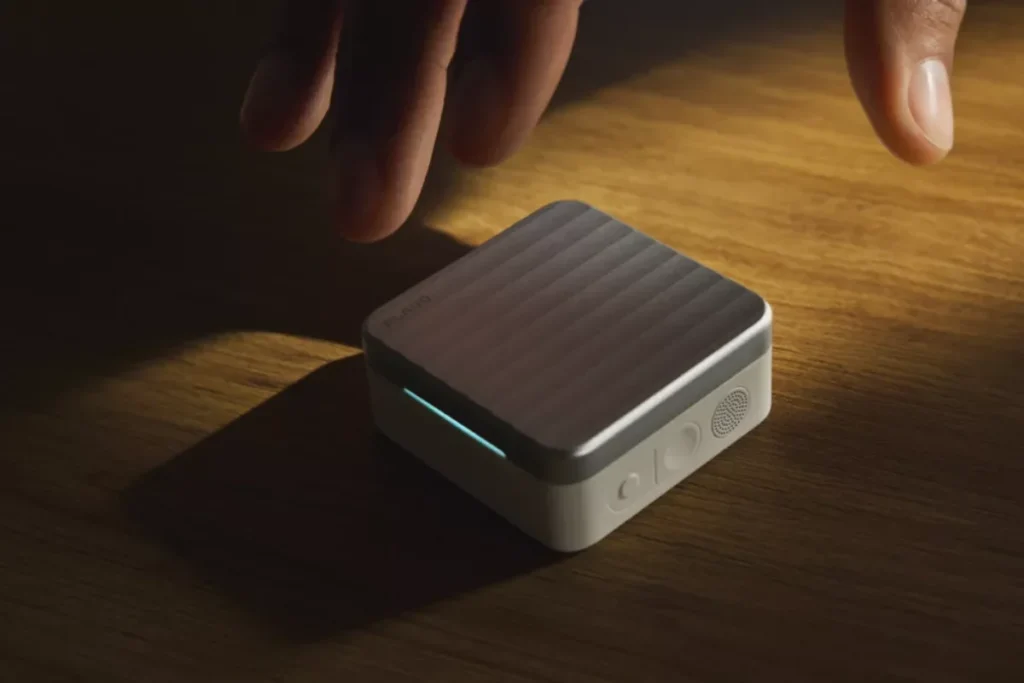
The one that I am keeping an eye on right now but have not used yet is Plaud One because it was showcased at IFA Berlin 2026 and is currently on preorder and won’t be shipped until Q4 2026. It is the company’s first attempt to move from the pendant and pin design towards something closer to traditional earbuds, white stem-style buds that look similar to Apple’s AirPods.
What makes it stand out from all the rest is the charging case. The fact is that it features an embedded eSIM which means that it is capable of recording in-person interactions and communicating with Plaud’s AI assistant without even using a smartphone. According to the company, the case is able to capture high-quality voice within 5 metres from the case.
On paper, the specifications look good. 12mm drivers with active noise cancellation technology, 6 hours of meeting recording and 3 hours of call recording on a single charge, reaching up to 25 hours when the case charges the headphones as well. Once there is a transcript available, an AI agent will be able to connect to Gmail, Google Calendar, Notion and Slack for follow-ups, document creation and presentations based on the conversation.
Plaud Explorer Edition is priced at $249.99 for preorder and includes $200 worth of Plaud credits in order not to lock into any subscription membership straight away. The usual Plaud prices offer 300 free minutes of transcriptions a month.
Pros:
- Doubles as earbuds, so there’s a good reason to keep it on all day long
- Works through eSIM, so it doesn’t need your phone around like any other gadget here
- AI agent works with Gmail, Calendar, Notion and Slack straight out of the box
Cons:
- Not yet released, so its claims about accuracy and battery life can’t be verified
- $249 makes it expensive
- 6 hours of recording calls per charge is a bit low if you’re in one meeting after another without the case nearby
Who Should Buy AI Note-Taking Wearables
- Professionals sitting in back-to-back meetings who need accurate recall without manual note-taking
- Students and researchers who need transcripts of lectures and interviews
- Founders and business owners managing repeat client or customer calls
Who Should Skip AI Note-Taking Wearables
- Casual users having one or two meetings in a week
- Anyone uncomfortable with the idea of a device recording their every conversation
- People who are comfortable with pen and paper note-taking, these products are just digitalized versions of the same, not revolutionary
Wrap Up
While most note-taking wearables are still finding where they fit, the best ones already solve a very practical problem: remembering what was discussed in a meeting.
None of these are without flaws and you will need to balance accuracy, privacy, battery life and subscription costs. But if you’re constantly relying on scattered notes, voice memos or memory alone, they are genuinely a useful productivity tool rather than another cool-looking gadget.
FAQs
Decode the Decor
The Smart Jewelry Revolution
A practical guide to wearable tech's future — delivered straight to your inbox.
Author
