 Screenless BandsFitbit Air vs Apple Watch: Which Wearable Is Better for Health Tracking?
Fitbit Air vs Samsung Galaxy Watch Ultra 2: Which Wearable Fits Your Health Goals?
There was a time when wearing a watch was mostly about keeping track of time. Now, things have changed quite a bit. People expect their wearables to do much more, whether it is helping them stay connected with their health or making everyday activities a little easier. But with so many options available, there is one interesting question: do you really need a device that does everything or is something simpler sometimes enough?
Independently tested. We never accept payment for reviews.How we test
What’s inside10 sections · 13 min read
- 01Fitbit Air vs Samsung Galaxy Watch Ultra 2 Comparison Table1 min
- 02Design and Comfort Compared2 min
- 03Health Tracking Features Compared2 min
- 04Fitness and Workout Tracking: Fitbit Air vs Galaxy Watch Ultra2 min
- 05Software Experience: Fitbit Ecosystem vs Samsung Health2 min
- 06Battery Life Compared1 min
- 07Who should buy Fitbit Air?1 min
- 08Who should buy the Samsung Galaxy Ultra 2?1 min
- 09Final Verdict1 min
- 10FAQs1 min
There was a time when wearing a watch was mostly about keeping track of time. Now, things have changed quite a bit. People expect their wearables to do much more, whether it is helping them stay connected with their health or making everyday activities a little easier. But with so many options available, there is one interesting question: do you really need a device that does everything or is something simpler sometimes enough?
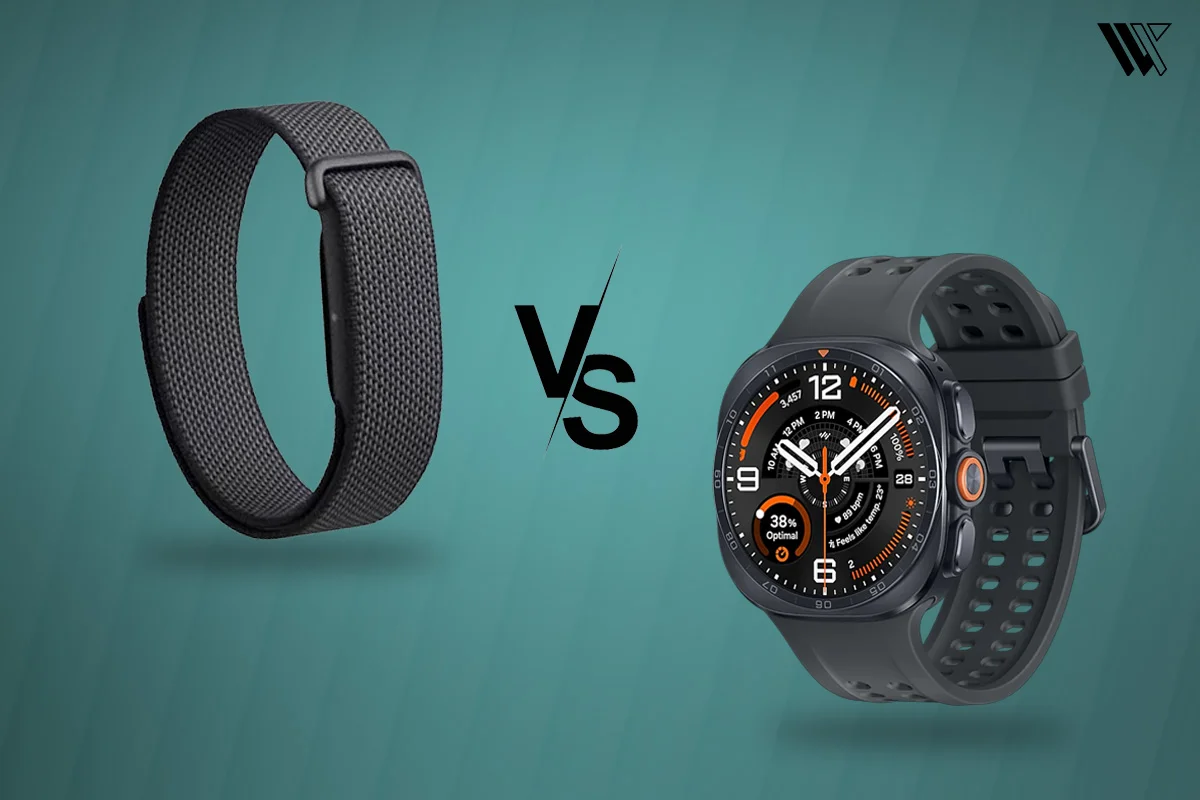
That question makes the Fitbit Air vs Samsung Galaxy Watch Ultra 2 comparison particularly interesting. Both take a different approach to everyday wearables and figuring out which one offers the experience you actually need is what matters. So, let’s take a closer look at how they compare.
Fitbit Air vs Samsung Galaxy Watch Ultra 2 Comparison Table#
| Specifications | Fitbit Air | Samsung Galaxy Watch Ultra 2 |
|---|---|---|
| Design | Screenless Fitness Tracker | Smartwatch |
| Display | No display | 1.52-inch Super AMOLED |
| Health tracking | Heart rate, HRV, SpO2, resting heart rate, breathing rate, skin temperature variation and AFib monitoring | Heart rate, ECG, blood pressure, SpO2, HRV, sleep tracking, body composition and other health metrics |
| Sleep tracking | Sleep stages, duration and Sleep Score | Sleep stages, Sleep Score, Sleep Coaching and sleep apnea risk detection |
| Fitness tracking | Automatic activity tracking, Active Zone Minutes and workout summaries | Advanced workout tracking, Trail Run, Running Coach and Daily Cardio Load |
| Operating system | Google Health app ecosystem | Wear OS powered by Samsung |
| Battery life | Up to 7 days | Up to 60 hours with Always-On Display enabled |
| Price | $99.99 | $699.99 for the LTE model |
Design and Comfort Compared#
© WearableXP
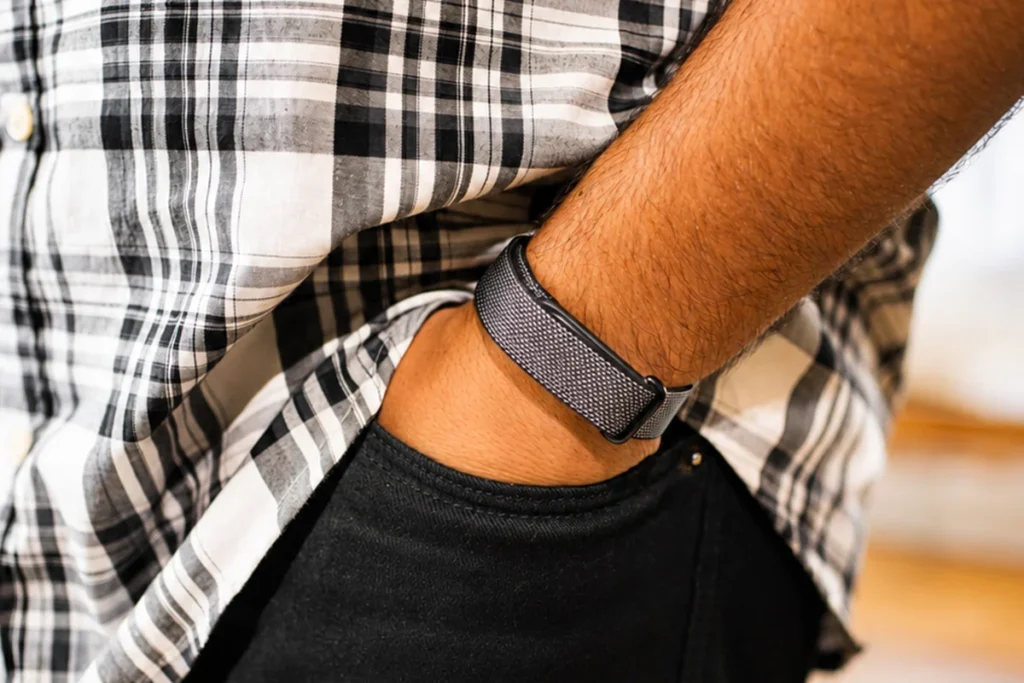
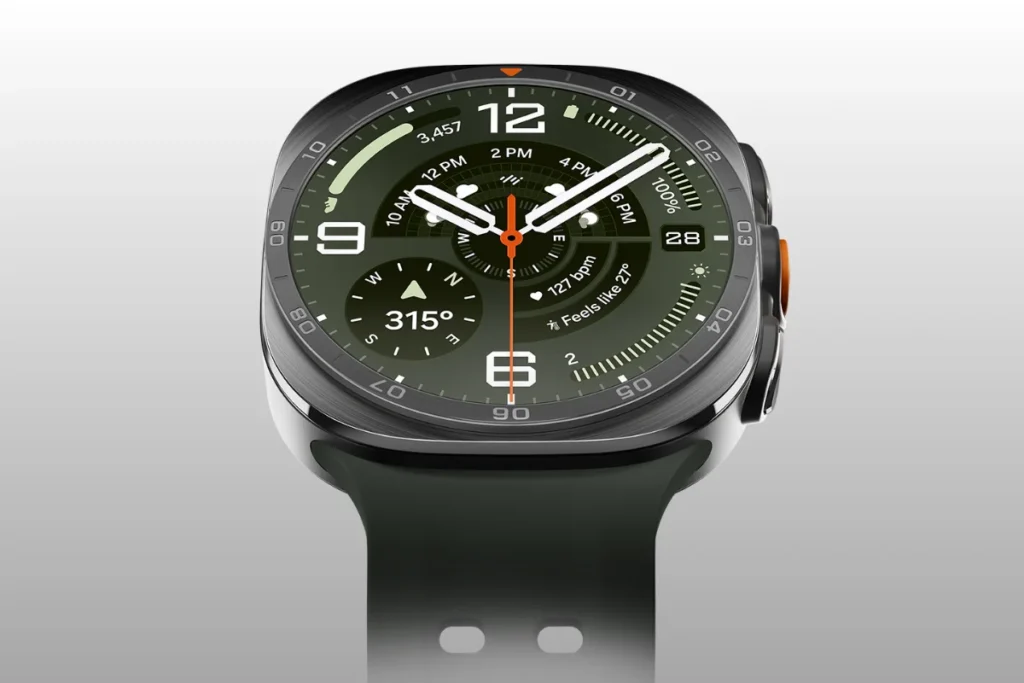
If you look at the design of the Fitbit Air vs Samsung Galaxy Watch Ultra 2, you will see a huge difference because the Fitbit Air is made in a highly minimalist design without any screen, while the Samsung Galaxy Watch Ultra 2 is made in a tough and rugged design of a smartwatch. Firstly, the Fitbit Air uses a small-sized pod made in lightweight material with the size of 34.9 x 17 x 8.3 mm. Secondly, the Samsung Galaxy Watch Ultra uses a tough 47mm dial made of aerospace-grade Titanium Grade 4 material. Hence, the Samsung watch has a heavy duty casing to military standard MIL STD 810H, while the Fitbit watch has a light, invisible design.
© Samsung
As far as the visual interface goes, the Samsung Galaxy Watch Ultra 2 has a huge 1.52-inch Super AMOLED screen that is protected by extremely durable Sapphire Crystal glass. Additionally, this innovative display has 480×480 pixels of resolution and supports an impressive brightness level of up to 5,000 nits. On the other hand, the Fitbit Air does not have any kind of display, so you do not have anything to click or shine in the dark. Therefore, the Samsung smartwatch delivers an outstanding visual performance right on your wrist, while the Fitbit Air works only behind the scenes.
In terms of wearability, the Fitbit Air is made from a soft and breathable woven fabric band, so the total weight of the device itself is only 12 grams. Consequently, its lightweight design provides comfort when worn constantly for 24 hours a day. In contrast to that, the Samsung Galaxy Watch Ultra employs a Dynamic Lug System along with tough marine or trail bands, so the device itself already weighs 60.5 grams without the strap. This means that the Fitbit Air is good at sleep monitoring due to the fact that you do not feel like you are wearing anything, while the Samsung Ultra is not.
Both of these models do have some unique technical drawbacks of their own however one of the problems with the Fitbit Air is that it has a Velcro-like strap closure system in place when it comes to the standard fabric band. The problem with the band is that the loose end does not always tucked in and so, it does not provide the sense of security and safety required in extreme water-based or physical contact sports. On the other hand, one main drawback of the Samsung Galaxy Watch Ultra is its bulky size and raised physical design. Since it has multiple physical buttons as well as a thick 12.1mm body along with a quick action button, it might easily get stuck in long sleeves while typing at a desk.
Health Tracking Features Compared#
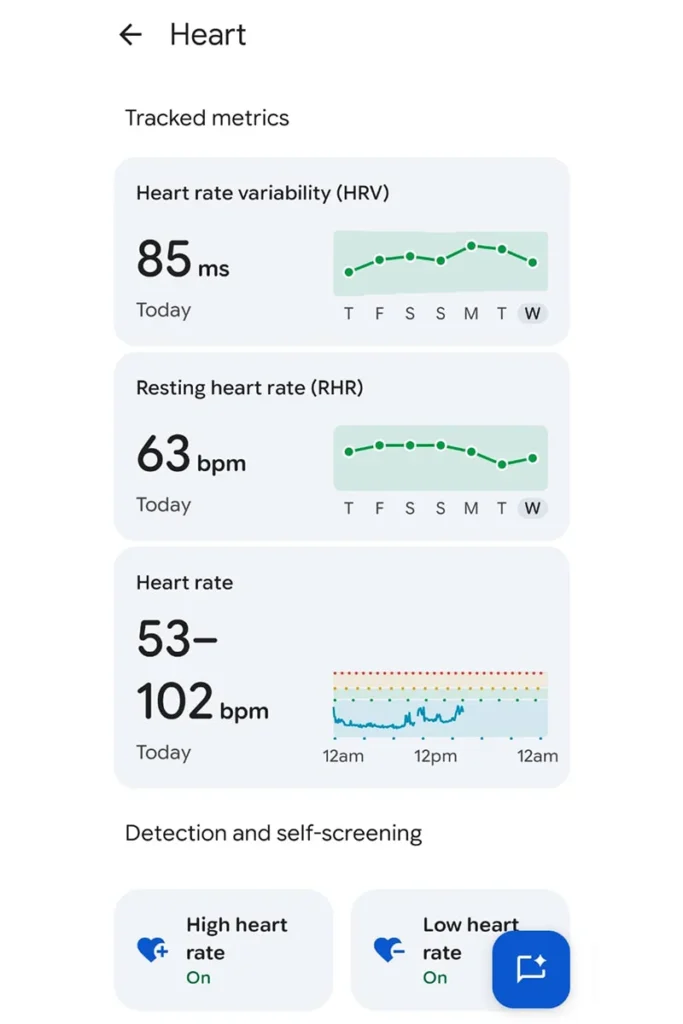
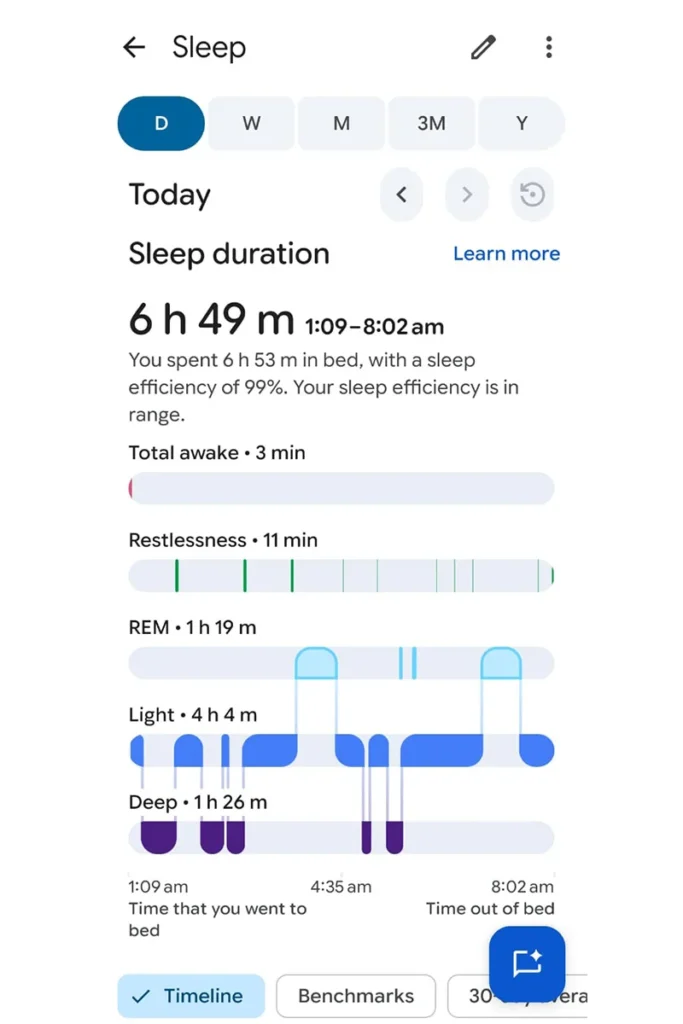
The underlying motive behind investment in wearables is mostly for health monitoring purposes. This comparison between the Fitbit Air vs. Samsung Ultra 2 brings forth the two opposing principles in the same category. While the Fitbit Air is equipped with a passive health monitoring system that is highly efficient, the Samsung Galaxy Watch Ultra 2 is packed with sensors for medical grade health analysis on demand. Hence, the current discussion sheds light on how these varying technologies affect your health data collection process.
© WearableXP
© WearableXP
The Fitbit Air is equipped with a multi-path optical heart rate sensor that enables tracking of your heart rate around the clock without excessive consumption of battery power. In addition to this, this small device features highly sensitive red and infrared sensors that constantly monitor your blood oxygen saturation (SpO2). In such a way, it automatically monitors your sleep phases, sleep time and HRV to provide you with a full recovery score on a daily basis. Thus, all of the information is collected in the background and delivered to your phone.
© Samsung

© PCMAG
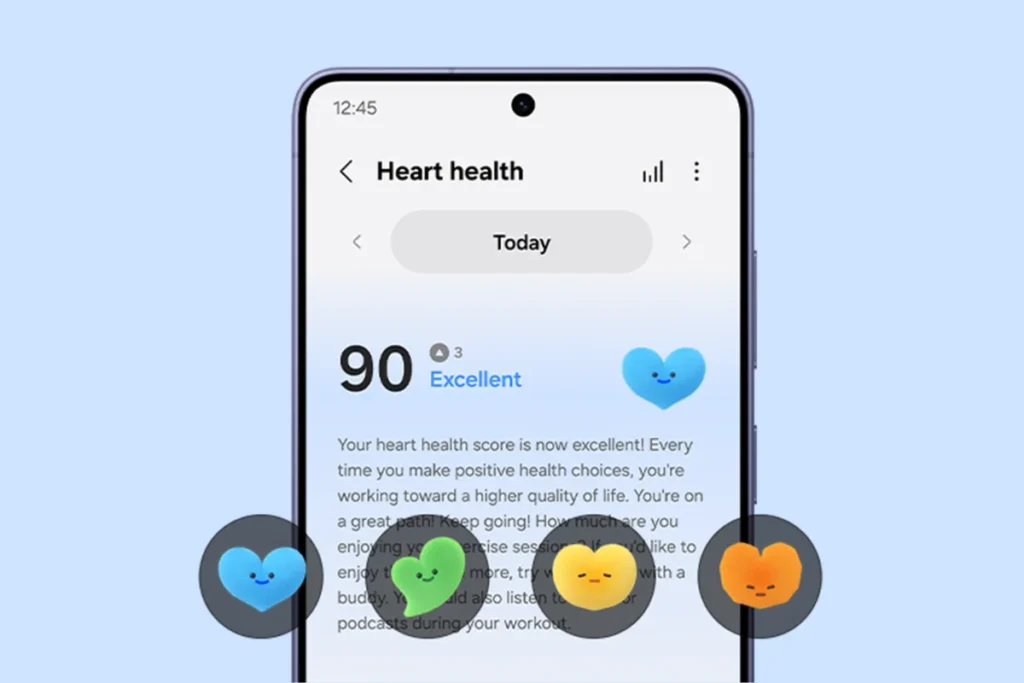
However, the Samsung Galaxy Watch Ultra 2 is equipped with an incredibly complicated and improved BioActive Sensor system with 13 separate LEDs. In order to provide increased accuracy, the watch has been provided with an advanced photoplethysmography (PPG) function which can detect your heart rate along with the detection of sleep apnea that is FDA-approved. In addition, the Samsung Ultra 2 is equipped with hardware for performing Electrocardiograms (ECGs) and measuring your blood pressure, while the Fitbit Air only uses simple core metrics for its functioning. Furthermore, the Samsung watch is also fitted with a Bioelectrical Impedance Analysis (BIA) system for detecting your skeletal muscle and body fat percentages as well as measuring your metabolic health via the Advanced Glycation End products (AGEs) index.
While both wearables have amazing tech features, there are some cons for each product when it comes to the health aspect. One of the cons of Fitbit Air is the absence of any type of display, which means that you cannot look at your stats at all. Since it works only as a background tracker, when you need to measure your heart rate in case of stress, you simply have no choice but to take your phone and use the application. Besides, the gadget does not feature the on demand ECG and sleep apnea detection.
On the other hand, one significant disadvantage of the Samsung Galaxy Watch Ultra 2 is that despite having advanced capabilities for monitoring the health of users, it has serious limitations due to its high-power consumption rate. As the device needs regular charging more than a very efficient screen-less tracker, the wearers of the watch need to remove it from their wrists while sleeping. This removal leads to large gaps in terms of sleep tracking and overnight HRV monitoring. Another important thing about Samsung Ultra 2 is that it has no software compatibility with different devices because some of its most important features can be used only with Samsung Galaxy phones.
Verdict: If you want pure uninterrupted health tracking, I feel Fitbit Air excels in this category. It comes with passive health tracking that ensures consistent 24/7 data collection, which easily beats the overnight charging gaps and even the restrictive smartphone ecosystem limitation.
Fitness and Workout Tracking: Fitbit Air vs Galaxy Watch Ultra#
© Samsung
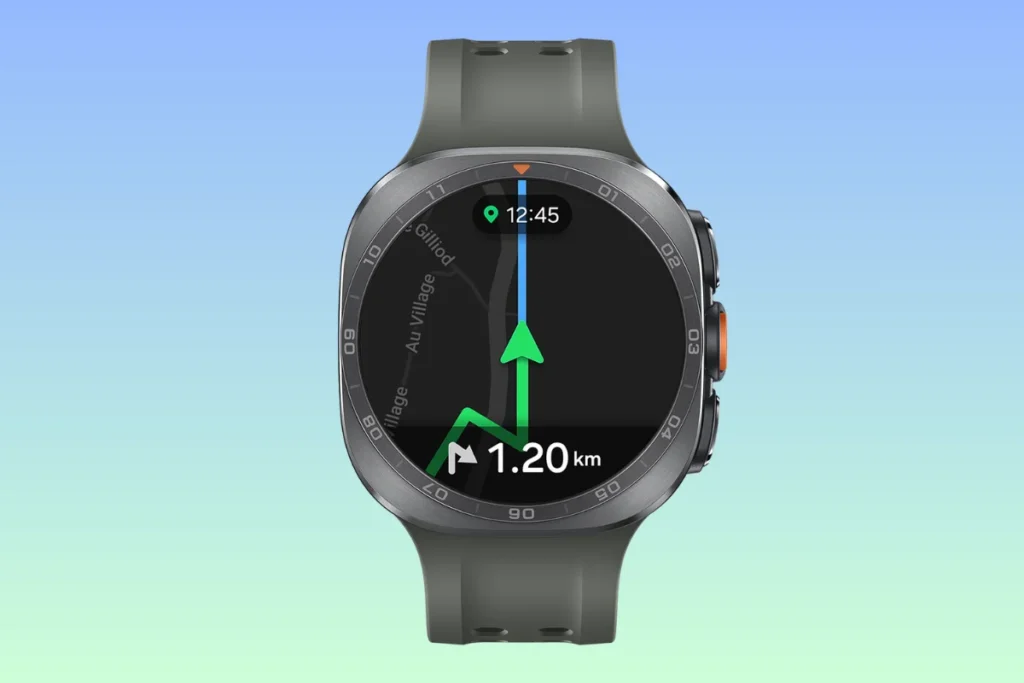
In relation to physical exercise, the difference between the Fitbit Air and Samsung Ultra 2 lies in the fact that Samsung Ultra 2 has far more sophisticated workout tracking abilities than the Fitbit Air. Samsung Galaxy Watch Ultra 2 is a product of elite sports technology, which means that it has highly professional level fitness functions. The Samsung Galaxy Watch Ultra 2 has a powerful Dual-frequency GPS (L1+L5) technology that ensures extremely accurate location tracking in the outdoor environment including running, hiking and cycling in even the most densely populated cities. Moreover, the sturdy smartwatch is rated 10ATM and IP68 waterproof, which means it can be comfortably used when swimming in open water and diving in the sea to 40 meters depth. Additionally, the Samsung device allows users to see their pace, personalized heart rate zones and functional threshold power (FTP) metrics directly on their wrist while training.
© WearableXP
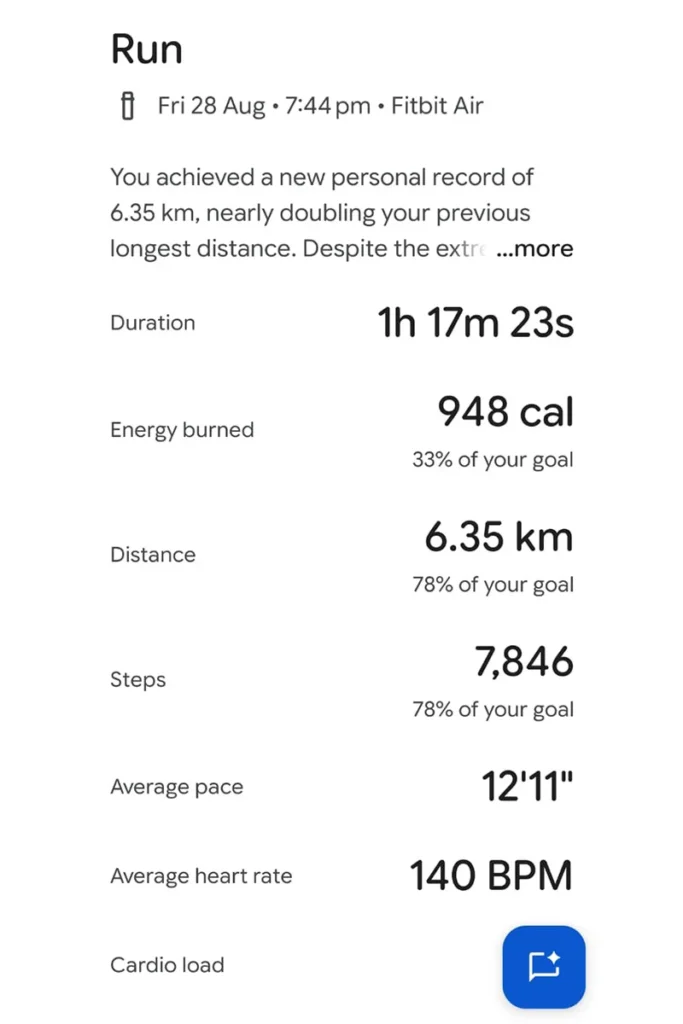
On the other hand, the Fitbit Air is equipped with a very simple system that relies primarily on automatic activity detection and more than 40 types of workouts. This means there is no need for pressing any buttons since the gadget uses sophisticated motion sensors to precisely determine when you start running, walking or cycling. What is more, it tracks how much cardio load and active zone minutes you had and automatically syncs them all within the corresponding app once you finish the session. In conclusion, the Fitbit gadget is entirely hands free during the training sessions, while the Samsung gadget needs the input from the user.
Nevertheless, we need to consider the individual cons of these two gadgets in the field of sports. First of all, one obvious drawback of the Fitbit Air is that it does not contain the GPS feature at all. Hence, if you need to measure the precise distance and create a route map during your run, you will have to use your heavy smartphone along with your gadget. Moreover, the device itself does not provide you with any metrics visualization, which means that you will not be able to monitor your split times or see some visual guidance during the training session. Additionally, the automatic workout detection function may prove to be quite unreliable at times.
Another major disadvantage associated with Samsung Galaxy Watch Ultra 2, on the contrary, is the highly overengineered nature of its fitness components. Since this watch is meant to be used in triathlons and other extreme sports, an ordinary fitness trainer is basically overpaying for a device that is fully equipped with dive rating and multimeters that he will never use. Besides, Samsung Galaxy Watch Ultra 2 is not light in terms of its construction. Therefore, while engaging in high-intensity interval training or martial arts, this watch may appear to be really heavy and distracting. Nonetheless, as part of the whole athletic kit, it definitely has much more to offer than the rest.
Verdict: Speaking of fitness and workout, the Samsung Galaxy Watch Ultra 2 wins by a mile in this category. With its highly advanced dual frequency GPS, instant coaching while you wear it and the robust multi-sport capabilities, it beats the screen-less band and phone-based tracking hands down.
Software Experience: Fitbit Ecosystem vs Samsung Health#
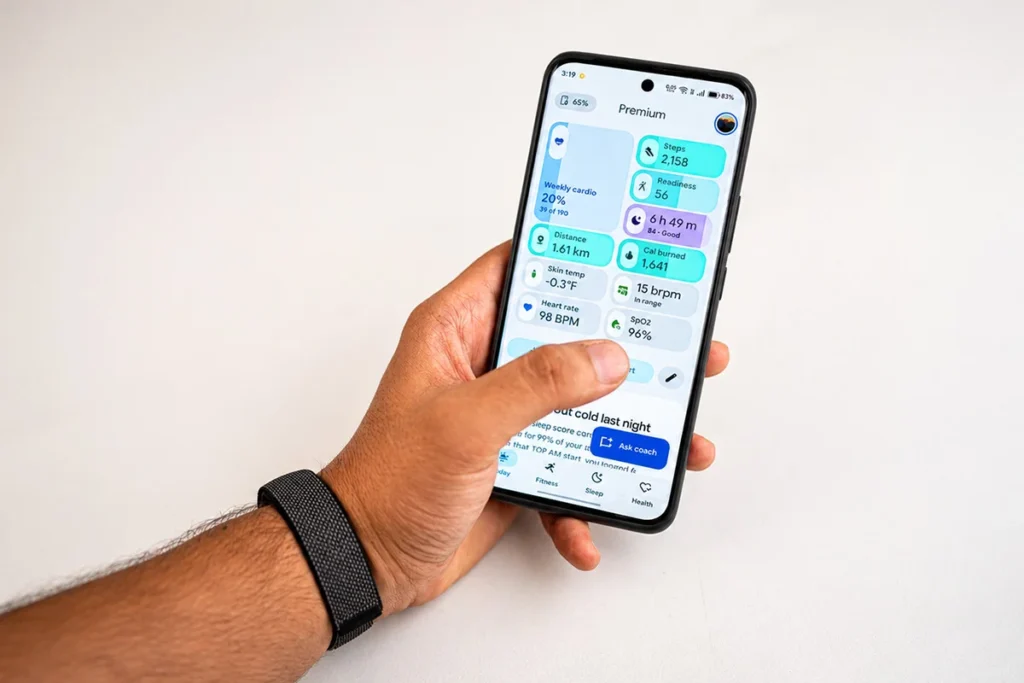
The platform on which the wearable runs is as important as the hardware itself. That’s why the comparison between the Fitbit Air and Samsung Ultra 2 highlights two very different platforms. The Fitbit Air features a user friendly platform that is fully based on the Google Health application that you can install on your smartphone. On the other hand, the Samsung Galaxy Watch Ultra 2 is powered by a very complex Wear OS and Samsung Health platform. The Fitbit Air feeds all the necessary background information into a simple dashboard that displays your Daily Readiness Score, sleep profile and even your routines with the help of an AI-driven Google Health Coach application. On the other side, the Samsung Galaxy Watch Ultra 2 is like a mini computer on your wrist. It offers a full fledged Samsung wearable ecosystem, plus the Google Play Store. This way, you can download Spotify playlists or use Google Maps even without connecting to your phone. The Samsung Galaxy Watch is also equipped with Galaxy AI technology for intelligent text replies, while the Fitbit Air works only with your smartphone.
© WearableXP
However, there is a need to deeply analyze the major technical cons that exist in both these software programs. The greatest disadvantage of the Fitbit Air is the lack of full openness of its health program which is based on a highly restricted subscription model. It is necessary to pay an extra price for Google Health Premium in order to gain access to the AI Health Coach and all the trends in health information provided by Fitbit. Moreover, this wristband does not have any intelligent features at all.
On the other hand, the biggest disadvantage of the Samsung Galaxy Watch Ultra 2 is that it completely fails to provide wide compatibility with devices. The Samsung smartwatch doesn’t have any iOS compatibility whatsoever and is only compatible with the Android system. Alongside this, Samsung’s software does not provide any universal hub either. It forces users to download several different applications to set up their device and monitor their biometrics. On top of this, several of its key features, such as ECG and Blood Pressure monitoring, do not work without pairing it with a Samsung Galaxy phone, whereas the Fitbit Air provides seamless performance on both Android and iOS systems.
Verdict: In terms of the software experience as a whole, the Samsung Galaxy Watch Ultra 2 excels in this area. The device’s integration with Wear OS, its extensive compatibility with third-party applicationsand the fact that there is no need to pay monthly fees to see your important health data makes it a far more powerful software platform than its rival fitness band.
Battery Life Compared#
The first major feature that the Fitbit Air is equipped with is a very efficient and low-energy system. At the same time, the Samsung Galaxy Watch Ultra is equipped with a massive power-hungry architecture. In particular, the battery life of the Fitbit Air amounts to 7 full days of work with one single charge. Moreover, owing to the absence of the bright display, the energy consumption is absolutely stable. Also, it should be noted that the Fitbit Air has excellent fast charging ability. Thus, just a 5 minute charge provides 24 hours of work and a 100% charge takes only 90 minutes using its USB C port. The next feature of the Samsung Galaxy Watch Ultra is a huge battery amounting to 800mAh. This is an exceptionally big battery for such a smartwatch. Therefore, Samsung asserts that this smartwatch can work up to 60 hours with the always-on display and up to 80 hours without it.
Although such specs can hardly be ignored, the problem is that each of these gadgets comes with some battery issues as well. One of the cons of Fitbit Air, in particular, is that using numerous tracking functions or constantly accessing the app by Bluetooth connection can sometimes decrease the promised 7 days to around 5 or 6. On the other hand, one major con affects the Samsung Galaxy Watch Ultra. The 60-80 hours of autonomy are truly amazing for a smartwatch, but the thing is that the user would have to recharge the heavy device every two or three days. Also, recharging 800mAh battery wireless takes a lot of time, meaning that you will need to remove the device for about an hour in order to recharge it. Such a process definitely interferes with constant monitoring of your health, whereas with Fitbit Air you can do this during your morning shower. Thus, comparing the Fitbit Air vs Samsung Ultra battery performance, we should say that the latter definitely wins in this regard.
Who should buy Fitbit Air?#
You should buy Fitbit Air if:
- You want a light, screen-free fitness tracker that is comfortable to wear all day.
- You need constant health and sleep tracking without constant engagement.
- You value battery life and infrequent recharging.
- You would like automated tracking of your physical activity rather than setting up your workouts manually.
- You are looking for a screenless fitness tracker.
- You use an iPhone or an Android device.
Who should buy the Samsung Galaxy Ultra 2?#
You should buy the Samsung Galaxy Ultra 2 if:
- You are looking for a premium smartwatch that comes with a big display.
- You often go out to do sports and require GPS functionality.
- You are interested in training analysis and fitness tracking.
- You are in need of extra health functions like an ECG and blood pressure monitor.
- You prefer to access applications on the move by using a watch.
- You have a Samsung Galaxy smartphone.
Final Verdict#
In case I had to pick either one of these two wearables, I would opt for the Samsung Galaxy Watch Ultra 2. This is because I would love to have more control over my health and fitness data and the watch has all the necessary features to do so, including sophisticated health features, GPS and detailed workout tracking features. The ability to access different applications through my watch is also appealing to me.
One reason why this wearable seems even more appealing is that it is versatile. Whether I am exercising, taking a walk outdoors or performing some other activity, this watch will provide me with many useful functions without being dependent on my smartphone all the time. With all of these attributes, the Samsung Galaxy Watch Ultra 2 is the perfect wearable for me.
FAQs#
01Does the Fitbit Air have a display or screen?
No, the Fitbit Air does not have a display or screen of any kind. Because it features a radically minimalistic design, the Fitbit Air requires you to check all of your daily health metrics and workout stats directly through the connected Google Health app on your smartphone.
02Can I use the Samsung Galaxy Watch Ultra 2 with an Apple iPhone?
No, you cannot use the Samsung Galaxy Watch Ultra 2 with an Apple iPhone. The Samsung Galaxy Watch Ultra 2 is exclusively compatible with Android devices and furthermore, many of its most advanced health tracking features are strictly locked to Samsung Galaxy smartphones.
 RR
Written by
Reetain, with a focus on emerging trends and immersive tech, covers smart wearables and evolving device categories. He explores how sensors, AI, and connectivity come together in modern wearables, helping readers understand how these technologies shape everyday digital experiences and the future of personal computing.
More from Reetain 67 storiesKeep readingmore from Screenless Bands
All storiesScreenless BandsFitbit Air vs Apple Watch: Which Wearable Is Better for Health Tracking? Screenless BandsFitbit Air vs Ultrahuman Air: Which Screenless Wearable Is Right for You?
 Screenless BandsFitbit Air vs Luna Band: Which Screenless Wearable Is Better for Health Tracking?
What’s inside
- 01Fitbit Air vs Samsung Galaxy Watch Ultra 2 Comparison Table1 min
- 02Design and Comfort Compared2 min
- 03Health Tracking Features Compared2 min
- 04Fitness and Workout Tracking: Fitbit Air vs Galaxy Watch Ultra2 min
- 05Software Experience: Fitbit Ecosystem vs Samsung Health2 min
- 06Battery Life Compared1 min
- 07Who should buy Fitbit Air?1 min
- 08Who should buy the Samsung Galaxy Ultra 2?1 min
- 09Final Verdict1 min
- 10FAQs1 min