

Imagine trying to play an intense game such as PUBG Mobile and Call of Duty using any old Bluetooth earphones. The first thing you will notice is how you will see the flash of the gun, but the sound only reaches you about half a second later. For gamers, even this slight delay means the difference between having a “Winner Winner Chicken Dinner” and losing the game altogether.

As a tech writer who spends far too much time testing wearables and audio products along with seeing how well they perform under pressure, I’ve tested more than my fair share of gaming headphones. This means spending hours upon hours grinding out games like Apex Legends or mobile titles in the middle of the night, all while connecting them to my computer or gaming consoles.
In this guide, I’m breaking down the best wireless earbuds for gaming that I’ve actually used. It’s time to move past all the hype and give you guys my insights on which wireless earbuds sync well, have better footstep audio and are ones that you can just let go of.
Best Wireless Earbuds for Gaming (Quick Picks)
- Best Overall Wireless Earbuds for Gaming: SteelSeries Arctis GameBuds
- Best for Low Latency Gaming: Soundcore Liberty 4 Pro
- Best for Mobile Gaming: Logitech G FITS
- Best Battery Life Gaming Earbuds: Creative Outlier Pro
- Best for PC Gaming: Asus ROG Cetra True Wireless
- Best Budget Gaming Earbuds: Tronsmart Onyx Ace Pro
Comparison Table
| Specifications | SteelSeries Arctis GameBuds | Soundcore Liberty 4 Pro | Logitech G FITS | Creative Outlier Pro | Asus ROG Cetra TWS | Tronsmart Onyx Ace Pro |
|---|---|---|---|---|---|---|
| Latency Type | 2.4GHz + Bluetooth | Bluetooth (Gaming Mode) | Lightspeed + Bluetooth | Bluetooth | 2.4GHz + Bluetooth | Bluetooth |
| Estimated Latency | 20–40ms (ultra-low) | 60–80ms (gaming mode) | 40–60ms | 120ms+ | 30–50ms | 100ms+ |
| Bluetooth Version | 5.3 | 5.3 | 5.2 | 5.2 | 5.3 | 5.2 |
| Audio Codecs | SBC | SBC, AAC, LDAC | SBC, AAC | SBC, AAC | SBC, AAC | SBC |
| Driver Size | 6mm dynamic | Dual drivers (dynamic + BA) | Dynamic drivers | 10mm dynamic | 10mm dynamic | 13mm dynamic |
| Mic Setup | Dual mic + noise tuning | 6-mic Setup | Beamforming dual mics | Dual mic | AI noise-cancel mic | Dual mic |
| ANC (Noise Cancellation) | Hybrid ANC | Adaptive ANC | – | Adaptive ANC | Adaptive ANC | – |
| Charging | USB-C | USB-C | USB-C | USB-C | USB-C | USB-C |
| Special Features | 360° spatial audio, game presets | Gaming mode, app EQ | Custom-molded fit, Lightspeed | Extreme battery life | RGB, low-latency mode | Budget-focused |
| Water Resistance | IP55 | IPX4 | – | IPX5 | IPX4 | – |
| Price | $199.99 USD | $149.99 | $127.10 USD | $119 | $130.95 USD | $24.99 |
Best Overall Wireless Earbuds for Gaming: SteelSeries Arctis GameBuds
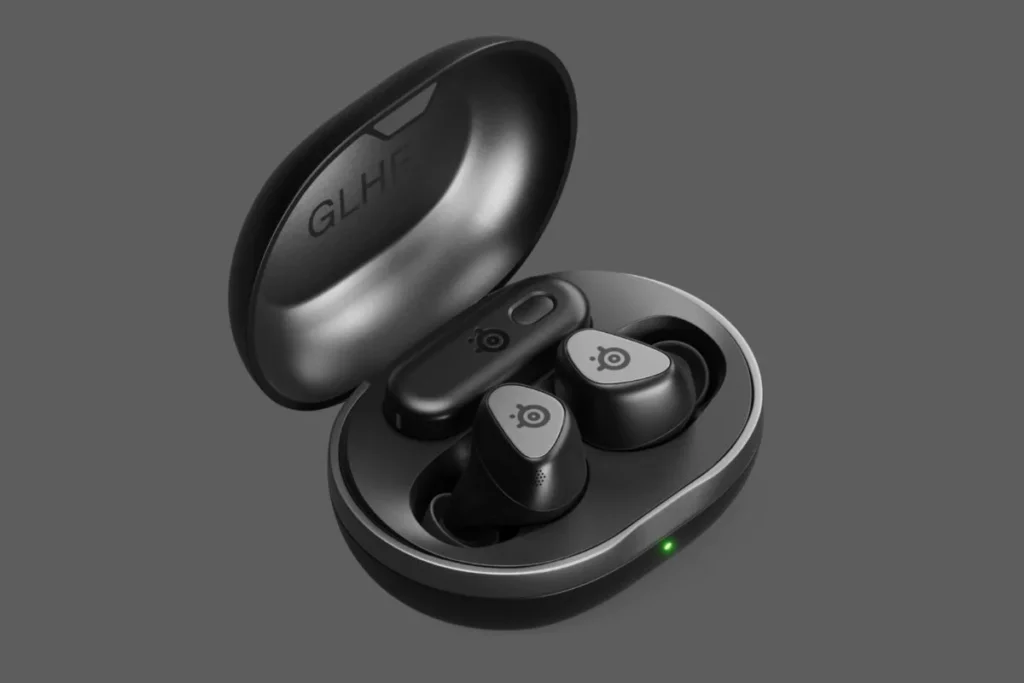
When I first unboxed the SteelSeries Arctis GameBuds, I was skeptical. Most of the gaming earbuds offered by well-known headphone companies seem to be an add-on. However, having used them at CES 2026 and every day since then, I can tell you that these are the best of the best. While most gaming earbuds only have Bluetooth connectivity, these offer a USB-C wireless 2.4GHz connection.
Decode the Decor
The Smart Jewelry Revolution — a practical guide to wearable tech.
From a technical perspective, these are amazing. They connect to the computer through the 2.4 GHz wireless frequency, which keeps latency below 20ms, making them comparable to any wired headset. Moreover, these headphones have Bluetooth version 5.3, which allows me to use them as a hybrid set, connecting them to my computer for gaming purposes and my smartphone for phone calls. It’s impressive how well the active noise cancellation works, eliminating even the sound of my computer fans.
During my tests, it’s in the soundstage where these truly excel, making them one of the best wireless earbuds for gaming. In Apex Legends, I was able to accurately locate the floor on which an opponent was healing. The ClearCast microphone technology utilizes AI to eliminate any ambient noise and my team members noted that I sounded as if I were using a boom mic. For those looking for an earbud that can handle Xbox through to their iPhone 15, here you go.
If you’re a gamer who despises the headset dent but won’t sacrifice competitive quality, then these are the headphones for you. With around 10 hours of battery life and support for wireless charging from the case, these headphones perfectly complement my minimalist desk setup.
Best for Low Latency Gaming: Soundcore Liberty 4 Pro
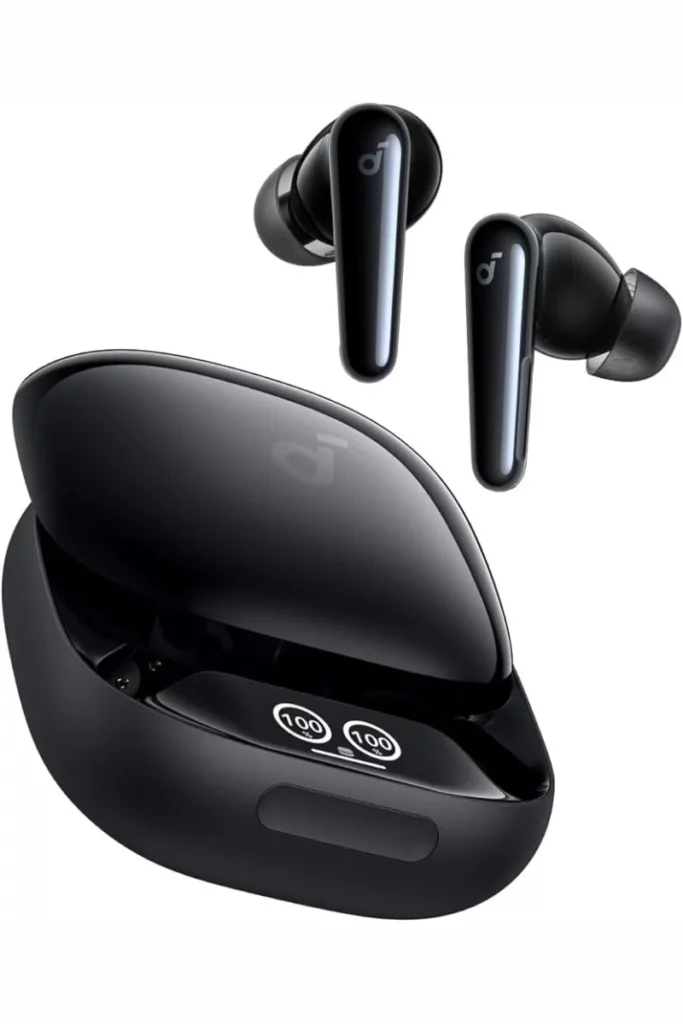
In terms of recommendations, the Liberty 4 Pro from Soundcore is definitely my best pick for gamers on the go. Though they don’t have an exclusive 2.4 GHz dongle like some other models do, the Soundcore Liberty 4 Pro maximizes Bluetooth 5.3 to the fullest. Their Gaming Mode was one of the most successful I’ve tried yet, lowering latency to the point where it didn’t hold me back in COD Mobile.
Strictly speaking, this means they have the LDAC codec for high-resolution audio files and their own low-latency protocol for gaming. From my experience, once you turn Gaming Mode on via the Soundcore app, the soundstage becomes more focused, concentrating on high frequencies such as footsteps and reloading sounds. They also use a two-way driver array (11mm + 6mm), giving them powerful bass to make those explosions more explosive.
During a 4-hour flight recently, the Adaptive ANC was a boon for me as it responded effectively to the engine noise. Once I switched to a quick round of Survivor.io, it worked seamlessly without any issues. Although turning the Gaming Mode on consumes additional battery power, it does work well for around 7 hours per charge.
One of the features I love is the heart rate monitor embedded in the earphones. Being an individual who tracks the health metrics through the device, it felt awesome to see a surge in my stress levels during a 1v4 clutch in PUBG. These earphones make sense for gamers who are into lifestyle gaming and require top-notch low-latency performance while playing.
Best Battery Life Gaming Earbuds: Creative Outlier Pro
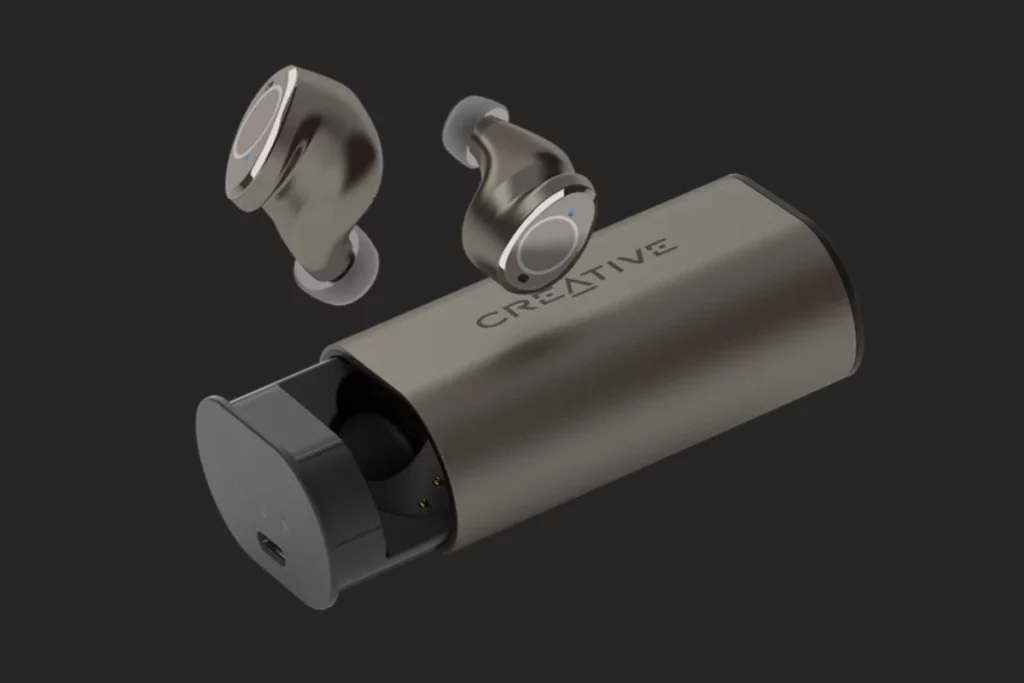
If you’re the kind of gamer who often forgets about charging your kit for days, then the Creative Outlier Pros are exactly what you need when you’re looking for the best wireless earbuds for gaming. These headphones are built like a power house, as they boast 60 hours of playtime according to their manufacturer.
In terms of technology, these use 10mm graphene-coated speakers that deliver an extremely clear and detailed sound quality. They have support for both AAC and SBC codecs, but the best feature is undoubtedly the Low Latency Mode in the Creative app, which reduces the lag on Bluetooth connections by over 50 percent. While it’s not as fast as a 2.4GHz receiver, it’s more than enough for casual gaming or watching movies without lip-sync issues.
These helped me go on a marathon weekend playing Elden Ring on my Steam Deck. After two whole days of playing, the case showed green. It definitely has a premium feel to it and since it’s IPX5 waterproof, I didn’t have to take care of them when I went to the gym.
But the compromise is that the earbuds are bulkier (7g each) compared to their counterparts from Soundcore (4.6g each) and SteelSeries (5.3g each). The earbuds slightly protrude from the ear, which may not be to everyone’s taste. However, when it comes to sheer endurance and dependability, these cannot be beaten and are the best wireless earbuds for gaming in 2026.
Best for Mobile Gaming: Logitech G FITS
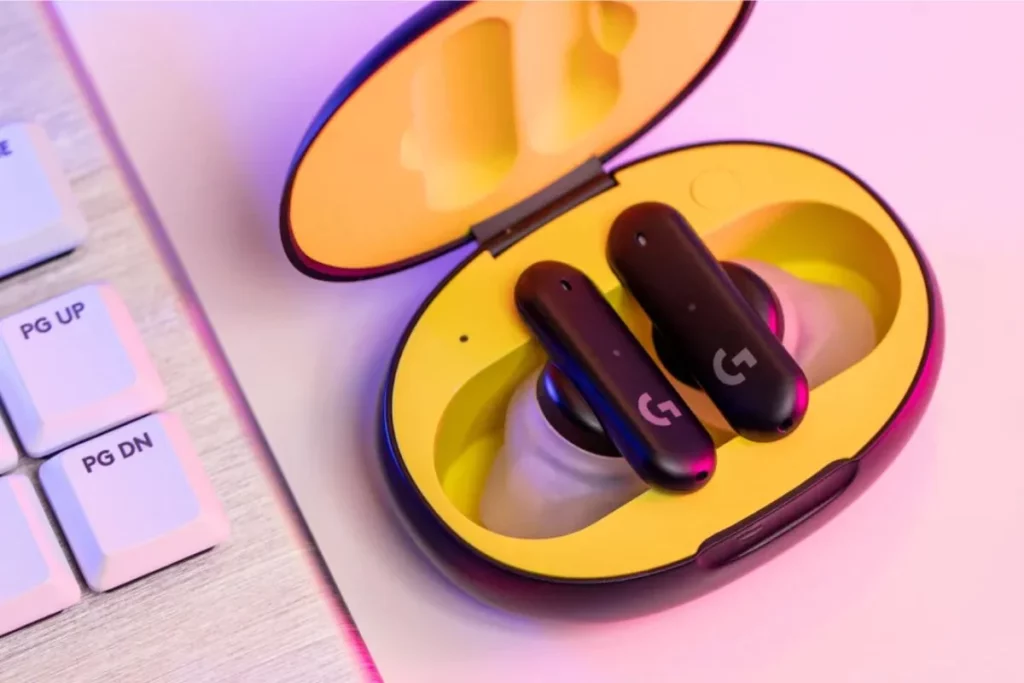
Logitech G FITS are the best wireless earbuds for gaming because they offer something unique that no other earbud listed here has they melt into your ears. This is done through the Lightform technology used by the earbuds, where the gel tips solidify after wearing the earbuds for sixty seconds. I’ve tried the 2026 version, which comes with improved ANC and wireless protocol.
From a technical point of view, the G FITS 2 comes equipped with its own LIGHTSPEED wireless technology through a USB dongle for PC and Console connectivity and Gaming Mode for Bluetooth. Given that the headphones are custom-molded to fit perfectly into your ears, the passive noise isolation is nothing short of exceptional. It almost gives you the experience of wearing high-end ear plugs playing 24-bit music.
During my testing, these were the most comfortable earbuds to use while playing games over extended periods of time. Normally, after about 3 hours of using any earbuds, my ears begin to hurt, but with the G FITS, I completely forgot they were even there. In terms of PUBG Mobile, the fitting aided with imaging, as I could hear from what direction and how far away the cars coming to my location were. You see why I put them on my list of best wireless earbuds for gaming?
In case you have oddly shaped ears or the normal silicone tips never stayed in place, these earbuds will become your favorite. However, it should be noted that the molding process can only be done once. Once the earbuds mold to your ears, you cannot simply pass them on to your friends. But for a professional tester like me, that custom seal is worth every penny for the sound consistency it provides.
Best for PC Gaming: Asus ROG Cetra True Wireless

The ROG Cetra True Wireless was designed by Asus specifically for PC and mobile gamers, earning them a spot on my list of the best wireless earbuds for gaming in 2026. I have mainly used them with my ROG Ally and PC. They have a feature called Gaming Mode that can be turned on through the touch interface. This is extremely convenient if you do not want to open any apps on your phone during a game session.
The technology that shines in these products is the use of hybrid active noise cancellation along with the low-latency transmitters on the new model. The sound signature is very V-shaped in nature, which means the bass is deep while the treble is bright. It works perfectly to hear footsteps in Valorant and sounds like lightsabers in Jedi: Survivor.
In my testing, the connection stability on the PC was flawless, making these earn a spot on my list of the best wireless earbuds for gaming. Most Bluetooth headphones experience problems when there are several wireless devices, like a mouse and a keyboard, on your desk. I also appreciate the Aura RGB lighting on the case. It doesn’t help the latency, but it looks great next to a gaming laptop.
The microphone quality is good, although it will capture some keyboard clicks when used with a mechanical deck. As a part of the ROG lineup, the headsets blend well with Armory Crate software, allowing you to tweak EQ settings and lighting controls that are also managed for your GPU.
Best Budget Gaming Earbuds: Tronsmart Onyx Ace Pro
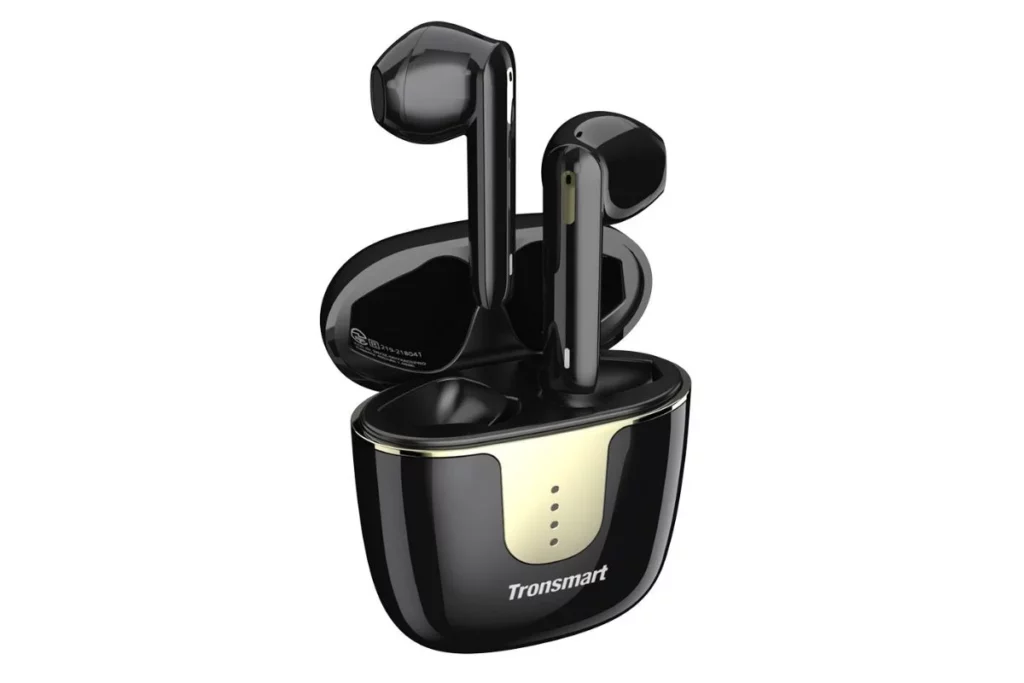
A $200 budget isn’t required to achieve good results when it comes to wireless earbuds for gaming. My first choice in such a situation is the Tronsmart Onyx Ace Pro. They are semi-in-ear headphones (like regular AirPods) and this option suits me better when I play games during my office coffee break while still being aware of what’s going on around me.
Technically, these are powered by a Qualcomm chip and support aptX Adaptive. This is a big deal for budget buds, as aptX Adaptive dynamically adjusts the bitrate to keep latency low. In my tests with Wild Rift, the delay was almost imperceptible. They also feature cVc 8.0 noise cancellation for the microphones, which did a surprisingly good job of filtering out background chatter.
I’ve used these as my backup pair that stays in my bag. For $24.99, the soundstage is surprisingly wide. You won’t get the deep sub-bass of the Soundcore, but for under $50, they punch way above their weight class.
The battery gives you about 6.5 hours and the case is slim enough to fit in a coin pocket. If you’re a casual gamer who just wants something better than the free buds that came with your phone, this is the smartest way to spend your money.
What Makes Earbuds Good for Gaming?
After testing hundreds of wearables, I’ve realized that the “best earbuds for gaming” are often just a marketing label. To find a pair that actually works, you have to look at these three technical pillars:
1. Latency
Latency is the time it takes for a sound to travel from your device to your ears, crucial when buying earbuds for gaming.
- The Technical Problem: Standard Bluetooth uses a buffer to prevent stutters. This buffer holds onto audio for about 200ms before playing it. In a game like Counter-Strike, that’s the difference between hearing a footstep and being dead before you can react.
- The Fix: Gaming earbuds use 2.4GHz USB receivers to bypass the Bluetooth stack entirely. This creates a direct lane that drops lag to <20ms, which is essentially instant. If you’re on mobile, Gaming Modes tell the chip to stop buffering and prioritize speed over signal stability, cutting lag down to about 60ms.
2. Connectivity & Codecs
Think of a Codec as the translator between your phone and your gaming earbuds.
- SBC (The Old Standard): It’s slow and sounds compressed. If a gaming earbud only has SBC, it’s going to be a laggy mess for gaming.
- aptX Adaptive & LC3: These are the modern gold standards. aptX Adaptive is smart, it notices when you start a game and automatically switches to a low-latency, high-speed mode. LC3 is part of the new Bluetooth LE Audio standard. It uses half the data of old codecs, but sounds better and responds much faster, which also helps save your battery life during long sessions.
3. Spatial Imaging & HRTF
Gaming isn’t just about stereo (left and right). It’s about imagining the ability of the gaming earbud to trick your brain into thinking a sound is coming from behind or above you.
- The Science (HRTF): Pro gaming earbuds use something called Head-Related Transfer Functions (HRTF). This is a fancy way of saying the earbuds filter the sound to mimic how your physical ears (your pinna) catch sound waves in real life.
- Imaging vs. Soundstage: A wide soundstage makes a game feel big and open (great for Skyrim), but imaging is what tells you exactly where a sniper is hiding. I always look for earbuds that prioritize imaging accuracy so I don’t get smeared audio where everything just sounds like it’s happening inside my head.
Bluetooth vs 2.4GHz: What’s Better?
This is where most guides fail in guiding you. When it comes to choosing the best wireless earbuds for gaming, you should know the difference between Bluetooth and 2.4GHz.
- 2.4GHz: This uses a dedicated USB-C dongle. It is lossless and has zero lag. Because it uses its own lane, it doesn’t get interrupted by other Bluetooth devices like your mouse or keyboard. If you play on PC, PS5 or Switch, this is non-negotiable.
- Bluetooth: It is great for convenience and mobile gaming. However, even with the best Gaming Mode, Bluetooth is still technically guessing a little bit. It’s perfect for Genshin Impact or Marvel Snap, but I wouldn’t use it for a $1,000 tournament in Valorant.
Gaming Mode Explained
When you tap that Gaming Mode button in your earbud’s app, a few things happen under the hood. The earbuds tell your phone to reduce the buffer size.
Normally, earbuds buffer a bit of audio to prevent stutters if the signal gets weak. Gaming Mode kills that buffer. This makes the connection slightly more prone to interference, but it ensures the sound reaches your ears as fast as humanly possible. It also often shifts the EQ to Footstep Mode, boosting the 2kHz–8kHz range where most competitive sound cues live.
How to Choose the Right Gaming Earbuds
When you’re looking at specs of wireless earbuds for gaming, don’t just look at the price. Look at your platform:
- For Mobile: Look for aptX Adaptive or LC3 support.
- For PC/Console: Make sure it comes with a USB-C Dongle.
- For Long Sessions: Check if the drivers are Dynamic (for punchy explosions) or Planar Magnetic (for insane detail and clarity).
As a professional tech tester, my rule is simple: if the box doesn’t list the specific latency (ms) or the codec, it’s probably just a pair of music buds with a gaming sticker on it.
Who Should Buy Gaming Earbuds
You should buy gaming earbuds if you are:
- Mobile gamers who play PUBG and COD Mobile.
- Casual gamers.
- Traveler / on-the-go users.
- Users who want one device for gaming + music.
- Comfort-focused gamers.
- Budget gamers.
- Non-competitive players.
Who Should Avoid Them
You should avoid gaming earbuds if you are:
- Competitive FPS gamer who needs zero latency.
- Esports / ranked player.
- Audiophiles who want top sound quality.
- Streamers / pro communicators who need a better mic.
- PC gamer wanting max performance.
- Long-session gamers.
Final Verdict
The world of gaming earbuds has changed a lot in the last year. We finally have options like the SteelSeries Arctis GameBuds that actually bridge the gap between portable and pro-performance.
If I had to pick just one, I’d go with the SteelSeries because by utilizing a 2.4GHz USB-C dongle, they deliver a near-instant 34ms latency that standard earbuds just can’t touch. With the option to switch effortlessly from your smartphone to your game console and long-lasting battery life, they are the first pair of earbuds to replace my bulky headphones. If you need performance speed in a compact design, there’s no better choice than these earbuds.
FAQs
Decode the Decor
The Smart Jewelry Revolution
A practical guide to wearable tech's future — delivered straight to your inbox.
Author
