 Screenless BandsFitbit Air vs Samsung Galaxy Watch Ultra 2: Which Wearable Fits Your Health Goals?
Fitbit Blood Pressure Tracking: How It Works and Which Devices Support It
Fitbit blood pressure tracking explained: Discover supported devices, how BP trends work, and why it cannot replace a traditional BP monitor.
Independently tested. We never accept payment for reviews.How we test
What’s inside9 sections · 8 min read
- 01Google Brings Blood Pressure Trend Tracking to Fitbit1 min
- 02How Does Fitbit’s Blood Pressure Tracking Work?1 min
- 03Which Fitbit Devices Support Blood Pressure Tracking?1 min
- 04Does Fitbit Actually Measure Blood Pressure?1 min
- 05How Accurate Is Fitbit’s Blood Pressure Tracking?1 min
- 06How to Access Blood Pressure Trends in Google Health1 min
- 07What This Means for the Future of Fitbit Health Tracking1 min
- 08Wrap Up1 min
- 09FAQs1 min
Can you imagine checking your blood pressure without having to wrap an inflatable cuff around your arm every time? It sounds convenient, especially for people who like keeping an eye on their health without adding another daily task to their routine. Well, Google is taking a step in that direction with its latest Fitbit and Google Health updates.
Fitbit Air users can now record their blood pressure readings directly in the Google Health app, either by entering them manually or syncing data from compatible health apps. But that’s not the only development worth talking about. Google’s Health Guardian technology is also designed to estimate longer-term blood pressure trends using data collected by compatible wearables.
However, there is an important difference between recording a blood pressure reading and estimating how it changes over time. Fitbit Air cannot replace a traditional blood pressure monitor, but these new features offer another way to keep track of cardiovascular health. So, let’s look at how Fitbit blood pressure tracking works, which devices support it and what users should know before relying on these insights.
Google Brings Blood Pressure Trend Tracking to Fitbit#
© WearableXP
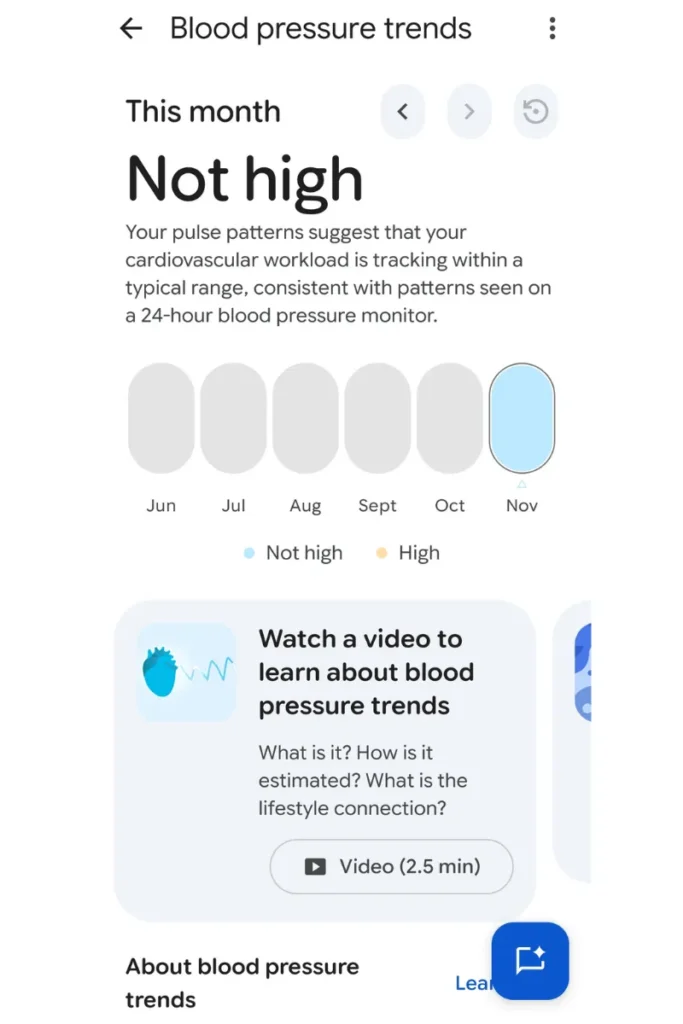
The recent launch by Google of its Health Guardian initiative marks a revolution in the field of health data gathered using wearables. The importance of this move cannot be overstated since it departs from the usual cumbersome medical gadgets and provides a passive cardiovascular monitor on one’s wrist. The most notable addition in this new release is that of the Fitbit blood pressure trend tracking function. This function can now be used on the latest wearables such as the Fitbit Edge and the Fitbit Air.
Unlike taking a direct reading, the device relies on the analysis of physiological trends that develop over a prolonged period of time. As a result of constantly watching your heart data, the device will produce monthly trend data for you. The monthly trend data is specifically intended to emphasize any changes that persist within your cardiovascular system. It should be noted that there is an obvious difference between the two types of readings. Google explains that the blood pressure measuring option from Fitbit is supposed to detect consistent changes in your cardiovascular trends. In other words, it does not perform clinical readings and therefore is not suitable for medical emergencies.
How Does Fitbit’s Blood Pressure Tracking Work?#
For us to be able to know more about how this amazing piece of technology works, it is important that we first take a look at the software which is used to power it. The core of this system is based on the Google WavesFM² waveform foundation model. It is an artificial intelligence model that was built to understand physiological signals.
With each heartbeat, the blood is circulated through the wrist of an individual, leading to microscopic movements and changes in color. The optical sensors of your wearable device detect these micro-variations using the principle of photoplethysmography (PPG). Using passive detection of your pulse rate and movement patterns throughout the day, the WavesFM² model collects huge amounts of information. This information is collected constantly for about a month, forming your individual baseline. Moreover, Google says that the whole process is fully cuffless and calibration-free, so you do not need to pair the watch with a conventional arm cuff to make it work. As stated by the developers, the method has been validated against 24 hour ambulatory blood pressure monitoring (ABPM) in clinical trials. In essence, the model provides long-term Fitbit blood pressure trends rather than calculating conventional systolic and diastolic values.
Which Fitbit Devices Support Blood Pressure Tracking?#
Once the mechanism of the technology is known, it is only natural that the most pressing issue for consumers would be what devices actually come equipped with this technology. This would mean conducting a thorough review of the official list of compatible devices from Google. At present, the list of Fitbit blood pressure compatible devices consists of the very latest hardware from the company.
Now, the feature is available for use in the Fitbit Edge device. In addition, the screen-less Fitbit Air is another compatible device with the said feature. For users who prefer to use smartwatches, Google has turned on the feature in Pixel Watch 3, Pixel Watch 4 and Pixel Watch 5. However, the previous generation devices cannot avail themselves of this particular feature update. Popular devices such as the Fitbit Charge 6, Fitbit Sense 2 and Fitbit Versa 4 do not make the list of devices that can automatically estimate trends. It is crucial to verify the compatibility list provided by Google because there may be changes to the eligible devices through some software updates. Moreover, users must not confuse the availability of logging manually in the Google Health app with automatic trend estimation. Anyone can type the doctor’s readings manually in the app, but only the aforementioned devices can automatically track blood pressure without a Fitbit cuff.
Does Fitbit Actually Measure Blood Pressure?#
It is important to clarify the common misbelief associated with this latest update to ensure user safety. Let me start off by saying that the answer is no, because a smartwatch cannot take your blood pressure. There is a huge difference between actually taking the measurement of a physical force and making an estimate based on your physiological trends. Conventional devices physically squeeze your arm to determine the exact blood pressure.
This is because the smartwatch is loosely worn around your wrist and it is unable to do this. This is precisely the reason that the feature has not replaced the inflatable cuff monitor. This also means that the gadget does not give you real-time clinical readings in case you feel unwell. In case you feel dizzy or have some health concerns, checking on your watch will not tell you the diagnostic systolic or diastolic numbers. Users need to make sure that all suspicious wellness trends are always confirmed with the regular FDA-approved monitor. This is precisely the reason why there is such a general well-being disclaimer from Google. In case you are searching online to know whether Fitbit blood pressure monitoring can replace your home medical cuff, then the answer is certainly not.
How Accurate Is Fitbit’s Blood Pressure Tracking?#
In this regard, when speaking of the accuracy of these novel features, one has to consider very carefully the available evidence and inherent limitations. Google itself has stated explicitly that their WavesFM² technology was clinically tested against 24-hour ABPM data in the process of development. It is certainly an extremely promising point, but one has to pay attention to its context.
It shows that the AI has the ability to correctly sense a long-term trend in a specific direction, but it doesn’t show that it has the ability to calculate a sudden isolated surge of blood pressure. Being able to track the fact that one’s cardiovascular stress has been increasing for the past four weeks is completely different from being aware of his or her blood pressure exactly at 2 PM on a Tuesday. Also, individual physiological factors have to be considered. The color of one’s skin, size of the wrist, as well as everyday activities can influence the way how the sensors register the pulse pattern. This means that any claims regarding the accuracy of Fitbit blood pressure measurements have to be understood only within the framework of general wellness.
How to Access Blood Pressure Trends in Google Health#
If you have a device that is compatible, accessing such data is quite easy. To begin with, the user needs to log into his/her smartphone, where he/she will access the Google Health application. After opening the application, one then moves to the Health Guardian section. It is in this particular section that Google keeps all its wellness data.
Before you can view any graphs, you must check your device eligibility and account availability within the settings menu. If your account is eligible and you have worn a compatible watch long enough, you will be able to review your monthly report. This dashboard displays your data in an easy to read format, showing whether your cardiovascular patterns are remaining stable or shifting. Keep in mind that you need to understand how Google Health Premium subscriptions and regional feature eligibility might affect your access, as some advanced insights require an active membership. Lastly, always distinguish this automatic dashboard from the basic manual logging tool. While recent updates allowed Fitbit Air owners to log their medical cuff readings manually, that manual entry system is entirely separate from the automatic trend tracking discussed here.
What This Means for the Future of Fitbit Health Tracking#
From a broader perspective, this marks a huge paradigm shift for the wearables industry. The drastic approach adopted by Google into passive heart rate monitoring shows that the future of monitoring our vital signs will be done behind the scenes. The modern user does not need to halt their activity in order to manually check their vitals.
It is amazing how the application of physiological trend analysis by means of AI is just being uncovered now. This latest way of tracking health trends perfectly matches with the whole Health Guardian concept, where the goal is to give a comprehensive health understanding over time and not just an isolated piece of information. Looking ahead, it seems that future Fitbit devices may deliver even more advanced functionality and predict illness symptoms before the onset of actual diseases. In any case, this breakthrough calls for additional validation and full transparency in reporting from the companies developing these technologies.
Wrap Up#
Overall, Google’s latest update makes it easier for Fitbit Air users to keep their blood pressure information organised and understand how their readings change over time. While it still cannot replace a traditional blood pressure monitor, it adds another useful piece to the health-tracking experience. And who knows, with Google exploring more ways to monitor health through wearables, checking your cardiovascular trends might become as simple as checking your daily step count!
FAQs#
01Does the Fitbit Air measure exact Fitbit blood pressure?
No, the Fitbit Air does not provide exact Fitbit blood pressure numbers. Instead, the Fitbit Air estimates long-term Fitbit blood pressure trends, which means it acts as a general wellness guide rather than a clinical medical tool.
02Which smartwatches support the Fitbit Edge Fitbit blood pressure tracking feature?
The automatic Fitbit blood pressure tracking is exclusively supported on the Fitbit Edge, Fitbit Air and the Pixel Watch 3, 4 and 5. Because older models lack the necessary hardware, you must use a newer device like the Fitbit Edge to access your Fitbit blood pressure trends.
 RR
Written by
Reetain, with a focus on emerging trends and immersive tech, covers smart wearables and evolving device categories. He explores how sensors, AI, and connectivity come together in modern wearables, helping readers understand how these technologies shape everyday digital experiences and the future of personal computing.
More from Reetain 69 storiesKeep readingmore from Screenless Bands
All storiesScreenless BandsFitbit Air vs Samsung Galaxy Watch Ultra 2: Which Wearable Fits Your Health Goals? Screenless BandsFitbit Air vs Apple Watch: Which Wearable Is Better for Health Tracking?
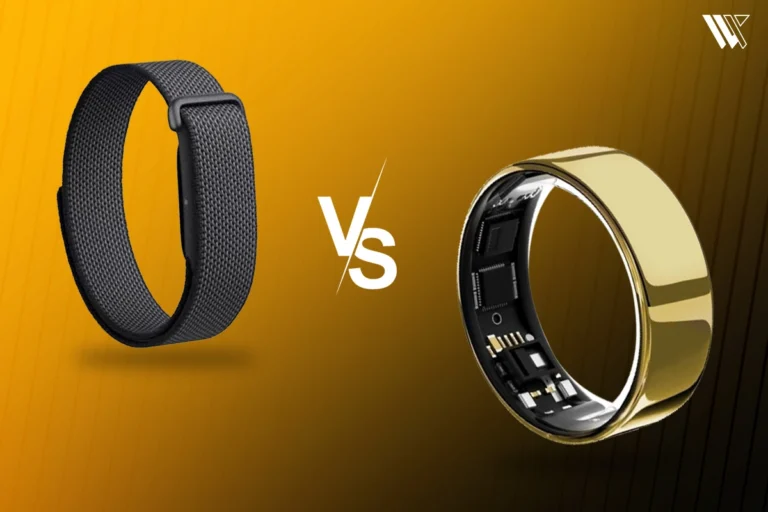 Screenless BandsFitbit Air vs Ultrahuman Air: Which Screenless Wearable Is Right for You?
What’s inside
- 01Google Brings Blood Pressure Trend Tracking to Fitbit1 min
- 02How Does Fitbit’s Blood Pressure Tracking Work?1 min
- 03Which Fitbit Devices Support Blood Pressure Tracking?1 min
- 04Does Fitbit Actually Measure Blood Pressure?1 min
- 05How Accurate Is Fitbit’s Blood Pressure Tracking?1 min
- 06How to Access Blood Pressure Trends in Google Health1 min
- 07What This Means for the Future of Fitbit Health Tracking1 min
- 08Wrap Up1 min
- 09FAQs1 min