

When I first came across the Hume Band 2.0 and Fitbit Air, I was curious about one thing: can a fitness tracker without a screen really be useful?
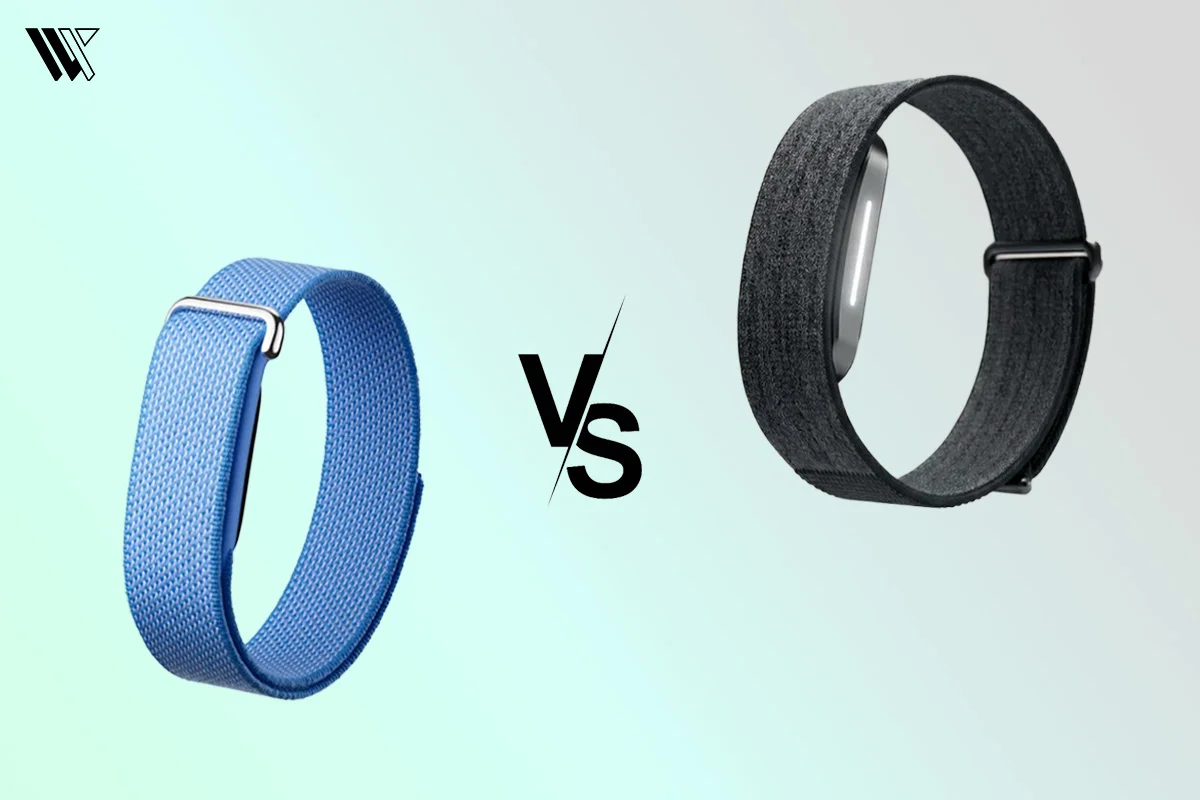
After spending time with both wearables, I realized they are built for different types of users. The Hume Band 2.0 focuses more on recovery, wellness and detailed health insights, while the Fitbit Air is designed to make everyday fitness and health tracking simple and easy to understand.
That is what makes this Hume Band 2.0 vs Fitbit Air comparison interesting. Both devices track important health metrics like heart rate, sleep and daily activity, but the overall experience feels quite different.
Decode the Decor
The Smart Jewelry Revolution — a practical guide to wearable tech.
Let’s compare their health tracking, sleep monitoring, battery life, comfort, app experience and overall value to help you decide which wearable is the better choice for your needs.
Hume Band 2.0 vs Fitbit Air: Quick Comparison
| Feature | Hume Band 2.0 | Fitbit Air |
|---|---|---|
| Primary Focus | Longevity, metabolic health & recovery | Fitness tracking, daily activity & coaching |
| Display / Interface | Screenless design (App-driven data) | Ultra-lightweight screenless body with status LED |
| Battery Life | Up to 14 days | Up to 7 days |
| Sensors | 5 LEDs and 4 Photodiodes | Optical HR, Red/Infrared SpO₂, 3-Axis Accelerometer |
| Sleep Tracking | Advanced metrics (HRV, temperature, trends) | Advanced stages + Gemini-powered Sleep Score |
| Health Metrics | HR, SpO2, Sleep, Blood Pressure trends | HR, SpO2, Sleep, AFib alerts, Active Zone Minutes |
| App Ecosystem | Hume Health App | Google Health App |
| Design & Weight | Lightweight UltraLux band | Stripped-back 5.2g sensor (12g with strap) |
| Price | $356 USD | Starts at $99.99 USD |
| Best For | Sleep & recovery-focused longevity buffs | Fitness + Google ecosystem users |
Design And Display

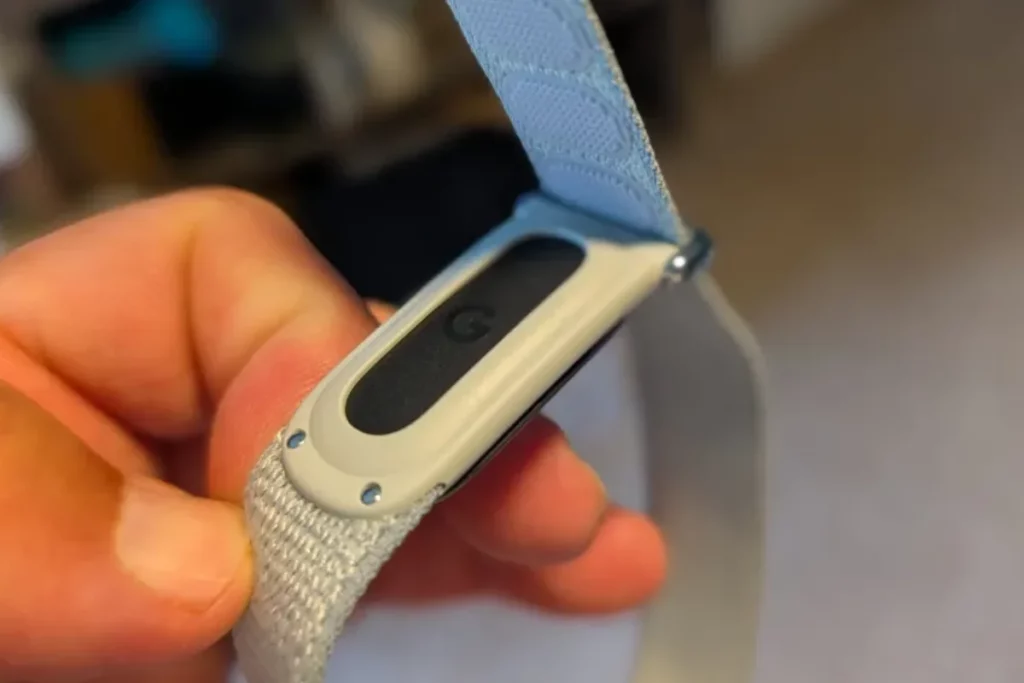
When you unbox these devices, the first thing you notice is how incredibly light they feel compared to a standard smartwatch. Because neither band features a display screen, the hardware modules are exceptionally small and lightweight.
The Hume Band 2.0 features an ultra-thin, sleek tracker module that wraps around your skin. It relies on a simple home button that flashes an LED indicator light to show your battery status. A short press tells you exactly where your battery stands: green means you are above 50%, blue indicates 25% to 49% and a red flash warns you that it is time to find your charging cable. The overall look is understated, looking more like a minimalist wristband than a piece of advanced health technology. I found it slipped easily under long sleeves and never snagged on my clothing.
The Fitbit Air takes a slightly different approach to its screenless aesthetic. It is built using recycled polycarbonate and PBT plastics, bringing the module weight down to a tiny 5.2 grams without the band. By comparison, the Hume Band 2.0 weighs around 8.6 grams with its UltraLux fabric strap, making it slightly heavier but still exceptionally comfortable for all-day and overnight wear.
Instead of a physical button, you firmly double-tap the top of the tracker to wake up its status light. A white light means your battery is healthy, while a red light indicates you have dropped below 20%. Fitbit ships this with a comfortable Performance Loop band featuring a stainless steel buckle, though you can swap it for an Active Band.
In terms of daily wear and comfort, both of these trackers are outstanding. Because they lack heavy glass screens, you completely forget you are wearing them within an hour. While sleeping, neither device creates that annoying moment where you accidentally wake up to a bright screen shining in your eyes, which happens more often than I like to admit with my smartwatches.
If comfort during sleep is your primary concern, the Hume Band 2.0 vs Fitbit Air comparison is a tie. Both are lightweight, screenless wearables that are easy to forget you’re wearing overnight.
Health & Fitness Tracking
To gather all this data, the Hume Band 2.0 uses a highly precise sensor array featuring 5 LEDs and 4 photodiodes that press right against your skin. This hardware setup gives it an incredibly stable lock on your blood vessels, improving signal processing to deliver reliable long-term health insights.
The Fitbit Air relies on its own high-quality photoplethysmography (PPG) optical heart rate monitor paired with a dedicated red/infrared sensor setup for blood oxygen. This is supported by a 3-axis accelerometer and a gyroscope to capture every twist, turn and movement you make throughout the day. Since the Fitbit Air is completely screenless, many users also pair it with a traditional analog watch to keep track of time while still enjoying distraction-free health tracking.
Core Health Metrics
Both trackers run constantly in the background to monitor your body’s vital signs, but they package that data differently:
- Hume Band 2.0: Continuously tracks your heart rate, heart rate variability (HRV), respiratory rate (how many breaths you take per minute), blood oxygen saturation (SpO2) and skin temperature trends. In an exciting hardware update, the 2.0 model also introduces specialized blood pressure trend tracking, letting you map out how your vascular health shifts across days and habits.
- Fitbit Air: Tracks your heart rate (logging precise heart rate data at rapid 2-second intervals during activities), HRV, SpO2 (periodically during the day and continuously overnight) and skin temperature variations. It also handles classic metrics like total steps, distance covered and active calories burned, saving daily totals directly on its internal storage for up to 30 days.
Hume’s Metabolic AI
Instead of just handing you a massive spreadsheet of raw numbers, the Hume Band 2.0 sends your biometrics directly to an AI-driven health coach inside the companion app. It translates things like your overnight heart rate and breathing into proprietary scores like Metabolic Momentum and Metabolic Capacity.
By tracking how your body handles physical strain and daily stressors, it calculates an estimate of your biological age versus your chronological age. It is a system built purely for optimization, letting you know exactly when your body has the metabolic energy to crush a heavy gym session or when it is begging for a rest day.
Fitbit’s Fitness and Ecosystem
The Fitbit Air sticks closer to the classic fitness tracking roots that built the brand, but supercharges it through the Google Health app. It aggregates your movement data to calculate a Daily Readiness Score and monitors your accumulated physical stress through a Cardio Load metric so you do not overtrain.
Because it is fully integrated into the Google ecosystem, it uses proprietary algorithms to calculate Active Zone Minutes, measuring the exact time your heart rate spends in cardio-benefit zones rather than just counting raw movement. It also runs background checks for irregular heart rhythms, looking for signs of atrial fibrillation (AFib) via its optical sensor to give you a reliable layer of everyday health security.
Battery Life & Charging

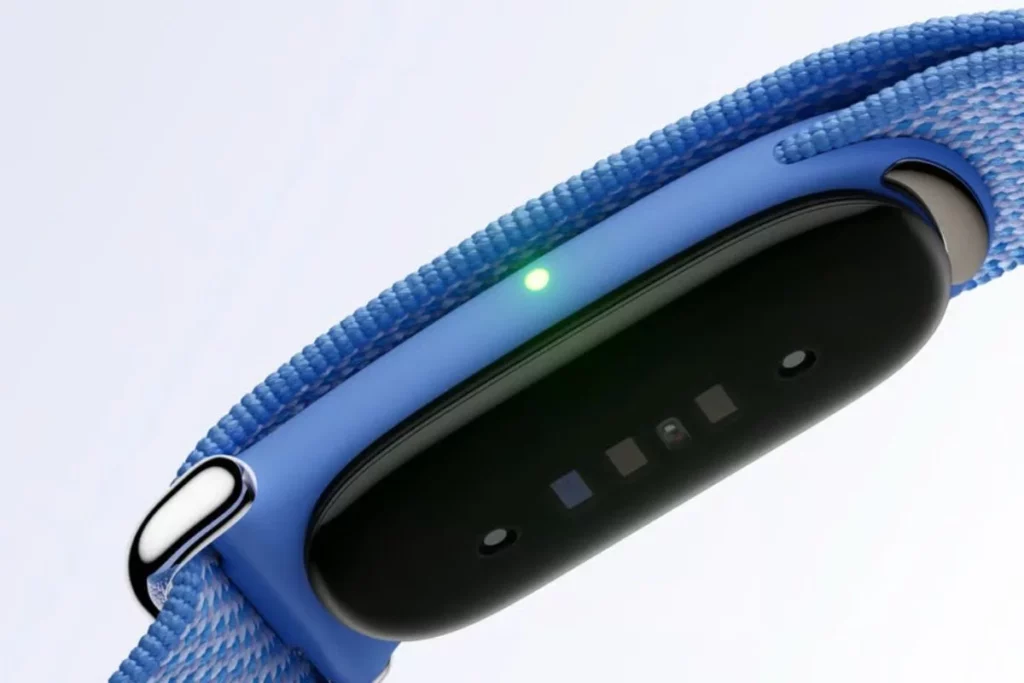
Since neither device has a screen to drain power, both offer battery life that blows standard smartwatches out of the water. However, my real-world testing revealed some differences in how they manage power.
The Hume Band 2.0 holds a 95mAh rechargeable lithium-polymer battery. Hume claims a battery life of 4 to 5 days with regular use and that matched my real-world experience perfectly. I consistently got just under 5 days of continuous, 24/7 wear before the LED indicator started flashing red.
Charging the Hume Band 2.0 requires placing it on its dedicated USB Type-C charging dock. A full charge from zero to 100% takes roughly 1.5 hours. One quirk to keep in mind is that if you perform a factory reset through the app, you have to plug the band back into the charger to wake it up again.
The Fitbit Air edges ahead slightly when it comes to power management. It delivers a solid 5 to 7 days of battery life on a single charge. Because it syncs seamlessly with the Google Health app, I found its power consumption to be incredibly efficient.
Where the Fitbit Air truly wins the battery battle is its quick-charging capability. If you notice the red low-battery light right before you head out the door, plugging it into its cable for just 5 minutes gives you a full day of battery life. A complete charge takes about 90 minutes, matching the Hume band, but that fast-charge buffer is a lifesaver for busy schedules. When looking purely at the Hume Band 2.0 vs Fitbit Air battery life, Fitbit takes the win for overall longevity and convenience.
App Experience & Ecosystem
Because neither of these trackers features a digital screen, your smartphone app acts as your entire dashboard. The background technology, wireless data transfer and software ecosystems of these two options show two completely different approaches to data management.
Wireless Syncing and On-Device Memory
Both wearables use Bluetooth 5.0 Low Energy (BLE) to establish a stable, power-efficient connection with your smartphone. They run passive background syncing to update your charts without draining your phone’s battery.
The Hume Band 2.0 features a built-in flash memory chip that can store up to 30 days of raw biometric data directly on the device. This means if you go on a weekend trip without your phone or simply forget to open the app, your minute-by-minute heart rate, SpO2 and temperature trends are safely cached on the hardware until your next sync.
The Fitbit Air, on the other hand, utilizes Google’s fast-pairing protocols to sync continuously whenever it is within a 30-foot radius of your phone. While it also saves your historical data if you step away from your device, it is designed for a much more real-time, cloud-centric connection, uploading metrics instantly to your Google profile.
Ecosystem Compatibility and Data Portability
How easily you can move your health numbers out of the brand’s walled garden depends heavily on which device you choose. The Hume app provides an open platform. The app includes native API integration that allows you to effortlessly export your data to Apple Health, Google Fit and Samsung Health. This makes it an ideal piece of platform-agnostic hardware if you frequently switch between iOS and Android phones, as your data ownership is never tied to a single smartphone brand.
The Fitbit Air operates strictly inside the newly redesigned Google Health app and requires a mandatory Google Account to log in. It is compatible with both Android and iOS devices. While the interface is incredibly slick, especially on Android or Pixel devices, it is structurally more restrictive. It is designed to centralize your data within Google’s cloud servers, making direct third-party data extraction slightly more cumbersome if you use niche analytical tools outside of Google’s main umbrella.
AI Coaching and Subscription Analytics
Both applications use advanced machine learning algorithms to turn raw sensor waves into daily life advice, but the subscription features are separated by different paywalls.
The core Hume Health companion app is completely free, offering baseline metric tracking, sleep architecture and metabolic scores without a paywall. If you want to unlock their premium tier for $8.99 per month, the app activates an advanced generative AI coach that analyzes long-term biometric anomalies, pointing out precisely how your historical baseline correlates to your daily performance.
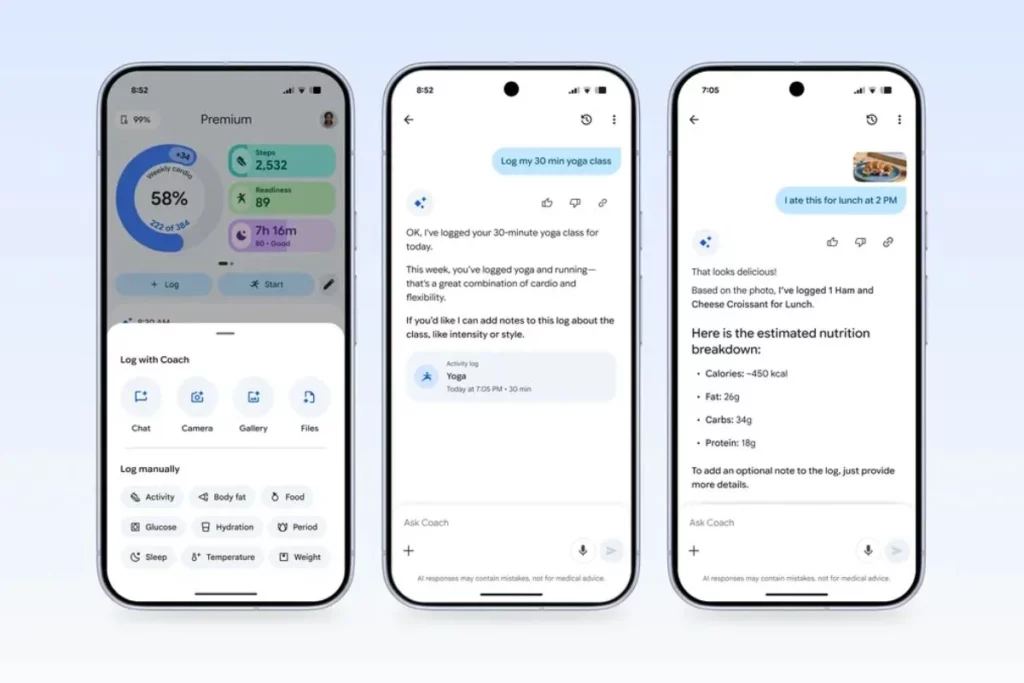
The Fitbit Air includes a 3-month trial of Google Health Premium. This ecosystem integration brings in an AI health coach built directly on Google Gemini models. This allows you to ask conversational, open-ended follow-up questions about your data (e.g., “Why did my Cardio Load spike after my run on Tuesday?”). It also unlocks deep historical summaries, tailored fitness programs and a massive guided workout library. Once the three-month trial expires, you’ll need a Google Health Premium subscription to continue accessing these Gemini-powered coaching features, priced at $9.99 per month or $99.99 per year.
Real-World Usability Comparison
Accuracy in Sleep & HR Monitoring
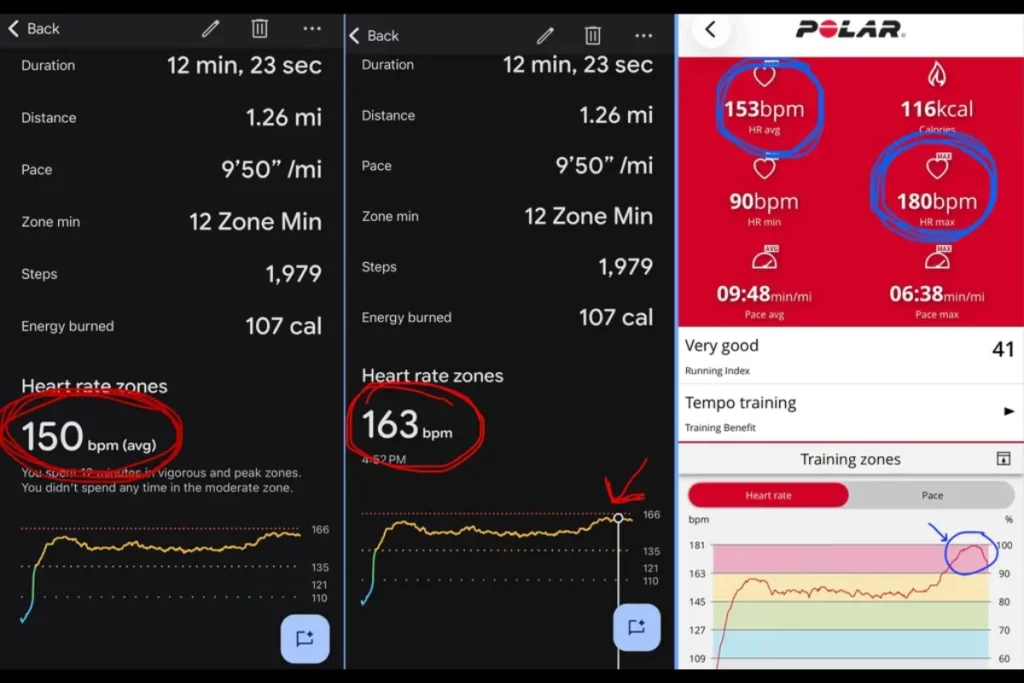
Both devices are highly accurate, but they focus on different things. The Hume Band 2.0 uses its 5 LEDs and 4 photodiodes to give you incredibly precise resting heart rate and blood oxygen (SpO2) data. However, because it relies heavily on movement algorithms, it can sometimes mistakes me quietly reading in bed for light sleep.
The Fitbit Air uses a 3-axis accelerometer and gyroscope to better pinpoint exactly when you fall asleep and wake up. It gives you a highly consistent daily Sleep Score based on your movement and heart rate.
Comfort and Wearability
Because neither device has a screen, both are incredibly light and comfortable. The Hume Band 2.0 features a soft, flat strap that looks like a clean lifestyle accessory and completely disappears on your wrist at night.
The Fitbit Air is an ultra-light tracker module. It comes with a secure textile woven band that is great for the gym. The only downside is that the fabric absorbs sweat, so you will need to wash it occasionally to prevent skin irritation or simply swap it out for a silicone band.
Price And Availability
The Hume Band 2.0 is priced at $356 USD and you can purchase it from the official Hume Health Store. If you want to maximize the software’s capabilities, Hume also comes with an optional Premium Membership available for $8.99 a month.
On the other hand, Fitbit Air is priced at $99.99 USD for the classic variants and the Stephen Curry special edition is priced at $129.99 USD. It can be purchased from Google stores, Amazon and Best Buy.
Who Should Buy Which Tracker
You should buy Hume Band 2.0 if:
- You want deeper health and recovery insights.
- Sleep tracking and wellness monitoring are your top priorities.
- You like seeing detailed metrics such as HRV, recovery trends and overall health scores.
- You prefer a subscription-free experience for core health insights.
- You prefer focusing on health optimization rather than workout-focused features.
You should buy the Fitbit Air if:
- You want a simple and easy-to-use fitness tracker.
- You already use Google services and prefer a familiar ecosystem.
- You mainly care about tracking steps, workouts, heart rate and sleep.
- You want a companion app that is straightforward and beginner-friendly.
- You value comfort and a lightweight design for all-day wear.
Who Should Avoid These
You should avoid these bands if:
- You want a traditional smartwatch with a display.
- You need features like calling, texting or replying to notifications.
- You rely on third-party apps such as Spotify, Google Maps or WhatsApp on your wrist.
- You want built-in GPS for detailed outdoor workout tracking.
- You prefer a wearable that provides instant information on a screen rather than through a companion app.
- You are looking for advanced smartwatch features like voice assistants, mobile payments or LTE connectivity.
Final Verdict
If I had to choose just one tracker, I would pick the Hume Band 2.0.
While both wearables do a good job of tracking sleep, activity and overall health, I personally found the Hume Band 2.0 more useful in daily life. The deeper recovery insights, wellness-focused approach and longer battery life made it feel like more than just a fitness tracker. It helped me better understand how my body was performing and recovering each day.
For users who want detailed health insights rather than basic fitness tracking, the Hume Band 2.0 would be my personal recommendation. If you’re looking for more fitness bands that work like WHOOP without the subscription, you can check out our guide here!
FAQs
Decode the Decor
The Smart Jewelry Revolution
A practical guide to wearable tech's future — delivered straight to your inbox.
Author
