 Smart WatchesXiaomi Watch 5 Muscle Sensing Explained and What It Can Actually Tell You
Google Pixel Watch 5 Review: Are Its New Health Features Worth It?
I have a complicated relationship with smartwatches. One day, I'm checking my sleep score like it's an exam result and the next, I'm wondering why my watch thinks walking to the kitchen deserves a fitness achievement. But jokes aside, I do want a smartwatch that tells me something useful about my health rather than simply throwing numbers at me.
Independently tested. We never accept payment for reviews.How we test
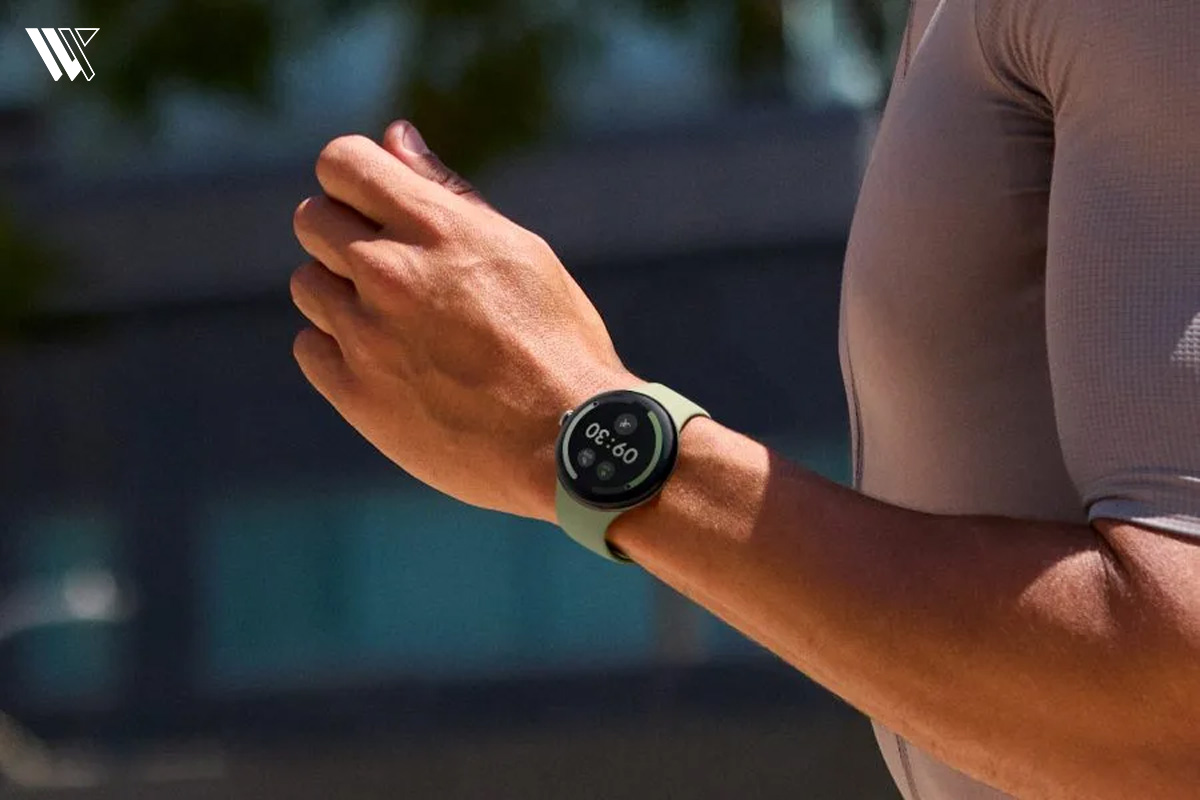
What’s inside12 sections · 13 min read
- 01Google Pixel Watch 5: What’s Actually New?1 min
- 02Specifications1 min
- 03Design and Comfort: Does the Pixel Watch 5 Feel Different?1 min
- 04Health Guardian: Google’s Biggest Pixel Watch 5 Change3 min
- 05Fitness Tracking, Heart Rate and GPS2 min
- 06Gemini and Wear OS 7: Useful Upgrades or Extras?1 min
- 07Battery Life and Charging: Is It Enough?1 min
- 08Pixel Watch 5 vs Pixel Watch 4: Is Upgrading Worth It?1 min
- 09Who Should Buy the Google Pixel Watch 5?1 min
- 10Who Should Avoid the Google Pixel Watch 5?1 min
- 11Wrap Up1 min
- 12FAQs1 min
I have a complicated relationship with smartwatches. One day, I’m checking my sleep score like it’s an exam result and the next, I’m wondering why my watch thinks walking to the kitchen deserves a fitness achievement. But jokes aside, I do want a smartwatch that tells me something useful about my health rather than simply throwing numbers at me.
That’s what makes the Google Pixel Watch 5 interesting. With new health features, Gemini assistance and improved battery life, Google seems to be making its smartwatch more useful than ever. But with a starting price of $399.99, is it really worth the money?
Let’s take a closer look at what the Google Pixel Watch 5 brings to the table, where it impresses me and where it still has room to improve.
Google Pixel Watch 5: What’s Actually New?#
Every time a new smartwatch comes into the market, the very first thing that comes to our mind is, “What do they do differently?” But when it comes to the Google Pixel Watch 5, the differences come off as small changes on one side and big changes on the other side. Launched in August 2026, the Google Pixel Watch 5 comes with a Qualcomm Snapdragon W5 Gen 2 Accelerated processor, 3GB of RAM and 64GB of memory.
If you are a tech nerd like me, those numbers sound great. But what does it mean for you on a day to day level? For me, in terms of tests I’ve done, the 12% increase in CPU is super snappy when using Wear OS 7. However, in terms of hardware, it isn’t that dramatic as far as the software advances that they have made. It’s all in the software for the Google Pixel Watch 5 because of the new GPS technology, generative AI through Gemini and the massive health push through the new Health Guardian technology.
Specifications#
| Specification | Google Pixel Watch 5 |
|---|---|
| Sizes Available | 41mm and 45mm |
| Processor | Qualcomm® Snapdragon W5 Gen 2 Accelerated |
| RAM | 3 GB |
| Storage | 64 GB |
| Operating System | Wear OS 7 (with Gemini AI integration) |
| Display | Actua 360 AMOLED LTPO display |
| Peak Brightness | Up to 3,000 nits |
| Durability / Glass | Custom 3D Corning® Gorilla® Glass 5 |
| Water / Dust Resistance | IP68 dust protection & 5ATM water resistance (up to 50 meters) |
| Battery Life | Up to 30 hours with AOD (41mm) |
| Charging Speed | Fast Charging (0 to 50% in approx. 15 minutes) |
| Core Health Tracking | Continuous Heart Rate, Sleep Stages, Blood Oxygen (SpO₂), Skin Temperature, ECG, HRV |
| Advanced Health Guardian | Blood Pressure trends, Insulin-Resistance trends, Breathing Emergency Detection |
| Fitness Features | Automatic workout detection, GPS tracking, rep/weight tracking, Heart Rate Zones |
| Safety Features | Loss of Pulse Detection, Satellite SOS (LTE models), Fall Detection |
| Connectivity | Bluetooth, Wi-Fi, Optional LTE, precise dual-band GPS |
| Case Material | Aerospace-grade aluminum |
| Price | Starts at $399 (41mm) |
Design and Comfort: Does the Pixel Watch 5 Feel Different?#
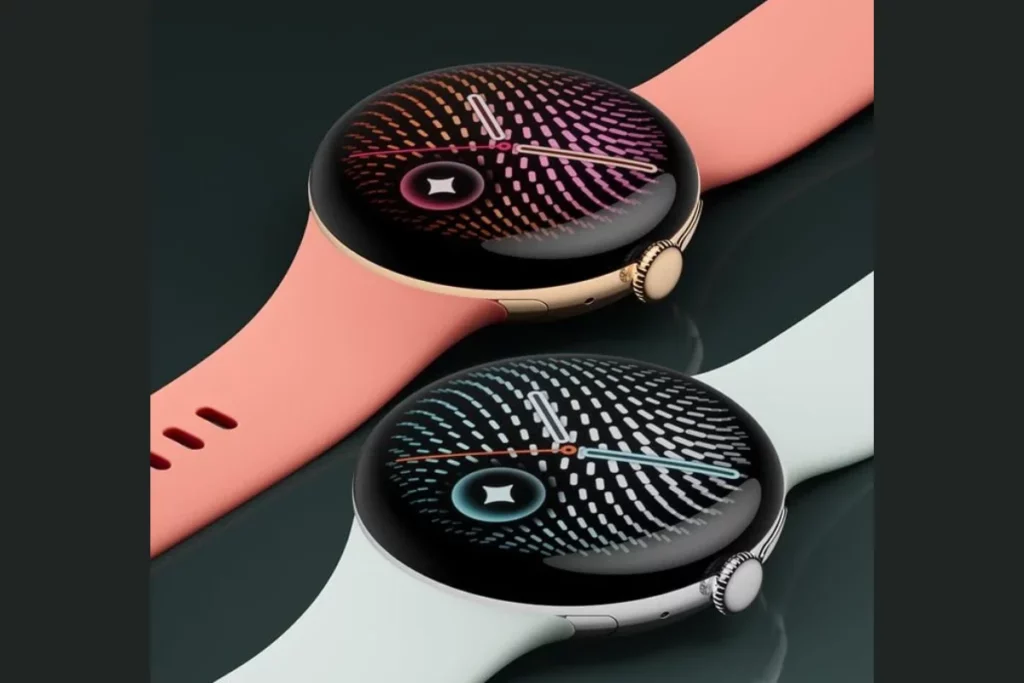
Let’s talk about how the Google Pixel Watch 5 feels on the wrist. I got the 45mm model to test, though there is also a 41mm option if you have smaller wrists. Both models keep that signature beautiful, pebble-like domed glass design. The Actua 360 AMOLED LTPO display is stunning. When I stepped outside into the bright afternoon sun, the screen automatically cranked up to its peak 3,000 nits of brightness. I could read my messages perfectly without having to squint, which is a huge win.
The aluminum casing makes it feel like a luxury timepiece. This watch was worn around the clock, whether exercising hard, working on my computer or sleeping. The band included with it is comfortable, as it has a soft touch finish and did not cause any irritation to my skin.
However, let me give you permission to be a little irrational here: I am absolutely terrified of breaking that gorgeous domed glass. Even though it is made with the 3D Corning Gorilla Glass 5 and having dust protection rating of IP68 alongside water resistance of 5ATM, that glass still makes me feel afraid whenever my wrist hits the doorframe. In case you have similar issues with clumsiness, the Google Pixel Watch 5 is probably not what you should be getting and you could benefit greatly from using a more sturdy Garmin watch. But for everyday office and gym wear, the Google Pixel Watch 5 design feels sleek and stylish.
Health Guardian: Google’s Biggest Pixel Watch 5 Change#
The health features on the Google Pixel Watch 5 are where Google is betting the house. They introduced a new umbrella of tools called Health Guardian and after using it, I can see why this is the main selling point.
Health Tracking: Sleep, Heart Rate and Everyday Wellness#
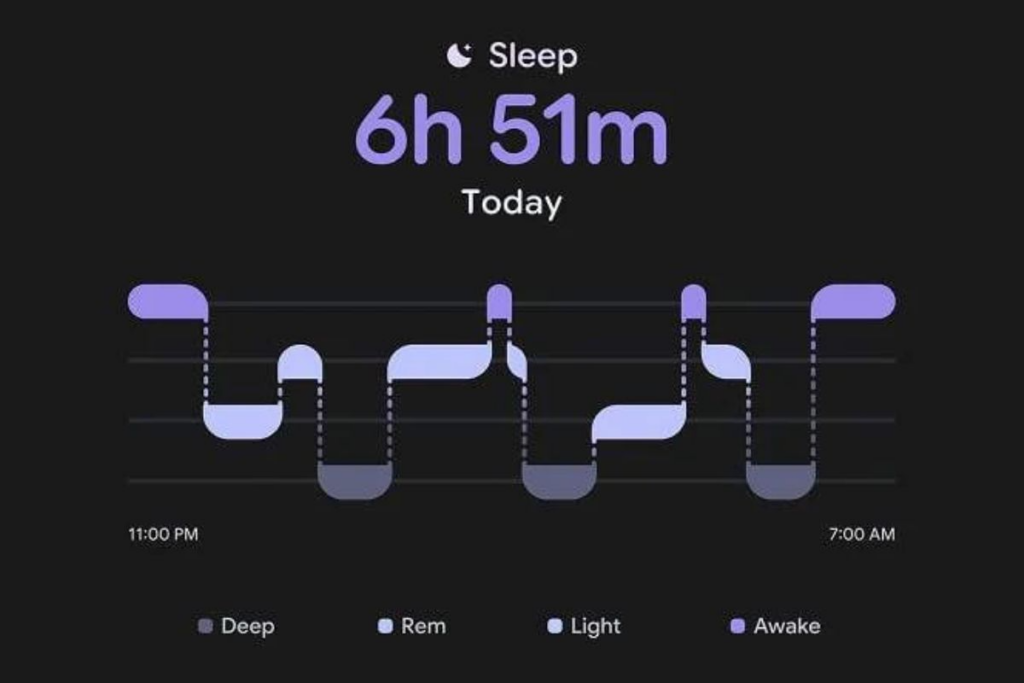
When I was testing the smartwatch, I managed to make the sleep tracking as precise as possible. According to Google, the new model offers 15% more precise sleep stage detection compared to previous models and it actually seems so. Every morning, the Google Pixel Watch 5 provided me with detailed sleep tracking in terms of sleep duration, REM cycle and deep sleep. There was also an updated smart wake alarm which would gently vibrate on my wrist when I was in light sleep.
As for other health tracking features, they include continuous heart rate monitoring, blood oxygen level (SpO2) monitoring and skin temperature tracking. In terms of health tracking offered by the Google Pixel Watch 5, what I liked the most is how Fitbit and Google Health interpret this information. In the app, there are no dry statistics like “your HRV is 45”. Rather, the system interprets these metrics in easy to understand metrics.
Health Guardian: Blood Pressure and Insulin-Resistance Trends#
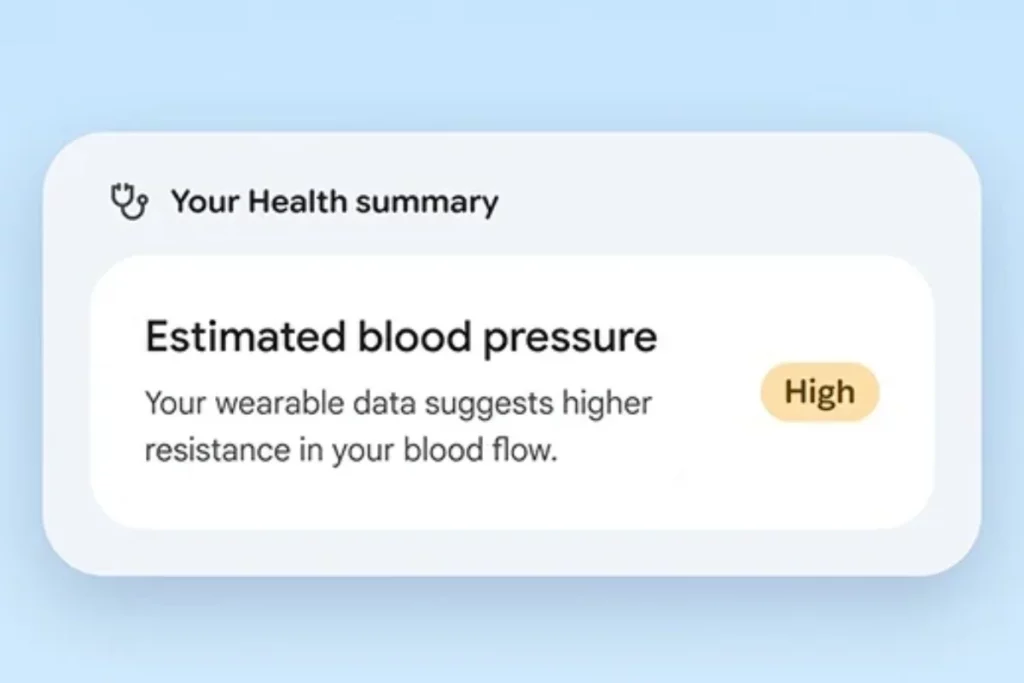
Google has incorporated trend detection in regards to your blood pressure and insulin resistance levels. Here is the thing: the watch doesn’t come equipped with a magic needle nor a device that measures your blood pressure through a cuff. Rather, the Health Guardian software detects various indirect signals as well as trends and variations using machine learning models in your body.
Is the feature something I like or not? I think both ways. The capability of a watch detecting when the metrics you have set as baseline are trending in the wrong direction is simply amazing. But the thing is, these features have to go through regulatory approval, so the implementation is quite slow based on the region. And if you are getting yourself the Google Pixel Watch 5 specifically for tracking your blood pressure, then you should wait until it becomes available in your area.
Breathing Emergency Detection and Safety Features#
A thing that truly provided me with some peace of mind was the Breathing Emergency Detection that was introduced. Google Pixel Watch 5 has been created specifically to measure your oxygen levels constantly throughout the whole night. In case the device detects some continuous dangerous decrease in the level of oxygen, it should notify both you and your emergency contacts.
It’s a great safety system for those people who may have some sleep breathing problems that remain undiagnosed. Also, the smartwatch provides users with satellite SOS function (in case of LTE model), as well as the loss of pulse detection. Just remember that sometimes there may be false alarms and this gadget isn’t a medical device for all the situations. If you want to learn more about it, take a look at the existing information about Pixel Watch 5 Breathing Emergency Detection.
Google Health, Fitbit and Premium-Service Costs#
A thing that truly provided me with some peace of mind was the Breathing Emergency Detection that was introduced. Google Pixel Watch 5 has been created specifically to measure your oxygen levels constantly throughout the whole night. In case the device detects some continuous dangerous decrease in the level of oxygen, it should notify both you and your emergency contacts.
It’s a great safety system for those people who may have some sleep breathing problems that remain undiagnosed. Also, the smartwatch provides users with satellite SOS function (in case of LTE model), as well as the loss of pulse detection. Just remember that sometimes there may be false alarms and this gadget isn’t a medical device for all the situations. If you want to learn more about it, take a look at the existing information about Pixel Watch 5 Breathing Emergency Detection.
Fitness Tracking, Heart Rate and GPS#
Fitness Tracking: Daily Activity, Workouts and Progress#
The step counting feature of the Google Pixel Watch 5 has been designed in such a manner that its functionality is quite efficient. This watch can automatically keep track of the steps taken, distance covered, active minutes and calories burnt by the user during an activity. When trying out this watch for myself, one of the best additions which I have found to be impressive was the new strength training options.
It detected my actions during bicep curls and kept track of the repetitions. Though not 100% accurate in case of poor form, it is a huge addition for those who do some lifting. Automatic activity detection worked quite well when I decided to go for a brisk walk, logging the workout without even requiring me to press any button.
Heart Rate Zones, Workout Intensity and Training Insights#
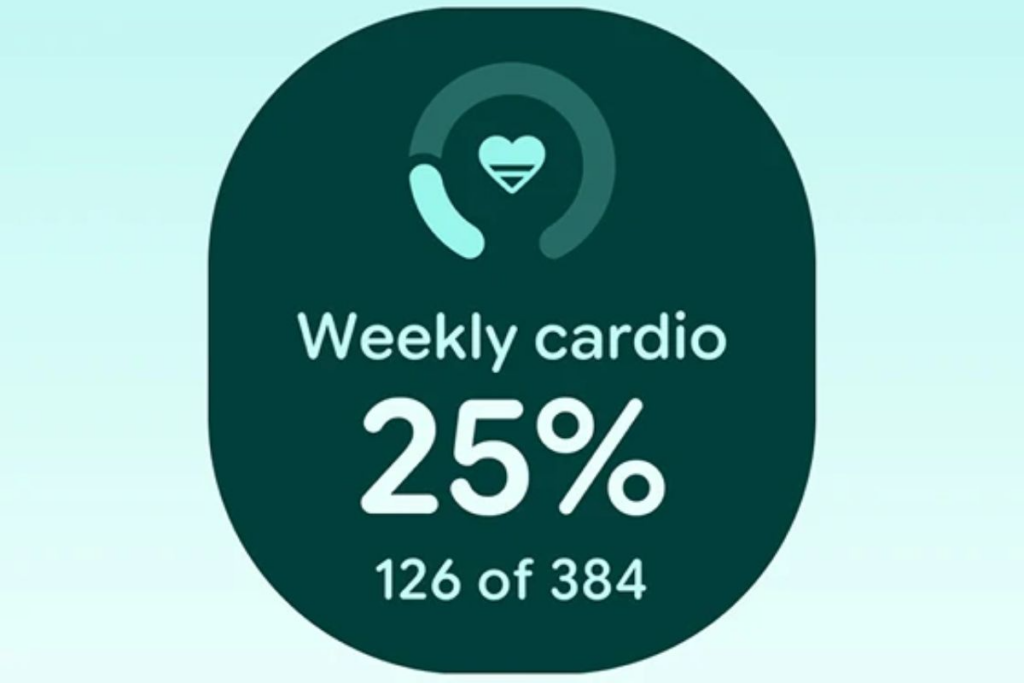
In terms of heart rate monitoring during workouts, the technology is perfect. The Google Pixel Watch 5 relies on the multi-path optical heart rate monitor for the purpose of tracking fast changes in heart rate during HIIT. This smartwatch clearly shows your heart rate zones and lets you see whether you are burning fat or hitting your cardiovascular performance maximums.
Fitbit integration provides you with useful information about your workouts based on such data. Your training intensity and effort levels are calculated by the system. However, as I have already said, some of the most useful training load and recovery analytics are available only through premium subscriptions, unlike Garmin, which allows access to all this information right away.
GPS Accuracy and Outdoor Workout Tracking#
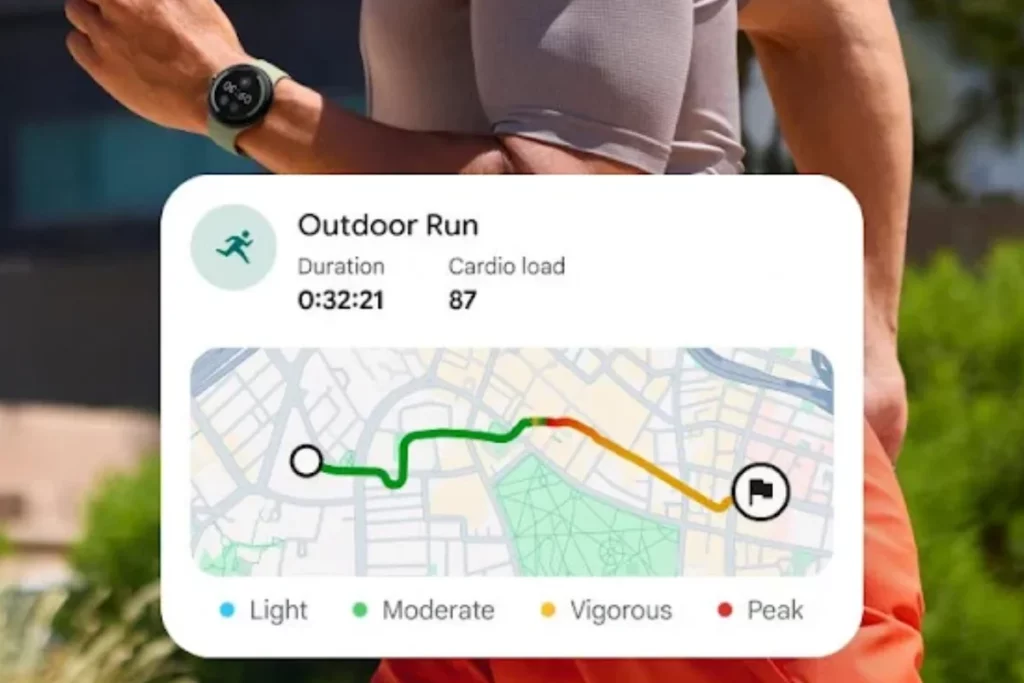
For runners, the Google Pixel Watch 5 GPS accuracy is going to matter a lot to you. Google has brought a huge update with the use of 3D building models and improved post-processing accuracy. The watch will know if there are any buildings in the way that can obstruct the signal and adjust accordingly.
I went on a jog in the downtown area where there are tall buildings all around. Traditionally, it has been very difficult for smartwatches to provide accurate results in such conditions, providing a map that looks drunk. However, the Google Pixel Watch 5 did an amazing job and provided me with incredibly accurate routes. For those who are into outdoor activities like cycling and running, this watch will do great justice to your stats.
Fitness Apps, Connected Workouts and Training Limitations#
This watch works fantastically well with the Fitbit application and any other fitness application for Android devices. However, let us be honest for a minute. Is this smartwatch a replacement for the premium sports watch? Absolutely not.
If you are preparing for an Ironman triathlon or hiking for days in the wilderness, the Google Pixel Watch 5 will eventually fail, mainly due to battery life and hardcore training metrics. This watch is just about right with all the information I need as a runner and someone who goes to the gym.
Gemini and Wear OS 7: Useful Upgrades or Extras?#
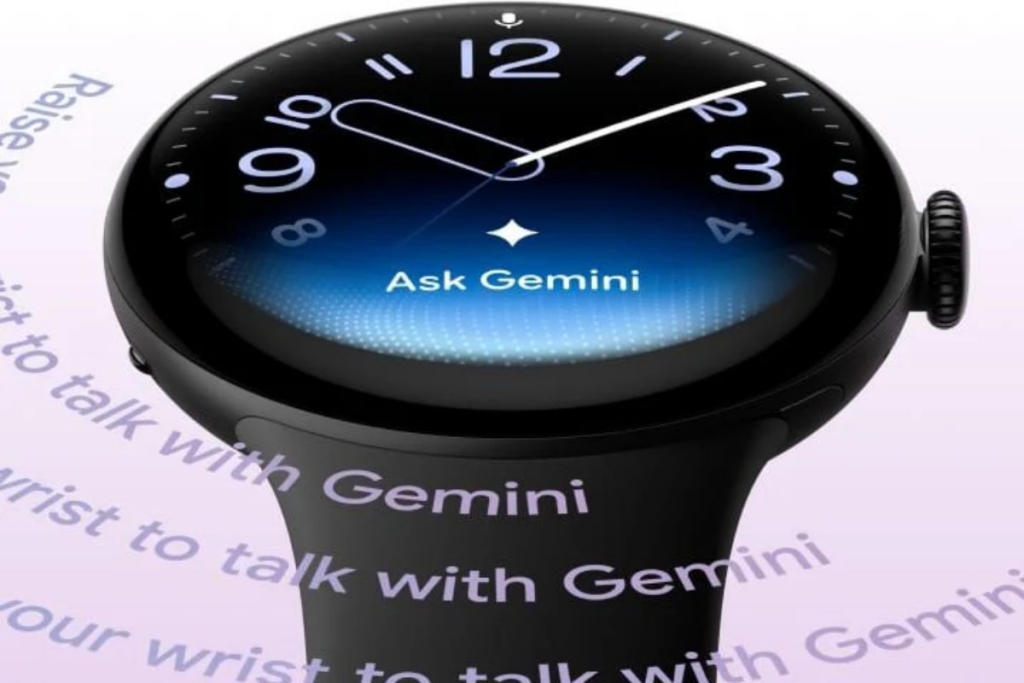
Google Pixel Watch 5 is equipped with a new version of Wear OS 7 that uses the fast Snapdragon W5 Gen 2 processor along with 3GB of RAM. Thanks to the more advanced configuration, the device now has full access to the brand’s AI named Gemini and all I have to do is use “Raise to Gemini” feature to ask any complicated questions while wearing my watch. Despite the fact that it may perform some basic actions offline by using on-device models, it just cannot work properly without a good connection. In other words, the moment I asked any complicated question without Internet connection, AI froze completely.
However, once I put aside all of these offline limitations, the features of the watch prove to be truly useful in making life easier. For example, when a friend texted me about dinner plans, the watch instantly understood the context of our previous conversation and suggested a perfect auto reply to him. Also, I managed to choose and send this message without any difficulties using only finger movements due to the new one-handed gestures. It is even possible to use the AI to design completely unique watch faces by describing what you would like to have on your wrist, although this will be quite harmful to the battery as it requires constant connection to the assistant. Finally, remember that Wear OS 7 is solely limited to the Android environment, so iPhone users will not be able to use this.
Battery Life and Charging: Is It Enough?#
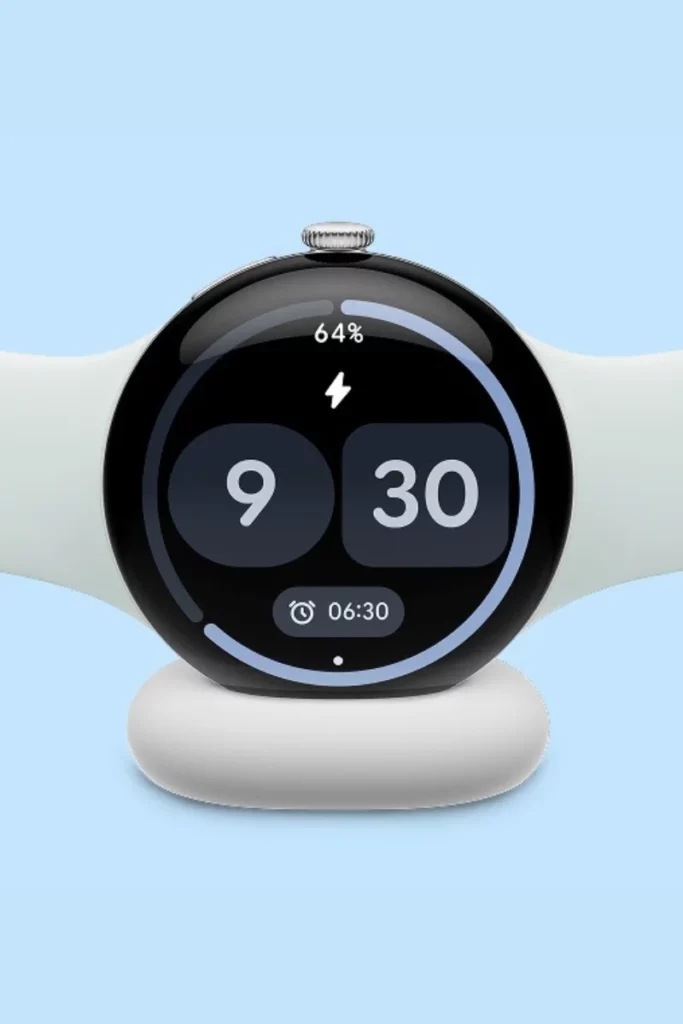
Let’s not sugarcoat this. According to Google, the battery should last up to 30 hours in the 41mm size and 40 hours in the 45mm version when using an always on screen display.
In my experience, it’s quite accurate. After using my 45mm Pixel watch all day to receive notifications, monitor my activity on a 45 minute GPS run and put it on at night to track my sleep, I had 35% battery life left on the morning after. Fast charging works well, reaching 50% in about 15 minutes. It’s enough to use your watch during the whole night if you didn’t have time to charge it at night.
Do I like charging my watch every day? No, I don’t. Although the battery provides slightly longer time in comparison with previous generations, it still needs charging every day. If you go for a long outdoor GPS trip, it will run out much quicker. In case if you find it annoying to have another item you need to charge every day, Google Pixel Watch 5 could turn out to be inconvenient for you.
Pixel Watch 5 vs Pixel Watch 4: Is Upgrading Worth It?#
For people who already have an older version, I understand that there is a question about Google Pixel Watch 5 vs Pixel Watch 4. Well, here is what you need to know.
The hardware upgrades such as the use of the Snapdragon W5 Gen 2 processor and twice the amount of storage may be beneficial, but not really necessary. The true upgrades are the Health Guardian capabilities, better GPS accuracy and the presence of the Gemini AI technology.
If you have the Pixel Watch 4 and you are happy with it, then why get the newer one? The design has not changed much and the older watches will get some software updates anyway. Furthermore, the price of the Google Pixel Watch 5 has gone up a lot, making an annual upgrade unnecessary. However, if you have the Pixel Watch 1 or Pixel Watch 2, then the Google Pixel Watch 5 is a huge upgrade that is definitely justified. For more information on the older watch in order to consider getting it discounted, see the Pixel Watch 4 review. You can also explore our Best Pixel Watch 4 Alternatives guide if you’d like to consider other options before making a decision.
Who Should Buy the Google Pixel Watch 5?#
You should buy the Google Pixel Watch 5 if:
- You want a premium Android smartwatch that can give you both convenience and health & fitness tracking.
- You frequently check your sleep quality, heart rate and activity levels and would like to have more information about them.
- You often use Gemini or Google apps and would like to be able to access them from your watch.
- You enjoy an AMOLED display, stylish design and two different sizes for the watch case.
- You would like to have safety features on your smartwatch, such as Fall Detection, Car Crash Detection and loss of pulse detection.
- You are a fan of smartwatches for your everyday training and outdoor activities.
Who Should Avoid the Google Pixel Watch 5?#
You should avoid the Google Pixel Watch 5 if:
- You require a watch that would last up to several days on a single charge without depending on Battery Saver.
- You need an advanced level of training metrics, recovery analysis and sports tracking.
- You do not wish to pay additionally for premium health services.
- You buy it solely for blood pressure or insulin resistance monitoring without checking for the availability of these features.
- You have a Pixel Watch 4 and it satisfies your requirements regarding health and fitness.
- You wish to opt for a cheaper smartwatch and do not require the latest AI features from Google.
Wrap Up#
The Google Pixel Watch 5 brings some interesting improvements, especially in health tracking, Gemini integration and battery life. I like the direction Google is taking, but its price and limited battery endurance could still make some buyers think twice. If you want a smartwatch that does more than count steps and show notifications, the Pixel Watch 5 has plenty to offer. However, I would have liked to see Google push battery life a little further. After all, what’s the point of having so many health features if your watch keeps asking you to charge it?
FAQs#
01Will the Google Pixel Watch 5 work with an iPhone?
The Google Pixel Watch 5 is exclusively bound to the world of Android operating systems. Since this watch is designed to be entirely dependent on its Wear OS 7 integration, it will not work with any product from Apple.
02Is the Google Pixel Watch 5 capable of taking a direct blood pressure reading?
Instead of working similarly to a conventional blood pressure cuff, the Google Pixel Watch 5 monitors indirect bodily indicators to calculate long-term trends. Moreover, the ability to use this feature on the Google Pixel Watch 5 is available gradually.
 RK
RKWritten by
With a focus on real-world usability, Rahul at WearableXP covers smartwatches and wearable fitness tech. He evaluates how devices combine activity tracking, health metrics, battery life and connectivity. His work helps readers understand how smartwatches fit into everyday routines through practical performance and software-driven features.
More from Rahul 334 storiesKeep readingmore from Smart Watches
All storiesSmart WatchesXiaomi Watch 5 Muscle Sensing Explained and What It Can Actually Tell You Smart WatchesApple Watch Series 12 Packs Some Surprises You Might Not Expect
 NewsSamsung Galaxy Fit 4 Leaks in Three Colors With a Familiar Design
What’s inside
- 01Google Pixel Watch 5: What’s Actually New?1 min
- 02Specifications1 min
- 03Design and Comfort: Does the Pixel Watch 5 Feel Different?1 min
- 04Health Guardian: Google’s Biggest Pixel Watch 5 Change3 min
- 05Fitness Tracking, Heart Rate and GPS2 min
- 06Gemini and Wear OS 7: Useful Upgrades or Extras?1 min
- 07Battery Life and Charging: Is It Enough?1 min
- 08Pixel Watch 5 vs Pixel Watch 4: Is Upgrading Worth It?1 min
- 09Who Should Buy the Google Pixel Watch 5?1 min
- 10Who Should Avoid the Google Pixel Watch 5?1 min
- 11Wrap Up1 min
- 12FAQs1 min