 Smart GlassesRayNeo iO Review: I Tested These Camera-Free AI Glasses for Everyday Use
Best Hands-Free Smart Glasses for Calls, Photos and Voice Assistants in 2026
You’re carrying groceries in both hands and a call comes in. Or the best moment of the night is happening right now and of course you want to click, but the phone is buried in your bag. That’s the whole pitch for hands-free smart glasses. I initially thought it was just a new cool toy to have, but I understood the true purpose once I really gave it a shot. Now I get why people keep asking which pair is actually worth buying.
Independently tested. We never accept payment for reviews.How we test

What’s inside10 sections · 14 min read
- 01What Are Hands-Free Smart Glasses and What Can They Do?1 min
- 02What Should You Look For in Hands-Free Smart Glasses?1 min
- 03Ray-Ban Meta Smart Glasses: Best Overall Hands-Free Smart Glasses2 min
- 04AI Assistants in Smart Glasses: What They Do Well and Where They Slip1 min
- 05Smart Glasses for Calls: Which Models Have the Best Audio Experience?1 min
- 06Smart Glasses for Photos and Videos: Replacing the Phone Camera?1 min
- 07Best Hands-Free Smart Glasses Compared1 min
- 08Ray-Ban Meta vs Other AI Smart Glasses6 min
- 09Privacy and Limitations of Smart Glasses1 min
- 10Which Hands-Free Smart Glasses Should You Buy?1 min
You’re carrying groceries in both hands and a call comes in. Or the best moment of the night is happening right now and of course you want to click, but the phone is buried in your bag. That’s the whole pitch for the best hands-free smart glasses. I initially thought it was just a new cool toy to have, but I understood the true purpose once I really gave it a shot. Now I get why people keep asking which pair is actually worth buying.
So, let’s start what we do best- Judge!!
Quick expectation setting. These glasses work with your phone. They don’t replace it. Your phone does the heavy lifting while the glasses handle calls, photos, music and a voice assistant. I’m judging every pair on camera, AI, audio, comfort and battery, because those five things decide whether you’ll still wear them in a month.
The category is still young and the pairs are very different from each other, so jump to the parts that match what you care about. If you’re also wondering about other AI gadgets, I compared them in AI Pendants vs Smart Glasses.
What Are Hands-Free Smart Glasses and What Can They Do?#
Smart glasses have a regular look to them, equipped with microphones, speakers, a processor, and a camera in most models. One should either use a wake word such as “Hey Meta” or click the temple button.
Your glasses send a message to the smartphone, where the brain works, and the response gets back to you through speakers located close to the ear. As those speakers are aimed directly at you, you get the answer but also remain aware of the street noise, which is called open-ear audio.
Most people buy them for a short list of things. Take a call. Grab a photo or a short video from your point of view. Play music or a podcast. Ask a quick question while your hands are full. A few pairs add a tiny display in the lens for text, and those cost more and die faster.
These devices do not monitor your vital signs as rings or watches, and also cannot replace your smartphone. I perceive them as a smartphone assistant sitting on the head.
What Should You Look For in Hands-Free Smart Glasses?#
Camera
On the list of Meta headsets, the usual camera is 12MP, 3K video, so pay attention to the position of the lens and its ability to handle low lighting. In terms of calling, consider the microphones, because that is what resists wind and crowd noise. In the case of an assistant, select the one you are familiar with already. The Meta AI, Alexa and ChatGPT work in different pairs.
Comfort and battery
Weight varies between 43 and 69 grams, and it does matter by the end of the day. Forget about the battery life indicated in the headlines. With the camera and music working simultaneously, don’t expect more than 5-6 hours, not 9.
Pay attention to the privacy feature, such as a recording light, and make sure that your phone works with the application. Meta application requires the use of iOS 17.2 or newer version on the iPhone or Android smartphone which supports installation of the application, and a Meta account.
.
Ray-Ban Meta Smart Glasses: Best Overall Hands-Free Smart Glasses#
© Ray-Ban
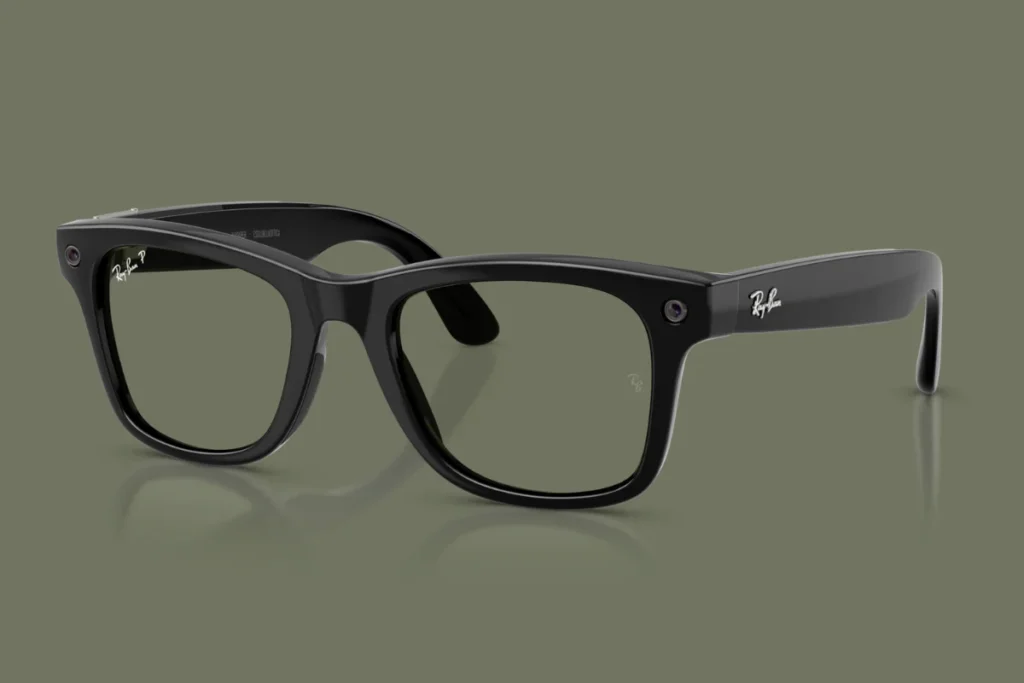
If you want one pair and don’t want to think hard about it, get the Ray-Ban Meta (Gen 3). It launched on September 23 at $449, which is $70 more than the Gen 2 that came out at $379. Yes, Meta raised the price. Gen 2 is still on sale at $379, so if cost is your main thing, that’s a fine buy too.
Gen 3 retains the 12MP camera and 3K video. However, what is different now is the six-mic array, an increase from five mics, which Meta claims reduces more than 90 percent of the background noise. The battery improves from 8 to 9 hours, while the casing gets an additional 50 hours. This is the best casing in Meta’s collection.
The Gen 2 gave about 5 hours of constant audio streaming, so expect it for workday use only. There is also a new action button that allows you to summon your assistant. Available styles are Wayfarer, Aviator and cat-eye-shaped frames called Zena, with 27 color and lens combinations, all compatible with prescription lenses.
For the Meta AI application performs the functions of pairing, calls, music streaming, photos importing and summoning the assistant. It works on iPhone and Android, although you must have a Meta account, something many people hate.
The newer Muse Spark assistant model will be introduced to the glasses soon, and a Gizmodo writer who tested it on Meta glasses says that it works faster and is better in following the conversation than the previous assistant. Meta also revealed that its Muse agent will. That part is announced, not here yet.
Pros
- Best mix of camera, audio and assistant in one pair
- Six mics help calls in wind and crowds
- Rated for 9 hours, with about 50 more from the case
- Action button gets you to the assistant fast
- 27 combinations and prescription friendly
- Works with iPhone and Android
Cons
- Starts at $449, up $70 from Gen 2
- Real battery falls short of the rating, especially with video
- Needs a Meta account and the phone app
- The recording light is easy to miss if you don’t know what it is
- Hair can block the camera
- One reviewer found the Aviator frames thick and a bit loose
AI Assistants in Smart Glasses: What They Do Well and Where They Slip#
The assistant is where the glasses differ the most. The Meta AI can help answer questions, describe the scene captured by the camera, translate several popular languages, send the message through your smartphone and play music.
For some time, it worked perfectly for basic needs and rather poorly when it had to do the detailed work. The Muse Spark update aims to change it and seems to achieve that, at least based on the first hands-on experience.
As the Amazon Echo Frames work with Alexa, setting timers, making calls, playing music, and controlling your smart home become their strengths. Without the camera, there is nothing for Alexa to look at. The Rokid glasses have an assistant based on ChatGPT, which could be switched at some point and the Even Realities G2 shows the results of the work in the form of text on your glasses so you don’t have to hear it.
My suggestion is easy. If your house works on Alexa, consider Echo Frames. If you have no preference, then Meta is the one to go for now.
Smart Glasses for Calls: Which Models Have the Best Audio Experience?#
Calls work on every camera and audio pair here because they all have open-ear speakers and a mic array. What separates them is how they handle noise. The Ray-Ban Meta Gen 3 has six mics, and Gen 2 and the Meta Glasses line have fewer. Taking calls outdoors in the wind will make a difference, too. The speakers in the Oakley Meta Vanguard are around 6 dB louder compared to the HSTN.
When it comes to video calls through glasses, then the Meta Ray-Ban Display model will come in handy. The Rokid glasses are able to make voice calls just fine but cannot perform video calls, and according to reviews, calling someone specific can sometimes be tricky. You might consider the Meta Ray-Ban Audio glasses, especially if calls and music are your only motivation for purchase; they last 12 hours without a camera.
Smart Glasses for Photos and Videos: Replacing the Phone Camera?#
No. They’re built for the moments you’d otherwise miss because your phone was in your pocket. Meta’s glasses all use a 12MP camera with 3K video, and the photos look best in daylight. Low light is where they struggle. Hair and bangs can block the lens, so check your fit before you blame the camera.
The Vanguard centers its camera and gets a 122 degree view, against 100 degrees on the HSTN, which is better for running and cycling clips. Photos land in the Meta AI app, where you import and share them. Rokid stores up to 32GB of video on the glasses and syncs to its own app, but one demo unit managed only about 20 minutes of video recording. Video eats battery on all of them, so keep clips short.
Best Hands-Free Smart Glasses Compared#
| Smart Glasses | Price | Best For | Camera | AI Features | Audio | Best User |
|---|---|---|---|---|---|---|
| Ray-Ban Meta (Gen 3) | $449 | Everyday AI glasses | 12MP, 3K video | Meta AI with Muse Spark | Open-ear, 6 mics | Most people |
| Meta Glasses | $299 | Lower price entry | 12MP, 3K video | Meta AI with Muse Spark | Open-ear | First-time buyers |
| Oakley Meta HSTN | $399 | Casual sport | 12MP, 3K video | Meta AI | Open-ear | Active everyday wear |
| Oakley Meta Vanguard | $499 | Running and cycling | 12MP, 3K, 122 degree view | Meta AI, Garmin, Strava | Louder open-ear | Athletes |
| Ray-Ban Meta Audio | $349 | Calls and music | None | Meta AI | Open-ear, 12 hr battery | Camera-averse buyers |
| Amazon Echo Frames | about $270 to $330 | Alexa users | None | Alexa, Alexa+ | Open-ear | Alexa households |
| Even Realities G2 | $599 | Text in your view | None | Even AI | Not a calls pair | Productivity users |
| Meta Ray-Ban Display | $799 | Video calls, replies in lens | 12MP, 3x zoom | Meta AI with Muse Spark | Open-ear | Early adopters |
| Rokid Glasses | $599 | Display plus camera | 12MP | ChatGPT-based, switchable | Open-ear, voice calls only | Tinkerers |
Ray-Ban Meta vs Other AI Smart Glasses#
Here’s something worth knowing. Meta and EssilorLuxottica hold an estimated 80% or more of this market according to Counterpoint Research, so most of the alternatives are Meta in a different frame. The real outside options are Amazon, Even Realities and Rokid. Here’s each one with the details that matter.
Meta Glasses#
© Meta
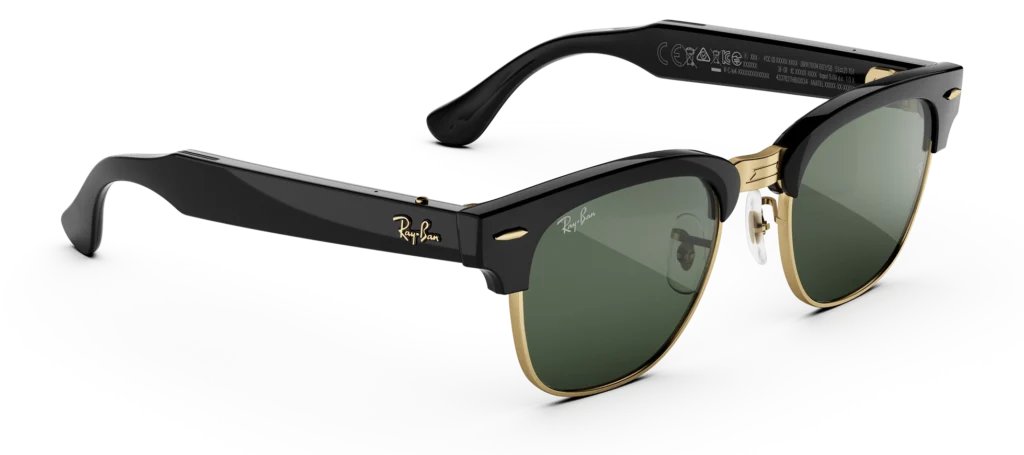
Meta launched these on June 23 under its own name, with no Ray-Ban or Oakley badge, from $299. That’s at least $80 under the cheapest Ray-Ban Meta. You get the same 12MP camera and 3K video, open-ear speakers and a button for the assistant. Battery is over 8 hours and the case adds up to 40. There are three styles (Adventurer, Fury and a Kylie Jenner one) in 26 combinations, all prescription-friendly. Same Meta AI app, same pairing, calls, music and photo import. If this is your first pair and you want to see whether you’ll use them, this is where I’d start.
Pros
- Lowest price in Meta’s lineup
- Same camera and 3K video as Ray-Ban Meta
- Case adds up to 40 hours
- Prescription friendly
Cons
- Only three styles
- Case battery is smaller than Gen 3’s 50 hours
- Still needs a Meta account and the app
- No display
Oakley Meta HSTN#

© Oakley
HSTN is the everyday Oakley. It costs $399, weighs 53 grams and has a 12MP camera with 3K video. Battery is up to 8 hours with a case good for about 48 more, and it’s rated IPX4 for sweat. It uses the same chip as Ray-Ban Meta, so the assistant and the app are the same.
When it launched, it had double the battery of the first Ray-Ban Meta, but Gen 2 and Gen 3 have caught up. So now you’re paying for the Oakley look and the PRIZM lenses. One reviewer figured HSTN gives about 95% of what the Vanguard does for around 80% of the price.
Pros
- PRIZM lens options
- Sweat resistant
- Case adds about 48 hours
- Cheaper than Vanguard
Cons
- $100 more than the Meta Glasses
- Battery rating no longer ahead of Ray-Ban
- IPX4 only, so keep it away from heavy rain
- Sporty frames won’t suit everyone
Oakley Meta Vanguard#

© Oakley
Vanguard is the wraparound pair for running and cycling. It costs $499 and is rated for up to 9 hours of typical use or 6 hours with music, with the case adding 36. It weighs 66 grams and has IP67 water and dust protection. The big thing here is Garmin and Strava.
You link them in the Meta AI app, ask the assistant for your heart rate mid run and add your stats over your videos. A Stuff review got about 6 hours in mixed real-world use and T3 called the Garmin and Strava setup clever but clunky. You also still carry your phone for the connection.
Pros
- IP67 rating
- Speakers about 6 dB louder than HSTN
- Garmin and Strava support in the Meta AI app
- Wide 122 degree camera view
Cons
- $499 is the most expensive Meta camera pair without a display
- Heavier at 66 grams
- One frame shape only
- Reviewers flagged no prescription option, so check before you order
Ray-Ban Meta Audio#
© Meta
This is Meta’s first camera-free pair. It shipped October 13 from $349 and weighs 43 grams. Battery is up to 12 hours, with another 48 hours from the case. It comes in Clubmaster and Burbank in 23 combinations, with prescription support. Calls, music and Meta AI all work. Photos and anything that needs a camera don’t.
The app experience is the same as the Meta AI app. The Gen 2 with a camera is only $30 more at $379, so ask yourself honestly if you’ll miss the camera.
Pros
- Lightest Ray-Ban Meta at 43 grams
- 12 hour battery
- No camera, so no recording worries
- Prescription support
Cons
- No photos or visual questions
- Only $30 under a Gen 2 with a camera
- Two frame styles
- Needs a Meta account
Amazon Echo Frames#

© Amazon
Echo Frames are the Alexa pair. List price runs about $270 to $330 depending on where you look, and Amazon has dropped them to around $100 to $115 during sales, so wait for a deal. There’s no camera.
Amazon rated the newest model for about 6 hours of continuous calls or music, and shop revies say it covers a normal day with overnight charging. You use the Alexa app, and you get timers, calls, music and smart home control, with Alexa+ Early Access on the newest model. Prescription lenses go in through opticians like America’s Best.
Pros
- Often discounted well below list
- Alexa and Alexa+ for smart home users
- Dual device pairing
- No camera
Cons
- Some reviewers say they slip down the nose
- Audio glitches reported, like sound dropping to one side
- Notifications can’t be muted without powering off
- Battery indicator can be unreliable
Even Realities G2#

© Even Realities
G2 is for people who want text in their view and have zero interest in a camera. It costs $599, and the R1 ring controller is $249 on top (at launch it was 50% off if you skipped prescription lenses). Battery is rated up to 2 days with IP65 protection. It does live translation, a teleprompter and navigation. You set your route in the Even Realities app, and in a bright room you may need to turn the brightness up in there too.
Launch software felt thin, and updates plus the new Even Hub for third-party apps have helped. TechCrunch said skip the ring, while Wearable called it close to essential. Pick a side. I wouldn’t buy this one for calls.
Pros
- Up to two days of battery
- Discreet, normal-looking frames
- IP65 dust and water protection
- Translation, teleprompter and navigation
Cons
- $599, and the ring adds $249
- No camera, so no photos
- Software needed updates to feel complete
- Brightness adjustments in bright rooms
Meta Ray-Ban Display#

© Meta
This is the one with a screen. It costs $799 with the Neural Band wristband included, and with prescription lenses, one review put the total around $1,050 to $1,300. You can order it online in the US, and it’s also at Best Buy, LensCrafters, Sunglass Hut and Ray-Ban stores.
The display sits in the right lens at 600 by 600 pixels, and it shows messages, video calls, navigation and assistant answers. Battery is about 6 hours of mixed use, the case adds up to 30, and the band lasts about 18 hours. It weighs 69 grams.
In the Meta AI app, it works like the other Meta glasses, and Meta opened the display to third-party developers in May and pushed Muse Spark to it on July 27. The Neural Band lets you write a reply with small finger movements, and reviewers keep calling it the best part.
Pros
- Video calls and navigation in the lens
- Reply to messages without touching your phone
- Full color display
- Muse Spark assistant
Cons
- $799 and well over $1,000 with prescription
- Chunky at 69 grams
- Display use drains the battery
- One display, in one eye
Rokid Glasses#
© Rokid
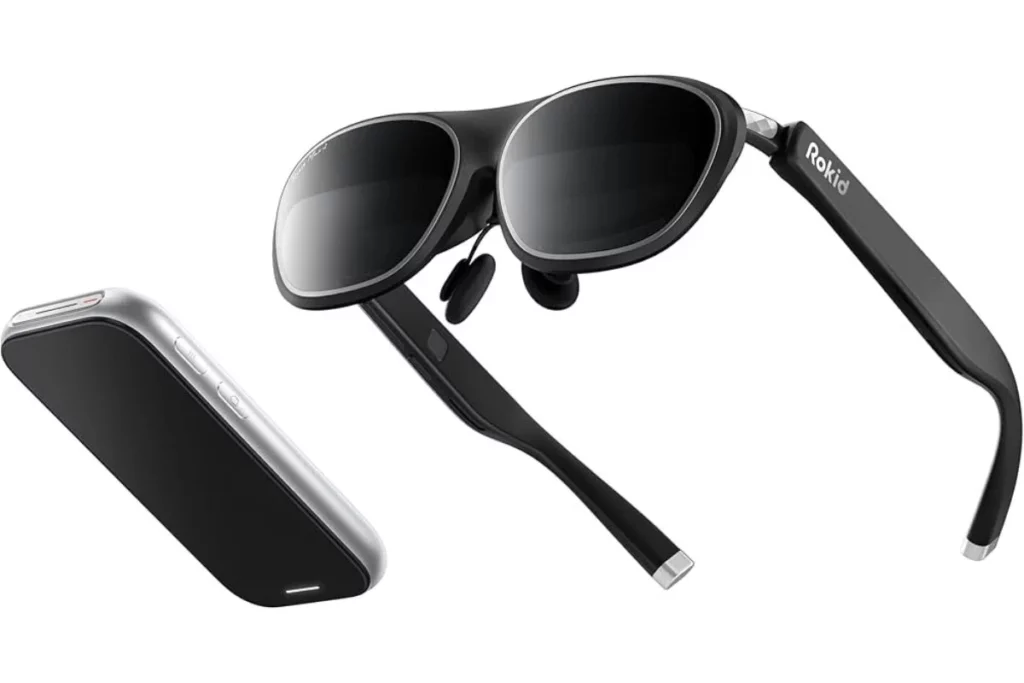
Rokid is the display-plus-camera option from outside Meta. It costs $599 on Rokid’s own site, which ships to the US, and the optional charging case is $99. It weighs 49 grams, has a 12MP camera and a green display, and runs a ChatGPT-based assistant you can switch.
Rokid’s phone app handles settings, updates and syncing your clips. Battery is the weak spot. Rokid claims 8 hours, and PhoneArena measured about 4 hours of continuous use. Charging is quick, with 80% in 20 minutes, and the case holds up to 10 full charges.
Pros
- Display and camera in a light 49 gram frame
- Fast charging
- Case gives up to 10 charges
- Switchable assistant
Cons
- About 4 hours of real battery in one test
- Green display only
- No video calls
- $599, plus $99 for the case
Privacy and Limitations of Smart Glasses#
Let’s talk about the elephant in the room. Yes, you guessed it, right! The recording light is small and easy to miss if you don’t know what you’re looking at. Meta says it added an update that disables the camera if the light is covered.
Some apps now exist that detect nearby Meta glasses by their Bluetooth signal, which tells you how much this worries people. If that bothers you, camera-free pairs like the Ray-Ban Meta Audio, Echo Frames and even G2 skip the problem.
Beyond privacy, there are the plain limits. Battery life is shorter than the box says. You need your phone for the assistant. AI answers can be wrong, so double-check anything you’d act on. And the Meta glasses need a Meta account, so think about whether you’re okay with that.
Which Hands-Free Smart Glasses Should You Buy?#
Pick the Ray-Ban Meta Gen 3 if you want the most complete everyday pair. Camera, calls, music and the assistant all work well, and the style options are wide. If $449 stings, the Gen 2 at $379 or the Meta Glasses at $299 get you most of the way there.
Pick audio-focused glasses if calls and music matter most. The Ray-Ban Meta Audio at $349 has the best battery of the Meta pairs, and the Echo Frames are worth it if they’re on sale and you live in Alexa. Neither has a camera.
Pick the display pairs if you want to experiment. The Meta Ray-Ban Display at $799 is the polished one, the Rokid at $599 is the cheaper one with a battery problem, and the Even G2 at $599 is for text only. For athletes, it’s the Oakley Meta Vanguard at $499, and the HSTN at $399 if you don’t need IP67.
For now, nothing else is worth waiting for. Samsung and Google’s Android XR glasses are slated for November with no price, and Apple’s pair isn’t expected to ship until 2027. I’d buy now.
 RR
RRWritten by
Reetain, with a focus on emerging trends and immersive tech, covers smart wearables and evolving device categories. He explores how sensors, AI, and connectivity come together in modern wearables, helping readers understand how these technologies shape everyday digital experiences and the future of personal computing.
More from Reetain 62 storiesKeep readingmore from Smart Glasses
All storiesSmart GlassesRayNeo iO Review: I Tested These Camera-Free AI Glasses for Everyday Use Smart GlassesRogbid VisionMax Launches With 20MP Sony Camera and Claimed 4K Video for $139.99
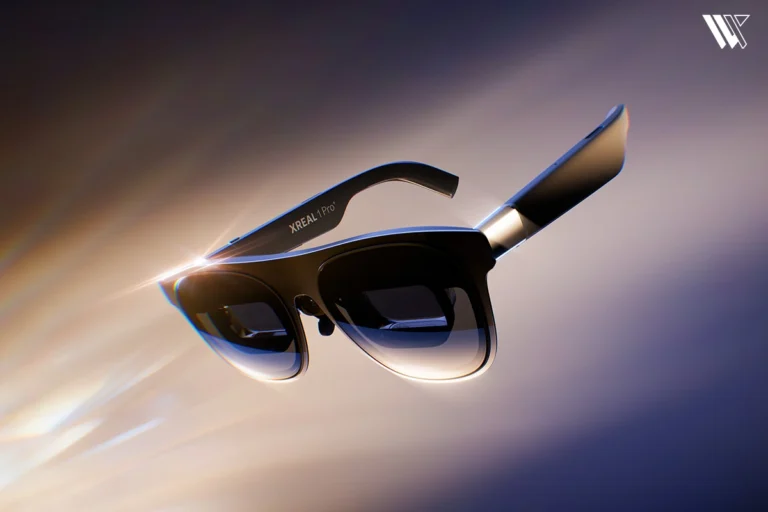 NewsXREAL 1 Pro+ Launches With 1,200-Nit Displays and Improved 3D Viewing
What’s inside
- 01What Are Hands-Free Smart Glasses and What Can They Do?1 min
- 02What Should You Look For in Hands-Free Smart Glasses?1 min
- 03Ray-Ban Meta Smart Glasses: Best Overall Hands-Free Smart Glasses2 min
- 04AI Assistants in Smart Glasses: What They Do Well and Where They Slip1 min
- 05Smart Glasses for Calls: Which Models Have the Best Audio Experience?1 min
- 06Smart Glasses for Photos and Videos: Replacing the Phone Camera?1 min
- 07Best Hands-Free Smart Glasses Compared1 min
- 08Ray-Ban Meta vs Other AI Smart Glasses6 min
- 09Privacy and Limitations of Smart Glasses1 min
- 10Which Hands-Free Smart Glasses Should You Buy?1 min