 Smart WatchesAmazfit T-Rex Ultra 2 Review: Is This Rugged Smartwatch Worth $549.99?
Huawei Watch 6 Pro Review Looks Like a Flagship Killer but Here Is What You Should Know
Buying a premium smartwatch is easy when you look at the pictures and specifications. The real question is whether it still feels worth the money once you start using it every day. A beautiful design might catch your attention, but things like everyday comfort, useful features and a smooth software experience are what make a smartwatch worth keeping on your wrist.
Independently tested. We never accept payment for reviews.How we test

What’s inside9 sections · 18 min read
- 01What Is Huawei Watch 6 Pro?1 min
- 02Design and Display2 min
- 03Huawei Watch 6 Pro Health Tracking Features4 min
- 04Huawei Watch 6 Pro Fitness and Sports Tracking3 min
- 05Huawei Watch 6 Pro Battery Life: The Biggest Advantage2 min
- 06Huawei Watch 6 Pro Software Experience: HarmonyOS and Huawei Health3 min
- 07Who Should Buy Huawei Watch 6 Pro?1 min
- 08Who Should Avoid Huawei Watch 6 Pro?1 min
- 09Wrap Up1 min
Buying a premium smartwatch is easy when you look at the pictures and specifications. The real question is whether it still feels worth the money once you start using it every day. A beautiful design might catch your attention, but things like everyday comfort, useful features and a smooth software experience are what make a smartwatch worth keeping on your wrist.
The Huawei Watch 6 Pro looks like an interesting contender in the premium smartwatch market, but I don’t think impressive hardware alone is enough to make it a good purchase. There is always a trade-off somewhere, whether it is software, compatibility or the price you pay for the features on offer.
So, does the Huawei Watch 6 Pro have what it takes to stand out from competing smartwatches or are there better options worth considering? Let’s explore its features, strengths, limitations and overall value to find out whether it deserves a place on your wrist.
What Is Huawei Watch 6 Pro?#
In order to truly know what the Huawei Watch 6 Pro has to offer us, it is crucial to consider where in the Huawei range of wearable devices this model fits. Usually, the company offers a very clear division of its line of watches, placing each of them in a separate category for a particular purpose. So, while the Huawei GT series watches are designed to provide extended battery life and fitness monitoring functionality, the “Watch” series watches are completely different in many ways. This is precisely the place where the Watch 6 Pro belongs by offering advanced functionality, cellular eSIM as well as premium design materials.
For this reason, I believe that the Huawei Watch 6 Pro is a luxury watch because of the focus on quality craftsmanship. The watch is designed specifically for people that want to track all aspects of their health 24/7 while not being willing to give up the look and feel of a mechanical watch at all. It’s not an extreme rugged survival watch like the Apple Watch Ultra, nor is it a specialized running watch like the Garmin Forerunner series watches. On the contrary, it’s a perfect balance between luxury and technology and an ideal choice for businesspeople, tech fans and people who care about their health. For this reason, it’s one of the few wearables on the market that look great even worn under a tailored suit as it does when you are pushing through a heavy gym session.
It is important to note that adopting this beautiful hardware definitely comes with a great change to your usual expectations from your gadgets software. That is because going with Huawei means leaving behind the familiar Apple and Google ecosystems. You will definitely earn some freedom with your battery due to the sacrifices you make with your apps.
Design and Display#
© Huawei
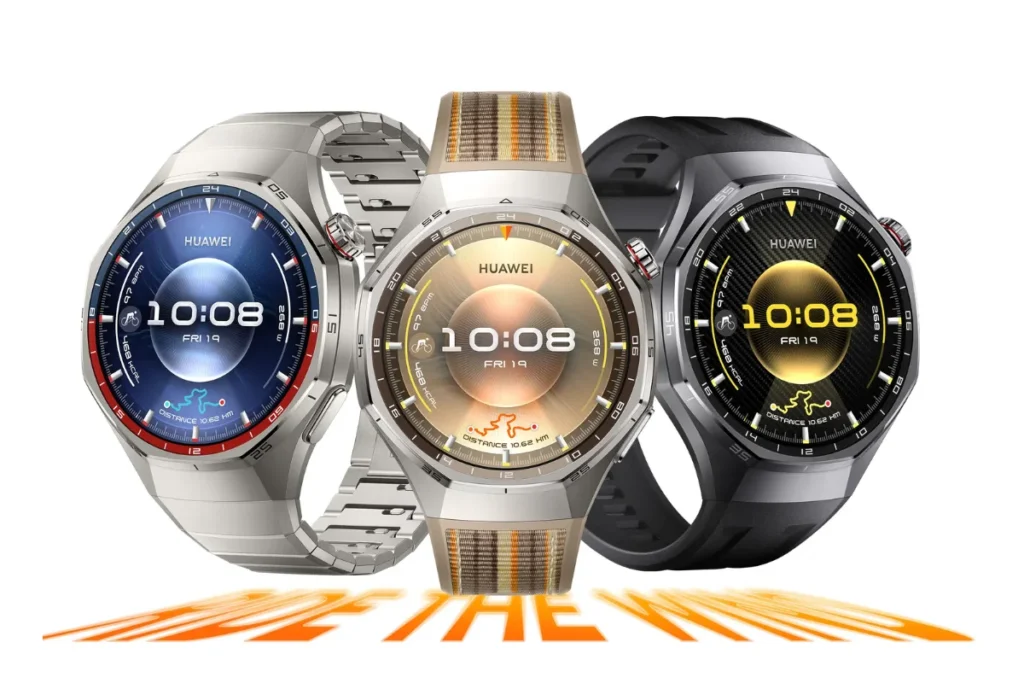
There is just one thing that Huawei always gets right and that is to create a smartwatch that does not look like a toy . While the Apple and Samsung watches are still going strong with their aluminium devices that will be scratched just by looking at them the wrong way, the Huawei Watch 6 Pro has no hesitation in creating a luxury mechanical watch.
The Huawei Watches line-up can be divided into two types of watches, namely the 46mm device (which measures 46.4 x 46.4 x 10.9 mm) which is made of aerospace-grade titanium alloy and ceramic backing and the 43mm watch (43.5 x 43.5 x 10.2 mm) made solely of polished nano-tech ceramic. Just by holding any of those, you will know that Huawei has used its budget fully on the materials of these watches. The sapphire glass is scratch-resistant and comes with 5 ATM water-resistance, IP68/IP69 dust-protection and EN13319 dive rating up to 40 meters.
But this convenience comes with a hefty physical toll. With a weight of 57 grams sans strap, the 46mm titanium model is literally a brick on the wrist. With a metal bracelet attached, you are carrying close to 80 grams of metal with you all day long and with its near 11mm thickness, it always catches onto tight-fitting shirt sleeves. Even more frustratingly, wearing this smartwatch to bed for sleep tracking is a pain, it is like having a hockey puck strapped to your wrist and you will feel the difference in comfort if you sleep on your side.
On the other hand, the all-ceramic 43mm model keeps the weight at a relatively reasonable 50 grams, but there is another problem associated with an all-ceramic build. Ceramic watches may be resistant to scratches, but they attract fingerprints like crazy and you will run the risk of damaging the case if you drop this watch onto a tile floor.
The area where I will not hesitate to praise Huawei is in the front panel. It sports a 1.5-inch display on the 46mm watch and a 1.38-inch screen on the 43mm watch both displays boast an resolution of 466 x 466, courtesy of LTPO 2.0 AMOLED technology. The importance of the LTPO layer here cannot be overstated since it reduces the refresh rate to save power.
The headline specification, however, is a ridiculous peak brightness of 3,500 nits. On one hand, it completely wipes out glare, even under direct, brutal midday sun, checking your pace or reading a quick text requires zero squinting. On the other hand, it reeks of spec-sheet flexing. Nobody actually needs a wrist-mounted flashlight for everyday smartwatch tasks and if the auto-brightness sensor lags for half a second when you wake up in the middle of the night, that blinding burst of light will sear your retinas.
It is a stunning display, no question, but you have to accept that you are buying a bold, heavy and sometimes unwieldy watch just to get those luxury bragging rights.
Huawei Watch 6 Pro Health Tracking Features#
© Huawei
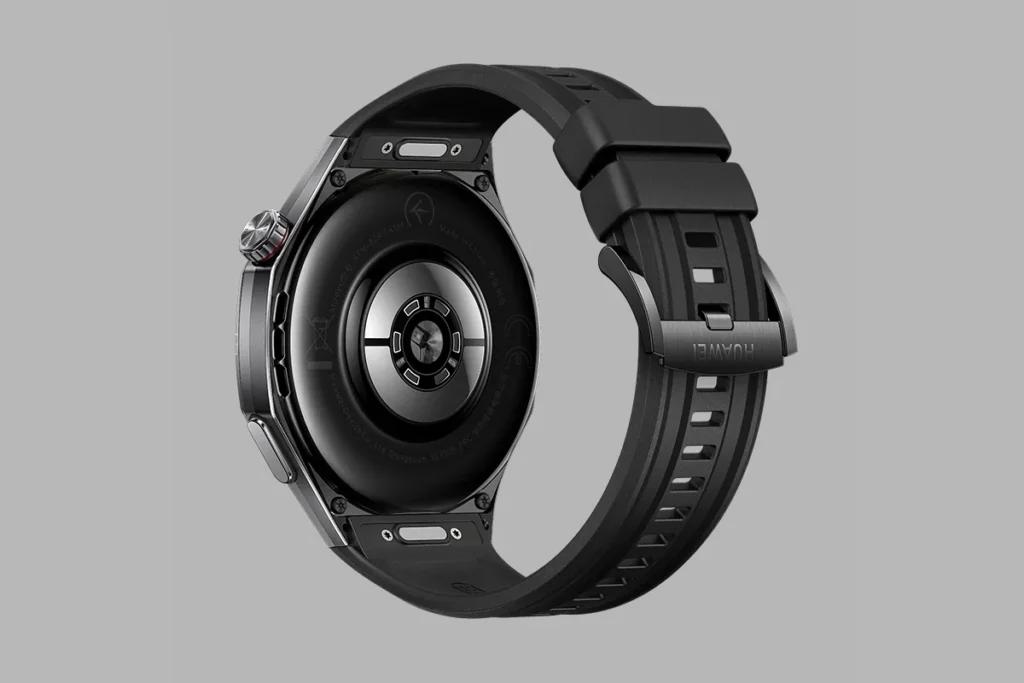
Health monitoring is clearly one of the key reasons why most people opted to spend a premium amount on a smartwatch and Huawei has spent much effort in making sure that their sensors get a full overhaul. In terms of hardware changes in the Huawei Watch 6 Pro, the most notable is the introduction of the new X-TAP sensor technology, which combines a 12-channel optical (PPG) sensor and a highly sensitive pressure sensor, effectively replacing all the previous models of the sensor.
Huawei claims this new architecture dramatically reduces signal interference and doubles the overall responsiveness. Having actually tested it through numerous sweaty workouts and restless nights, I can confirm the underlying technology here is legitimately impressive. Let’s break down exactly what this sensor array actually does in daily life, what works brilliantly and where my personal testing revealed some very real practical hurdles.
Heart Rate and Blood Oxygen Monitoring #
© Huawei
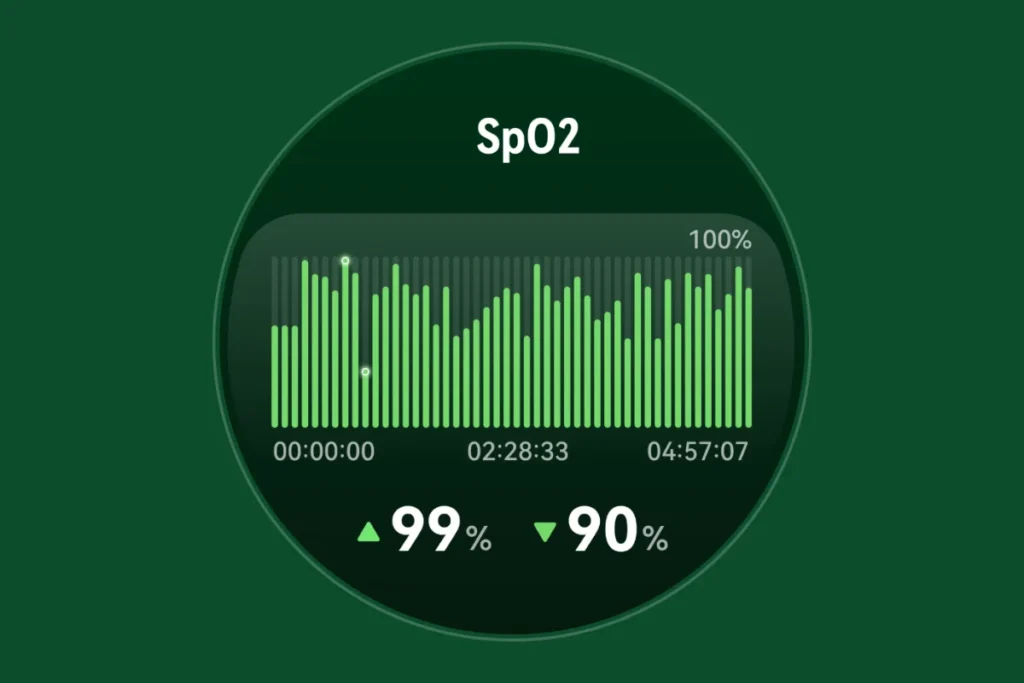
Continuous heart rate tracking is the absolute bare minimum for any modern wearable, but the Watch 6 Pro elevates this by utilizing its 12-channel PPG sensor. Having 12 distinct optical channels essentially means the watch is firing more light into your skin from different angles, which drastically reduces the chances of inaccurate readings caused by heavy sweating, dark arm hair or vigorous wrist movement during a workout.
In my view, reliable baseline data is the foundation of any good health wearable and Huawei’s hardware here genuinely feels top-tier. It also handles continuous SpO2 (blood oxygen) monitoring quietly in the background. While SpO2 tracking has become an industry standard, the real advantage here is that the Watch 6 Pro tracks it continuously without severely draining the battery, a common, frustrating flaw in many competing flagship devices.
Sleep and Physical Readiness #
© Huawei
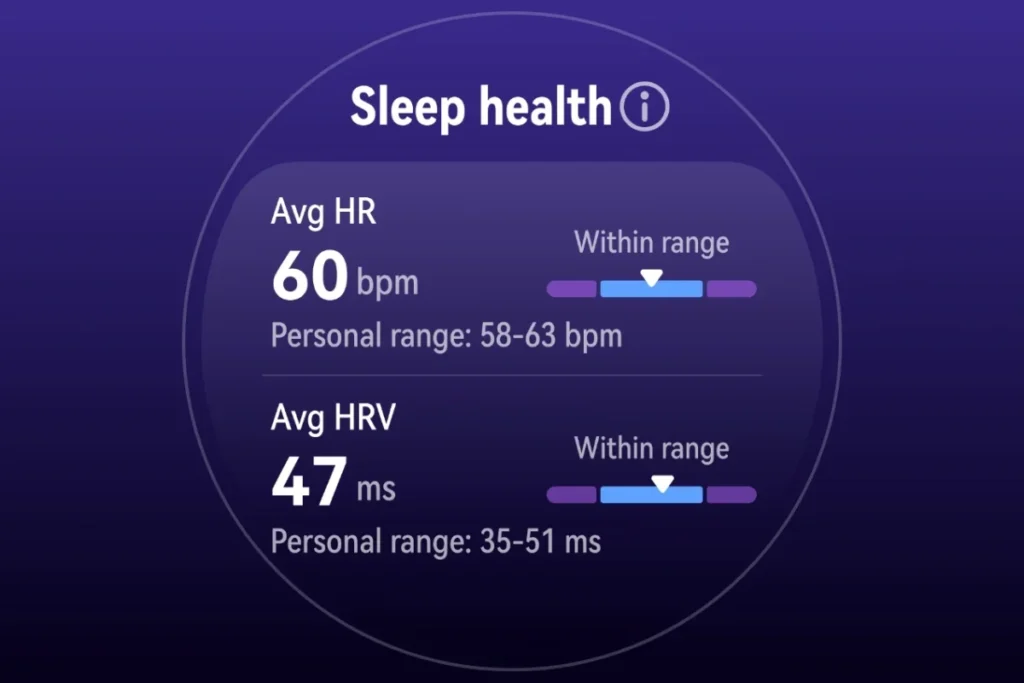
Huawei’s sleep-tracking system monitors your exact sleep stages, including deep, light and REM cycles, to provide a comprehensive score every morning. More importantly, the new “Physical Readiness” feature assesses your overall overnight recovery the moment you wake up, theoretically helping you decide if you should push for a heavy gym session or take an active rest day. However, this is where we run into a major physical contradiction.
The tracking software is brilliant, but trying to extract that data means you have to actually wear this watch to bed. As I mentioned earlier, strapping a heavy, 46mm titanium smartwatch to your wrist overnight is genuinely uncomfortable. If you are a side sleeper who tucks your hands under your pillow, the metal casing will dig into your skin. The tracking might be incredibly accurate, but if the physical bulk of the watch makes you want to take it off before getting under the covers, that advanced software suddenly becomes completely useless to you.
ECG and Arterial Stiffness #
© Huawei
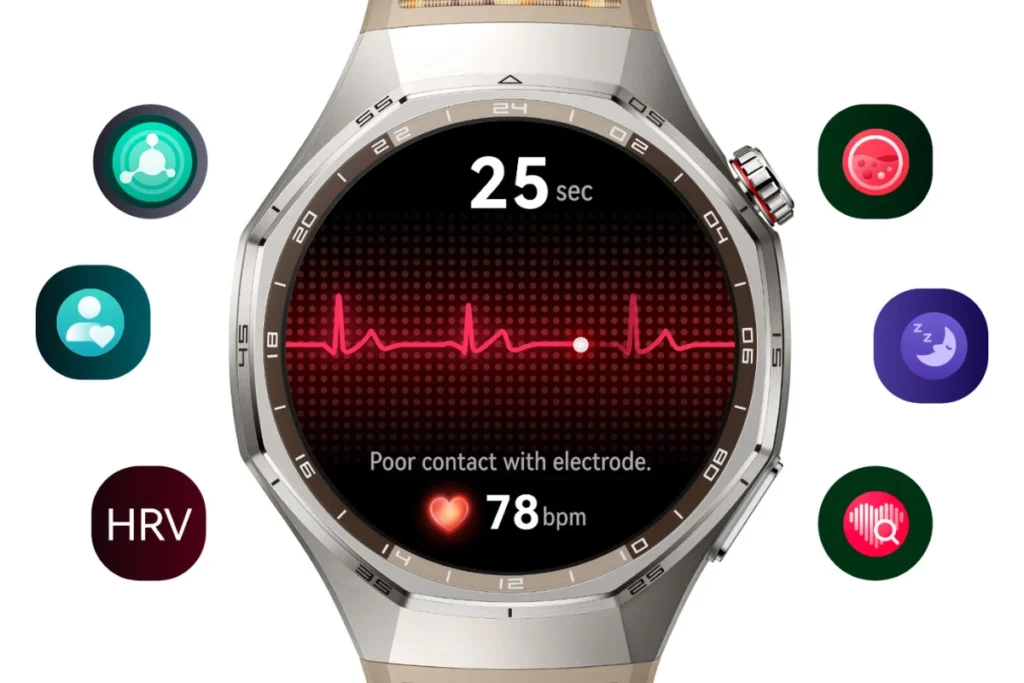
When you dig deeper into the cardiovascular features, the Watch 6 Pro includes a medically certified ECG (electrocardiogram) sensor designed to check for irregular heart rhythms, alongside the ability to measure arterial stiffness. These are fantastic, high-end tools for anyone keeping a close eye on their heart health. But there is a massive, annoying catch: regional regulatory approvals. Because these features are classified as medical data, Huawei has to get them cleared by local health authorities country by country.
If you happen to live in a region where this clearance is still pending, you are essentially paying for premium hardware that is completely locked out via software. Before you buy, you absolutely must verify if the ECG functions are legally activated in your specific country, otherwise, it is just dead weight on your wrist.
Stress and Skin Temperature #
© Huawei
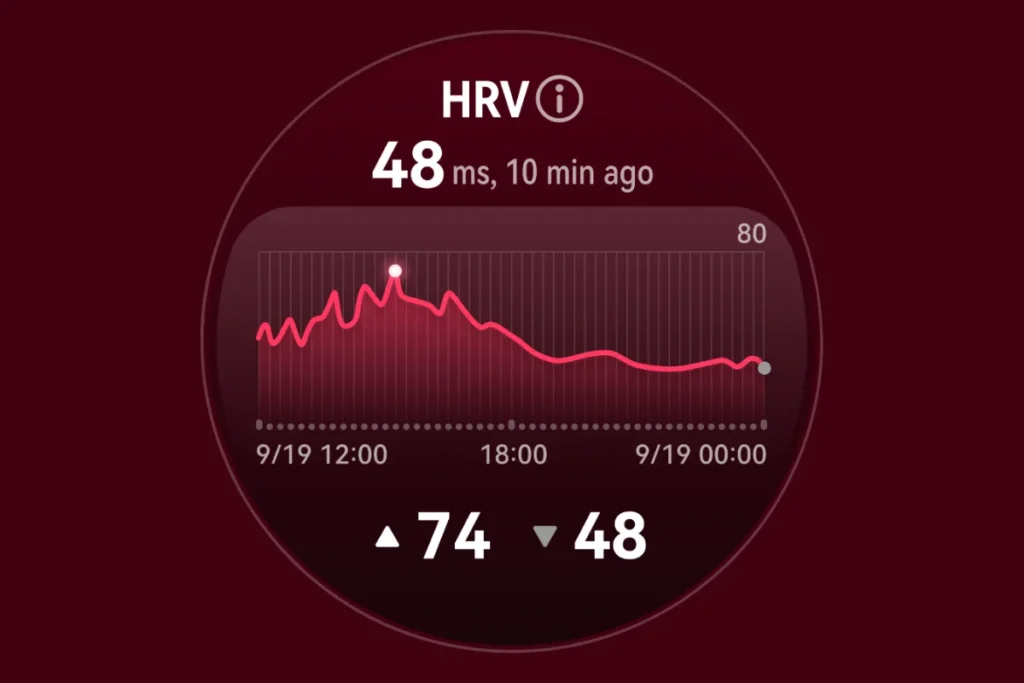
Beyond the heart, the watch constantly monitors your stress levels by measuring your heart rate variability (HRV) throughout the day, prompting you to take guided breathing exercises if it senses you are overwhelmed. It also includes a dedicated skin temperature sensor. Tracking skin temperature is a highly underrated feature, as a sudden spike in your baseline temperature is often the very first indicator that you are coming down with a fever or an illness, long before you actually start feeling sick.
Health Glance: The 60-Second Snapshot#
© Huawei
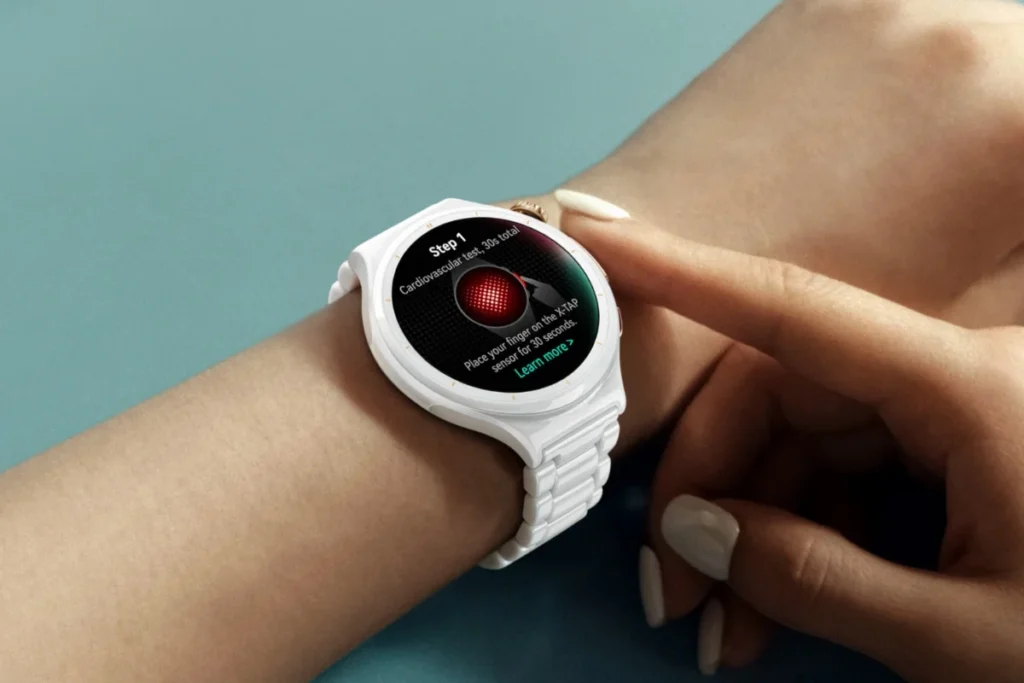
Perhaps the most ambitious software addition tying all these sensors together is Health Glance 3.0. By simply pressing and holding the X-TAP sensor for 3-seconds, the watch runs an intensive 60-second diagnostic check across up to 14 essential health metrics.
Huawei states that this system even delivers evaluation results regarding your risk for coronary heart disease, diabetes and hypertension. Personally, I have heavily mixed feelings about this. On one hand, having an instant, comprehensive snapshot of your vitals from a single one-minute test is incredibly convenient. On the other hand, estimating diabetes or hypertension risk from a wrist-mounted optical sensor feels dangerously close to overpromising.
Note: It is also crucial to remember that the Huawei Watch 6 Pro is not a medical device. These sweeping risk assessments are impressive feats of engineering, but they should strictly be treated as early warning signs to encourage you to see a real doctor, never as a definitive clinical diagnosis.
Huawei Watch 6 Pro Fitness and Sports Tracking#
Whereas the Huawei Watch 6 Pro comes packed with all the features of a premium smartwatch that is fit for a corporate environment, underneath all the glitz and glamour that come with titanium and ceramic materials, the device is geared up for athletic monitoring. This smartwatch has over 100 different sports modes that range from traditional workouts at the gym and yoga to extreme sports such as free-diving, golf and trail running. Based on my experience using the device during different sporting exercises, it is a worthy fitness gadget however, it certainly does have some drawbacks.
Workout Modes and Diving #
© Huawei
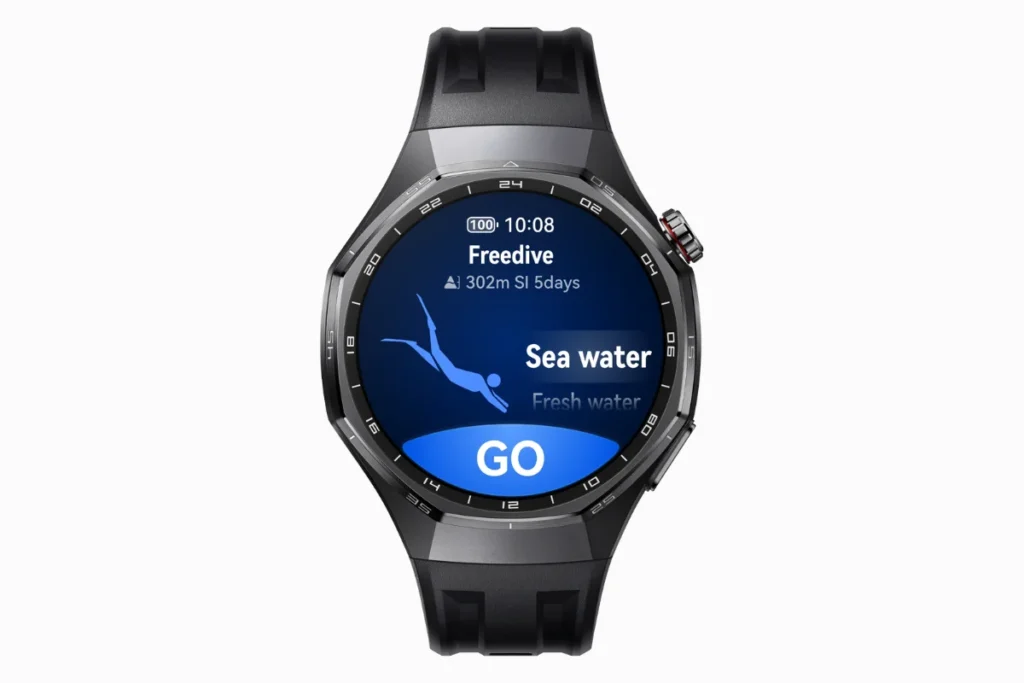
Whether it is weight lifting, pilates or even swimming, the watch automatically classifies and monitors your key metrics. But the place where the watch truly shines when it comes to showing off its hardware capabilities is under water. It offers a standard 5 ATM water resistance, but more importantly, it is also certified under EN13319 for diving up to 40 meters. During testing, the dedicated built-in free-diving feature provided great depth monitoring, as well as monitoring of the ascent rate and the time spent under water.
The only negative point here is that the use of the titanium 57 gram watch during swimming is very uncomfortable.You definitely feel the drag on your wrist and if you are transitioning from a lightweight, screenless fitness band, this is going to feel like swimming with a dumbbell attached to your arm.
Running and Form Analysis #
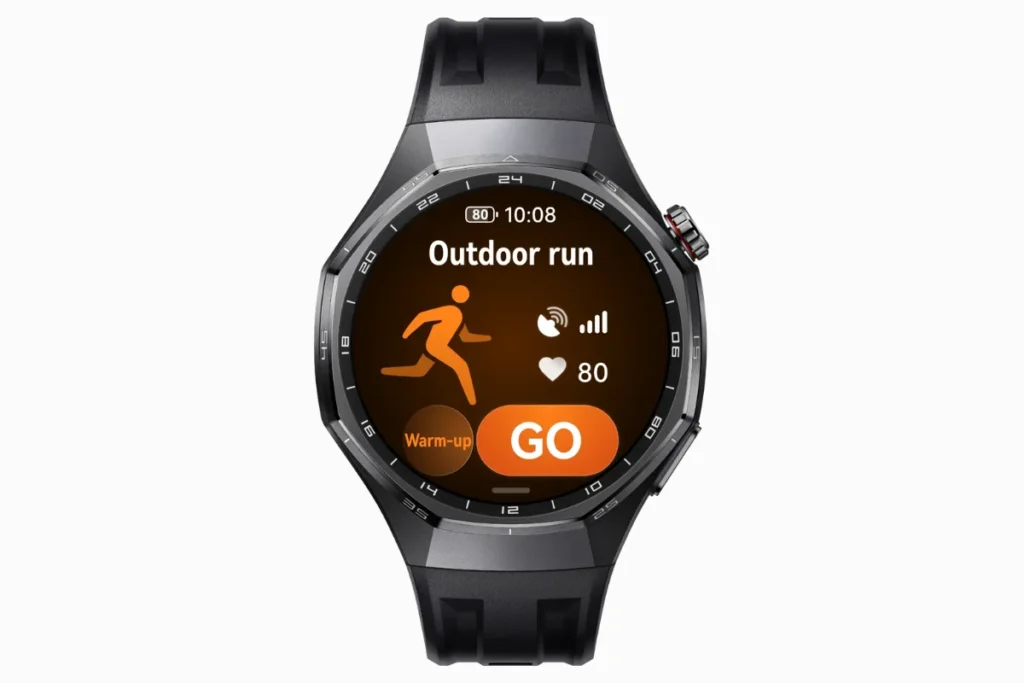
For runners, Huawei utilizes its TruSport algorithm to provide an AI-powered workout analysis that studies your training history and highlights subtle changes in your form or endurance. I actually really enjoyed the real-time voice guidance and the advanced running metrics, such as ground contact time and vertical oscillation which are genuinely useful for tweaking your stride. But again, the physical bulk of the watch is a massive downside for serious runners. When doing high-speed interval sprints, that heavy metal casing inevitably bounces against the wrist. No matter how tightly you pull the strap, it never feels quite as locked-in as a dedicated, lightweight running watch.
Cycling and Outdoor Activities #
© Huawei
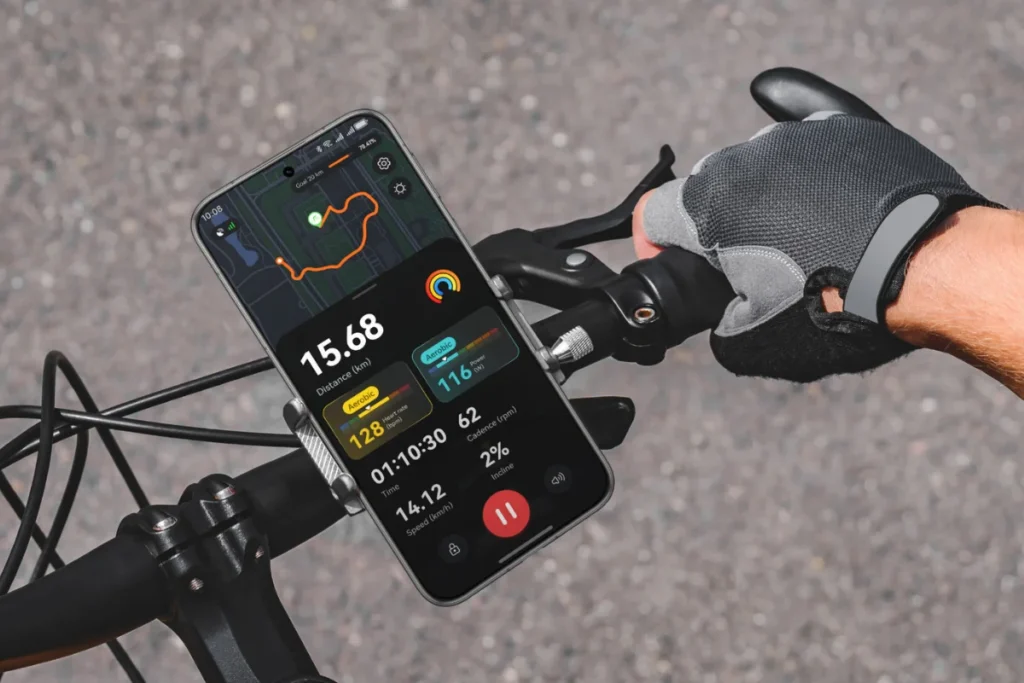
When it comes to cycling and outdoor exploration, the watch handles data collection brilliantly. It supports auto-detection for cycling and can even track virtual power metrics. But the most notable software addition for outdoor enthusiasts is the new Expedition App. This mode is specifically designed for multi-day hikes, heavily optimizing the battery by dimming the screen and reducing background tasks while keeping essential environmental data and navigation running.
GPS Capabilities #
© Huawei
To back up that Expedition mode, the Huawei Watch 6 Pro features a dual-band, five-system GNSS for highly accurate location tracking, utilizing Huawei’s new “Sunflower” intelligent positioning system. In practice, this means the watch locks onto satellites incredibly fast. When I tested it in dense city environments surrounded by tall buildings, the dual-band GPS performed exceptionally well, actively minimizing those annoying GPS dropouts. The Expedition app allows you to pre-load routes, utilize smart backtracking and navigate via custom waypoints. If you frequently hike in remote areas, this feature ensures you can find your way back safely without constantly pulling out your smartphone and draining its battery.
Training Insights and The Garmin Dilemma #
© Huawei
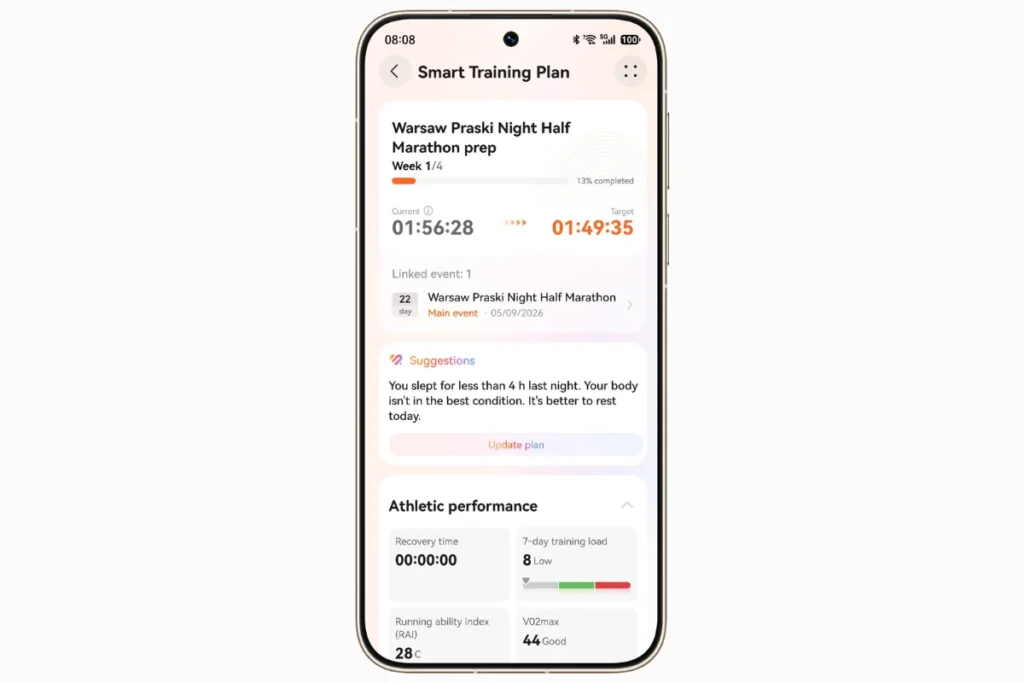
If you are deciding between this watch and a dedicated sports wearable like a Garmin, the distinction ultimately comes down to software depth and ecosystem openness. Huawei provides excellent, easily digestible training insights for the everyday athlete, breaking down your VO2 Max, recovery time and training load into beautiful, easy to read charts within the Huawei Health app.
Now, this is where I have to be completely honest: if you are a professional triathlete, a hardcore marathoner or a serious cyclist, the Huawei Watch 6 Pro will leave you frustrated. The watch lacks deep third-party sensor integration. It does not support ANT+ accessories, that means you cannot easily pair it with high-end cycling power meters or specialized third-party chest straps. Furthermore, while you can eventually sync your data to Strava, the watch does not support native Strava Live Segments on the screen. Garmin’s ecosystem still holds a massive edge for hardcore sports data and third-party hardware compatibility. The Watch 6 Pro is fantastic for the casual or intermediate athlete, but it simply cannot replace a dedicated Garmin if you train at an elite level.
Huawei Watch 6 Pro Battery Life: The Biggest Advantage#
Battery life is where the Huawei Watch 6 Pro completely runs away from the competition and after living with it on my wrist, it is hands down the single biggest reason I find myself reaching for it over other watches. On paper, Huawei advertises a massive 21 days of maximum endurance, up to 12 days under typical everyday usage, up to 7 days with the Always-On Display (AOD) enabled and 40 hours of continuous outdoor sport tracking. Coming from the most recent models of Apple and Samsung smartwatches, I was always in the mindset of searching for an outlet every 24 to 36 hours.
Out of pure curiosity, I initially tried seeing if I could get anywhere near that headline-grabbing 21-day mark, but I quickly realized how unrealistic it is for normal life. To hit that ceiling, Huawei requires you to manually disable workout auto-detection, cap your exercise tracking at a meager 90 minutes a week and severely restrict audio playback and calls. After just two days of using the watch like a glorified digital step counter, I gave up and turned everything back on. Nobody buys a premium, flagship smartwatch to castrate its best features just to prove a spec sheet claim.
Once I set the watch to what I consider real-world daily wear, the results were genuinely impressive. With continuous heart rate monitoring, stress tracking, nightly sleep analysis, a constant barrage of phone notifications and about three to four gym workouts a week, I consistently squeezed out 10 to 11 full days on a single charge. That is remarkably close to Huawei’s claimed 12-day typical benchmark and not having to pack a charging cable for a week-long business trip was an absolute breath of fresh air.
However, because I refuse to walk around with a lifeless black mirror on my wrist, I spent most of my testing time with the Always-On Display switched on. Keeping that screen illuminated knocked my real-world battery life down to roughly 6 days. While losing 4 or 5 days might sound like a massive penalty on paper, getting nearly a full week of heavy daily use without having to wake the screen is still light-years ahead of anything Apple watch Series 12 or Samsung galaxy watch 9 can offer. Even when I took it out for multi-hour outdoor treks, the GPS barely made a dent, proving that 40-hour sport mode claim has serious backbone.
When the battery finally did hit single digits, recharging it fit into my schedule effortlessly. Huawei’s included magnetic charging puck is surprisingly snappy and I found that just dropping it on the charger for a quick 15-minute top-up while I showered injected enough power to comfortably carry me through another full 24 hours. A complete 0 to 100% recharge took right around 90 minutes, making top-ups practically painless.
Where my frustration actually kicked in was with the physical charging setup itself. The watch relies on Huawei’s proprietary magnetic puck and while it technically supports standard Qi wireless charging, trying to balance this heavy titanium case flat on a standard charging pad was an absolute nightmare because the strap kept pushing the watch off alignment. If you happen to forget or misplace that proprietary cable while traveling, you are essentially stranded, because walking into an ordinary electronics store to find a replacement Huawei charger is nearly impossible.
Huawei Watch 6 Pro Software Experience: HarmonyOS and Huawei Health#
© Huawei
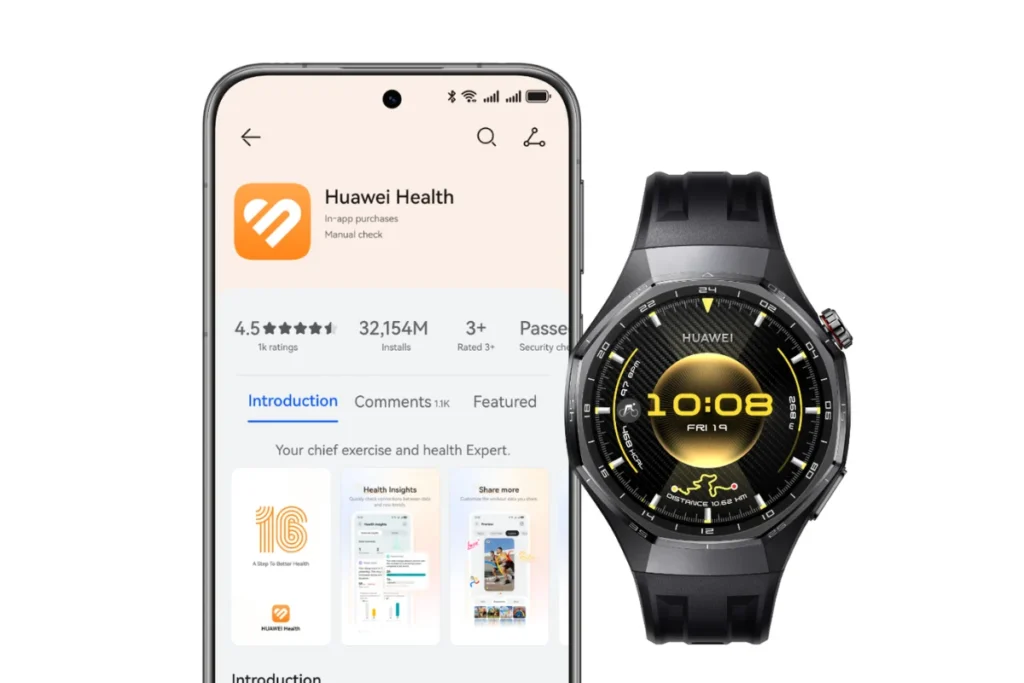
And the hardware is just the tip of the iceberg when we talk about any contemporary wearable. And all about what it means to use this Huawei Watch 6 Pro on a day to day basis lies solely in the software aspect, more precisely in HarmonyOS used on the watch and Huawei Health application taking care of everything on your phone. After using this combination on both mobile platforms, one can easily say that it is a story of two extremes.
Let us start off by talking about the positives of the system. HarmonyOS itself is very fluid, very responsive and highly animated. The user interface provided by the Watch 6 Pro is indeed quite premium, fully utilizing the LTPO AMOLED screen to make everything super smooth when you scroll down the menu pages. Navigation feels instant and the watch faces are fully customizable. Personally, I am a big fan of how the watch faces allow for virtual pets, who interact with the weather and your activity levels throughout the day. It is quite a neat feature to add some personality to your titanium watch. In terms of tech stuff, Huawei has also added a very cool floating task ball to enable multitasking. Say, if you started a timer and then decided to check some messages and change some settings, with HarmonyOS you can minimize the task and then quickly return to it.
© Huawei
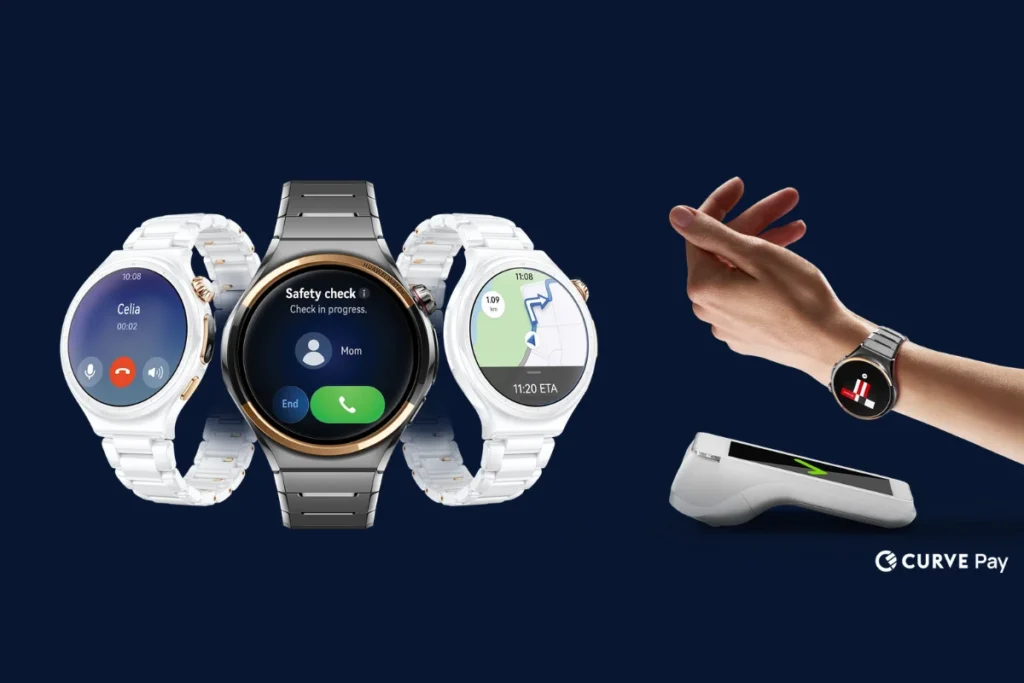
The watch is not only an aesthetic piece but an independently functional device with the help of eSIM cellular connectivity. Thus, I would be able to stay away from my phone and do a running session while making phone calls, listening to music and navigating through Huawei’s own Petal Maps. Moreover, the smartwatch provides a Safety Check function that automatically shares your location with specified persons in case you fall down or hike alone during late hours.
Nevertheless, when you try to match all these amazing specs with your phone, you face the major drawback of owning a Huawei device. Although the watch supports both Android and iOS platforms, setting up the device can be quite a time-consuming task. In case you use an Android phone, it does not take long for you to understand that the Huawei Health application is no longer available in the Google Play store as a result of current trade prohibitions. In order to pair your smartwatch, you need to download the APK file manually from the Huawei website or first install Huawei AppGallery on your device. Even though tech savvy people can handle this task easily, forcing average users to turn off their phone’s security notifications just to connect a smartwatch can be extremely irritating.
As a user of the iPhone, the setup will be easier as the Huawei Health application will be easily available in the Apple App Store, but the Apple ecosystem makes it extremely difficult for the watch to perform any actions. The only thing you can do on iOS is receive read only notifications you cannot reply to any notification via quick reply, voice to text cannot be used to reply to a WhatsApp message and local music files cannot be transferred from the iPhone to the internal memory of the watch.
Finally, we have to talk about third-party apps, which remains Huawei’s weakest link. Because Huawei operates entirely independently of Google’s Wear OS and Apple’s watchOS, the app ecosystem is undeniably barren. You will not find a native Google Maps app, there is no Spotify app for offline playback and there is no native Strava app to run directly on the watch, though you can link your Huawei Health account to sync your data after your workout. Furthermore, while the watch absolutely supports NFC payments, actually using it is a massive gamble. Huawei Wallet’s compatibility with local banks varies wildly depending on your specific region. In many Western markets, major banks simply do not support Huawei Pay. If paying for your morning coffee from your wrist is a dealbreaker, you absolutely must check your specific bank’s compatibility before buying, because otherwise, that NFC chip is completely useless.
Who Should Buy Huawei Watch 6 Pro?#
You should buy the Huawei Watch 6 Pro if:
- You want a premium smartwatch with a luxury-style design.
- You prefer longer battery life over daily charging.
- You want detailed health and sleep tracking features.
- You regularly track workouts and outdoor activities.
- You prefer a smartwatch that works with both Android and iOS.
Who Should Avoid Huawei Watch 6 Pro?#
You should avoid the Huawei Watch 6 Pro if:
- You want a large selection of third-party smartwatch apps.
- You rely on Google services directly on your wrist.
- You want deep integration with your iPhone.
- You need advanced, sport-specific training insights from Garmin.
- You cannot confirm local availability, warranty support or feature compatibility.
Wrap Up#
The Huawei Watch 6 Pro gets the basics right with premium design, health tracking and strong battery life. But its limited app support holds it back. Personally, I think the hardware deserves better software. If battery life matters most, it’s worth considering, otherwise, Apple and Samsung offer more complete smartwatch experiences.
 RR
RRWritten by
Reetain, with a focus on emerging trends and immersive tech, covers smart wearables and evolving device categories. He explores how sensors, AI, and connectivity come together in modern wearables, helping readers understand how these technologies shape everyday digital experiences and the future of personal computing.
More from Reetain 65 storiesKeep readingmore from Smart Watches
All storiesSmart WatchesAmazfit T-Rex Ultra 2 Review: Is This Rugged Smartwatch Worth $549.99? Smart WatchesApple Watch Ultra 4 Review: Is Apple’s Adventure Watch Actually Worth Buying?
 Smart WatchesOnePlus Watch 4 Review: Does It Deliver the Best Battery Life on Wear OS?
 What’s inside
- 01What Is Huawei Watch 6 Pro?1 min
- 02Design and Display2 min
- 03Huawei Watch 6 Pro Health Tracking Features4 min
- 04Huawei Watch 6 Pro Fitness and Sports Tracking3 min
- 05Huawei Watch 6 Pro Battery Life: The Biggest Advantage2 min
- 06Huawei Watch 6 Pro Software Experience: HarmonyOS and Huawei Health3 min
- 07Who Should Buy Huawei Watch 6 Pro?1 min
- 08Who Should Avoid Huawei Watch 6 Pro?1 min
- 09Wrap Up1 min