

Buying a smartwatch is easy. Deciding whether it was worth your money is the difficult part. At first, every new feature sounds useful, but after a few days, you start wondering which ones actually make a difference and which ones you could easily live without.
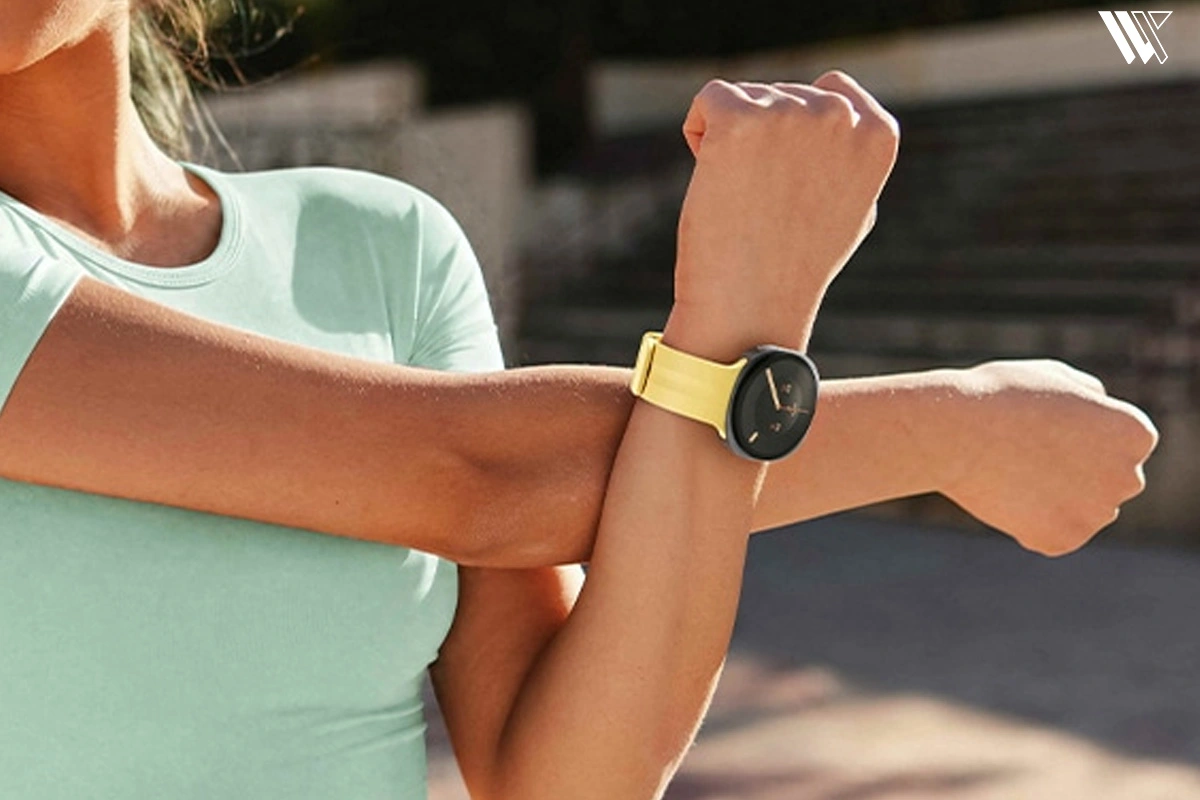
That is what makes the Samsung Galaxy Watch 9 interesting to me. Samsung has another premium smartwatch on the market, but I don’t think a newer model automatically deserves a place on your wrist. What matters is whether it offers enough to make everyday life better or simply gives you another reason to spend money. So, is the Galaxy Watch 9 worth considering or would your money be better spent elsewhere? Let’s find out.
Specifications
| Specifications | Samsung Galaxy Watch 9 |
|---|---|
| Sizes Available | 40mm and 44mm |
| Dimensions & Weight (40mm) | 8.6 mm thickness |
| Connectivity Options | Bluetooth and LTE variants |
| Processor | Snapdragon Wear Elite |
| Memory | 2GB RAM / 32GB Internal Storage |
| Display Technology | Super AMOLED |
| Peak Brightness | Up to 3,000 nits |
| Screen Protection | Durable Sapphire Crystal |
| Software Interface | Wear OS 7 with custom One UI 9 Watch |
| Battery Capacity | Up to 390 mAh (on the 40mm model) |
| Health Sensors & Tracking | Continuous Heart Rate, ECG, Blood Pressure, AI-powered Sleep Tracking, Daily Cardio Load, Vitals |
| Fitness Features | 90+ supported workout modes, Automatic Activity Detection (after 10 minutes) |
| Voice Assistant | Google Gemini integration |
| Price | Starts at $379.99 USD |
Samsung Galaxy Watch 9: What’s New?
When I opened the box for the first time, my reaction was “This looks very familiar to Galaxy Watch 8.” However, looking beyond this initial impression, there have been some changes made inside the watch, which should make it faster, brighter and better at measuring your biometric data.
The Samsung Galaxy Watch 9 is available in two sizes: a 40mm model and a 44mm variant. As usual, these watches can be purchased either in a Bluetooth version or an LTE one. The most exciting part about the new Galaxy Watch 9 is its processor. This year, Samsung decided not to use Exynos processors anymore. Instead, they have introduced the new Samsung Snapdragon Wear Elite processor, which is produced using a 3nm process. Simply put, it is incredibly fast and much more energy-efficient compared to previous generations. The watch also has 2GB of RAM and 32GB of storage for your offline music and applications.
Decode the Decor
The Smart Jewelry Revolution — a practical guide to wearable tech.
The other big change is the screen. The Super AMOLED display is now capable of achieving an incredible brightness level of 3,000 nits. As a result, even with the scorching midday sun, it was easy for me to read my notifications or monitor my workout statistics. The watch is equipped with the latest version of Wear OS 7 with Samsung’s One UI 9 Watch layer.
Nevertheless, one should not expect a completely new design of this watch. The watch is almost the same from the visual side as the previous generation. In case you expected something really revolutionary, you could be a bit disappointed.
Design and Display: Familiar Looks, Better Performance

© Samsung
Samsung Galaxy Watch 9 maintains the sleek and elegant circular form factor that Samsung watches are known for. It is minimalist, elegant and blends quite easily, even when I am all sweaty in my workout clothing or I’m dressed formally in a suit. From a technical standpoint, both models are extremely thin, measuring only 9.7 millimeters thick. This feature makes it easy for me to wear since it will not get caught up in my coat sleeves or be too bulky to wear underneath my coat cuffs. The 40 mm model is extremely light at just 31.5 grams, while the 44 mm model is slightly heavier at 34 grams. The lightness of Samsung Galaxy Watch 9 has been attributed to the Armor Aluminum frame which feels incredibly premium to the touch but doesn’t weigh your arm down.
Overall, wearing this smartwatch throughout the day is easy, but there are certain things in the design that you should keep in mind. I have very sensitive skin and thankfully, the sport band that was provided along with the device proved quite comfortable for me and did not irritate my skin despite heavy perspiration on my run. In addition to that, the watch has 20mm strap lugs with a one-button fastening mechanism, hence with this, I am not forced to buy costly straps from the company’s collection and I can easily swap in almost any third-party strap you want.
When it comes to durability, the display has Sapphire Crystal glass protection. It is such a great relief to someone who is clumsy like me since I constantly bump my wrist against the door frames and desks. Even during my tests, I accidentally scraped the screen on a brick wall, but to my surprise, there were no scratches on the display at all. Apart from the sturdy glass protection, the watch has IP68 protection from dust and water along with 5ATM water pressure resistance and MIL-STD-810H military-grade durability.
However, I will not try to convince you that everything is wonderful in its design. I must admit with sadness and frustration that there is still no “Classic” version with a physical rotating bezel this year. Using the digital bezel by swiping your finger along the edge of the screen works pretty well under normal conditions, but it may be extremely picky about wet or sweaty fingers, for instance. This is because it simply does not provide the mechanical click characteristic of previous models. In addition, the absence of any radical changes in the visual appearance ensures that absolutely no one will even suspect that you wear the latest version of the watch. Is this important? For my part, everyday functionality is more important than anything else. However, if you want your watch to be completely new and unique compared to the Galaxy Watch 8, this design is not exactly what I was looking for.
Health Tracking: The Biggest Reason to Consider the Watch 9
When you are considering purchasing the Samsung Galaxy Watch 9, then one thing that will be very important for you is its ability to track health metrics. However, the technology behind this feature can become very complex depending upon your phone model and your metrics of interest. Let’s break down the Galaxy Watch 9 health features and the tech powering them.
Heart Rate Monitoring, Body Composition and Heart Health Insights
© Samsung
Now, let’s take a closer look at the technology that makes all of this possible. The company uses what they call their new BioActive sensor. Now, you might think that it’s some kind of technical gibberish, but actually, it’s a single advanced chip which holds 3 different health sensors pressed to your skin. They are Optical Heart Rate sensor (PPG), Electrical Heart Signal sensor (ECG) and Bioelectrical Impedance Analysis sensor (BIA).
In the course of trying out this smartwatch, I realized that the heart rate detection of the PPG sensor is quite efficient. The sensor is totally embedded on the wrist and uses light for detecting the flow of blood, hence it works efficiently without consuming much of the battery power. I have been able to monitor my heart rate trends for two weeks now.
Additionally, I put some effort into exploring its Body Composition feature, driven by its BIA sensor. This technology involves putting your fingers onto the side buttons, which makes the watch send minuscule electrical microcurrents through your body in order to calculate your skeletal muscle mass, water weight and body fat percentage. The idea is very interesting and it was motivating for me to see my stats change a little bit due to a month of physical activity. But now, I want to be completely honest with you, BIA sensors used at the wrist are highly dependent on your water balance. Taking a measurement directly after a sweaty workout would give me absolutely unreliable results.
© Samsung
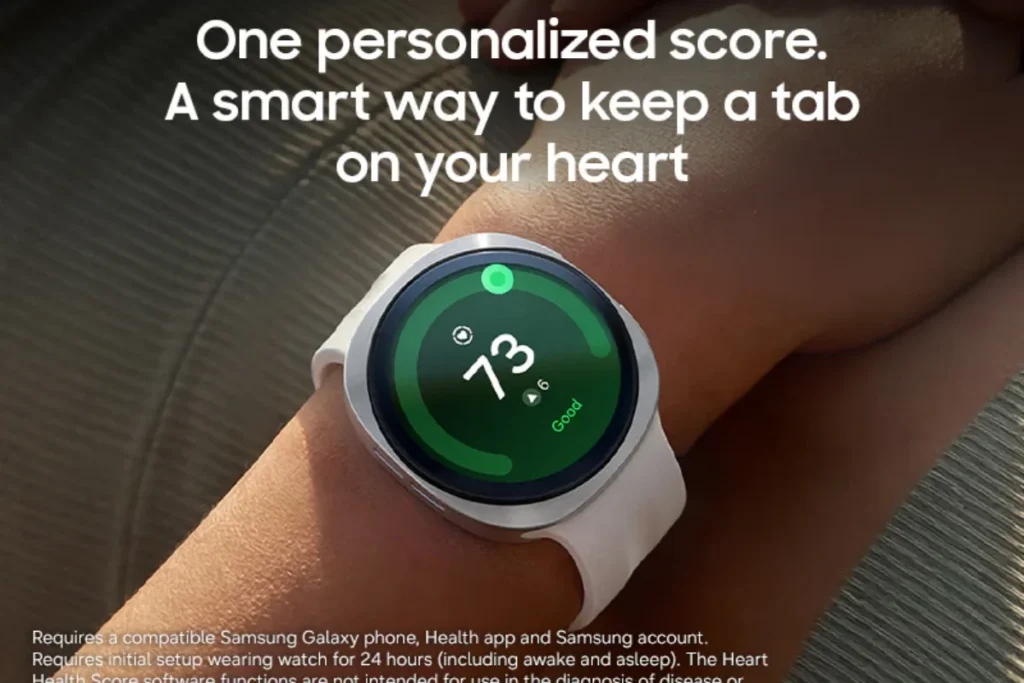
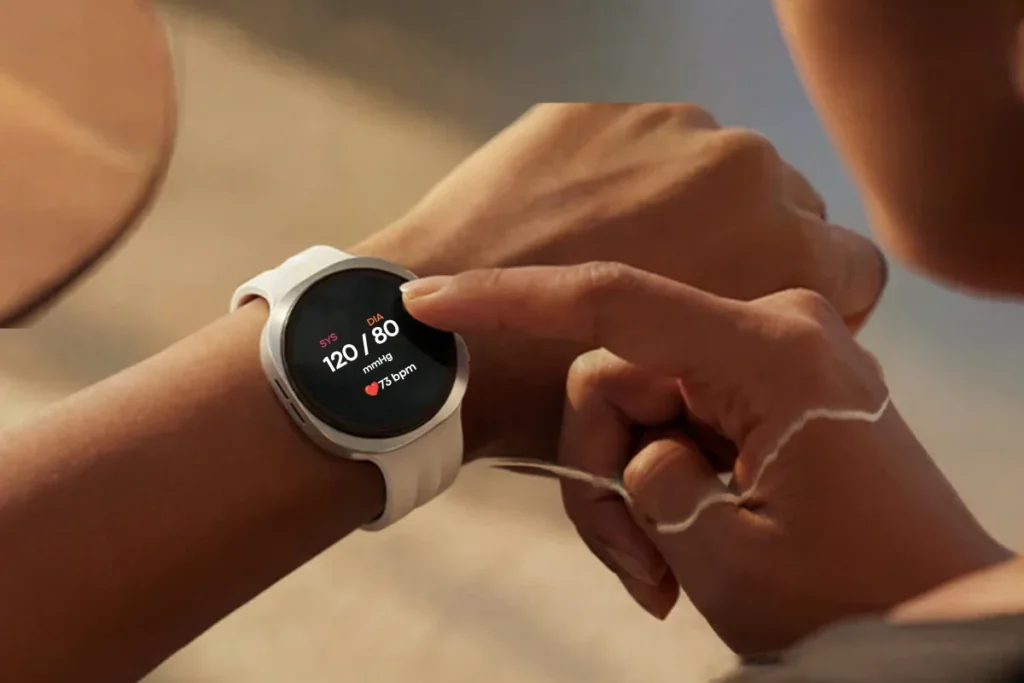
There is also a feature called Heart Health Score, which analyzes all your information related to cardiovascular health in order to provide a picture of your heart’s condition. However, I would like to emphasize the following point: even though the accuracy of heart rate detection on the Galaxy Watch 9 is amazing in terms of consumer wearable devices, it should not be taken as a medical one. Besides, there is one thing about advanced blood pressure monitoring which disappoints me greatly. The point is that this feature requires periodic calibration with a regular blood pressure cuff.
if you need to track your blood pressure and you absolutely have to do it no matter what, then perhaps this particular smartwatch may not be the ideal one for you. Rather, you may want to consider the recently released Huawei Watch D3. Unlike the Samsung Galaxy Watch, the Huawei Watch D3 has a miniature mechanical blood pressure inflatable cuff integrated directly into its wristband. It inflates around your wrist to provide a true oscillometric blood pressure measurement, similar to that of a clinic monitor.
Sleep Tracking and Recovery Insights
© Samsung
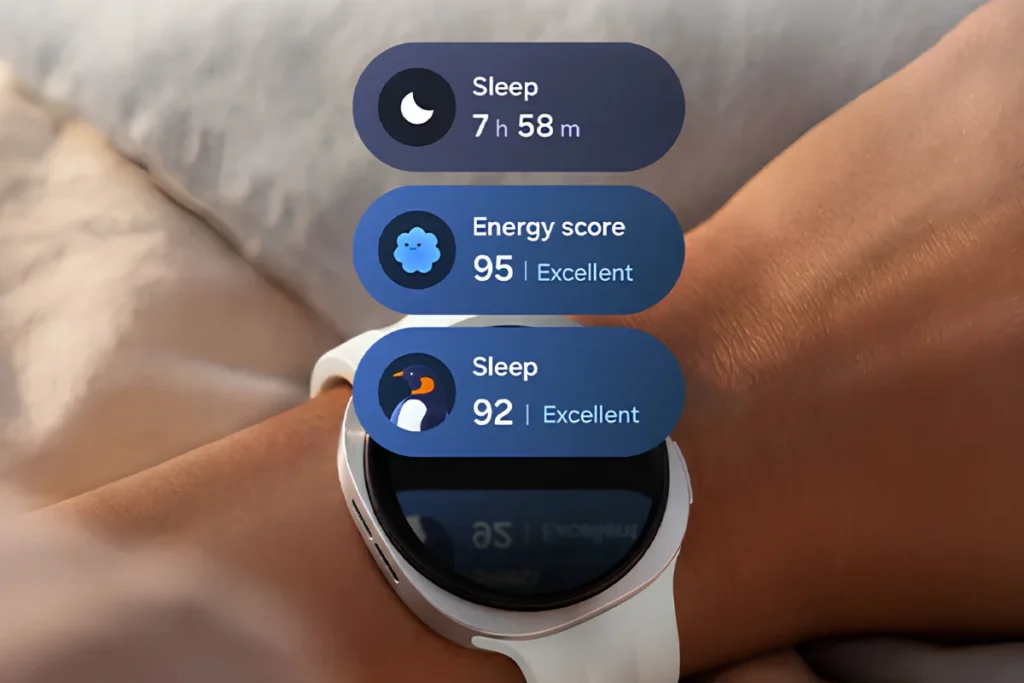
In regards to the night time usage of the watch, I must admit that I’m totally obsessed with the information about my sleep and the Watch 9 was not an exception in this matter. It monitors such sleep parameters as sleep stages, awake, REM, light and deep sleep using the blood oxygen (SpO2) tracking technology and an infrared temperature sensor. Every morning, I woke up to a detailed, easy to read breakdown of my sleep duration and consistency.
Those insights related to recovery are pretty useful as well. The watch analyses your sleep metrics, night skin temperature changes and resting heart rate in order to give you an accurate assessment of how much you’ve recovered after yesterday’s activities. I can confirm that on those days when my sleep score was in the red zone, I really did feel tired, which means that the algorithms were working correctly. There are some limitations to wrist-based sleep monitoring, of course. If, for instance, I lay absolutely motionless and read a book for one hour in my bed, then my watch registered that period of time as “light sleep”. It’s a typical flaw of almost every smartwatch.
Daily Cardio Load, Vitals and Wellness Monitoring
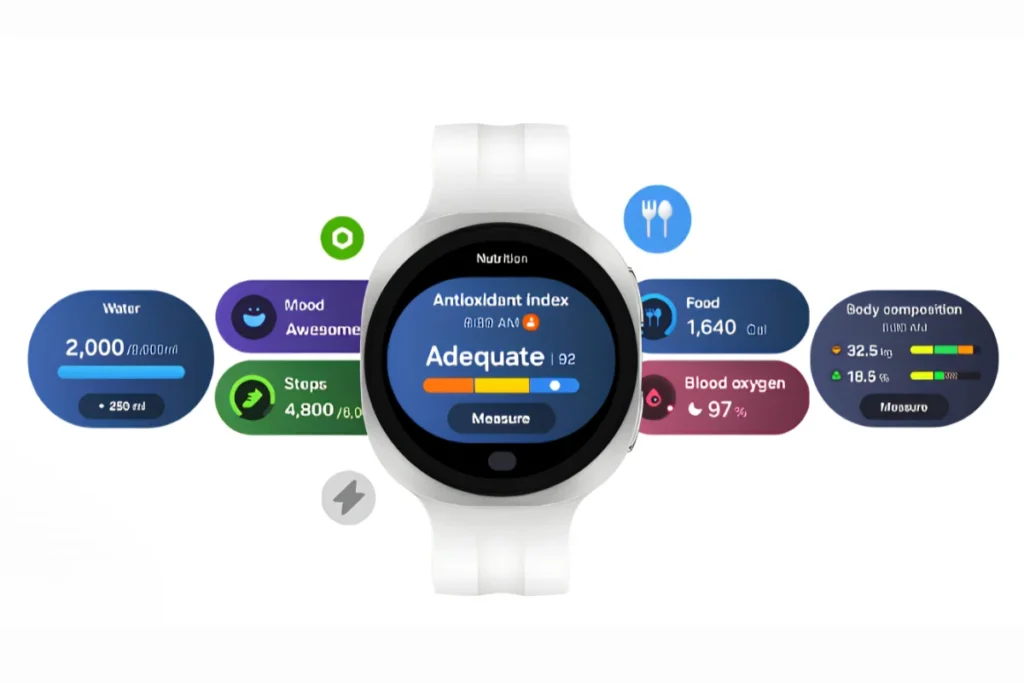
© Samsung
Samsung has released several good health tracking metrics with Samsung Health in 2017 and my personal favorite is Daily Cardio Load. This metric uses heart rate zones to calculate how much strain you put on your cardiovascular system in one day. For example, if I ran a tough training and after that I walked my dog for 3 miles, my Daily Cardio Load will shoot up to red level, meaning that I should have a rest next day.
All this can be seen in the Vitals section of the Samsung Health application. All these elements are brought together to give you an overall look at your health. This is something that I really appreciate about the application since the way in which it is presented makes perfect sense. You do not have to be a doctor to understand the graphs and how hard your body is being pushed.
Which Health Features Require a Samsung Galaxy Phone?
Here comes the section of the review which may seriously annoy some people. Although the Samsung Galaxy Watch 9 can be used with most modern Android smartphones with the latest version of Android 13, some features are not available for everyone.
In case you need to use the ECG to detect the presence of atrial fibrillation or the Irregular Heart Rhythm Notifications feature, you will need a Samsung Galaxy phone. The features are exclusive to the Samsung Galaxy phones and you cannot access them outside of the Samsung Health Monitor app downloaded from the Samsung Galaxy Store.
In case you have a Google Pixel, OnePlus or a Motorola smartphone, then you will be missing out completely on all of those advanced health features. All you have left are your heart rate tracker through optics, your SpO2 monitoring during sleep and the fantastic workout data. The more advanced medical-type features are locked away behind the walls of Samsung’s ecosystem. In case you do not use a Samsung phone, it is slightly disappointing to pay full price for a watch which can’t use all of its hardware due to that.
Fitness Tracking and Workout Performance
It doesn’t matter whether you go to the gym occasionally or you are an active 5K runner who wants to improve his performance in this discipline, it is crucial that your smartwatch can cope with this kind of load. That’s why now we will discuss how the Galaxy Watch 9 manages this.
Workout Modes and Automatic Activity Detection
Theoretically, this watch is built like a beast, capable of performing 90 workout modes. Whether you’re swimming, due to its water resistance of 5 ATM, practicing yoga or even lifting weights, this watch has you covered for everything.
When I was testing the smartwatch, I must say that I was extremely impressed with the automatic activity tracking. To begin with, the smartwatch utilizes a combination of both accelerometer and gyroscope in order to monitor your wrist movement. Within approximately 10 minutes of taking a walk at a relatively brisk pace, the smartwatch would vibrate and inquire whether I was walking. The smartwatch would automatically track the duration of my exercise, heart rate and number of steps without my pressing any buttons at all. It also worked flawlessly when I transitioned into a light jog.
Nevertheless, it definitely is not ideal and I will be completely honest with you about that. The detection algorithms could be seriously tricked into thinking that certain wrist movements, which are not exercise, are exercise movements. On one occasion, I was cleaning my flat and vigorously scrubbing the counters and the watch told me that I was exercising on the elliptical.
Nevertheless, this technology is not perfect and I would like to share this fact with you truthfully. The recognition systems can easily be tricked into thinking that certain non-exercise gestures of the wrist are physical exercises. Once, when I was cleaning the apartment and scrubbing the countertops, the watch congratulated me on working out on the elliptical machine.
In addition, if you are a person who works out with heavier weights, then you should be aware of the drawbacks of the optical heart rate monitor. Since you have to grip the dumbbell or the barbell very tightly, the muscles in your forearm get tightened up and hinder the blood circulation just beneath your skin surface. This causes a problem as the heart rate is based on the detection of the blood flow by the optical sensors on the watch. The heart rate readings would go down drastically when I did my heavy deadlifts or bench presses.
GPS Accuracy and Outdoor Workout Tracking
In case of outdoors activities such as jogging or riding bicycles, it is extremely important to have a working GPS system. The Galaxy Watch 9 incorporates dual frequency GPS using L1 and L5 satellites. It simply means that the normal L1 frequency bounces off the tall buildings and trees easily and results in a jagged course. L5 frequency, on the other hand, penetrates through the interference.
My first test for the watch was a jogging trial around the neighborhood that I jog in, which has quite some tree coverage and a couple of high-rise apartments as well. This dual L1+L5 band proved to be very accurate in the path tracking. Unlike the old single frequency watches that would have me jogging right through other people’s living rooms or even through lakes, this watch was completely accurate with its measurements.
But there was one frustrating thing about the real-time data. Although the map after the run was absolutely accurate, the real-time pace during the run would occasionally lag. It would take the watch five to ten seconds to figure out that I am now running faster and update the screen accordingly. This is a small problem, but when you are working on your interval training where timing is crucial, even these five to ten seconds can be annoying.
Training Load, Running Metrics and Recovery
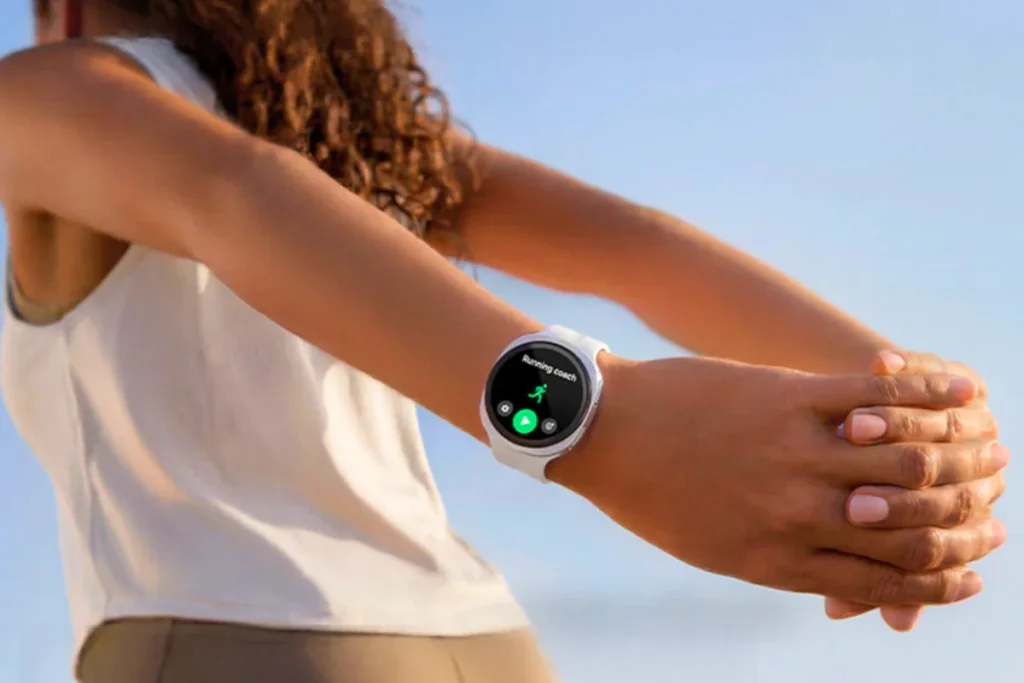
© Samsung
If you’re really working on improving your running technique, the Watch 9 provides several very sophisticated running stats. With its 3D accelerometer, it breaks down your gait in order to gauge your asymmetry, ground contact time and flight time.
In fact, while using it during a long-distance run, the watch gave me information that my left foot is taking a few more milliseconds to touch the ground than my right foot. As a runner who has previously experienced knee pain, having such information is very useful for improving my running technique and avoiding future injuries.
Moreover, it uses a feature known as the Training Load to enable the users to achieve balance of the total intensity of their exercise. Using heart rate zones during the last seven days, it indicates whether the user is under-training, maintaining or over-reaching dangerously.
Wear OS 7, Gemini and Everyday Smartwatch Features
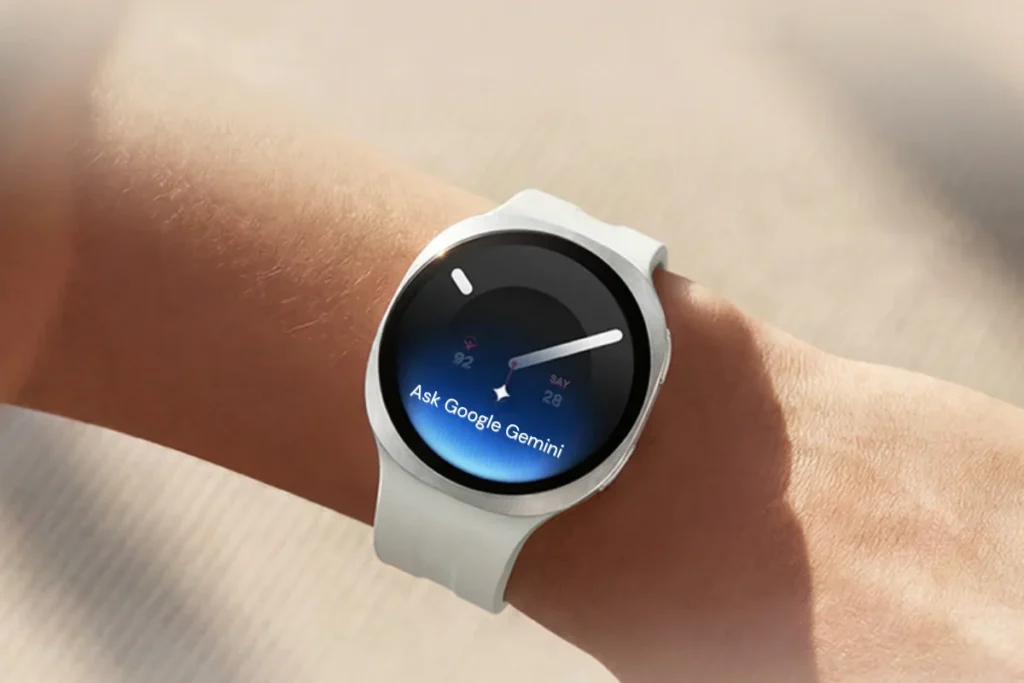
© Samsung
Moving on from the gym, let’s talk about the watch itself. The performance of the watch with Wear OS 7 and One UI 9 Watch is excellent.
You have access to the Google Play Store straight from the watch. It was easy to install Spotify, WhatsApp, Google Maps and more. It was also easy to keep in touch via notifications. I would not have any problem replying to a message using my voice, quick replies and a touchscreen keyboard. Quality of calls using the watch speaker was decent loud enough to take a call while walking the dog but not enough for a meeting.
One of the best new features added to the watch is the Gemini AI integration. It makes the watch seem very futuristic indeed. I asked some context-rich questions while I was preparing food, such as “What can be used as a substitute for baking powder?” and got a clear answer on my watch’s screen immediately. It is way more advanced compared to the older voice assistants that we once used.
The biggest strength of the Samsung ecosystem is its connectivity. When you own Galaxy Buds, the earbuds work perfectly fine both with your phone and with your smartwatch. The problem is the same again, if you do not own a Samsung smartphone.
Battery Life: Has Samsung Fixed the Biggest Weakness?
Let’s talk about the elephant in the room: Galaxy Watch 9 battery life. Traditionally, the battery is the most controversial point of any Android smartwatch. Did Samsung solve that problem? Not really.
Galaxy Watch 9 battery life strongly depends on which model you buy. So, the 40 mm version boasts a 390 mAh battery, while the 44 mm version has 445 mAh battery. But even with such a bright screen and advanced Snapdragon Wear Elite processor, it doesn’t mean you can use it for several days without recharging.
With the always-on display, heart rate monitoring and one hour of GPS workout tracking enabled on the 44 mm model, I was able to get around 30 to 36 hours of use. This translates to charging my watch every day if I am to wear it at night for tracking sleep data.
The 40 mm model is harder to work with. In the same conditions, it would only survive for 24 hours, just barely making the mark. Streaming music through LTE while running without your phone will see that battery percentage plummet at an alarming rate.
Is the battery terrible? No, but this is the average battery life for a full-fledged smartwatch. Just don’t buy this watch expecting to make three full days on one charge. The only option available to you if you want the best battery experience is to buy the larger 44 mm model.
Galaxy Watch 9 vs Pixel Watch: Which Android Watch Is Better?
If you are an Android user, then you are likely deciding between the Samsung Galaxy Watch 9 and the Google Pixel Watch 5. Which one should you choose?
Well, it depends on your smartphone and design sense. First of all, the design of the Pixel watch is much prettier and has a more roundish and pebble-like form. It works perfectly well with the Fitbit fitness ecosystem, which many people prefer for its simplicity. The Pixel Watch is the true “pure Google” experience.
But the Galaxy Watch 9 is better at durability and brightness. This is due to the Sapphire Crystal glass, which is significantly more durable than the Pixel Watch’s curved glass edge that tends to scratch easily. The Galaxy Watch 9 also has a bigger size of 44mm, while the Pixel Watch has only small sizes.
If you are a Samsung phone owner, the Galaxy Watch 9 is obviously the winning choice due to its unique health-related applications. But if you are using Google Pixel phones, you’ll be more satisfied with the Pixel Watch because there’s no need for additional downloads to make it work.
Is the Samsung Galaxy Watch 9 Worth Buying?
In case you are a Samsung Galaxy phone owner and are searching for an amazing, top-notch smartwatch, my response to that would be an outright yes. This is sophisticated, extremely fast and very detailed in terms of health monitoring. Considering the Galaxy Watch 9 cost starting from $379.99, it is very premium and the hardware justifies it.
Without a doubt, the 44mm version would be perfect for most people owing to its big battery, which is a major advantage for those who experience charging worries regularly.
But if you happen to have either the Google Pixel or the Motorola phones, the Galaxy Watch 9 will not be so easy to convince due to its closed health app. Instead, consider getting the Pixel Watch. On the other hand, if you are an adventurous person who likes spending time outdoors or running marathons, then your focus should shift to Samsung’s outdoor smartwatch series or the Garmin watch. Lastly, for the thrifty person, the Galaxy Watch 8 is an excellent option.
In conclusion, the Samsung Galaxy Watch 9 does not invent something that was never seen before, but it certainly improves on an existing design. It is indeed safe, but above all, it is outstanding.
Wrap-Up
The Samsung Galaxy Watch 9 seems to be a good option, but not a definite must-have one for everybody. The watch has useful health-related options as well as all the basic functionalities of a smartwatch, but still lacks some innovations and improvements. If you are going to buy your first Samsung smartwatch, then you might give it a thought. However, if you have the Galaxy Watch 8 already, then think twice about upgrading.
Decode the Decor
The Smart Jewelry Revolution
A practical guide to wearable tech's future — delivered straight to your inbox.
Authors

