

Meta Glasses vs Ray-Ban Meta is one of the biggest smart glasses comparisons of 2026. Just a year ago, choosing Meta-powered smart glasses was easy because Ray-Ban Meta was the only real option. Today, things have changed. Meta has introduced its own Meta Glasses lineup with the Adventurer, Fury, Wayfarer and Headliner Starfire, giving buyers a more affordable way to experience Meta AI without giving up the core smart features.

After carefully digging into what both products offer, I realized that this comparison is no longer about which glasses have better technology. Instead, it comes down to which pair better suits your everyday life. Both can answer questions using Meta AI, capture photos and videos, play music, take calls and translate conversations. But once you wear them for a few days, you begin to notice the small differences that actually matter.
At first, I expected one pair to clearly outperform the other. But after using both in different situations, I realized that wasn’t the case. Each has its own strengths and the right choice depends on what you value most. So if you’re wondering whether the new Meta Glasses are worth buying over the Ray-Ban Meta, this comparison should help you make the right decision.
Meta Glasses vs Ray-Ban Meta at a Glance
| Feature | Meta Glasses AI Glasses | Ray-Ban Meta Gen 2 |
|---|---|---|
| Frame Options | Adventurer, Fury, Starfire | Wayfarer, Skyler, Headliner |
| Camera | 12 MP Ultra-Wide | 12 MP Ultra-Wide |
| Video Resolution | 3K at 30fps/1080p at 60fps | 3k at 30fps/ 1080p at 60fps |
| Microphones | 5-mic array | 5-mic array |
| Hardware Controls | Touchpad, Capture Button, Custom Action Button | Touchpad, Capture Button |
| Battery Life | Up to 8+ hours | Up to 8 hours |
| Charging Case | Up to 48 additional hours | Up to 48 additional hours |
| Best For | Maximum value, custom fit, extra shortcut control | Iconic styling, broader prescription needs, case battery |
| Price | Starts at $299 USD | $379 USD |
Design And Comfort
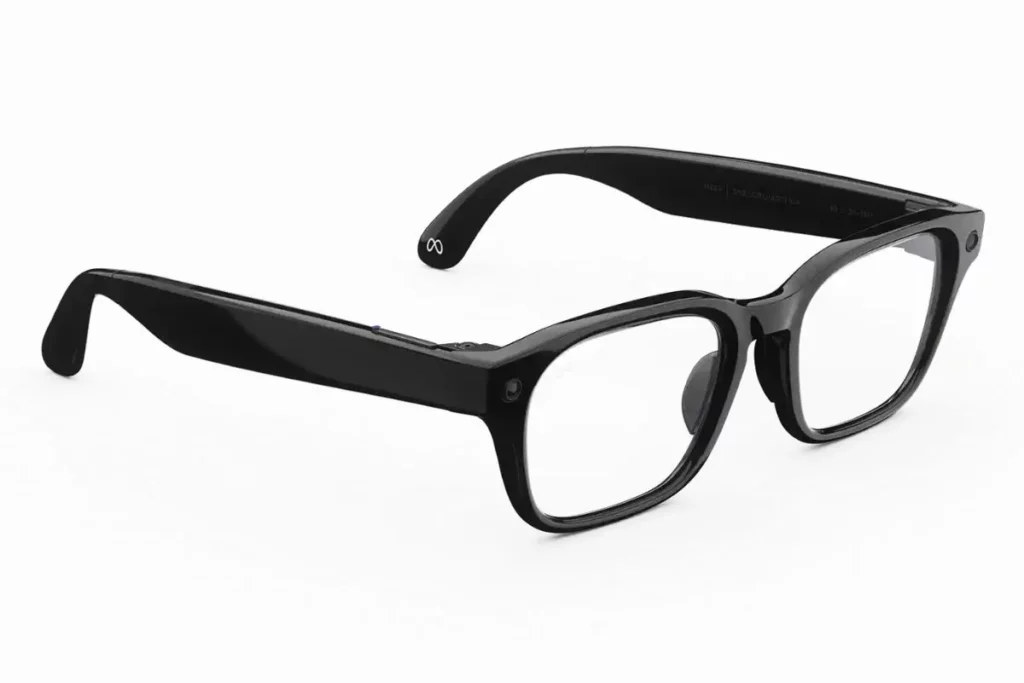
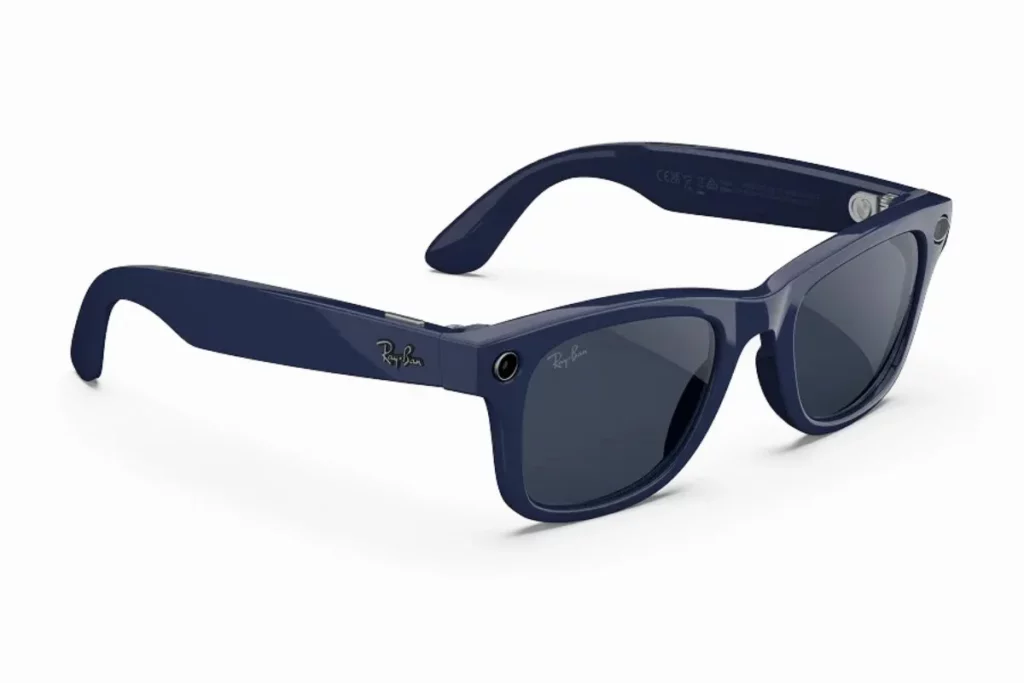
Wearing glasses all day is a deeply personal experience, because no matter how smart the artificial intelligence inside is, a frame that pinches your head or constantly slides down your nose will end up sitting in a drawer. Meta addressed this challenge directly with its self-branded lineup, crafting frames from lightweight injected polycarbonate across three distinct silhouettes. This design choice keeps the frames feeling light on your face while giving you a variety of everyday styles to choose from.
Decode the Decor
The Smart Jewelry Revolution — a practical guide to wearable tech.
The Meta Adventurer serves as the classic everyday option, featuring a rectangular shape in Standard and Large sizes that weigh 54 grams. It pairs a 22mm bridge width with 49mm or 52mm lens widths, making it feel very balanced across your nose. If you prefer a bolder, chunkier look, the Meta Fury bumps the weight to 59.9 grams with a square frame that measures 131mm from hinge to hinge, a 41mm lens height, a 51mm lens width and a 149mm temple length.
For those who want something sleeker, the Meta Starfire weighs 54.6 grams and brings a slim oval frame styled with metal-accented nose pads and subtle gem details. Beyond just physical dimensions, what really impressed me during long days of testing was Meta’s built-in adjustability. Meta engineered 3-way adjustable nose pads, pliable temple tips that you can curve around your ears and spring-loaded over-extension hinges. These small mechanical touches mean that if you have a flatter nose bridge or a wider head, you can custom-shape the frames to eliminate pressure points completely.
On the other side of the aisle, the Ray-Ban Meta Gen 2 takes a traditional eyewear path by using high-grade injected acetate that feels smooth, dense and undeniably premium in your hands. The classic Wayfarer Gen 2 comes in a Standard size measuring 51 grams with 50mm lenses and a 150mm temple length, as well as a Large size weighing 53 grams with 53mm lenses and a 155mm temple length, with both sharing a 22mm bridge width. However, unlike Meta’s customizable frames, traditional Ray-Bans rely entirely on a fixed, molded high-bridge fit without movable nose pads.
When I wore both options back-to-back over full workdays, the difference in everyday ergonomics became crystal clear. The dense acetate on the Ray-Bans feels more luxurious against your skin and if standard Wayfarers already fit your face perfectly, you will love how solid they feel. But if you usually struggle with fixed plastic bridges or need flexible arms that adapt to your unique facial features, the Meta Glasses offer far better ergonomic customization for long-term comfort.
If you’re shopping for something that’s more focused on everyday style than AI features, it’s also worth checking out our guide to the best smart sunglasses, where we’ve compared some of the top options currently available.
Camera and Video Quality
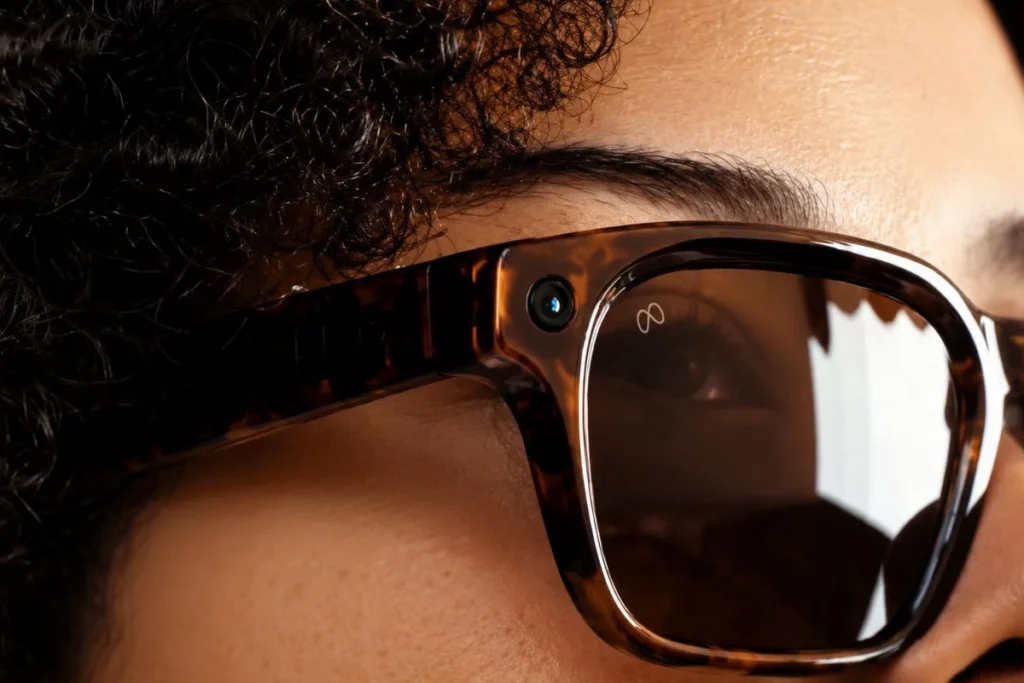
If you are buying smart glasses to capture quick, hands-free point-of-view clips of your dog playing at the park or a song at a live concert, both options perform identically on paper. Meta built the exact build-up into both lineups, meaning you do not sacrifice a single megapixel by choosing the lower-priced model.
Both the Meta Glasses and the Ray-Ban Meta Gen 2 feature a single 12-megapixel ultra-wide camera lens tucked into the corner of the frame. This sensor shoots high-resolution stills at 3024 x 4032 pixels, giving you crisp vertical photos that are formatted perfectly for your phone screen and social media feeds.
When it comes to recording video, both models shoot in sharp 3K Ultra HD at 30 frames per second for up to three minutes per clip, while also offering smooth 1080p recording at 60 frames per second when you want extra fluid movement for sports or action shots.
Beyond raw resolutions, the hardware relies on multi-axis electronic image stabilization (EIS) alongside an auto-HDR pipeline to process what you see. Because you wear these cameras on your head, every slight tilt or turn of your neck gets smoothed out automatically, resulting in remarkably steady clips even while walking briskly down a busy sidewalk.
The camera also uses dynamic frame stacking to balance tricky lighting, preventing bright outdoor skies from blowing out while keeping foreground details clear. Everything you shoot saves directly to 32GB of internal flash storage, which holds roughly 1,000 photos or over 100 30-second 3K video clips before needing a quick sync to the Meta AI app on your phone.
In my real-world testing, videos shot on the $299 Meta Adventurer look completely indistinguishable from those taken on the $379 Ray-Ban Wayfarer Gen 2. Colors are punchy, skin tones look natural and the 100-degree field of view captures enough of your surrounding environment to truly make viewers feel like they are standing right where you were.
Both pairs also feature the exact same outward-facing LED privacy light on the frame hinge, which blinks steadily whenever you take a picture or record video so people around you know the camera is active. Ultimately, there is zero optical advantage or sensor upgrade to paying the extra $80 for the Ray-Ban label, making the Meta Glasses an incredible value if camera performance is your primary priority.
Of course, these aren’t the only camera-equipped smart glasses on the market. If you want to explore more options before making a decision, have a look at our list of the best smart glasses with camera.
Meta AI and Smart Features

When you buy into either frame lineup, you are essentially stepping into the exact same AI ecosystem. Both the Meta Glasses and the Ray-Ban Meta Gen 2 are driven by Qualcomm’s specialized Snapdragon AR1 Gen 1 platform, which handles on-device processing and powers the hands-free assistant experience. You wake the assistant instantly by saying “Hey Meta,” opening up a completely voice-guided interface that lets you ask questions about the world around you, manage notifications, control your music or send WhatsApp and text messages without ever reaching for your phone.
The underlying intelligence is powered by Muse Spark, Meta’s natively multimodal reasoning AI model designed specifically for real-time contextual awareness. Because vision, speech and tool-use are integrated directly at the architecture level rather than chained together through separate apps, the assistant processes visual data remarkably fast.
Initially, Meta debuted Muse Spark alongside its direct-branded Meta Glasses before rolling out the capability across the entire smart eyewear family. As a result, both pairs deliver identical multimodal capabilities. You can stand in front of a landmark in Europe, ask Meta AI to explain its historical significance, look into your pantry to get quick dinner recipes based on available ingredients or translate street signs across 20 supported languages in real time.
Where the Meta Glasses take a distinct leap forward in everyday usability is through hardware controls. On the Ray-Ban Meta Gen 2, your physical inputs are strictly limited to the top shutter button for media capture and the right temple touchpad for taps and swipes. On the Meta Adventurer and Fury frames, however, Meta added a dedicated customizable Action Button.
Having that extra physical key makes a massive difference when you are out in public. Instead of speaking the wake phrase out loud in a quiet room or on a crowded subway, you can single-press or double-press the Action Button to launch live audio translation instantly, trigger a quiet AI visual scan or bookmark audio clips without saying a word. It is a thoughtful hardware addition that gives the self-branded Meta Glasses a real edge in day-to-day convenience.
Meta is also working on new ways to interact with its smart glasses. One of the most interesting developments is Meta Ray-Ban Neural Typing, which could make future hands-free control even more intuitive.
Audio, Calls and Controls
Listening to podcasts or taking calls through open-ear directional speakers built right into your glasses frames is a surprisingly liberating experience. Because the speakers project sound straight down toward your ear canals without plugging them, your ears remain completely open to environmental surroundings, like approaching traffic, train announcements or conversations around you, while still giving you private, clear audio playback.
Both models utilize custom-designed micro-speakers mounted directly into the temple arms above each ear. These drivers rely on phase-reversed acoustic chambers to direct sound waves toward your ear while actively canceling out sound leakage to the sides. In practice, unless you turn the volume up past 80% in a whisper-quiet room, nearby people cannot hear what you are listening to. The sound signature on both pairs delivers clean vocal clarity for podcasts, crisp highs for voice calls and noticeably punchier bass than earlier smart eyewear. Both systems connect wirelessly via Bluetooth 5.3, providing a stable connection with adaptive volume control that automatically adjusts audio output based on ambient noise around you.
Where the internal architecture differs slightly is in voice capture technology. Meta fitted a 5-microphone array into its self-branded glasses, placing miniature mic ports around the frames and bridge to capture spatial audio. Meanwhile, the Ray-Ban Meta Gen 2 utilizes a custom 5-microphone array. Both setups rely on spatial beamforming and neural noise-suppression algorithms to isolate your vocal frequencies from background wind, road chatter and cafe noise during calls.
During my everyday voice call tests along windy city streets, that extra 6th microphone on the Meta Glasses offered a minor theoretical advantage in spatial triangulation, but real-world voice quality felt practically identical across both pairs. People on the other end of my calls repeatedly noted that my voice sounded remarkably clear and natural, with the background noise suppression handling gusty wind effortlessly on both models.
When it comes to physical interaction, both smart glasses feature a hyper-responsive touch-sensitive strip along the right temple arm alongside a dedicated top shutter button. Swiping forward or backward adjusts volume, tapping once plays or pauses media and double-tapping skips tracks. However, the Meta Glasses pull ahead in everyday convenience thanks to their physical Action Button. While Ray-Ban users must rely exclusively on “Hey Meta” voice prompts or touchpad swipes, the Meta Glasses allow you to map custom physical shortcuts, letting you launch live translation or trigger instant AI queries silently with a quick press of a button.
Battery and Charging Case
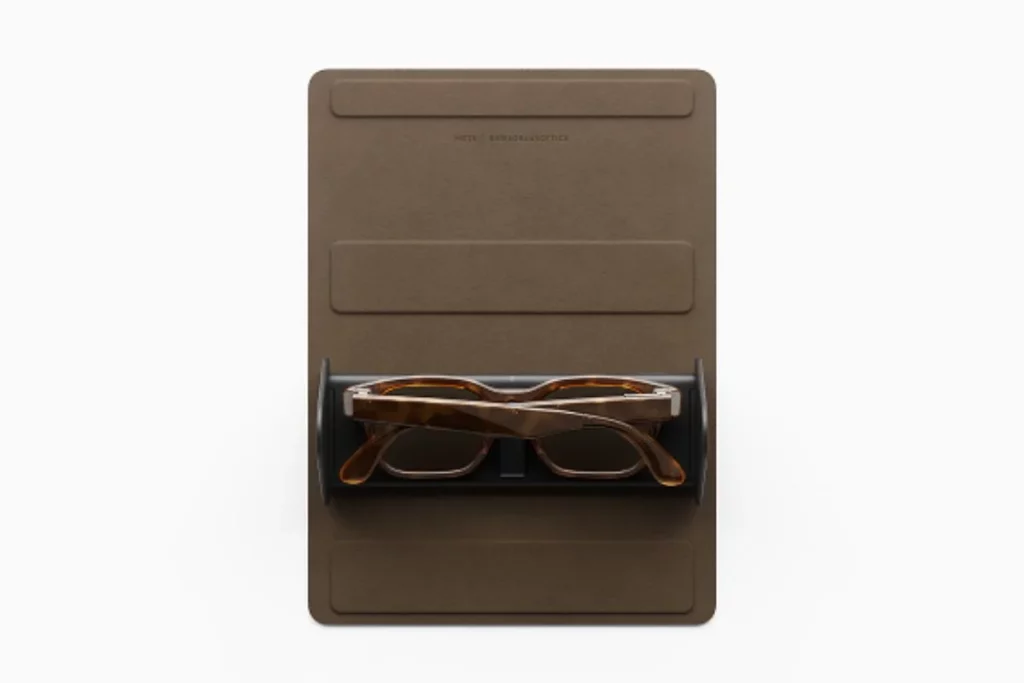
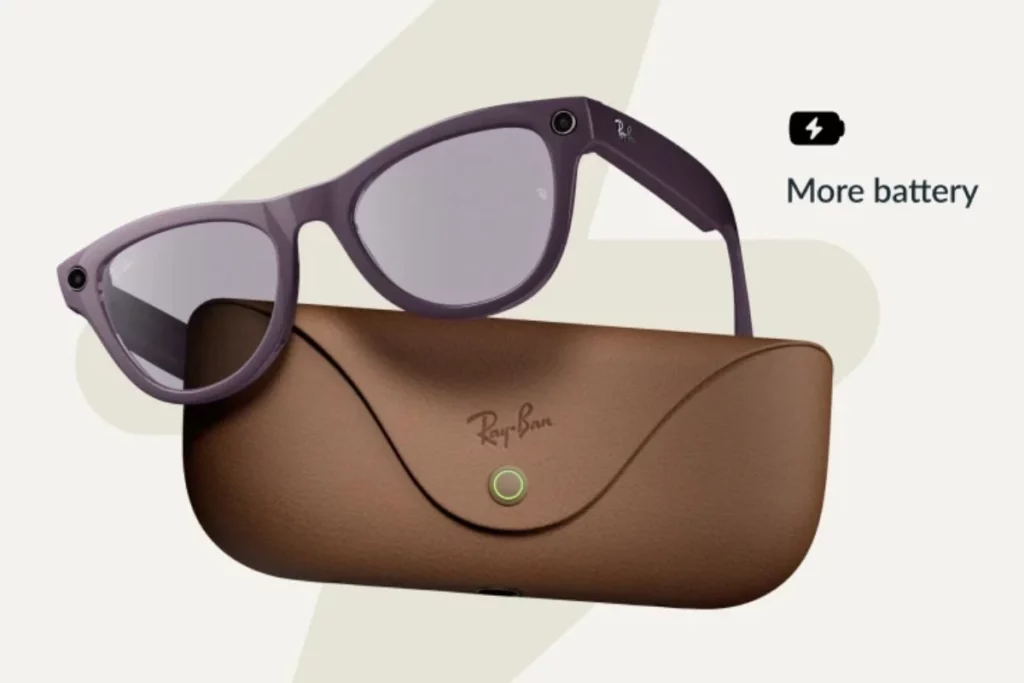
Battery life is another area where the Meta Glasses vs Ray-Ban Meta comparison is very close. Both glasses are designed to last through a typical day of casual use, but there are a few differences worth knowing.
Meta claims the Meta Glasses can deliver more than 8 hours of battery life on a single charge. The charging case can provide up to 48 additional hours, making it easy to recharge the glasses throughout the day without needing a wall charger.
The Ray-Ban Meta Gen 2 also offers up to 8 hours of battery life, but its charging case provides up to 48 additional hours. That means the glasses themselves offer similar battery life, while the Ray-Ban case can keep them powered for a little longer before it needs to be recharged.
In my opinion, neither pair has a major advantage when it comes to everyday battery life. If you’re wearing the glasses for taking photos, asking Meta AI questions, listening to music and making occasional calls, both should comfortably get you through the day. However, if you travel often or spend several days away from a charger, the Ray-Ban Meta’s charging case gives it a slight edge.
Prescription Lenses Could Decide the Comparison
If you plan to wear these as your primary, everyday prescription eyewear, this single technical limitation might force your decision.
- Meta Glasses Range: Accommodates prescriptions from -12.00 to +2.25 total power.
- Ray-Ban Meta Gen 2 Range: Accommodates prescriptions from -12.00 to +6.00 total power.
Because Ray-Ban works through EssilorLuxottica’s extensive lens manufacturing pipeline, the Ray-Ban Meta Gen 2 frames can support significantly stronger positive prescriptions (+2.50 up to +6.00). If your eye prescription requires a higher positive sphere or strong farsighted correction, the Meta Glasses won’t accommodate your lenses. Always verify your exact optical prescription with your optician before ordering either model.
If you’re specifically looking for more prescription-focused Meta eyewear, it’s also worth reading about the Ray-Ban Meta Blayzer and Scriber Optics, which expand Meta’s smart glasses lineup with additional frame options.
Privacy
Both smart glasses share the exact same privacy framework and hardware safeguards:
- Outward Capture Light: A front-facing white LED blinks continuously whenever you take a photo or record video.
- Anti-Tamper Protections: Hardware and software sensors automatically disable the camera if the recording light is taped over, blocked or altered.
- Physical Power Switch: A manual toggle on the frame lets you completely shut down all smart features and microphones when entering private spaces.
- Local Storage First: Captured media stays encrypted on your device’s 32GB storage until you choose to sync or share it via the app.
- Cloud & AI Controls: You can review, pause or clear your voice command logs and AI history anytime in your account settings.
Neither frame offers a privacy advantage over the other, choosing the $299 Meta Glasses over the $379 Ray-Bans gives you identical peace of mind and data controls.
Which Should You Buy?
Buy Meta Glasses if:
- You want the best value for your money.
- You don’t want to spend an extra $80 for similar smart features.
- You like the Adventurer, Fury or Starfire designs.
- You want adjustable nose pads and temple tips for a better fit.
- You like having a customizable Action Button for quick shortcuts.
- Your prescription falls within the supported range.
Buy Ray-Ban Meta if:
- You specifically want the Wayfarer, Skyler or Headliner frames.
- You need broader prescription lens support.
- You prefer the premium look and feel of Ray-Ban eyewear.
- You want a charging case with longer claimed battery capacity.
- Ray-Ban’s classic styling is worth paying extra for.
Who Should Avoid Both?
You should avoid both if:
- You want a built-in display or true augmented reality (AR) experience.
- You need smart glasses without an outward-facing camera.
- You expect all-day battery life while constantly recording videos or using AI features.
- You want smart glasses that work outside Meta’s ecosystem.
- You prefer traditional glasses without microphones, speakers or AI features.
Final Verdict
If I had to choose just one pair, I would go with the Meta Glasses. The biggest reason is value. They give me everything I expect from modern AI smart glasses, Meta AI, a great camera, open-ear audio, voice controls and a comfortable everyday experience, without making me spend more than I need to. I also really like the adjustable fit and the customizable Action Button, both of which make the glasses feel more practical during daily use.
After using them for a while, these are the glasses I found myself reaching for the most. They strike the right balance between smart features, comfort and price, making them an easy recommendation. If I were spending my own money today, the Meta Glasses would be the pair I’d buy.
FAQs
Decode the Decor
The Smart Jewelry Revolution
A practical guide to wearable tech's future — delivered straight to your inbox.
Author
